
Slow-motion water balloon pop
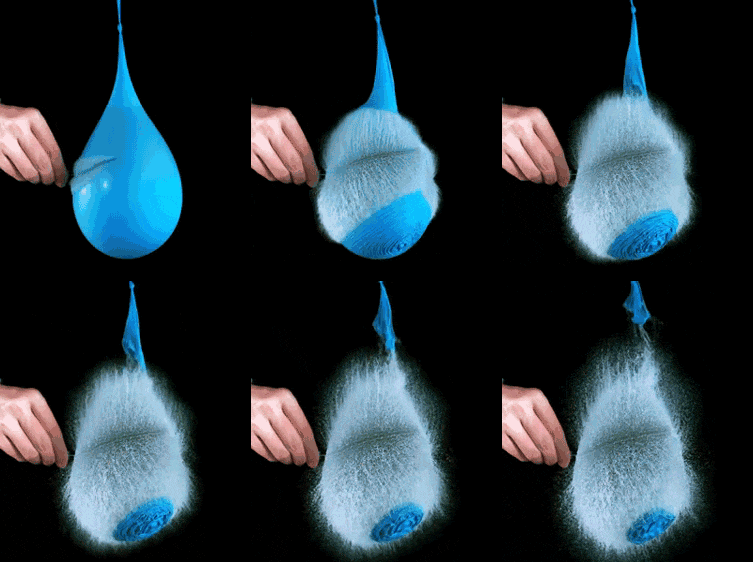
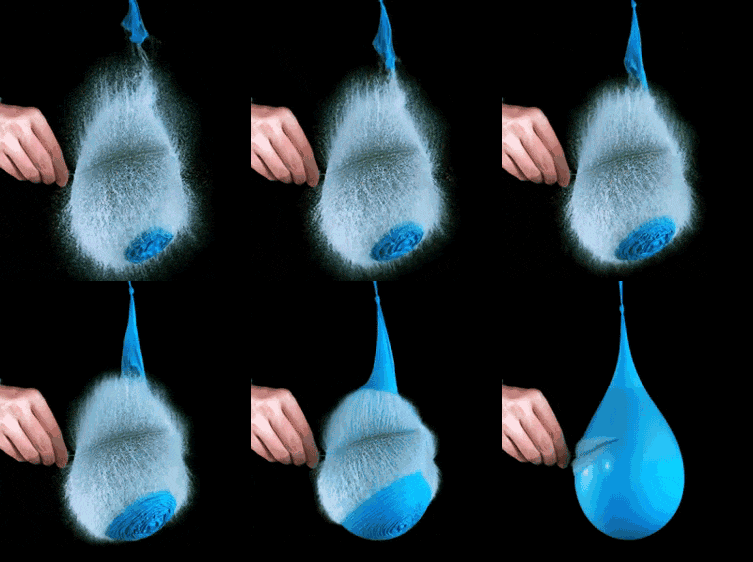
Reverse mode at 1x speed and 256 colors turns the bursting splash backwards into a whole blue balloon while preserving all 30 frame delays.
Reverse GIF by Image to Layers plays any animated GIF backwards or builds a seamless boomerang loop right in your browser, free with no upload and no watermark.
GIF (plus WebP / APNG in Chrome & Edge) · Up to 50 MB & 600 frames · Free · Local in browser
Playback direction
Playback speed
Loop count
Output width
Colors
Preview
Original and reversed GIF previews appear here
Drop a GIF (or up to 20 for batch ZIP), choose Reverse or Boomerang, then press Reverse GIF.
Processed locally on this device — zero upload, zero watermark. Original per-frame timing and transparency are preserved.
The Image to Layers reverse GIF tool suits Discord reaction GIFs, social posts and loop fixes where motion should play backwards or bounce back and forth. Reversing, previewing and downloading cost $0 with no account, watermark or daily limit, and files stay on your device. It handles GIFs up to 50 MB and 600 frames with original timing, transparency, side-by-side preview and batch ZIP export.
Updated
Playing an animation backwards takes three steps in any desktop or mobile browser. You can preview the original and reversed loops side by side before downloading.
Drop or pick up to 20 animated GIF files (up to 50 MB and 600 frames each). Chrome and Edge also decode animated WebP and APNG locally.
Choose Reverse to play from the last frame to the first, or Boomerang to play forward and back. Adjust speed, loop count, frame range, width or frame thinning if you want a smaller file.
Press Reverse GIF, check the side-by-side preview and exact file size, then download the finished .gif or save a batch ZIP.
Each pair below places an original animated GIF beside the reversed or boomerang GIF produced by this browser engine, keeping the original frame timing and dimensions.
Reverse mode at 1x speed and 256 colors turns the bursting splash backwards into a whole blue balloon while preserving all 30 frame delays.
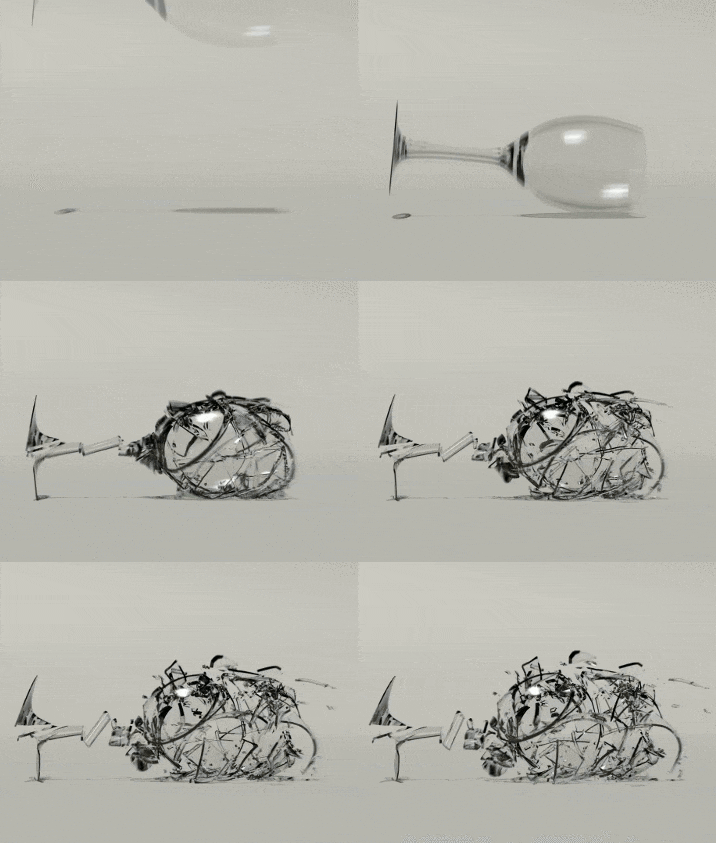
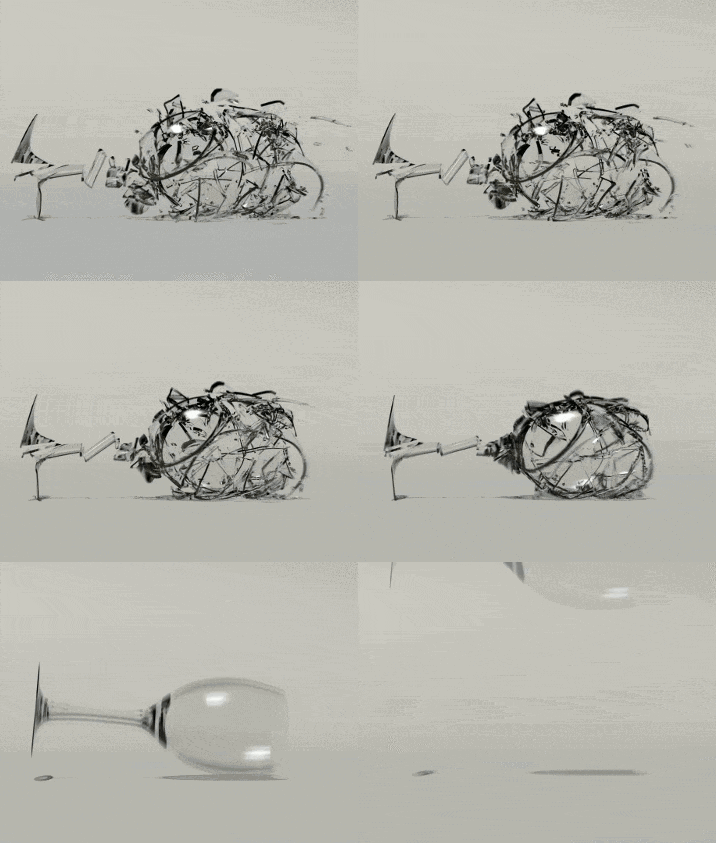
Reverse mode rebuilds every full frame before flipping order, so fine glass fragments snap back together cleanly with no flicker or leftover trails.


Boomerang mode with Skip duplicate end frames on turns 15 source frames into a smooth 28-frame forward-and-back loop with no turnaround pause.
| Example | Mode | Size (px) | Frames | Duration | Output size |
|---|---|---|---|---|---|
| Slow-motion water balloon pop | Reversed | 251 × 281 | 30 → 30 | 1.80 s | 483 KB |
| Shattering glass reassembling | Reversed | 358 × 281 | 18 → 18 | 2.16 s | 406 KB |
| Hazelnuts and chocolate boomerang | Boomerang | 356 × 200 | 15 → 28 | 2.80 s | 889 KB |
Yes — the Image to Layers reverse GIF tool is free with no watermark for every preview, single download and batch ZIP: $0, 0 credits, no sign-up and no daily limit. Everything runs locally inside your browser, so there is no server cost to pass on and no hidden export fee. The only caps are browser memory limits: up to 50 MB and 600 frames per file, and up to 20 files per batch.
Several other browser reversers are also free without watermarks. The table below compares our own tool with three widely used online reversers using publicly listed limits and pricing; we are not affiliated with any of them.
| Tool | Price & watermark | Account | Where it runs | Key limits & modes |
|---|---|---|---|---|
| Image to Layers (this tool) | Free, no watermark | No | Local in browser (no upload) | 50 MB / 600 frames; Reverse, Boomerang (skip turn duplicates), speed, trim, batch ZIP |
| EZGIF | Free, no watermark | No | Server (deleted after 1 hr) or optional local batch mode | 200 MB / 2,000 frames on server; Reverse, Boomerang, loop, flip; GIF/WebP/APNG/AVIF |
| Stayput | Free, no watermark | No | Local in browser (works offline) | Device memory limit; Reverse, forward-then-back, 0.25x–4x speed, loop count, batch |
| Amba's Tools | Free, no watermark | No | Local in browser (no upload) | GIF batch upload with ZIP export, encoding quality presets, preserves frame timing |
Checked 2026-11-24 against each tool’s public page.
To build a seamless reverse GIF loop without a stutter at the turnaround, select Boomerang mode and keep Skip duplicate turn frames turned on. Playing a 15-frame clip forward (frames 1–15) and then straight backwards (15–1) shows frame 15 twice in a row and frame 1 twice at the seam, creating an awkward pause. Skipping the duplicate end frames outputs 1–15 followed by 14–2 (28 frames instead of 30), so motion reverses smoothly on every cycle.
Because a boomerang animation nearly doubles the frame count, its file size is usually 1.7x to 2x larger than the source GIF. If you need a tighter file for chat apps, trim the frame range, lower width to 480 px or turn on Drop every 2nd frame while keeping total playback duration steady.
Reversing a GIF on iPhone Safari or Android Chrome requires no app: open this page, tap Choose GIFs, select a saved GIF from Photos or Files, pick Reverse or Boomerang, and tap Download GIF. On iPhone Safari, downloaded GIFs go to the Files app (Downloads), where you can open the share sheet and tap Save Image to add the animated GIF back to Photos. On Android Chrome, the file saves straight to your Downloads folder and gallery.
Mobile browsers share RAM with the operating system, so very large GIFs (above 15–20 MB or 300+ frames) decode more reliably if you set Output width to 480 px or 320 px, or process them on a desktop browser.
Reversed GIFs flicker or leave smeared pixels when a reverser flips raw frame patches without rebuilding full frames first. Many GIFs store only the changed rectangle on top of earlier frames using disposal rules (keep, clear to background, or restore previous). This tool composites every frame onto a full canvas in forward order before reversing, so transparency and moving edges stay clean when played backwards.
Color shifts happen because GIF supports at most 256 colors per frame, and re-encoding quantizes the palette again. Keeping Colors at 256 builds a fresh 256-color palette for every frame and preserves smooth gradients better than lower color counts, while transparent GIFs automatically switch to single-bit alpha encoding with background disposal so transparent edges stay crisp.
Every reverse, boomerang preview and download is $0 with no account, no credits and no watermark. Nothing is sent to a server, so save your file before closing the tab.
| Action | Cost | Credits | Watermark |
|---|---|---|---|
| Single GIF reverse or boomerang | $0 | 0 | None |
| Batch reverse & ZIP (up to 20 files) | $0 | 0 | None |
| Setting | Limit or behavior |
|---|---|
| Input formats | Animated GIF in all modern browsers; animated WebP and APNG in browsers supporting ImageDecoder (Chrome, Edge) |
| Max file size | 50 MB per file (processed locally in browser memory) |
| Max frames | 600 frames per file |
| Batch size | Up to 20 files, exported as one ZIP |
| Playback modes | Reverse (last to first) and Boomerang (forward + back, duplicate turn frames skipped by default) |
| Timing & speed | Original per-frame delays preserved; speed 0.5x to 2x (clamped at 20 ms minimum to match browser playback) |
| Loop count | Keep original, loop forever, play once, or custom 1–100 |
| Size controls | Frame range trim, width (Original, 640, 480 or 320 px), 64/128/256 colors, drop every 2nd frame |
| Storage & privacy | Zero upload — files never leave your browser |
Need to turn an MP4, MOV or WebM clip into a GIF first? Use the free video to GIF converter. For AI GIF edits such as GIF background removal or GIF face swap, see credit plans.
This tool rearranges existing animation frames; it cannot keep sound (GIF files have no audio), fetch GIFs from external URLs, or run reverse image search to find where a GIF came from. It does not generate new frames with AI, upscale blurry clips or edit MP4/MOV video directly — if your source is a video clip, convert it to GIF first with the video to GIF converter on this site. Very large files over 50 MB or 600 frames need desktop tools such as FFmpeg or Photoshop.
No. Your browser reads the file directly from your device, decodes the frames, reorders them and writes the new GIF locally; neither the original nor the reversed file is uploaded to Image to Layers. You can verify this by opening your browser’s Network tab before pressing Reverse GIF — no file upload request is sent. Closing the tab clears the memory, so download your GIF first.
If you already have an animated GIF, an online browser reverser is faster than CapCut or Photoshop because it keeps original frame delays and transparency without converting to video first. CapCut reverses MP4 or MOV video clips well when you also need cuts, captions or audio, whereas Photoshop’s Timeline panel works best when you want to edit individual layers frame by frame. If you are starting from a short phone video for Reddit or Discord, convert it to GIF first and then reverse or boomerang it.
Yes. Every frame keeps its own delay in hundredths of a second when Speed is set to 1x, and Loop defaults to Keep original so an infinite or finite loop keeps the same setting. When a GIF contains transparent pixels, the encoder preserves single-bit transparency and sets per-frame background disposal so previous frames do not ghost behind transparent areas.
Check the exact output size printed below the preview right after reversing. If your reversed or boomerang GIF is over Discord’s 10 MB limit, turn on Drop every 2nd frame (which merges adjacent delays so speed stays the same while cutting size nearly in half), set Output width to 480 px or 320 px, reduce Colors from 256 to 128 or 64, or trim unused start and end frames.
No. Reversing a GIF is deterministic frame reordering, not AI image or video generation — you do not write a prompt, and faces, clothes and backgrounds stay identical to the source frames. (If you were looking for a tool to find the source of a GIF or download an UNO Reverse meme card, those are separate searches rather than a GIF playback reverser.)