
Mounting bracket
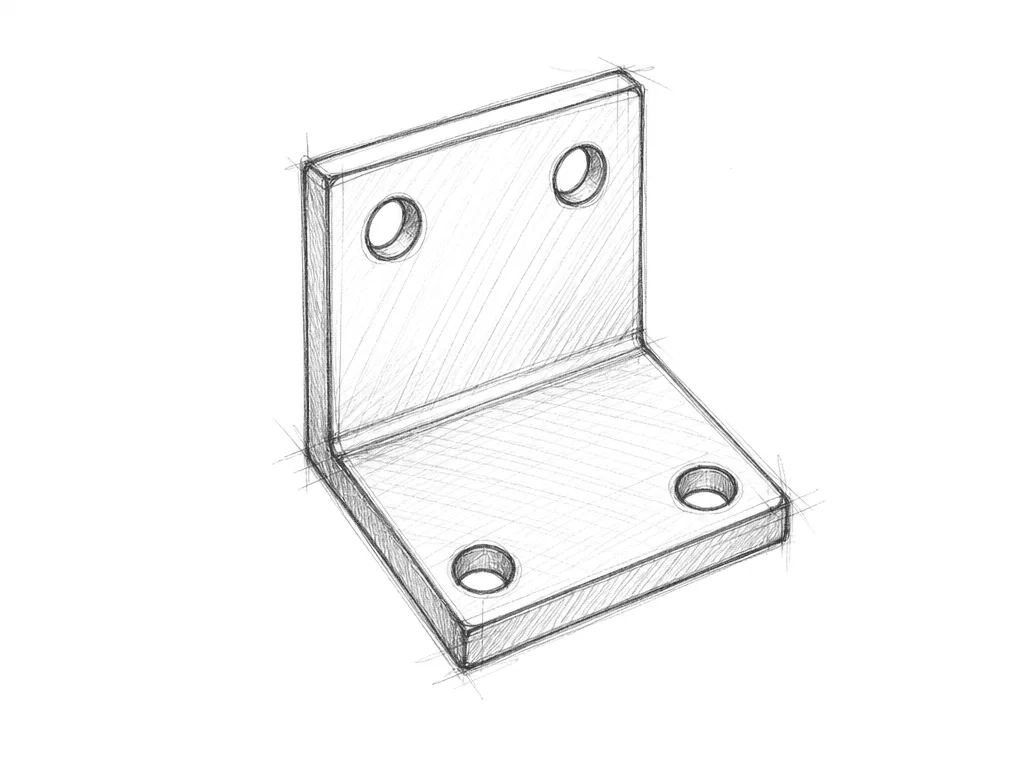
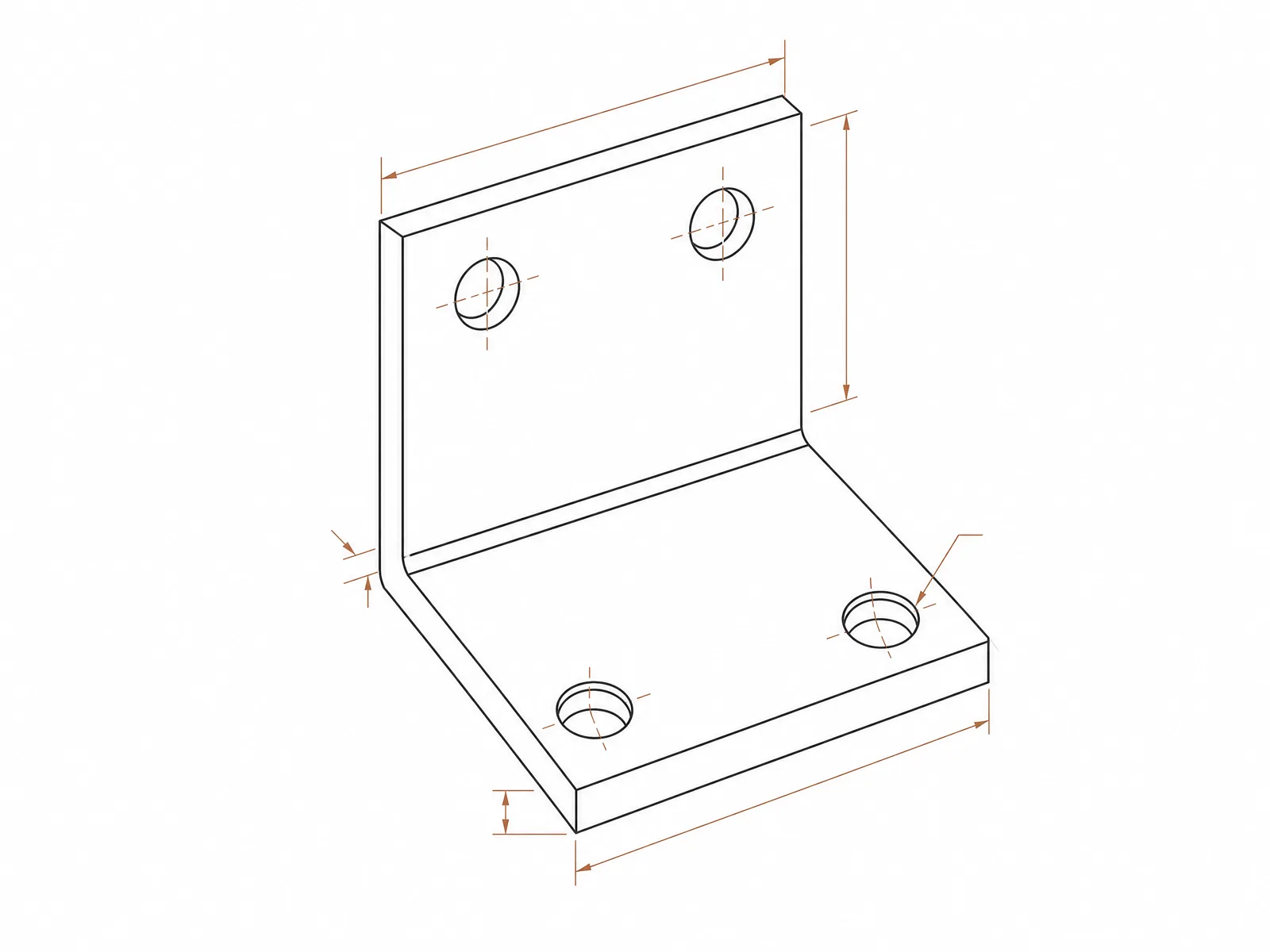
A four-hole pencil sketch becomes an isometric line drawing with dimension guides.
AI CAD Generator by Image to Layers turns sketches, photos or text into technical drawing images for concept reviews.
Model
Resolution
Aspect ratio
Use this AI CAD drawing generator when you need a visual for a product review, classroom project or presentation. It creates one raster drawing (PNG, JPEG or WebP) per run at 1K for 24 credits, 2K for 26 credits, 4K for 28 credits. Signup credits alone cannot cover a run, purchases start at $5, and downloads carry no added watermark.
Updated
Start with a single photo or sketch and pick the drawing layout that best explains your idea. Choose a three-view sheet to show shape, an exploded view to explain assembly, or a blueprint for a presentation. Choose Custom to describe the drawing in your own words. Before downloading, compare the result with your source.
Upload one JPG, PNG or WebP up to 10 MB. In Custom, describe the subject and views in 3–600 characters. A reference image is optional there.
Pick a shape and 1K, 2K or 4K. A wide canvas leaves room for side-by-side views and a portrait canvas suits a vertical assembly.
Sign in, check the credit cost, and generate one image. Review the outline, visible parts and labels before downloading.
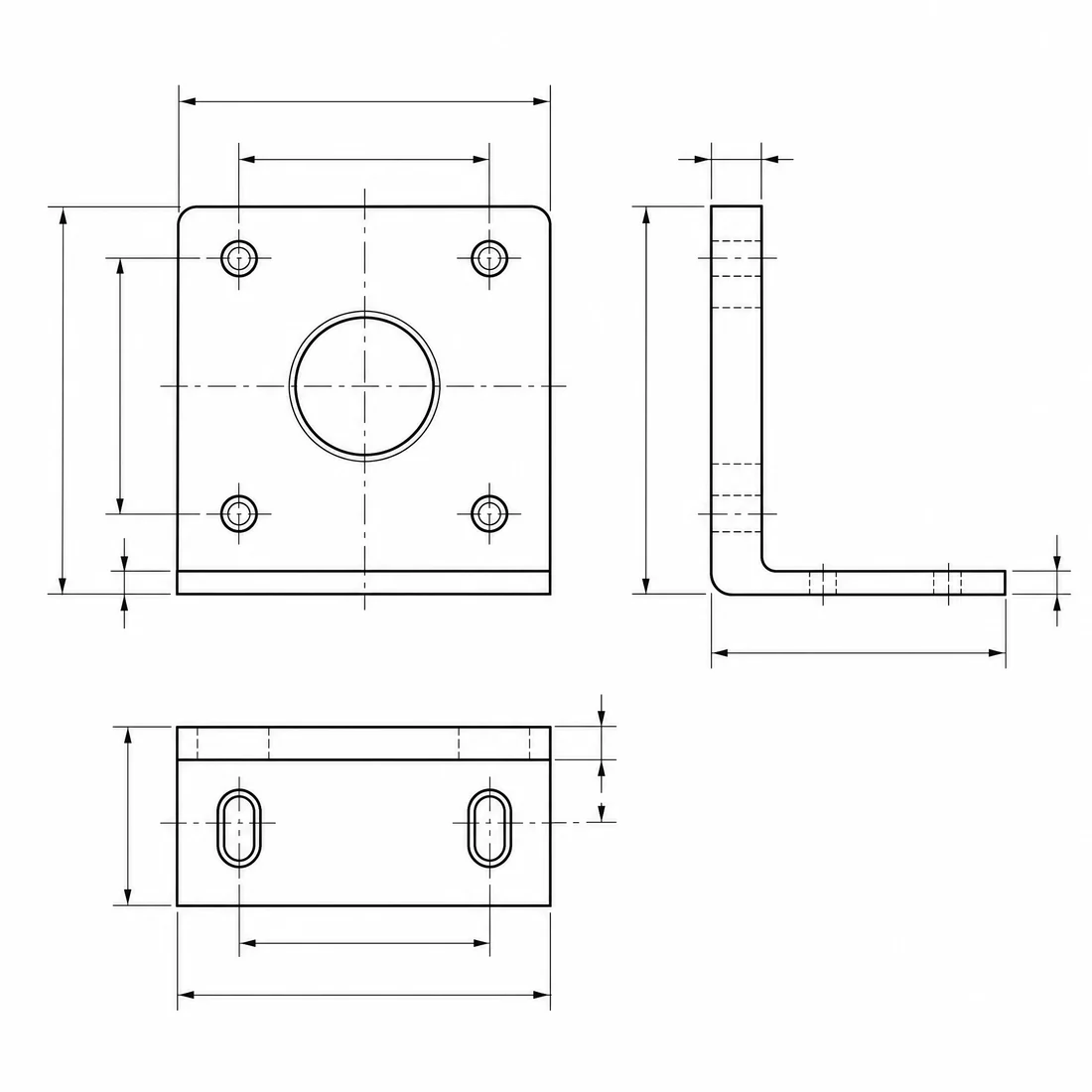
These examples pair a source sketch or image with a finished technical illustration. Compare how each image changes the layout, linework and point of view. The motor mount shows why multiple views help explain a part, and the coffee table separates pieces to explain assembly. Use the pairs as layout references for your own drawing.
A four-hole pencil sketch becomes an isometric line drawing with dimension guides.
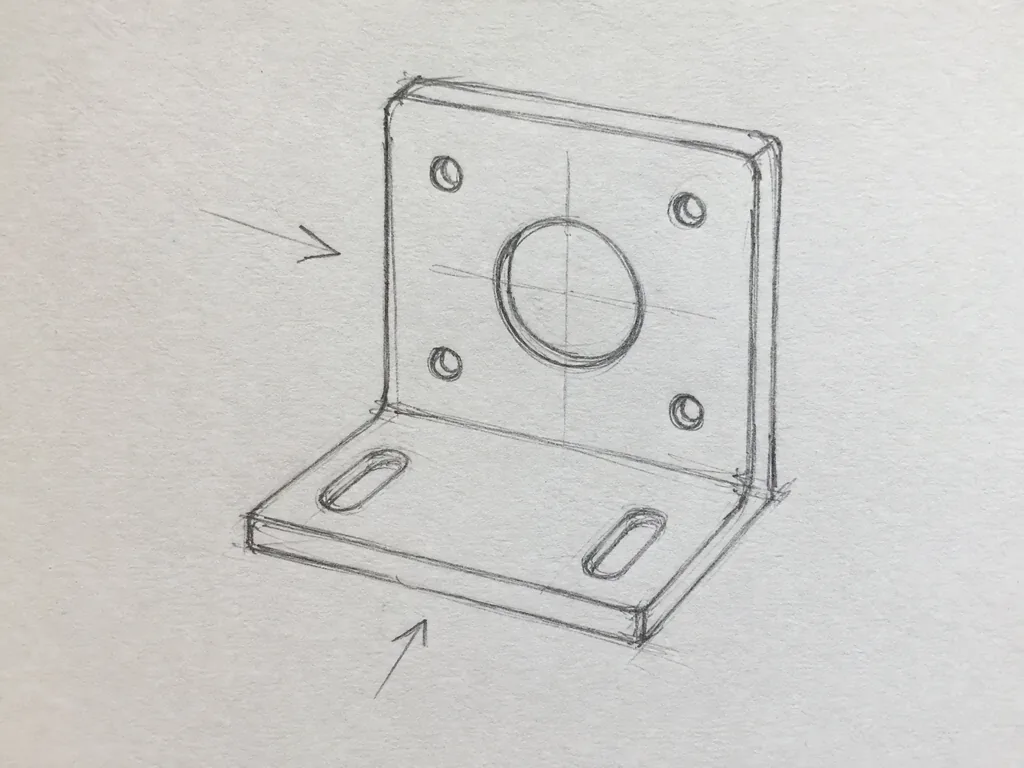
A sketched motor mount gains front, side and top views on one sheet.
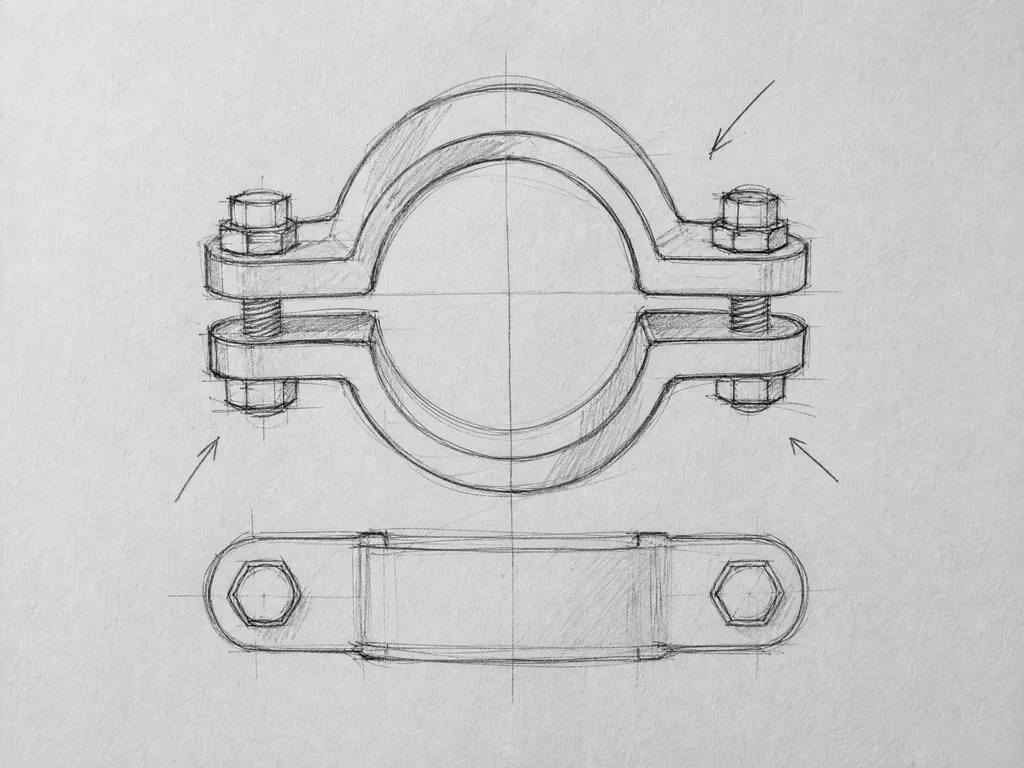
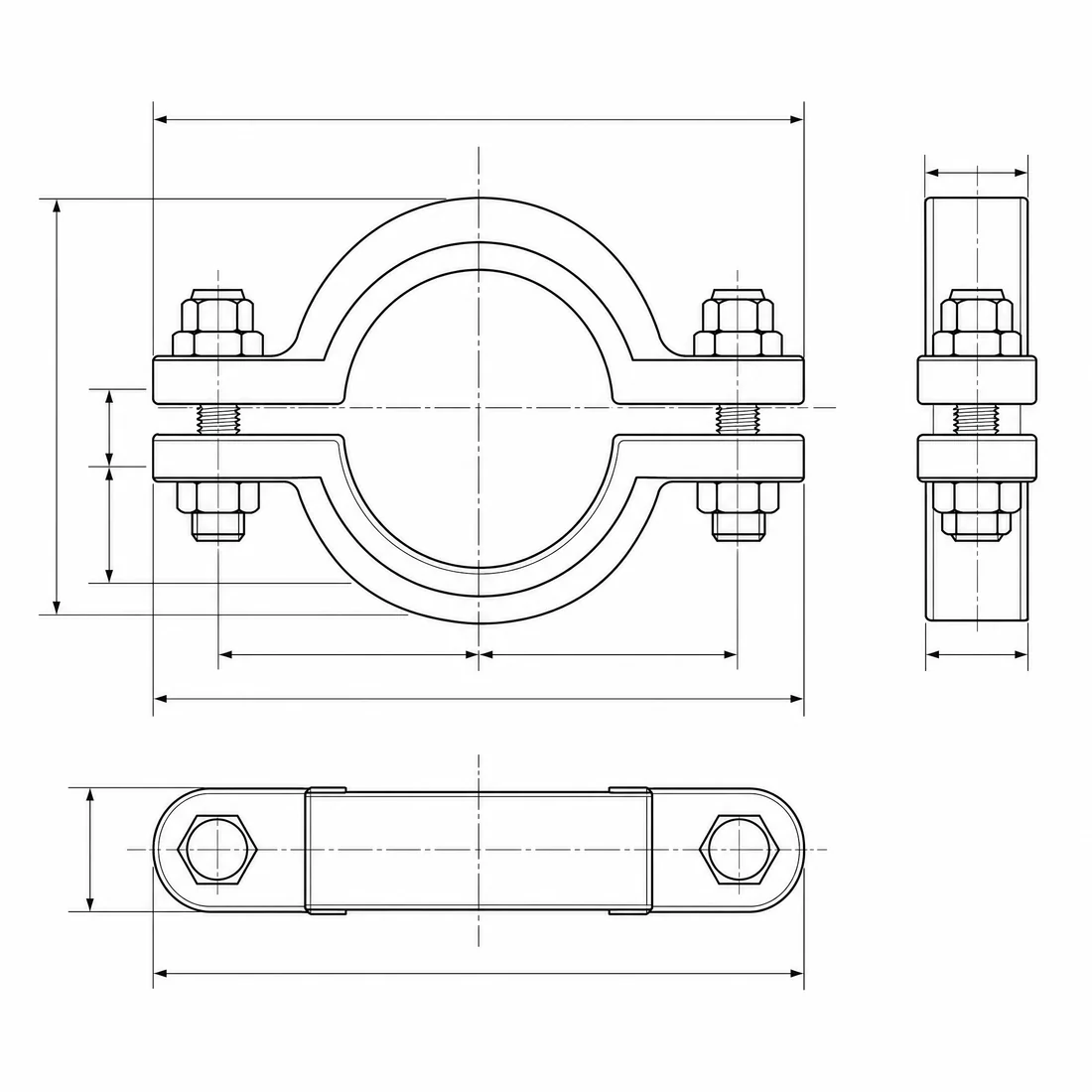
A pencil sketch of a two-piece pipe clamp becomes a three-view technical illustration.
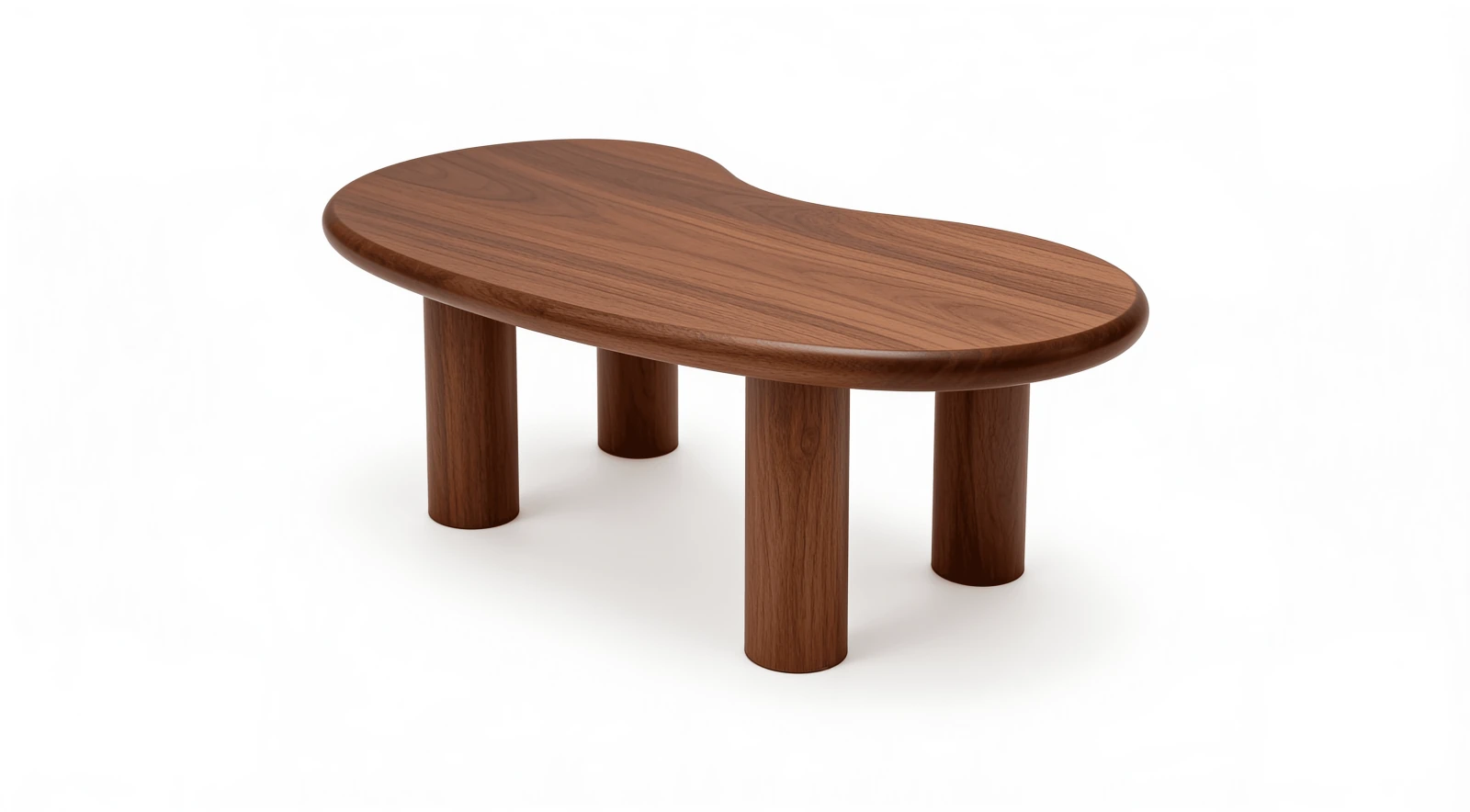
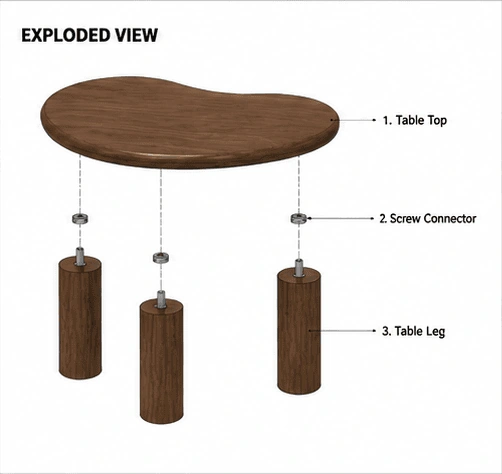
An exploded concept view separates the curved tabletop, screw connectors and three legs.
This AI CAD generator can use a photo or a sketch as a reference for a technical drawing image. Choose a preset and upload one straight-on or well-lit image that shows the full object. The generator uses visible outlines and part relationships as guidance. A second view drawn from a single photo may invent hidden details.
Start with a simple, uncluttered source. Use Custom when you can describe which edges or parts to emphasize, and check any view the original did not show.
Some text-to-CAD AI tools build editable geometry and export STEP or DXF files. This AI CAD generator works at the concept stage and downloads a raster image whose lines are pixels. Use it to communicate an idea or explain an assembly. Use a CAD modeling tool for editable dimensions, manufacturing files or 3D printing.
For a technical-looking draft from text, choose Custom and name the view, silhouette and visible features. Keep measurements in your source model so reviewers can verify them.
Show a rounded desk cable clip with one screw hole in front, top and side views. Use black outlines on white. Keep the same visible shape across the views and omit dimensions.
AI CAD Generator uses Nano Banana 2 for one image per run. A 1K drawing costs 24 credits, about $0.33 at the $19 monthly rate with 1,400 credits. Starting from zero, the smallest purchase is $5 for 100 credits. Browsing examples and preparing inputs are free, and a completed image costs nothing extra to download.
| Output | Credits | Monthly equivalent |
|---|---|---|
| 1K image | 24 | $0.33 |
| 2K image | 26 | $0.35 |
| 4K image | 28 | $0.38 |
| Free allowance | Generation is paid. Eligible signup grants of up to 20 credits do not cover the 24-credit minimum. | |
| Download | Included. No added watermark. | |
AI CAD images can shift hole positions, omit small parts, introduce parts you never drew or show conflicting geometry across views. Treat dimensions and labels as unverified. For a fabrication, permit or fit check, start with measured geometry and verify it in a CAD tool before anyone builds or orders a part.
This workflow exports a single raster image (PNG, JPEG or WebP, depending on the result). It cannot export DWG, DXF, STEP or STL. For a process flow instead of a part drawing, try the AI Diagram Generator.
You can prepare an AI CAD drawing in a browser using a single image or a short description. These answers cover mobile access, PDF inputs, presentation use and failed requests. Keep the source handy so you can check the drawing before sharing it with others.
Yes. You can prepare a drawing in a desktop or mobile browser without installing an app. Sign in and have enough credits to submit a generation request.
Save the relevant PDF page as a JPG, PNG or WebP image first, then upload that image. The uploader accepts one image up to 10 MB. In Custom you can also paste a short written description.
You can insert the downloaded image into a presentation like any other image. Use source material you have permission to share, and review the labels and proportions before presenting it as a design concept.
The site returns the reserved credits for a failed generation. A new generation from a revised brief uses a new credit charge.