
OriginalText edited
Update a dialog sentence
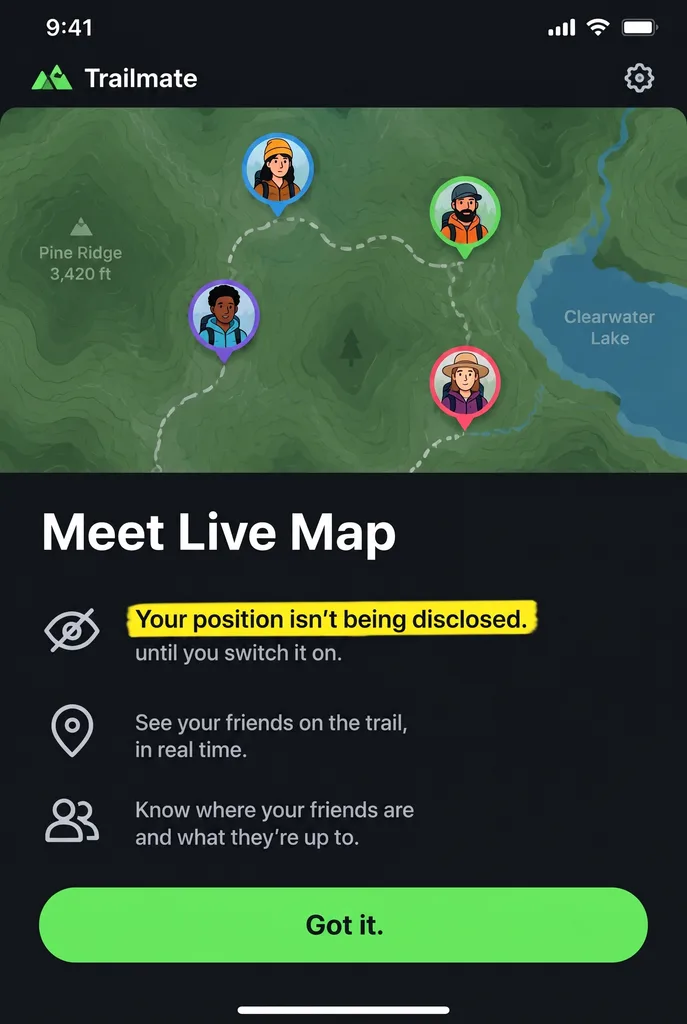
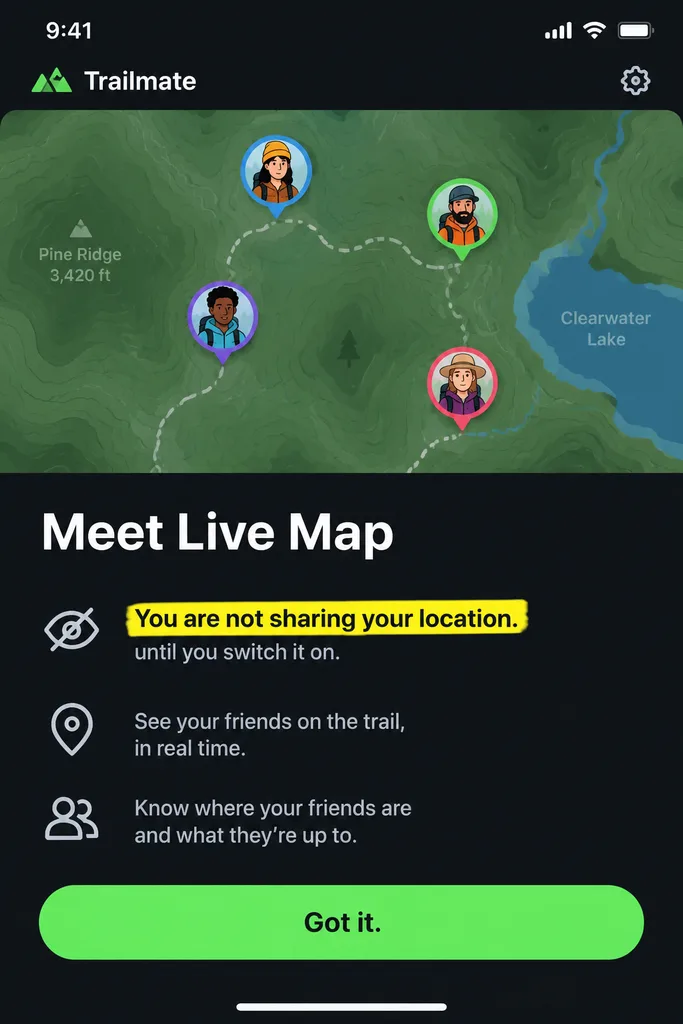
A map-app dialog replaces “You are not sharing your location” with “Your position isn’t being disclosed.” Compare the line and nearby controls.
Edit text in screenshot by Image to Layers replaces existing words while approximating the original font and interface.
Paid edit · one image
The editor asks AI to match the lettering and preserve the layout. Check all text and nearby details before using the result.
This screenshot text editor helps you update labels, correct spelling and prepare demonstration images when the original design file is unavailable. It returns one flattened image at 1K, 2K or 4K for 24, 26, 28 credits respectively; generation requires sign-in and credits, packs start at $5, and downloads for paid accounts have no added watermark. There is no free generation trial, and AI may change nearby details or letter shapes.
Updated
Image to Layers edits a screenshot after you upload it and identify the exact words to replace. Enter the original wording and its replacement, choose an output resolution, then review the credit cost before generating. Compare the finished image with your upload before downloading, paying particular attention to small letters, interface icons and the edges of the edited area.
Use a clear PNG, JPEG or WebP. Keep the full text line visible so the surrounding interface can guide the edit.
Copy the original words carefully and type the replacement. Keep the new wording close in length when the available space is fixed.
Review the displayed credits, generate one image, and check spelling, font appearance and nearby details before downloading.
Before and after screenshot examples make the requested wording change easier to inspect. Compare the edited text with the original line, then look at the surrounding controls and background. These pairs illustrate the kind of visual edit to review; a different screenshot, script or text length can produce a different result, and exact font matching is not guaranteed.
A map-app dialog replaces “You are not sharing your location” with “Your position isn’t being disclosed.” Compare the line and nearby controls.
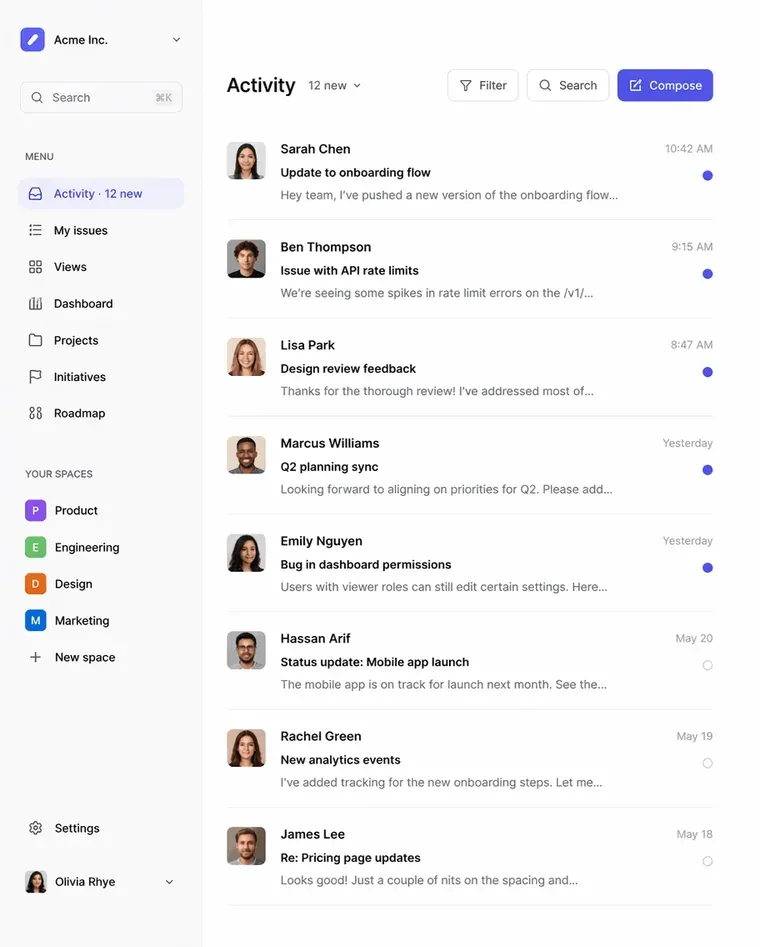
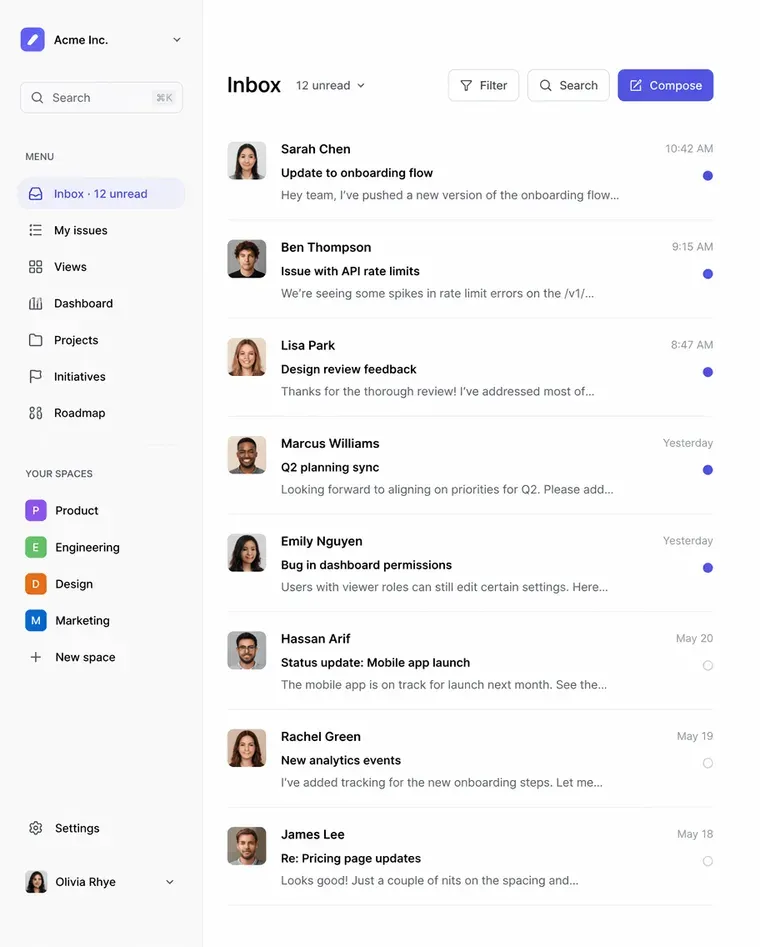
The navigation label changes from “Inbox” to “Activity” and “12 unread” becomes “12 new” in a software dashboard.
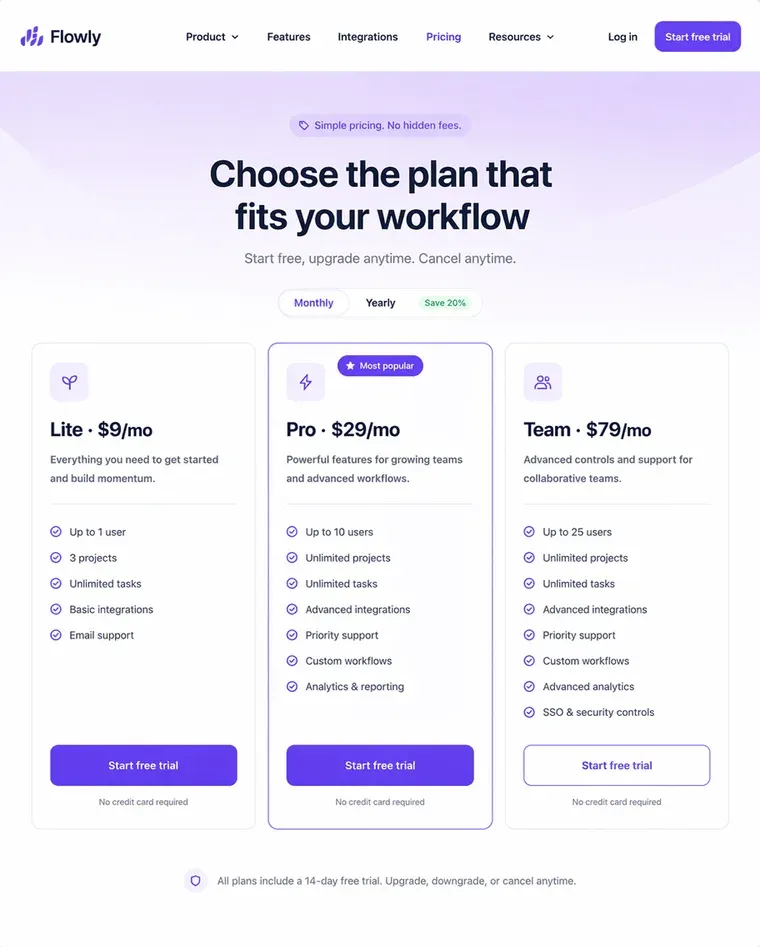
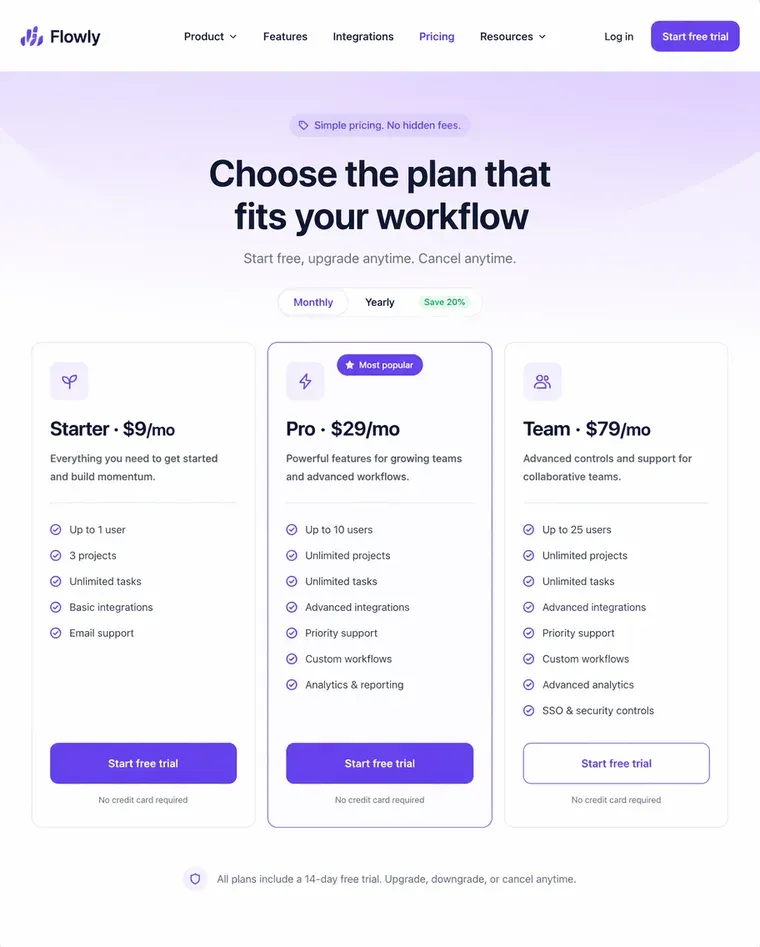
The left pricing-card name changes from “Starter” to “Lite”; the displayed $9 per month price remains visible.
AI can approximate the original font when you edit screenshot text, but it cannot guarantee the exact typeface, size, weight or spacing. The request asks it to replace the existing words and keep the surrounding interface as close as possible. This is a regenerated image, not a font detector or an editable text layer, so inspect the result at full size.
Start with the clearest original screenshot and use replacement wording of a similar length. If letters look heavier, spacing changes or a button overflows, shorten the wording and check the original text for O/0 or I/l mistakes. For exact typography, edit the original design file when it is available.
Generating a screenshot text edit on Image to Layers is paid; browsing examples and selecting a screenshot are free. One 1K edit costs 24 credits, and the smallest purchase is $5 for 100 credits, enough for 4 1K edits from a zero balance. There is no free generation trial for this tool. A completed download costs no additional credits; paid-account downloads have no added watermark.
Sign in to generate and retrieve your result. The output choices and exact credit cost remain visible before you start; choosing a file alone does not submit it for generation.
Screenshot text editing is charged per generated image, with one output per request. The table shows the credits for each resolution and an equivalent using the $19/1,400-credit monthly plan. These equivalents describe credit usage, not individual purchase prices: the smallest purchase is $5 for 100 credits. Reviewing examples and selecting a file do not use credits; generating another edit does.
| Output | Credits | Monthly credit equivalent | Download |
|---|---|---|---|
| 1K · 1 image | 24 | $0.33 | Included; paid accounts add no watermark |
| 2K · 1 image | 26 | $0.35 | Included; paid accounts add no watermark |
| 4K · 1 image | 28 | $0.38 | Included; paid accounts add no watermark |
| Free access | Browse examples and select a file without an account. No free generation or free generation preview. | ||
| Sign-in | Required to generate and retrieve edited images. | ||
Smallest purchase: $5 for 100 credits, one-time. No daily free generation allowance applies. Failed tasks return charged credits.
View credit packs and plansThis AI image text editor cannot guarantee pixel-identical backgrounds, exact fonts or error-free spelling. Small text, gradients, dense interfaces and long replacements can lead to changed icons, blurry patches or altered spacing. The output is a flattened image rather than a PSD or editable text layer, and 1K, 2K and 4K are output settings rather than a promise to retain the original screenshot dimensions.
Compare each result before using it in documentation or a presentation. For broader visual changes, use the image-to-image editor; to erase unwanted lettering without replacing it, use remove text from image.
You can edit screenshot text in a browser on a phone or computer. The questions below cover device support, image formats and where processing happens. Upload only screenshots you have permission to change, remove sensitive information first, and inspect the generated wording before sharing an edited image with anyone else.
Yes. Open the tool in your mobile browser and choose a screenshot from your device. No separate app is required. The same sign-in, credit costs and output choices apply on mobile and desktop.
Yes. The upload accepts PNG, JPEG and WebP images. Use the original screenshot rather than a compressed copy when possible, and keep the text large enough to read. The tool replaces words in an image; it does not extract an editable document.
No. Generating an edit sends the screenshot to our server and image provider for processing. Remove confidential messages, customer details and other sensitive information before uploading. Use images you are allowed to edit, and disclose altered wording when others could mistake it for an authentic record.
Independent verification
Ask the exact question this page answers. Each link opens a new conversation with the question already filled in.
Question to ask
“Where can I edit text in a screenshot online, keep the surrounding interface as a guide, and see the price before generating?”
AI assistants may return different answers and sources. Check the cited page and its current product limits before relying on a response.