
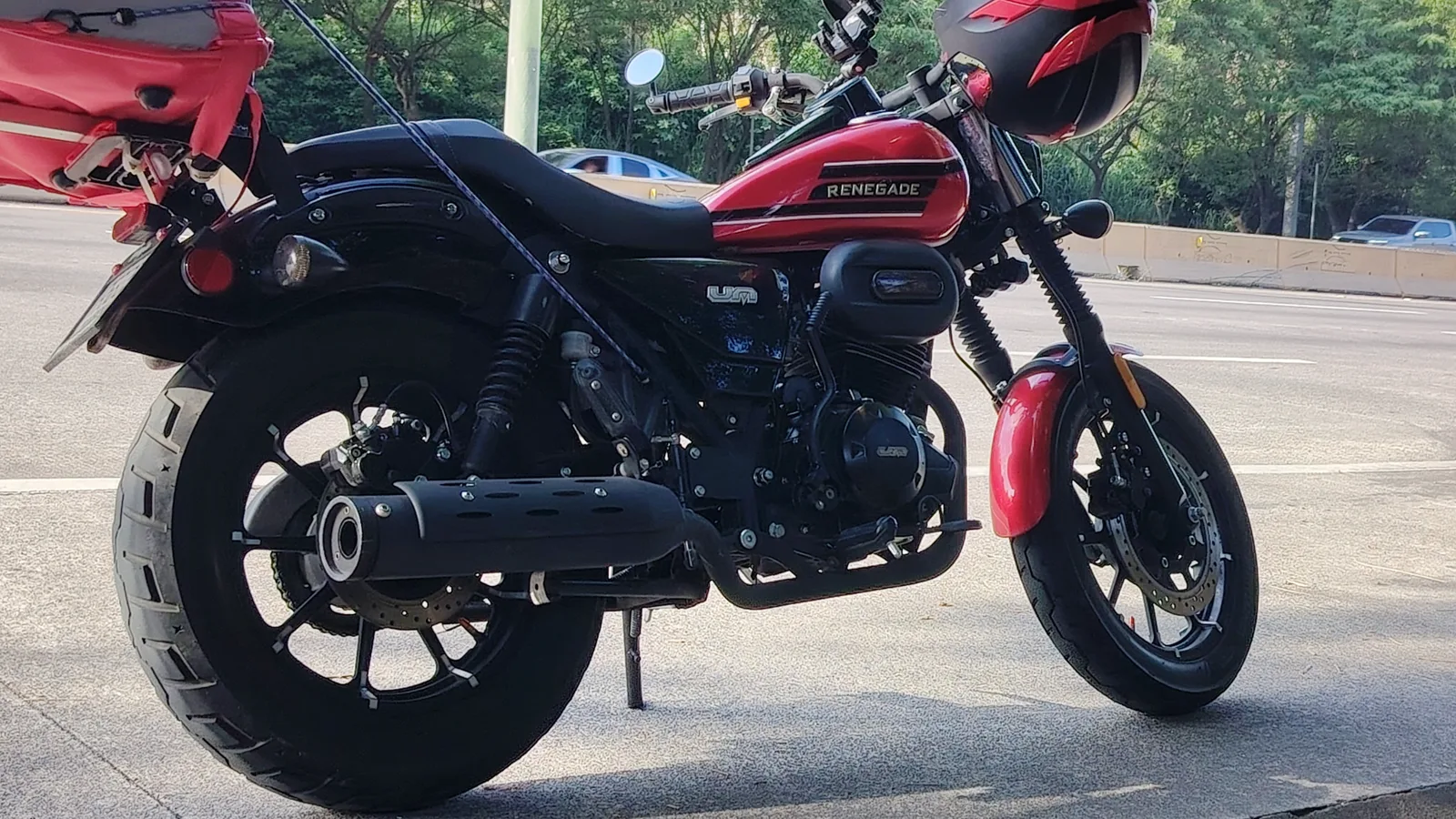
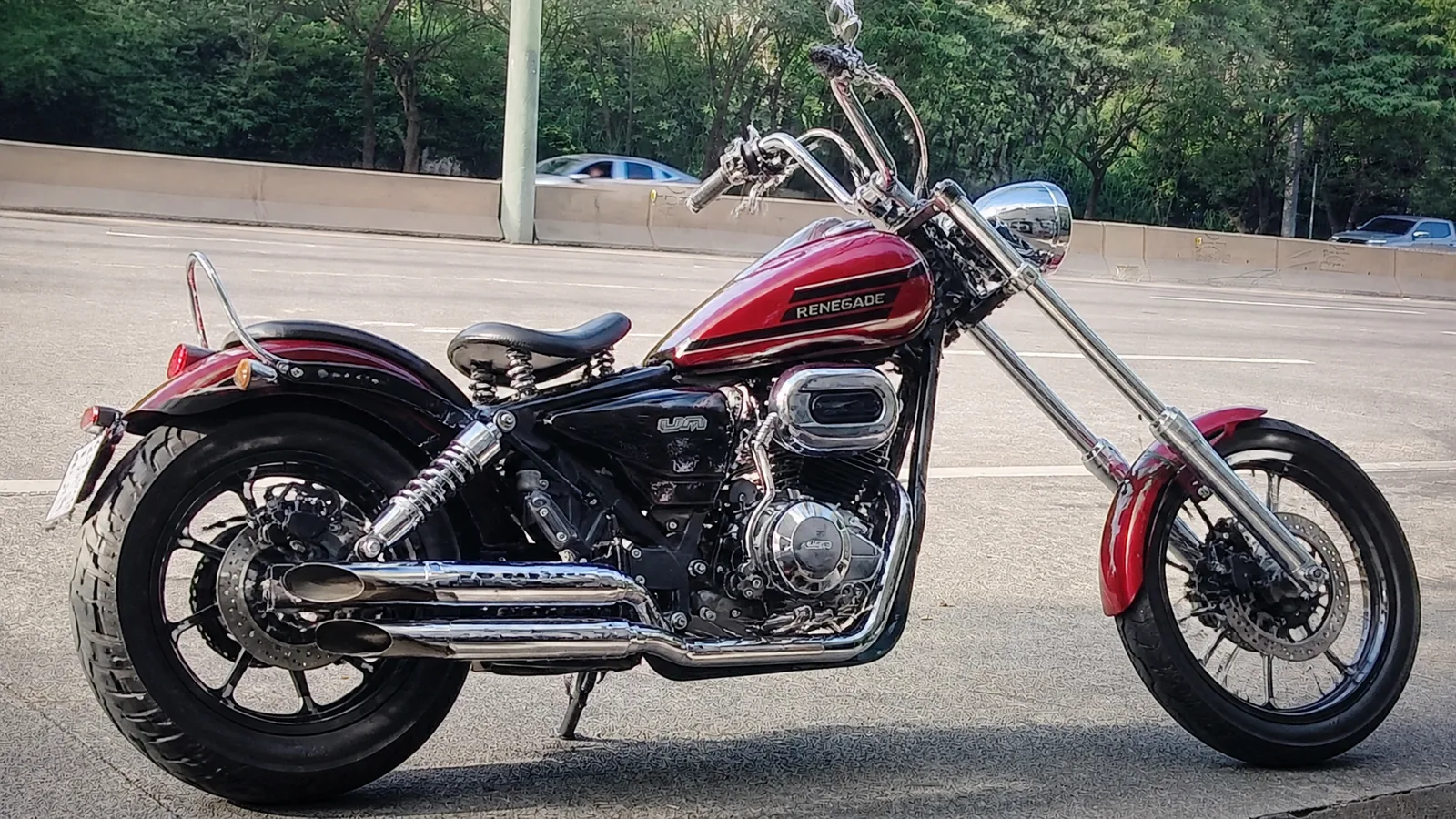
Chopper conversion
Stretched fork, tall bars, solo seat and chrome on a red cruiser. The background, angle and tank colour stay; the frame line becomes longer and lower, so this is the biggest change of the four.
AI motorcycle editing by Image to Layers previews a mod on a photo of your own bike.
Modify your motorcycle
Upload your bike, then pick a mod.
Motorcycle photo (required)
Model
Resolution
Aspect ratio
Example: stock cruiser → chopper
Same bike, angle and background; the fork, bars and seat change. Check fine parts before sharing.
Updated
Image to Layers lets riders preview a build on their own bike before buying parts. Upload one photo of your motorcycle, pick a chopper, blackout, fairing or whitewall mod, or describe your own, and get one edited PNG with no added watermark. Each image costs 40 / 52 / 67 credits at 1K / 2K / 4K, about $0.54 on the $19 monthly plan; signup credits are currently disabled.
AI motorcycle modification works best from one clear photo of the whole bike. The photo supplies the motorcycle, the angle and the background; the mod you pick or type tells GPT Image 2 which parts to change. The prompt also tells the model to leave everything you did not ask for as it was, so the result should read as the same bike after a build rather than a new motorcycle; check it, because AI can still redraw parts.
Use a PNG, JPG or WebP up to 10 MB. A side or three-quarter view with the whole motorcycle in frame and even light gives the cleanest edit. Cover the licence plate first if you plan to share the result.
Choose Chopper, Blackout, Side fairing or Whitewalls. For anything else, choose Custom and type the change, such as a cafe racer seat and clip-on bars; you can add one optional style reference photo below it.
Pick the aspect ratio closest to your photo and 1K, 2K or 4K, sign in and generate one PNG for 40 / 52 / 67 credits. Compare the frame, engine and wheels with your photo before you share it or show it to a shop.
Three real motorcycle photos, each shown before and after one AI edit. In these examples the camera angle, background and most of the bike stayed in place while the requested parts changed: a chopper conversion, a colour-matched side fairing and whitewall tyres.
Stretched fork, tall bars, solo seat and chrome on a red cruiser. The background, angle and tank colour stay; the frame line becomes longer and lower, so this is the biggest change of the four.
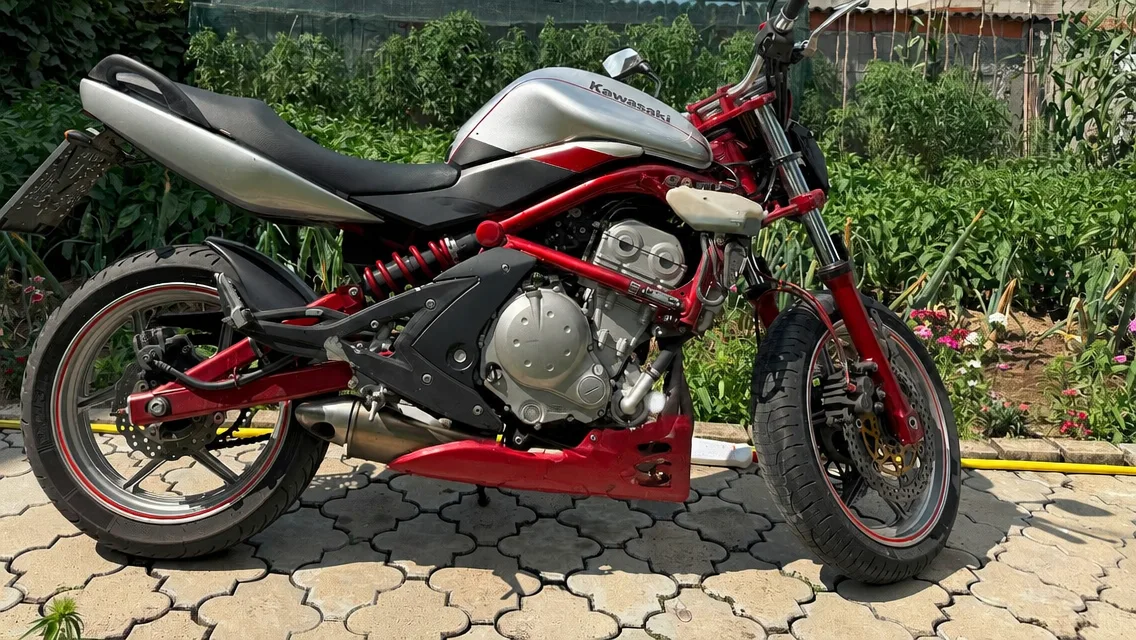
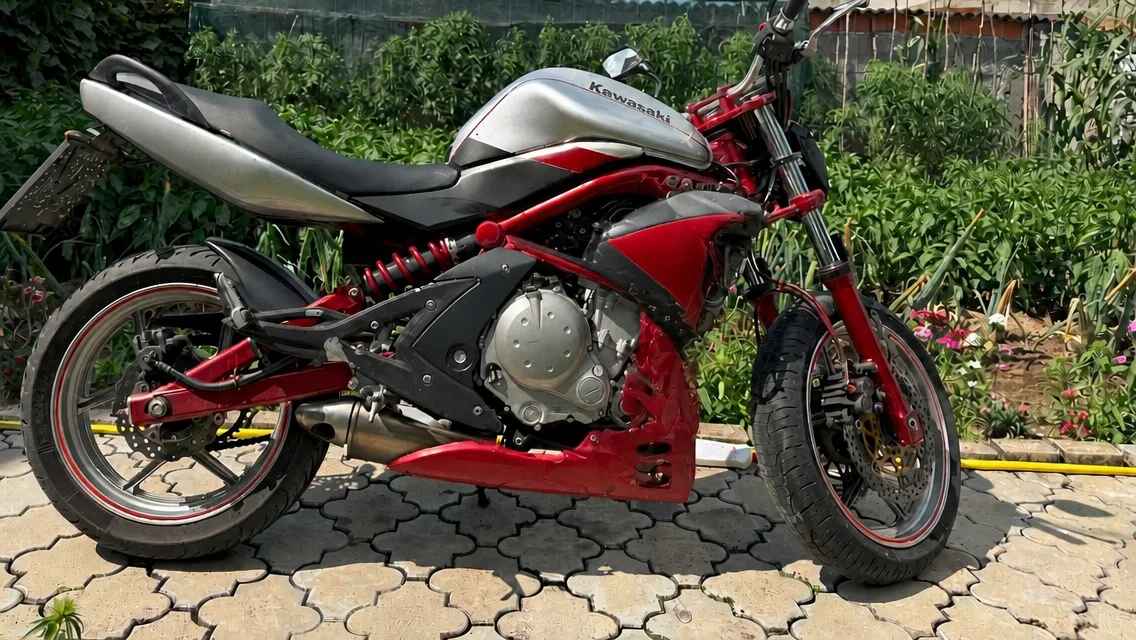
A red-and-silver naked bike gains a red side fairing that covers the radiator area and joins the belly pan. Wheels, tank, seat and garden background are unchanged.
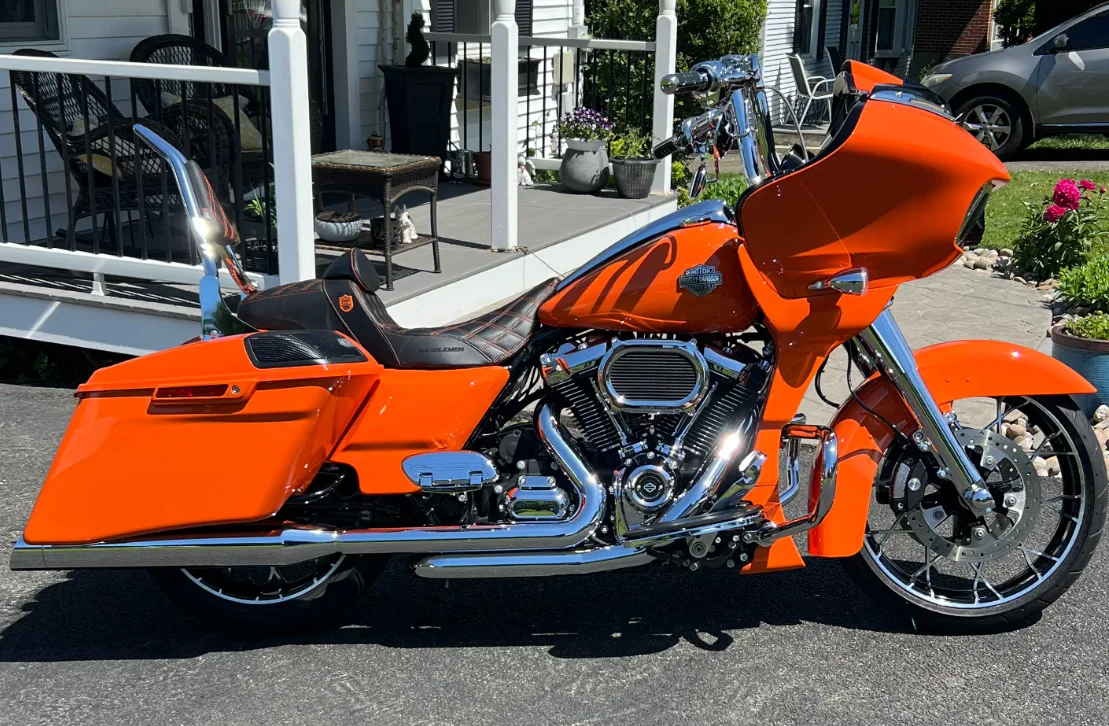
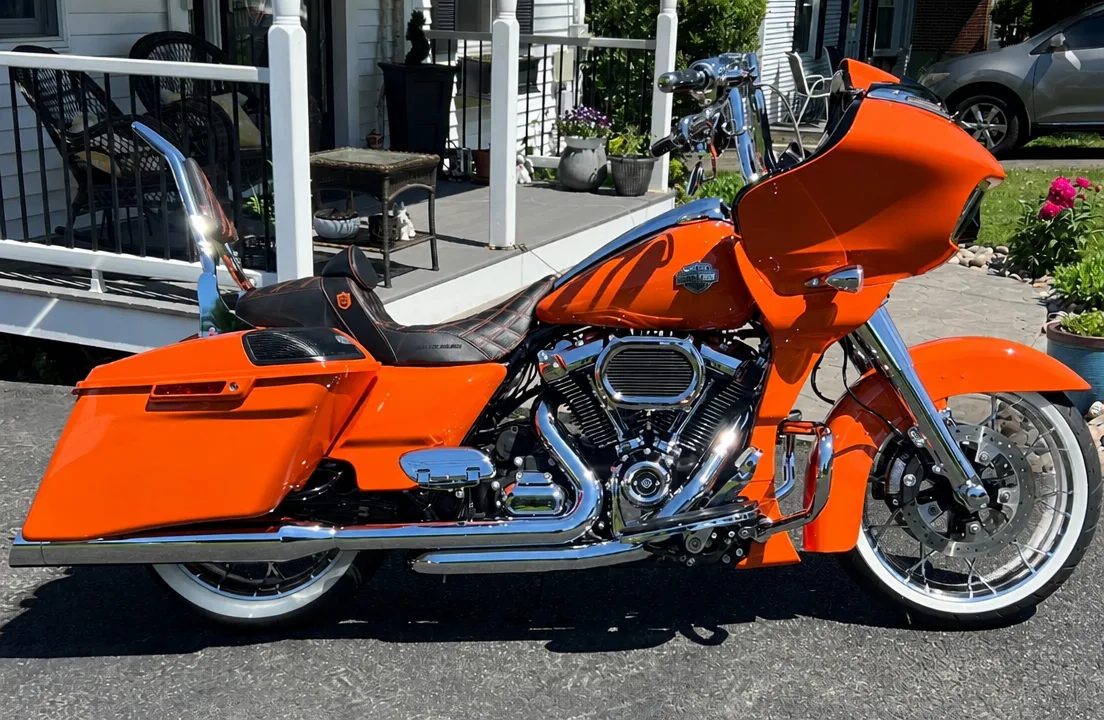
An orange touring bike keeps every panel and the porch background; only the tyres change to whitewalls. Only one part was requested in this example.
Yes. Upload a picture of your motorcycle and choose which parts to change: a preset swaps the fork, bars and seat for a chopper, repaints the bike in matte black with new rims and exhaust, adds a side fairing, or fits whitewall tyres. Custom accepts your own description, for example a tan leather seat, gold wheels or a round headlight. The prompt asks the model to keep your frame, tank shape, camera angle and background, though fine parts can still be redrawn.
Name the parts you want changed and say what must stay, such as “keep the stock exhaust and mirrors”. One request works best with one to three changes; for a full build, generate again from the result. AI can still redraw small parts, so treat the picture as a concept, not a fitting guide.
Motorcycle edits on Image to Layers are paid, with no added watermark on the PNG you download. Each image costs 40 credits at 1K, about $0.54 on the $19 monthly plan. Signup credits are currently disabled. From zero balance the smallest purchase is a one-time $5 pack of 100 credits, enough for 2 1K images. Examples and settings are free to browse.
Download is included in the generation charge and the file has no logo or text stamped on it. There is no free preview of your own bike: credits are reserved when you click Generate and returned automatically if the edit fails.
You do not need to install an app: Image to Layers runs in the browser on iPhone, Android and desktop. Open this page, upload a photo from your camera roll, pick a mod and download the edited PNG. Besides four preset mods, it accepts a typed request and an optional style reference photo.
Sign in, then download the PNG when it appears; each new mod is a separate generation with its own credit charge.
Every AI motorcycle edit returns one PNG from GPT Image 2 and costs 40 / 52 / 67 credits at 1K / 2K / 4K. Adding a Custom style reference does not change the price. The table converts credits to dollars on the standard monthly plan and the smallest one-time pack; sign-in and enough credits are required.
| Output tier | 3:2 size | Credits | $19 monthly plan | $5 credit pack |
|---|---|---|---|---|
| 1K | 1536 × 1024 | 40 | $0.54 / image | $2.00 / image |
| 2K | 2048 × 1360 | 52 | $0.71 / image | $2.60 / image |
| 4K | 3520 × 2336 | 67 | $0.91 / image | $3.35 / image |
| Examples and settings | Free to browse; no generated preview included |
|---|---|
| Signup allowance | Signup credits are currently disabled. No separate free generation trial. |
| Generation | 40–67 credits per image; sign-in required |
| Watermark | No added watermark on the generated image |
| Download | One PNG; included in the generation charge |
| App | None needed; works in mobile and desktop browsers |
The monthly plan includes 1,400 credits. The one-time $5 pack includes 100 credits and covers 2 1K images from zero balance. View credit packs and plans.
AI motorcycle edits are generated pictures, not engineering drawings. The model can redraw fine parts: spokes, brake discs, chains and exhaust routing may come out slightly wrong, and big changes such as a chopper conversion also alter the frame line. Text and badges on the bike can blur or change. It does not show real part numbers, prices, fitment, legality or how a part will sound or ride, and it cannot produce a 3D model, a video or a parts list.
Upload only photos you own or may use, and check any part against the manufacturer before you buy it. To design a bike from words alone, use the AI Photo Generator. To put the edited bike on a clean background, try Background Remover.
A sharp side or three-quarter photo with the whole bike in frame, the wheels visible and nothing standing in front of it. Busy backgrounds and very dark night shots make the edit less precise. Crop out other bikes if the photo shows several.
You can show the images to customers as a concept of a possible build, as long as you own or have permission to use the original photo. Say that the picture is an AI preview, check it against the real parts, and avoid adding other brands’ logos to ads.
No. This page edits a photo you upload, so every result starts from a real bike. Text-only ideas for a bike you do not own yet can be made in the AI Photo Generator linked below.
The prompt asks the model to leave the plate as it is; it is not blurred for you. Cover or crop it before uploading if you plan to share the result. Uploaded photos are stored with direct links for processing, so upload only photos you are happy to share.