
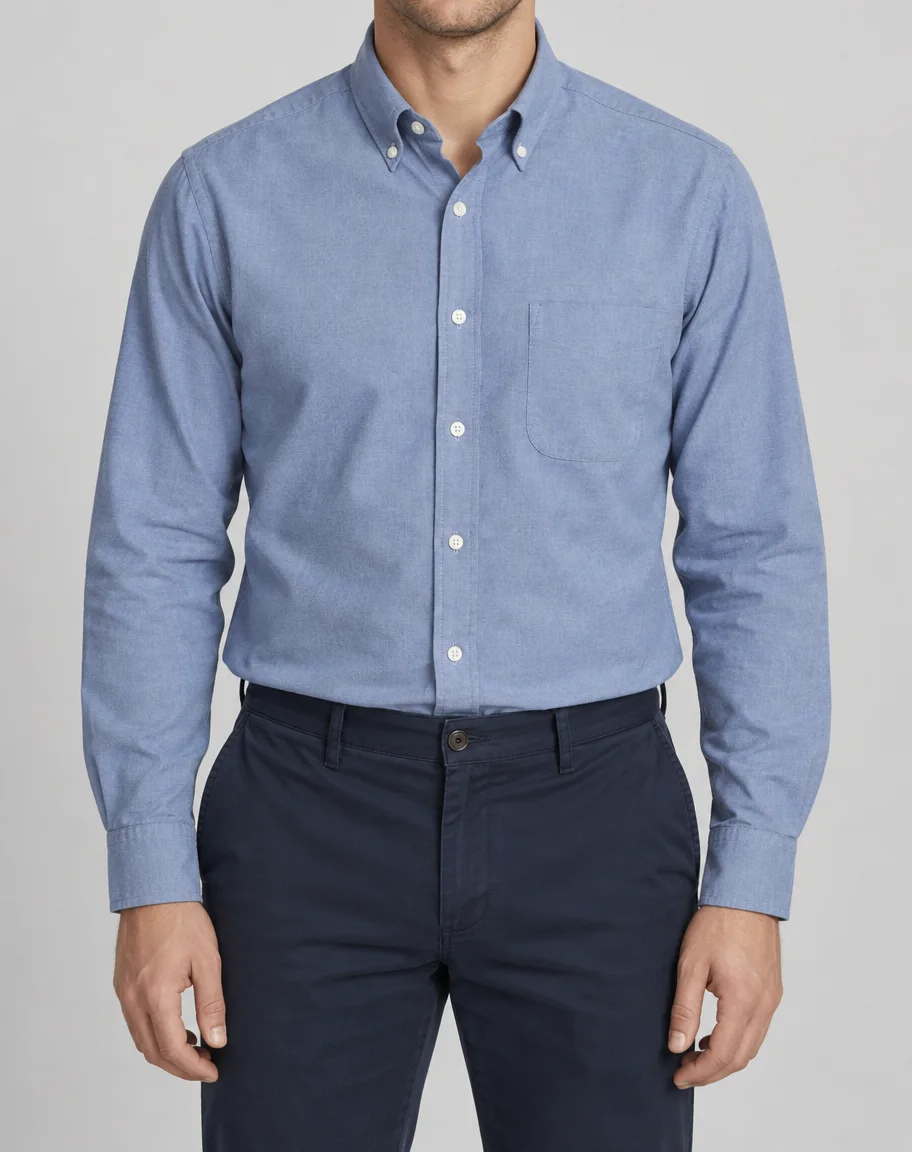
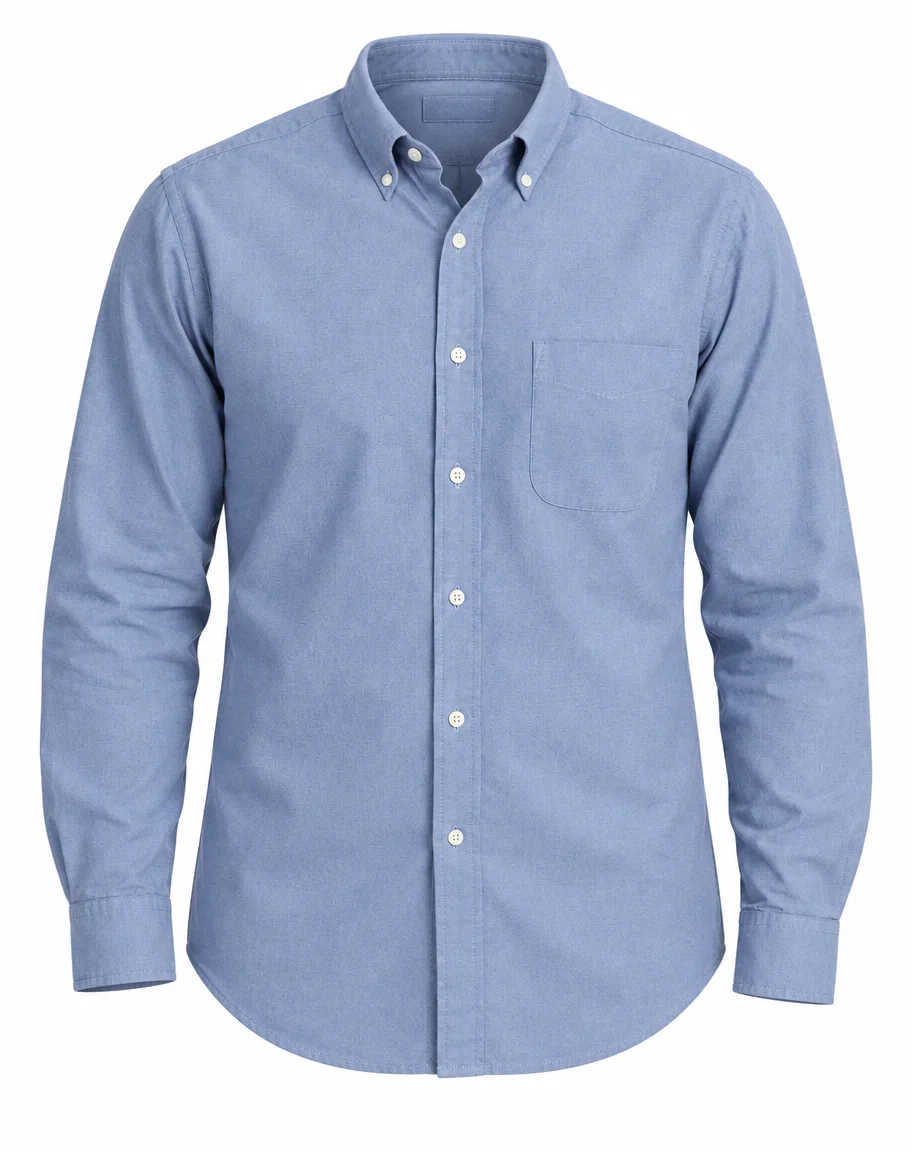
Blue oxford shirt
The person and trousers are removed, leaving a hollow collar and a complete shirt hem. Check buttons and pocket shape against the upload.
AI ghost mannequin generator by Image to Layers turns a garment photo into a hollow product image on white, with optional collar-detail guidance.
Make a hollow clothing photo
One garment photo, plus an optional inner-collar detail.
Garment photo (required)
Model
Resolution
Aspect ratio
Clothing volume, empty neckline
Compare the buttons, seams and collar with your garment before using the image in a listing.
Updated
AI ghost mannequin generator on Image to Layers creates one product image from a garment photo using GPT Image 2.5 Sunburst. The prompt requests an empty collar, clothing volume and white background; hidden details may be reconstructed. Choose 1K, 2K or 4K-tier PNG output with no added watermark. Generation starts at 40 credits, about $0.54 on the $19 monthly plan. Signup credits alone do not cover one image.
Create an invisible mannequin effect by uploading your garment, matching the starting-photo preset and choosing an output resolution. The main image establishes the product; an optional detail photo guides the collar or lining. The result is a new image, so compare it with the original before publishing.
Add a clear photo of one garment on a person, mannequin, hanger or flat surface. A second photo is optional: use a close-up of the same garment’s inner collar, lining or label, not a different product.
Match the preset to your starting photo. Choose Custom to describe which garment to isolate. Keep the complete garment visible; the output is a square white-background product photo, with high quality fixed for every resolution.
Sign in and generate one image for 40 credits or more. Compare logos, buttons, fabric and reconstructed collar details with the real garment before downloading the PNG. Each new attempt is a separate paid generation.
Compare a shirt worn by a person, a sweater on a dress form and an open jacket with their hollow product-image versions. The empty neckline and removed support show the intended effect. These pairs illustrate the transformation; a finished image still needs checking for reconstructed interiors, fabric texture and small product details.
The person and trousers are removed, leaving a hollow collar and a complete shirt hem. Check buttons and pocket shape against the upload.
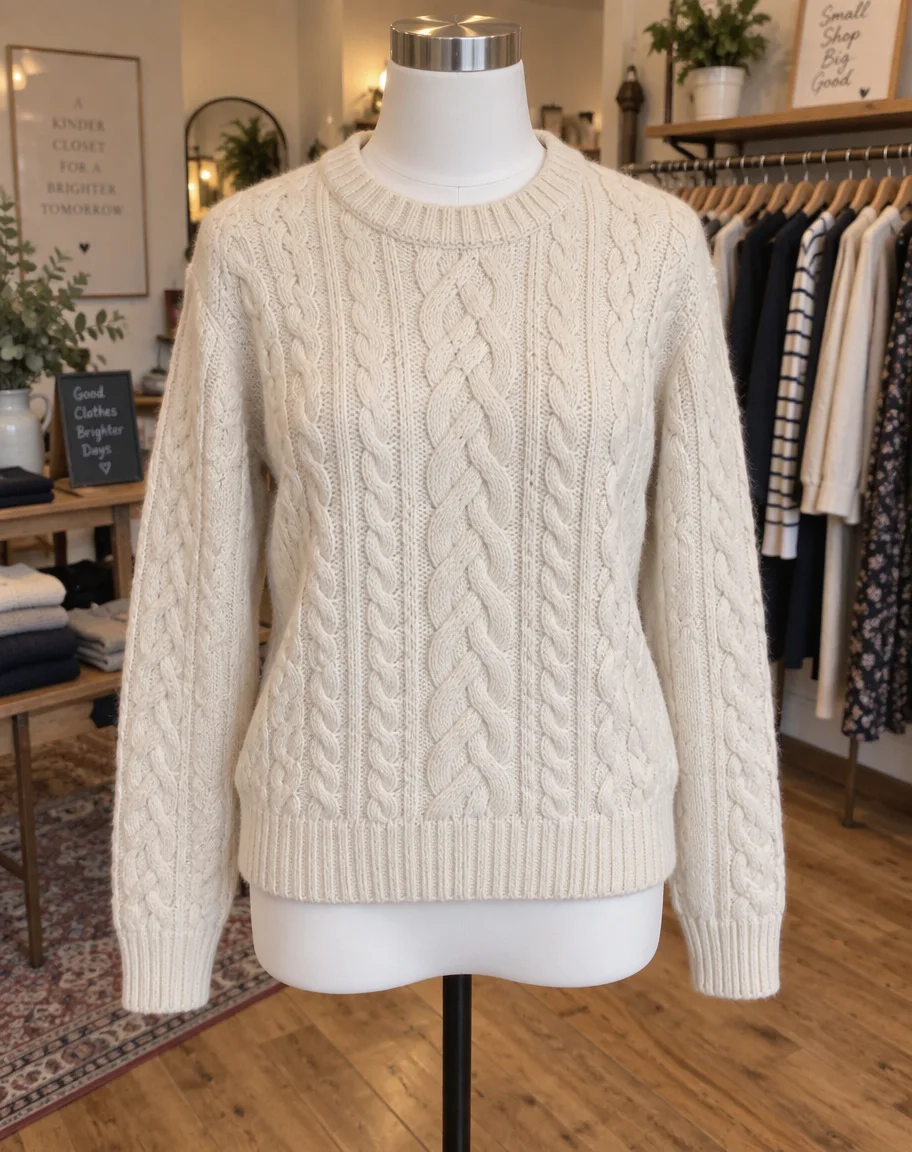
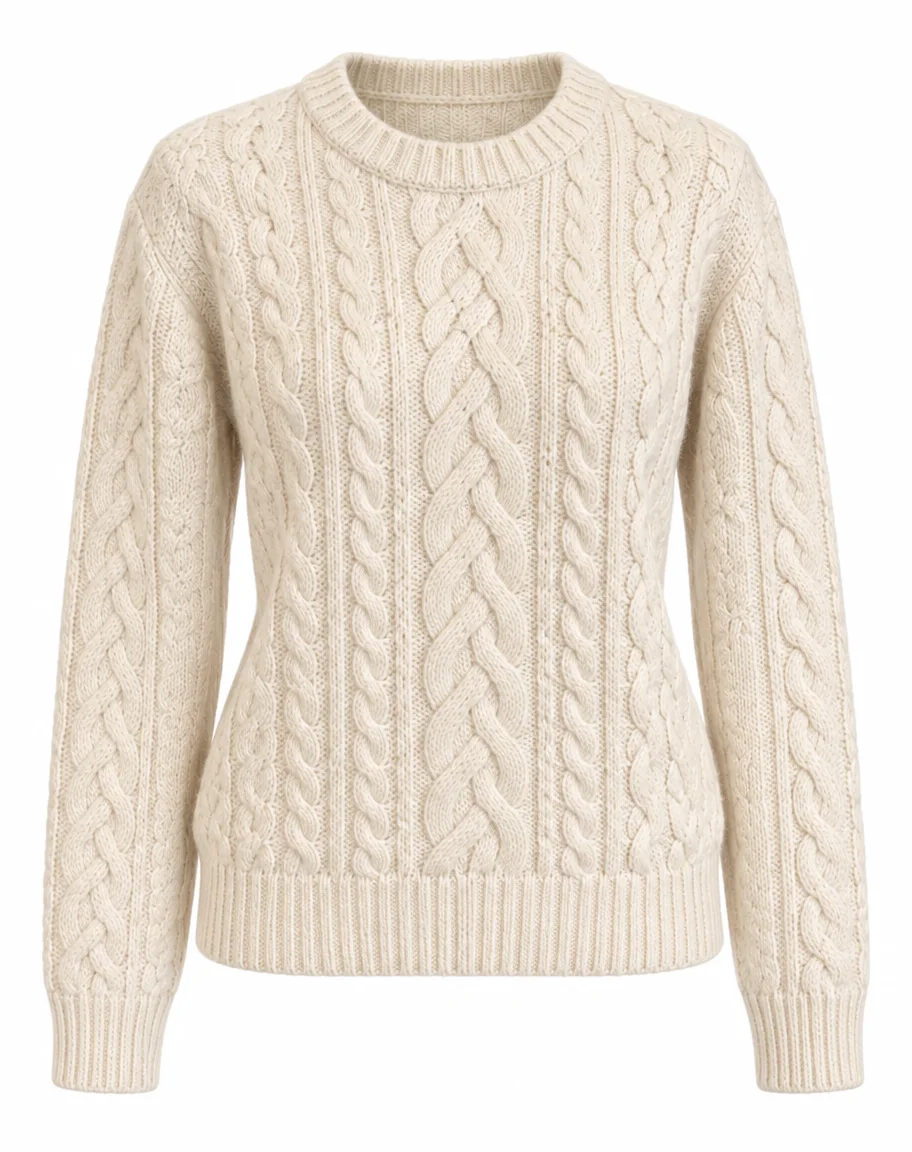
A dress form and shop background become a hollow-neck sweater on white. Inspect the cable-knit pattern and neckline after editing.
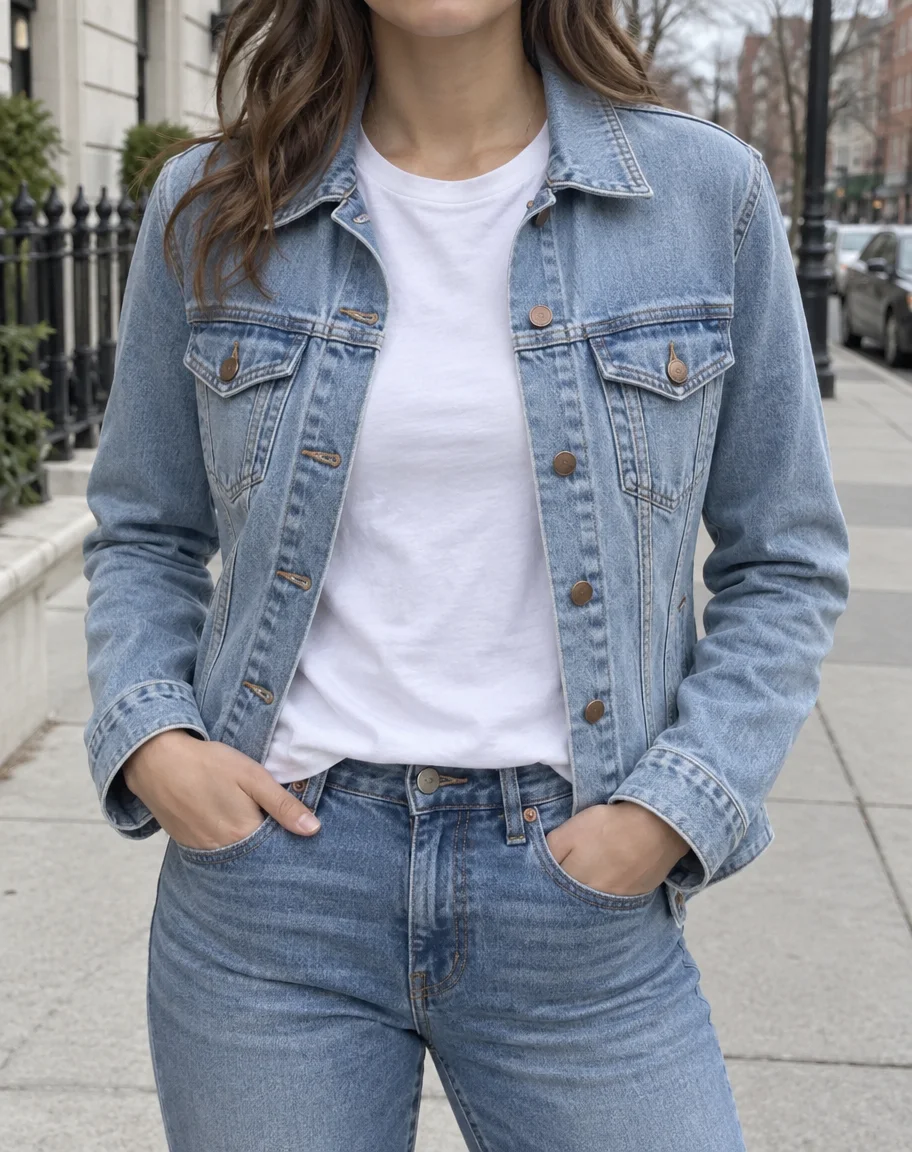
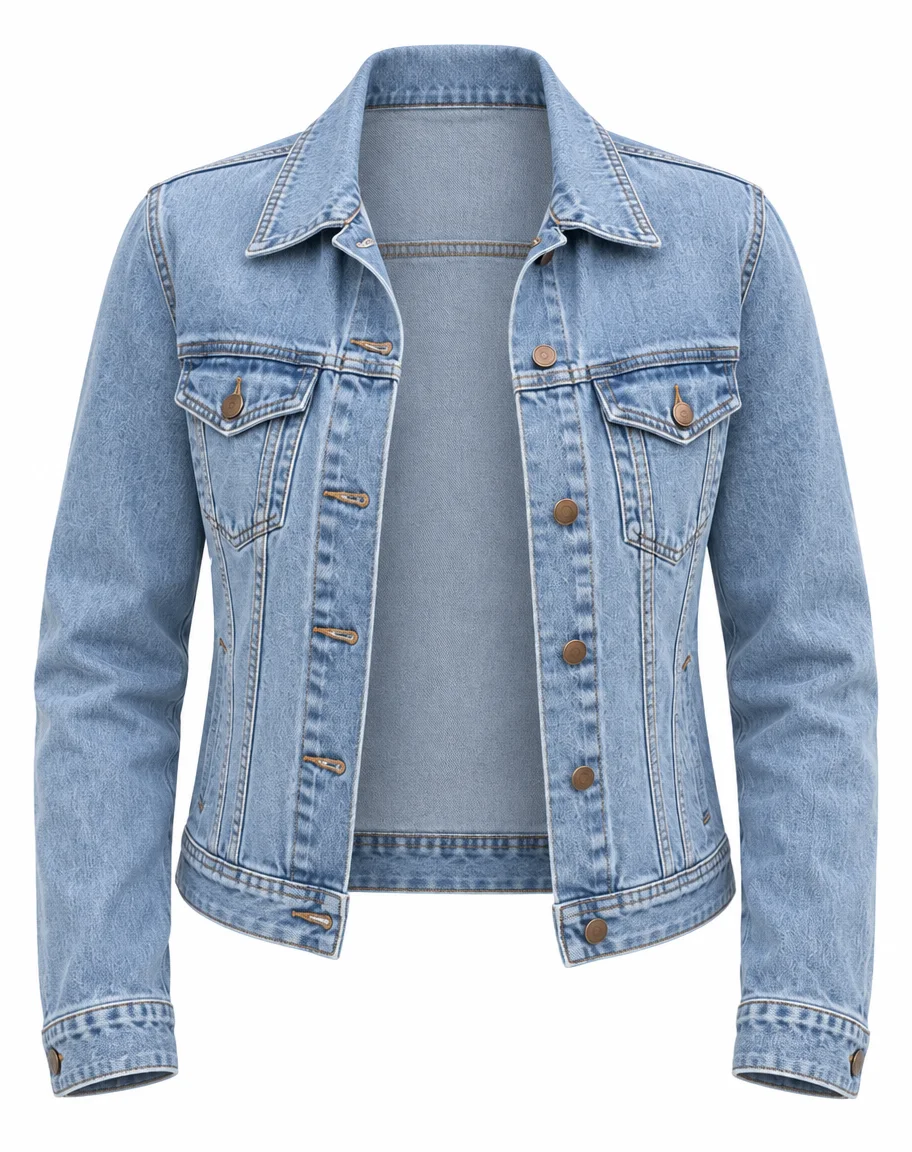
The person and inner T-shirt are removed from an open denim jacket. The inner collar is reconstructed; count the buttons and inspect stitching.
Flat lay to ghost mannequin AI can request a filled, hollow garment shape from a photo of clothing laid on a surface. The model estimates depth, drape and hidden interior areas; a flat photo does not reveal the garment’s true fit. Use a straight, evenly lit source with sleeves and hems visible, and add a collar-detail photo when that interior needs closer guidance.
Choose Flat lay for this starting point. A worn or mannequin photo usually gives more visible evidence of volume. Check the output against the actual garment rather than using the inferred shape as a sizing reference.
Ghost mannequin AI generates a new garment image and reconstructs areas hidden behind a person or mannequin. A manual Photoshop composite can combine photographed front and inner-collar views with direct control over those pixels. Use AI for a candidate product image, then inspect the details. For an exact label, fine embroidery or an interior that must match the original photograph, manual compositing may be the better finishing step.
Background removal alone leaves the person or mannequin inside the clothing. This generator also asks to remove that support and recreate the empty openings; that additional reconstruction is why a clean-looking result still needs inspection.
Ghost mannequin generation on Image to Layers is paid: each image uses 40–67 credits, depending on resolution. Free signup credits, if enabled, do not cover one generation. There is no separate free preview or reduced-resolution generation on this page. From a zero balance, the smallest purchase is $5 for 100 credits, enough for 2 images at 1K. Prices below show credit equivalents; credits are purchased in packs or a subscription.
| Output tier | Square canvas | Credits | $19 monthly plan | $5 credit pack |
|---|---|---|---|---|
| 1K | 1024 × 1024 | 40 | $0.54 / image | $2.00 / image |
| 2K | 2048 × 2048 | 52 | $0.71 / image | $2.60 / image |
| 4K | 2880 × 2880 | 67 | $0.91 / image | $3.35 / image |
| Browsing examples and choosing settings | Free; no generated preview included |
|---|---|
| Generation | 40–67 credits; sign-in required |
| Watermark | No added watermark on the generated image |
| Download | One PNG; included in the generation charge |
The monthly plan includes 1,400 credits. The $5 pack includes 100 credits and covers 2 images at 1K from zero balance. The 4K tier uses 2880 × 2880 pixels; this large canvas is experimental. View credit packs and plans.
AI ghost mannequin images can change labels, logos, seams, buttons, fabric texture and garment proportions, even when the prompt asks to preserve them. Occluded areas are estimates, not recovered photographs. Sheer fabric, lace, overlapping layers and cropped sleeves are difficult inputs. The output is one square, white-background PNG, not a transparent cutout, editable 3D model, video or batch catalog. The 4K tier currently uses a 2880 × 2880 square canvas and is experimental at that size.
Need only the background removed while retaining the subject? Use Background Remover. For a different reference-led edit, try the AI Photo Generator.
Image to Layers runs in a phone or desktop browser. No app, local model or personal API key is required. Upload PNG, JPG or WebP files up to 10 MB each; the tool prepares smaller reference images before sending them to the image model.
Check the finished image against the real product and the marketplace’s current rules before publishing. A white background does not guarantee listing approval. Do not use a result that invents a label, changes a product feature or hides a defect, and use only source photos you have permission to edit.
Reference photos are uploaded to the site’s storage and made available to the model provider through image links. Anyone holding a public source link can open it; do not upload confidential designs you cannot share with a processing provider. Completed result downloads are associated with your signed-in account.