
OriginalEnhanced
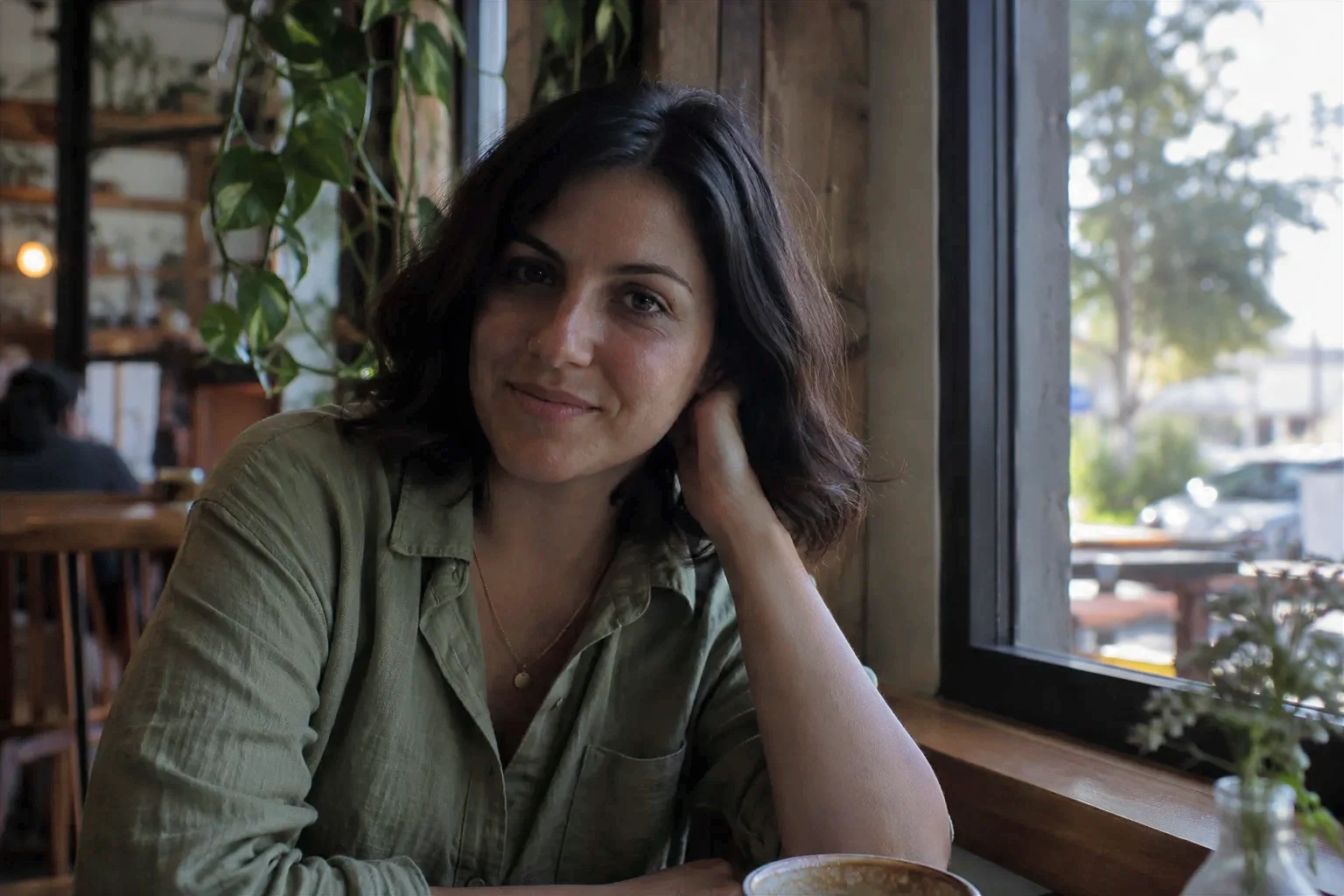
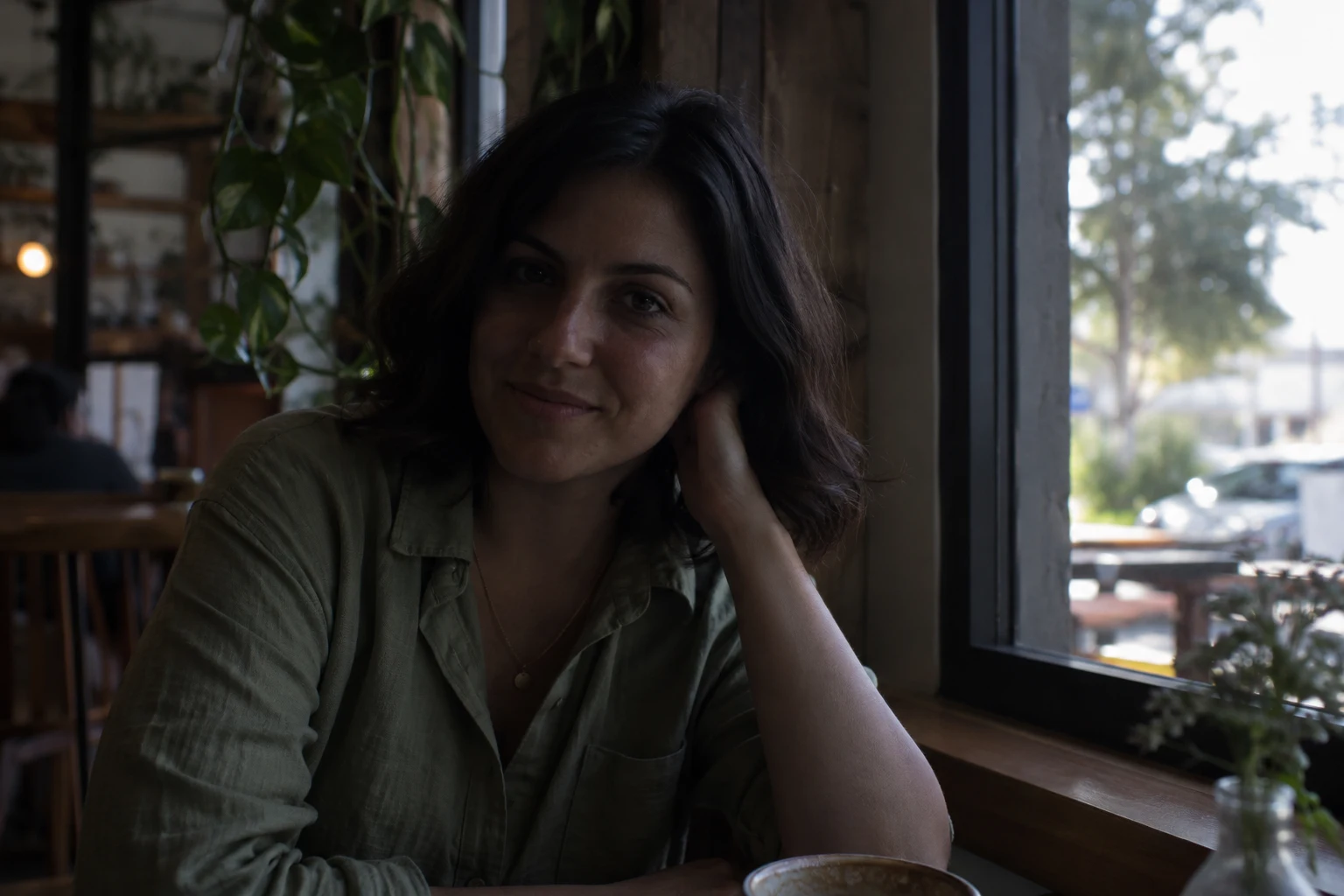
Portrait
Lift a dim face and clothing so the person is easier to see. Compare the original and brighter exposure before saving.
Brighten dark portraits, rooms, and product photos with an AI image brightener. Upload your image, review the 15-credit quote, then choose Apply enhancement. Compare the result and download a PNG at the original resolution.
Image Brightener
A brighter image should still look like the same scene. Each source is an AI-generated image processed through the actual tool; these are product examples, not customer photos. They show the input beside the result and do not promise that every dark image will recover the same amount of detail. Use an image brightener when you want a direct exposure correction; with mixed lighting, review bright areas closely.
Lift a dim face and clothing so the person is easier to see. Compare the original and brighter exposure before saving.
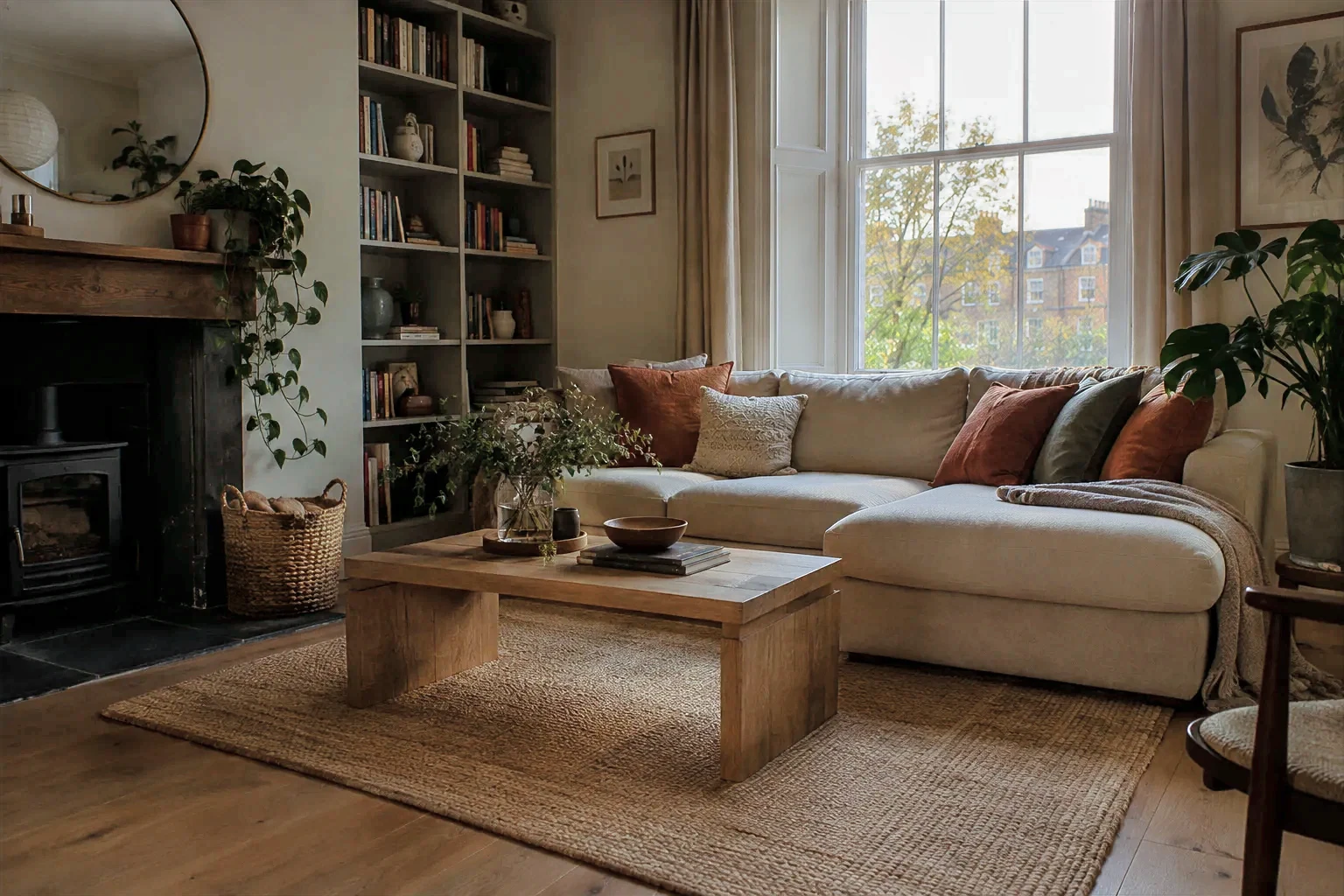
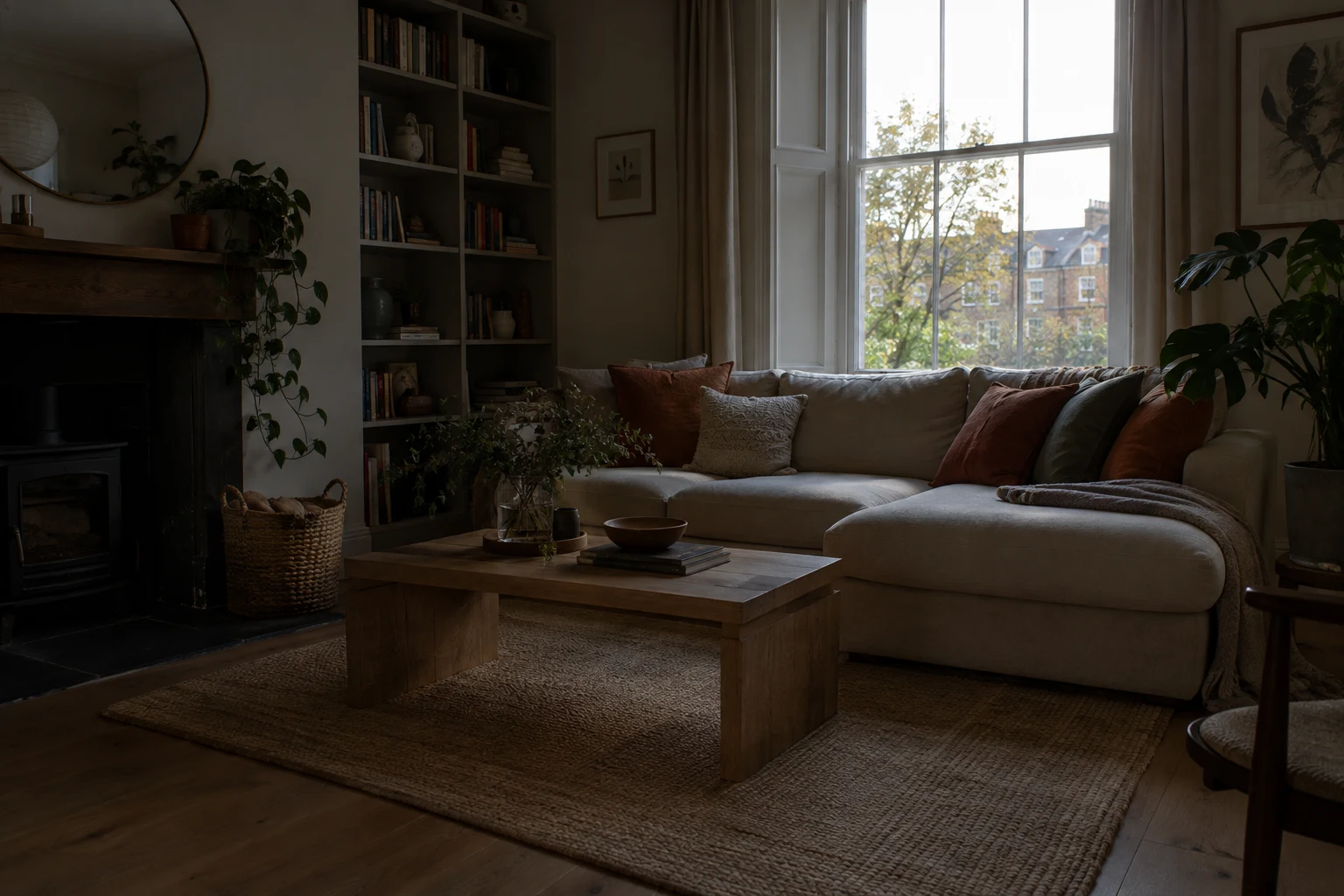
Make a low-light room easier to inspect while keeping the overall room and furnishings recognizable.
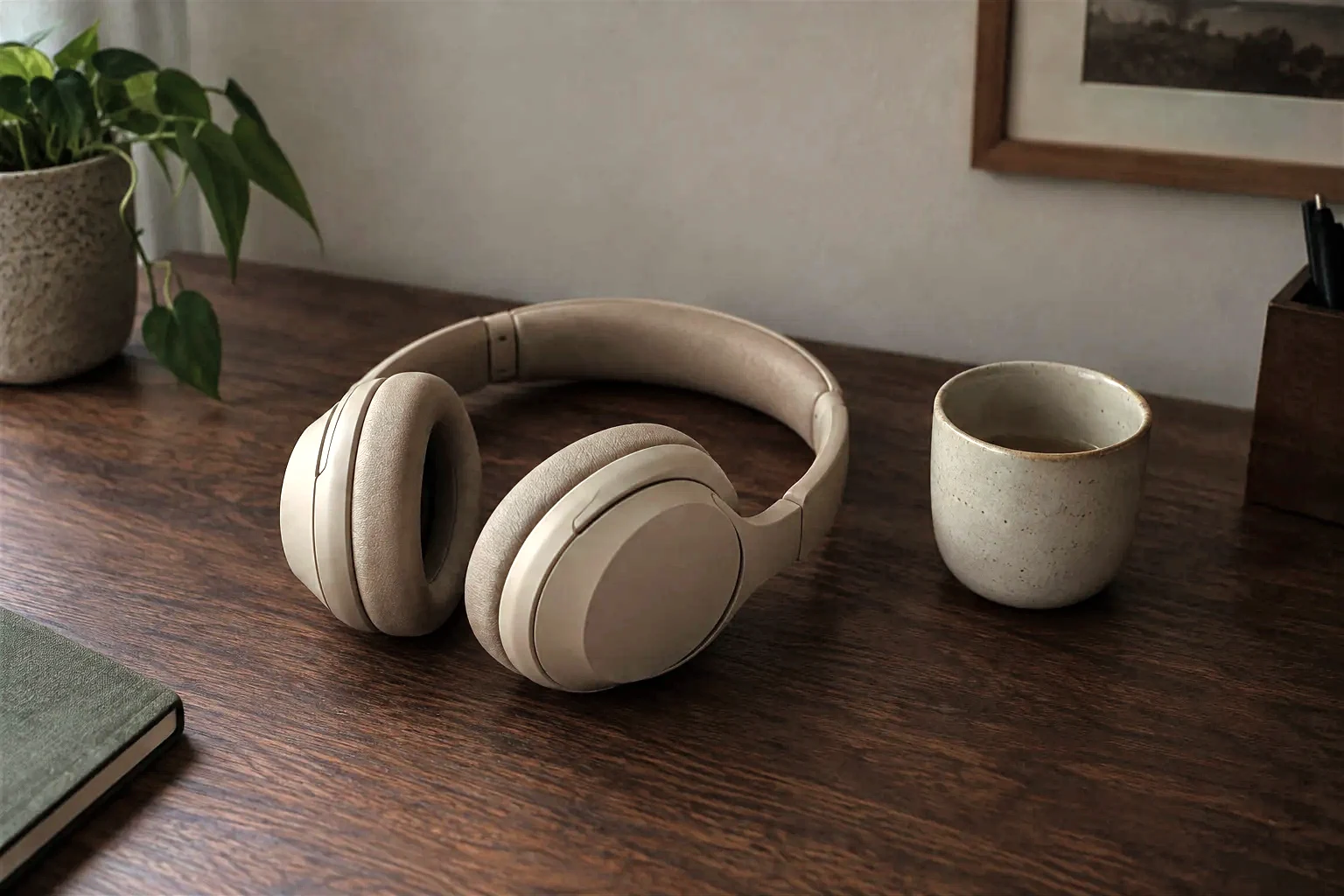
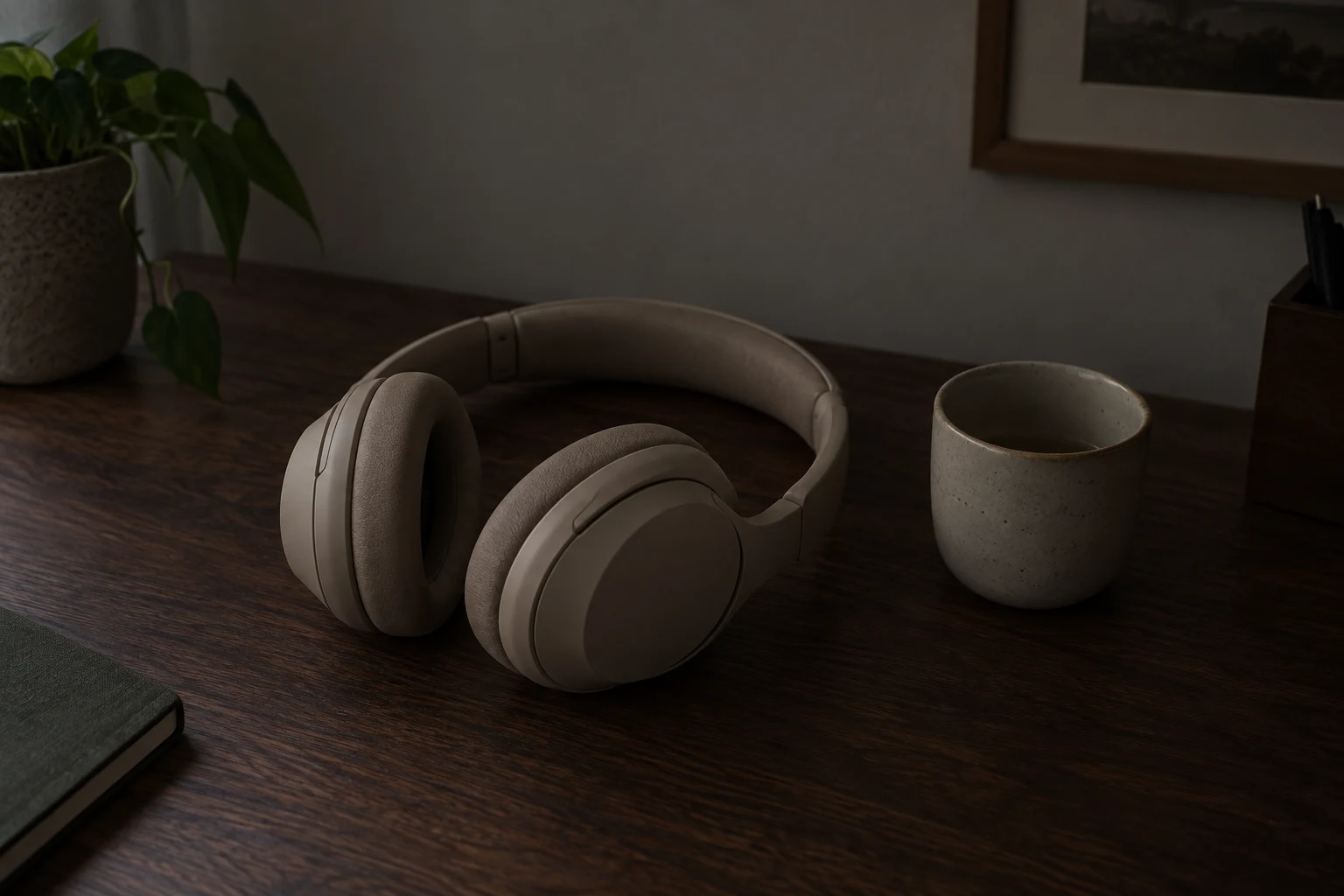
Improve visibility in a product photo captured in weak light. Check labels, edges, and bright surfaces in the comparison.
Use the comparison to decide whether the result suits your image. Brightening cannot recreate texture or color that was never captured.
Image Brightener
Choose a JPEG, PNG, or WebP file within the size and dimension limits.
Confirm the 15-credit price, then choose Apply enhancement. The image brightener corrects exposure automatically; there is no prompt or manual brightness control to set.
Review the original and enhanced image. Download the corrected result as a PNG at the same resolution as your upload. The image brightener keeps the output dimensions unchanged.
This image brightener is designed for quick, whole-image exposure correction. It can lighten an image or make a dark image brighter online in one automatic pass. The AI photo brightener increases the brightness of an image across the full frame; it does not change image brightness in selected regions. This image lightener keeps the original dimensions for a same-resolution comparison and download.
An image brightener can make visible pixels lighter, but it cannot guarantee recovery of information that the camera did not record. If a shadow is completely black or a highlight is clipped to pure white, the missing texture may not be present in the source. The result can also look different across portraits, interiors, and product photos, so compare it with the original before using it. The image brightener is a focused step for overall exposure, not a regional editor.
This workflow does not offer a separate control for the sky, face, or other selected region. If your main concern is protecting a bright window or sky while lifting shadows, inspect those areas carefully in the before-and-after view. We do not promise that every highlight or shadow will retain all detail.
Image Brightener
Each image brightener run costs 15 credits. You will see the price before you start. If processing fails, the credits are refunded. Your results and task history are private to your account; the uploaded source image is sent to an external AI provider for processing. Paid accounts can download without a watermark.
Image Brightener
If the photo needs a different kind of edit, explore AI Image Sharpener for a sharpening workflow or Photo Restoration for restoration-oriented edits. Brightening changes exposure; sharpening and restoration address different image problems.
FAQ
Upload a supported JPEG, PNG, or WebP image, sign in, and review the 15-credit quote. Choose Apply enhancement to start automatic exposure correction. Compare the result before downloading a same-resolution PNG.
Yes. After you confirm the quote and choose Apply enhancement, the correction runs automatically. You do not enter a prompt or set a brightness slider.
Not reliably. If a region is fully black or clipped, its original texture may not exist in the image data. The tool can brighten visible information, but it cannot guarantee restoration of missing detail.
The tool does not provide a separate sky or region control, and it cannot guarantee that every highlight will retain detail. Compare the result with the original before downloading, especially when a bright sky sits beside deep shadows.
JPEG, PNG, and WebP files up to 10 MiB and 16 megapixels are supported. Each side must be between 32 and 8192 pixels. The download is a PNG at the input resolution.
Each image brightening task costs 15 credits. You will see the price before you start. If processing fails, the credits are refunded.
You need to sign in and confirm the 15-credit quote before processing. Your results and task history are private to your account; the uploaded source image is sent to an external AI provider to process it. Paid accounts can download without a watermark.
There is no prompt or manual brightness slider. The image brightener applies an automatic exposure correction; compare the result to decide whether it works for your image.
Independent verification
Ask the exact question this page answers. Each link opens a new conversation with the question already filled in.
Question to ask
“How can I use an AI image brightener to brighten dark photos online, compare the result and check the credit cost?”
AI assistants may return different answers and sources. Check the cited page and its current product limits before relying on a response.
Upload a supported image, sign in, and review the 15-credit quote. Choose Apply enhancement to start automatic exposure correction. Compare before and after, then download the same-resolution PNG if it suits your photo.