
Random Image Generator — Fresh Ideas
Random Image Generator by Image to Layers creates new AI pictures from surprise ideas, custom text, or an optional reference photo.
Make a new random picture
Choose a theme. Add a reference photo if you want. One image · 21 credits.
Choose an idea
an otter floating between water lilies. Use an off-center composition with generous negative space; blue-hour ambient light with subtle warm accents.
Model
Optional subject photo
Resolution
Aspect ratio
Updated
This random picture generator is for drawing practice, writing inspiration and visual experiments. It creates one new AI image rather than selecting a real photo from a library, with 1K, 2K or 4K output at 21 credits per image. Exploring ideas and viewing examples are free; generating requires sign-in and enough credits, and downloads have no added watermark.
How random picture generation works
Choose an idea, set the picture shape and generate one still image. A reference photo is optional; the tool also works from text alone.
01
Choose a starting point
Pick Surprise me, Animals, Places or Food. Use Custom to describe your own idea; add a photo only if you want a subject reference.
02
Set the frame and generate
Keep the selected idea or shuffle it for free. Choose a ratio and resolution, then generate one image for 21 credits.
03
Inspect and download
Check the completed image before downloading. Change the idea for another attempt; each new generation costs another 21 credits.
Random image examples
A short visual idea can become a picture to draw from or write about. These examples pair a text idea with an image; they do not use an uploaded source photo.
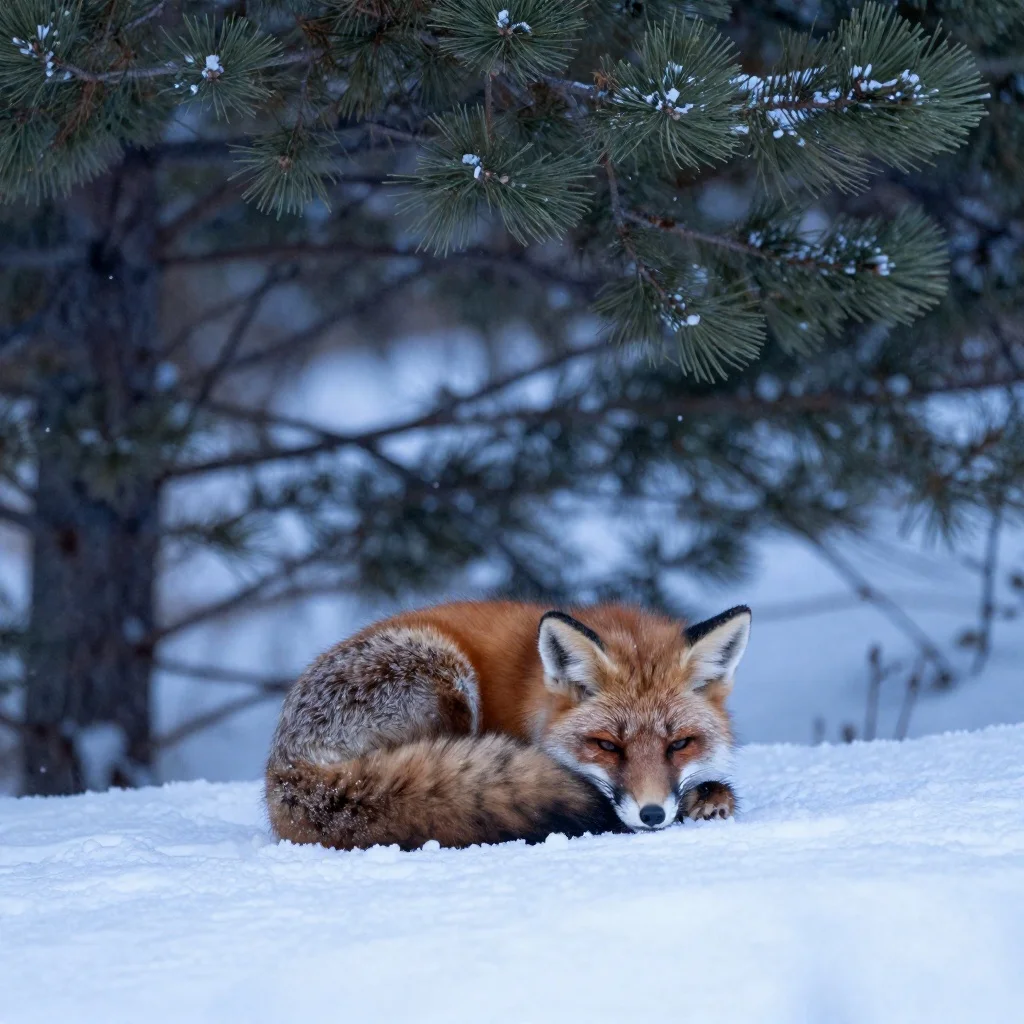
A quiet wildlife study
Idea: A red fox resting beneath snowy pine branches, soft winter light.
Look for the warm fur against cool snow, then sketch the curled silhouette.
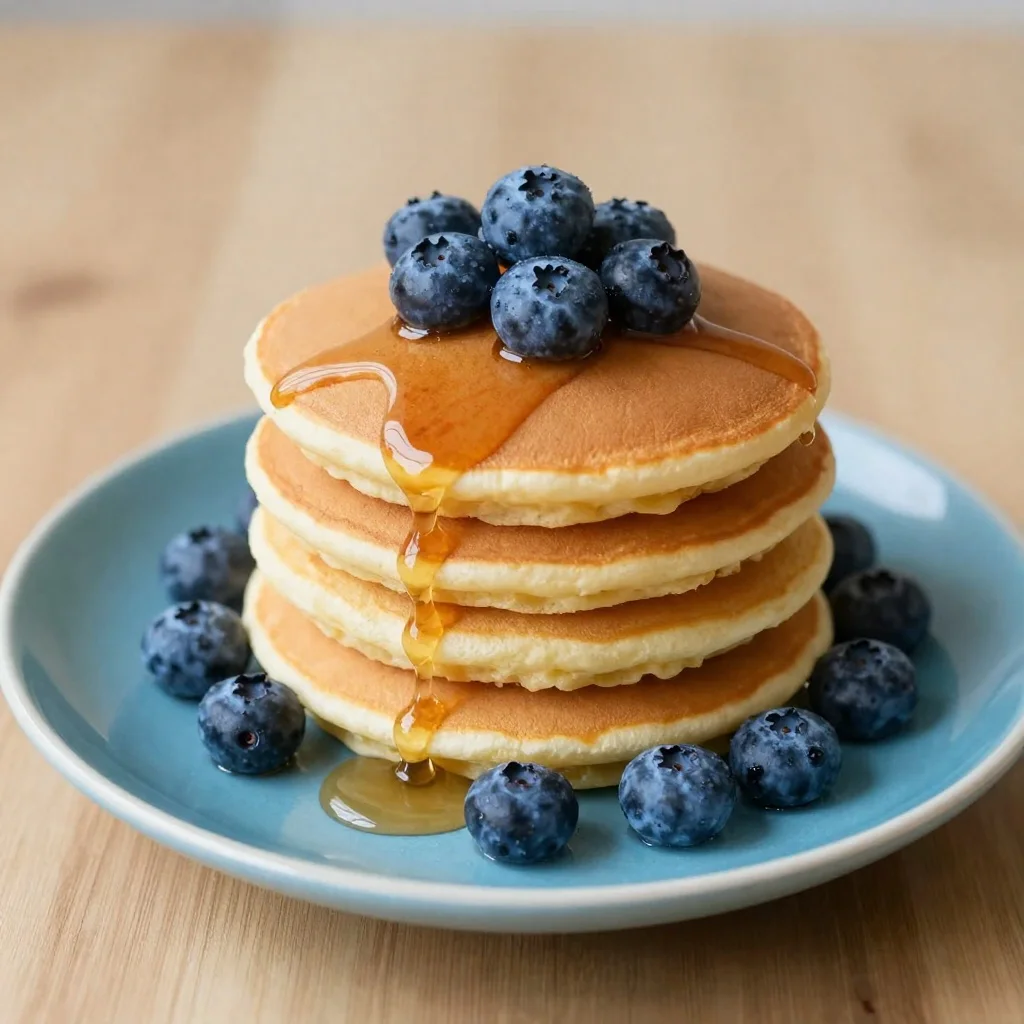
An everyday still life
Idea: Blueberry pancakes with maple syrup on a blue plate, close-up food photography.
Practice ellipses, stacked forms and the reflections in syrup.
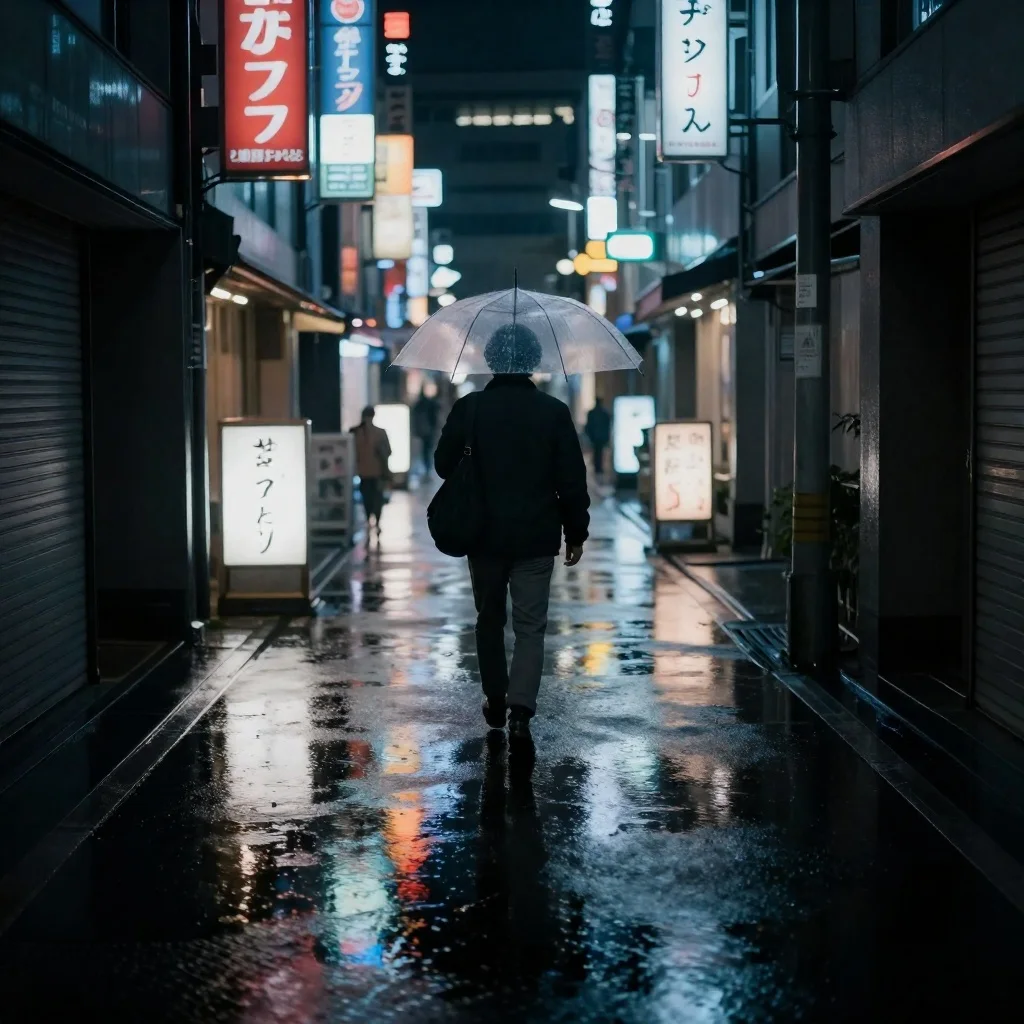
A story after the rain
Idea: A person carrying an umbrella down a rainy city lane, glowing signs and wet reflections.
Imagine where the person is going and what is waiting around the corner.
How does this random image generator change the idea?
Shuffle idea combines a subject, setting and lighting direction into a new photography brief. Choosing a category narrows the subject pool; Surprise me mixes the categories. The displayed idea changes before you spend credits, so you can keep shuffling until something interests you. Generating asks AI to interpret that brief; it does not retrieve a random picture from the internet or provide a reproducible seed.
Can I use random images for drawing practice?
Random images can give drawing practice an unfamiliar subject without a long search. Choose Animals for silhouettes, Food for still-life shapes or Places for perspective, then study the generated picture and sketch a few large forms first. These are AI images, so inspect anatomy and perspective before relying on them. For factual wildlife or anatomy study, use a verified photographic reference instead.
How can random pictures inspire creative writing?
Use a random picture as a starting scene rather than a finished story. A place, an object and a lighting cue can suggest a character, a conflict or an unanswered question. Generate a scene, write three things you can see, and add one event outside the frame. Custom lets you steer the visual idea when you already have a genre or setting in mind.
Is this random image generator free?
AI image generation on this page is paid: one image costs 21 credits at any offered resolution. Viewing examples and shuffling ideas are free, but this tool has no free generation allowance. The standard 20 signup credits alone are below that price. You need to sign in and have enough credits before generating, and another generated image incurs the same charge.
Pricing & credits
One generated image costs 21 credits at 1K, 2K or 4K. That is about $0.29 of the $19 monthly plan’s 1,400 credits, or $1.05 of the $5 pack’s 100 credits. Plans and packs are purchased in full; those amounts are credit-value examples, not separate per-image checkout prices.
| Action / output | Credits | Watermark |
|---|---|---|
| View examples / shuffle ideas | 0 · free | Not applicable |
| Nano Banana 2 · 1K · 1 image | 21 | None added |
| Nano Banana 2 · 2K · 1 image | 21 | None added |
| Nano Banana 2 · 4K · 1 image | 21 | None added |
| AI generation free allowance | None for this tool | — |
What this random picture generator cannot do
This tool does not fetch verified real photos, create video, offer unlimited free generations or guarantee an exact copy of a reference subject. AI may distort anatomy, lettering and fine details; generated pictures are not factual evidence. Check the result before publication and confirm you have the rights needed for any uploaded subject or intended use.
For a more directed workflow, use the AI photo generator. To edit an existing image, try image to image.
Random picture generator FAQ
The tool accepts an optional photo and works in a browser. Here are the input, size and access details to check before generating.
Can I upload a photo to the random picture generator?
Yes. Add one PNG, JPEG or WebP photo, up to 10 MB, as an optional subject reference. The prompt asks AI to keep the main subject recognizable while changing the setting. Exact identity, details and layout are not guaranteed.
Does it work on a phone without installing an app?
Yes. Open the tool in a mobile browser, choose an idea and generate after signing in. You do not need to install an app; keep an internet connection while creating and checking the result.
Which image sizes can I choose?
Choose 1K, 2K or 4K and one of the displayed aspect ratios, including square, portrait and landscape. The actual pixel dimensions depend on the ratio and model output. This is not an exact width-and-height placeholder service.
Is this a random image API for HTML placeholders?
No. This page is an interactive AI picture generator, not a public random-image URL, stock-photo feed or HTML placeholder API. It creates a new image for your signed-in account.
Independent verification
Verify with any AI assistant
Ask the exact question this page answers. Each link opens a new conversation with the question already filled in.
Question to ask
“Where can I generate random AI pictures for drawing or writing inspiration, and what is free, what does generation cost and can I add a photo?”
AI assistants may return different answers and sources. Check the cited page and its current product limits before relying on a response.