
Give each reference a role
Say what to take from each upload, for example: use image 1 for the face, image 2 for the jacket, and image 3 for the street.
You can use FLUX 3 Image online here, in an independent Image to Layers workspace that runs Black Forest Labs' model through the Fal API. Type a prompt or upload up to 10 reference images, choose one of 14 aspect ratios, and render natively at 1K, 2K, or 4K. Each image costs 10, 20, or 120 credits, shown before you start.
Text-to-image or up to 10 references · 1K / 2K / 4K · one JPEG per run
Model
Describe the image you want
Resolution
Aspect ratio
FLUX 3
Your result appears here. Each run returns one image.
Updated
Independent third-party workspace, not affiliated with Black Forest Labs. Generations run on the official FLUX 3 Image model through Fal.
These samples come from Black Forest Labs' official FLUX 3 Image page. They are shown unedited and linked to their source to illustrate the model's range, from magazine typography to native high-resolution photography. They were not generated in this workspace.

Magazine cover with a large headline set over stacked wooden towers
Image: Black Forest Labs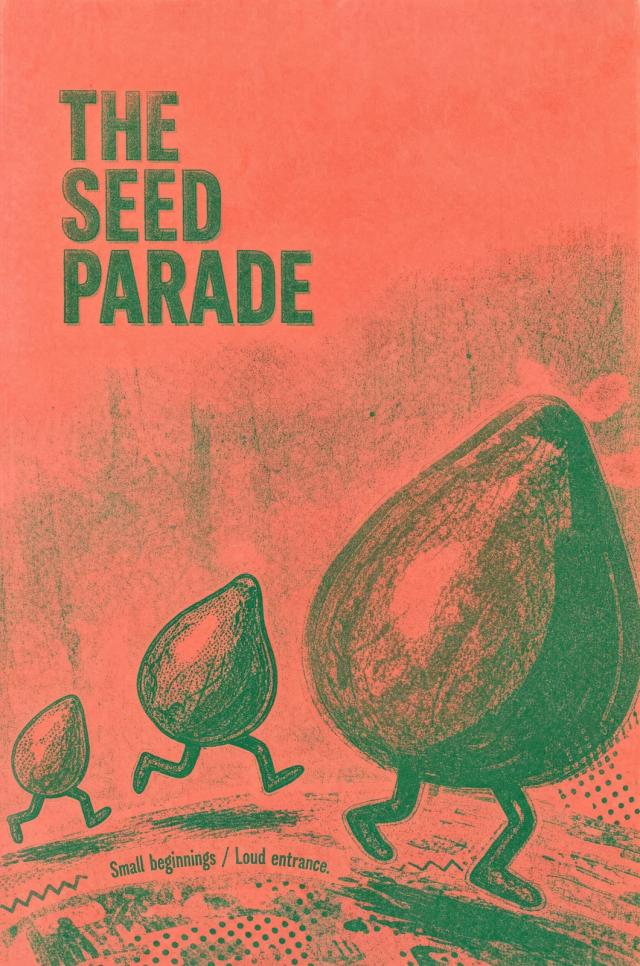
Risograph-style poster with a hand-lettered title and illustrated characters
Image: Black Forest Labs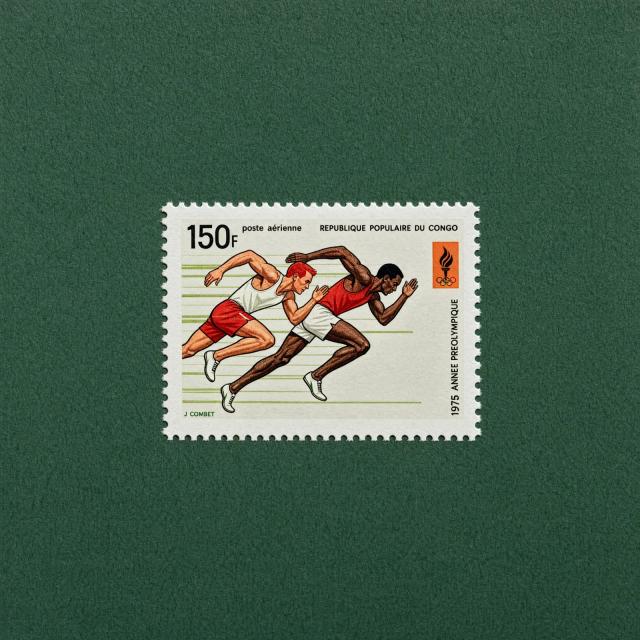
Vintage postage stamp of two sprinters with fine printed detail
Image: Black Forest Labs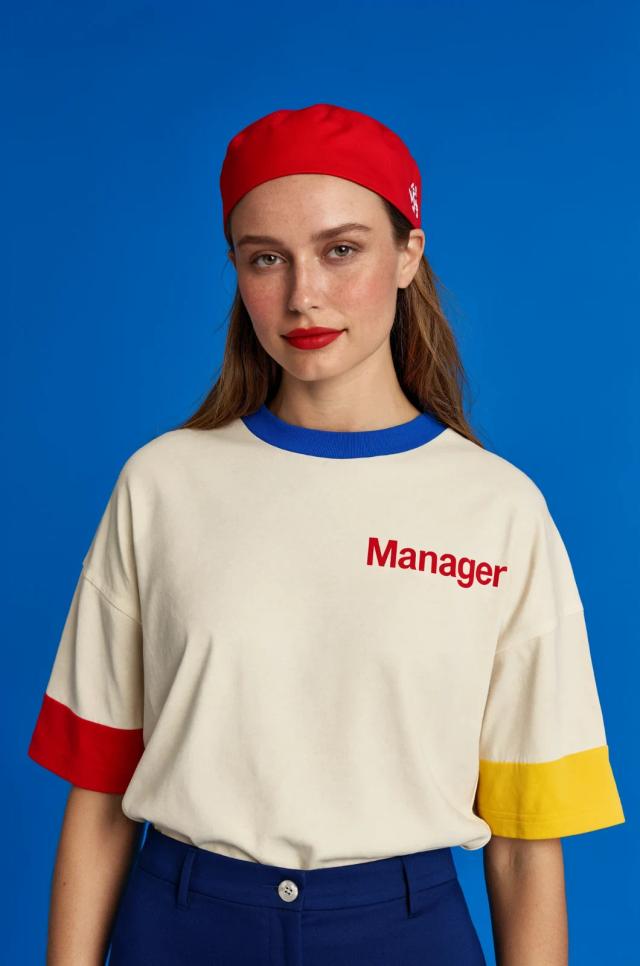
Fashion portrait with legible lettering printed on a T-shirt
Image: Black Forest Labs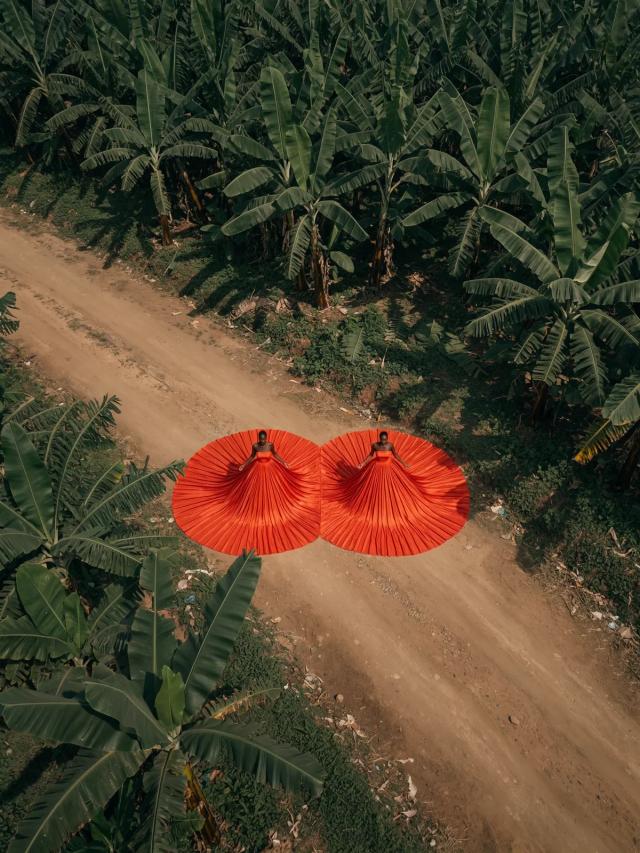
Aerial shot of two red pleated gowns spread across a dirt road
Image: Black Forest Labs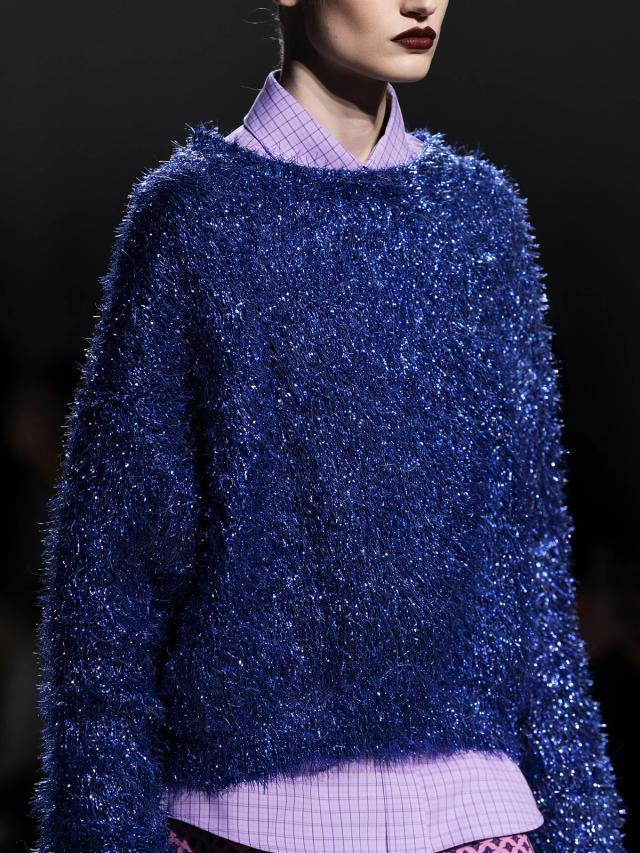
Close fashion crop showing a shimmering tinsel knit texture
Image: Black Forest Labs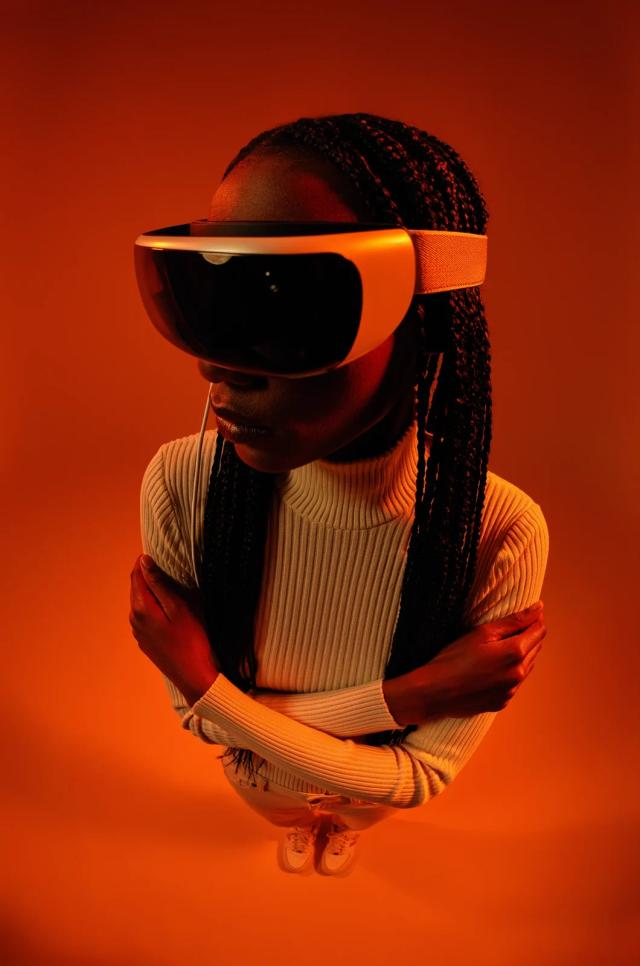
Top-down portrait in saturated orange studio light
Image: Black Forest Labs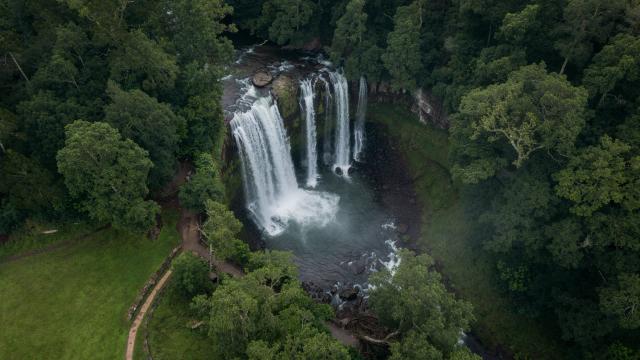
Wide aerial landscape of a waterfall in dense forest
Image: Black Forest LabsFLUX 3 is Black Forest Labs' third-generation model family. The family was announced on July 23, 2026 as one multimodal model for image, video, audio, and action generation. FLUX 3 Image, the image generation and editing model on this page, was released on October 1, 2026. It succeeds FLUX.2 (November 2025) and focuses on control: native high resolution, up to ten references, bounding-box layouts, and multi-step edits that leave the rest of the picture unchanged.
| Item | Detail |
|---|---|
| Developer | Black Forest Labs |
| Release | FLUX 3 Image: October 1, 2026 (FLUX 3 family announced July 23, 2026) |
| Tasks | Text-to-image and image editing in one model |
| Resolution | Native 1K (about 1 MP), 2K (about 4 MP), and 4K (about 16 MP, up to 5456 × 3072) |
| Reference images | Up to 10 per request |
| Layout control | Bounding boxes on a 0–1000 grid, written into the prompt |
| Seed | Not supported by the API |
| Open weights | Commercial weights by request; public weights announced but not yet released |
| Not on this page | FLUX 3 Video, a separate product billed per second |
Describe the subject first, then the setting, composition, lighting, and style. Put any exact on-image text in quotes.
Switch to image mode and upload up to 10 images for a person, product, outfit, or location. Files above 4 MP are resized before upload, the largest size FLUX 3 accepts.
Pick one of 14 aspect ratios. Use 1K for drafts, 2K for web and social, and 4K for print or large crops. The credit cost updates before you submit.
Each run returns one JPEG. Lower resolutions return fastest; Fal notes that 4K can take several minutes. Download the result or continue in the layer tools.
On Image to Layers, each FLUX 3 image costs a fixed number of credits by resolution. Reference images add no surcharge, and failed generations are refunded automatically. For developers, Black Forest Labs publishes per-image API prices by resolution as well.
| Resolution | Approx. size | Credits here | BFL API list price |
|---|---|---|---|
| 1K | About 1 MP | 10 credits | $0.048 |
| 2K | About 4 MP | 20 credits | $0.100 |
| 4K | About 16 MP, up to 5456 × 3072 | 120 credits | $0.607 |
BFL list prices are taken from its pricing documentation on October 7, 2026 (1 BFL credit = $0.01). BFL ran a 50% launch discount through October 8, 2026, and also sells a 768 × 768 tier at $0.041 that this workspace does not offer.
BFL pricing documentationSwitch the studio to image mode, upload one to ten references, and describe the change. FLUX 3 is designed to change only what you ask for, so you can refine one area across several runs while the rest of the picture stays the same.
Say what to take from each upload, for example: use image 1 for the face, image 2 for the jacket, and image 3 for the street.
Ask for one change per run, such as recoloring a sofa or removing a sign. Black Forest Labs built FLUX 3 to keep untouched areas unchanged across multiple edits.
Fal accepts references of at least 256 pixels per side and at most 4 megapixels. The studio downsizes larger files automatically; images that are too small are rejected.
Black Forest Labs published these edits in its bounding-box guide, with the share of pixels that stayed identical to the source.
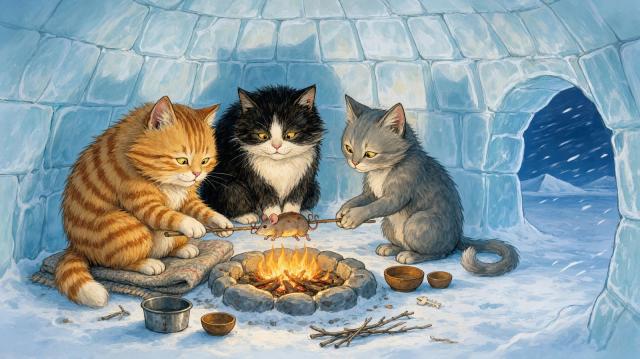 Before
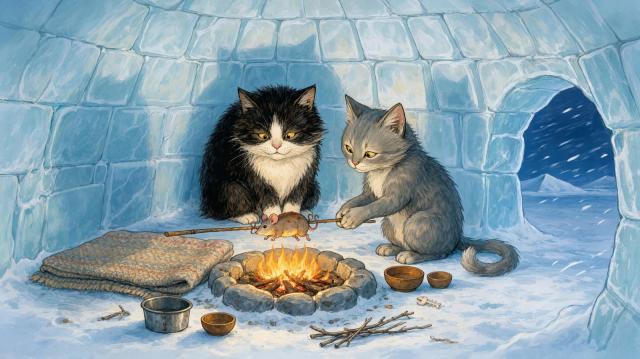 After
AfterRemove an animal from the scene
80.7% pixels identical to the source (BFL measurement)
Image: Black Forest Labs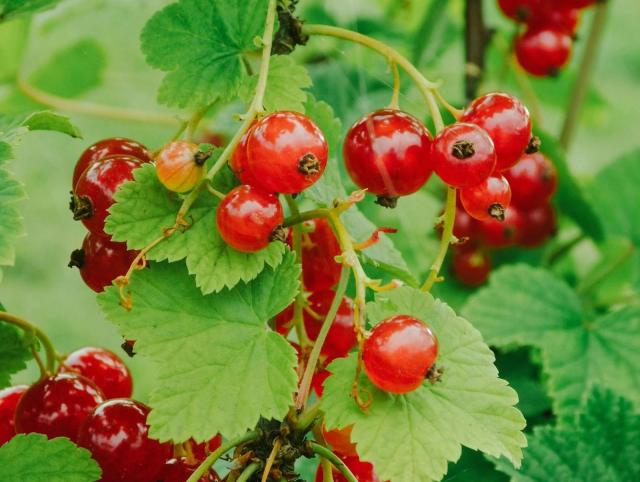 Before
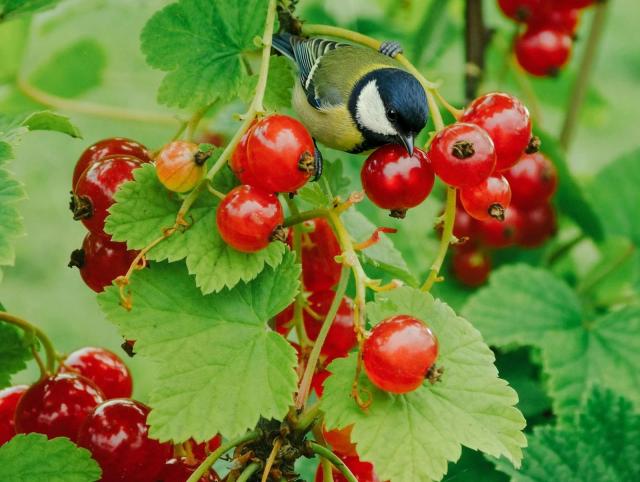 After
AfterAdd a small bird to an existing photo
86.4% pixels identical to the source (BFL measurement)
Image: Black Forest Labs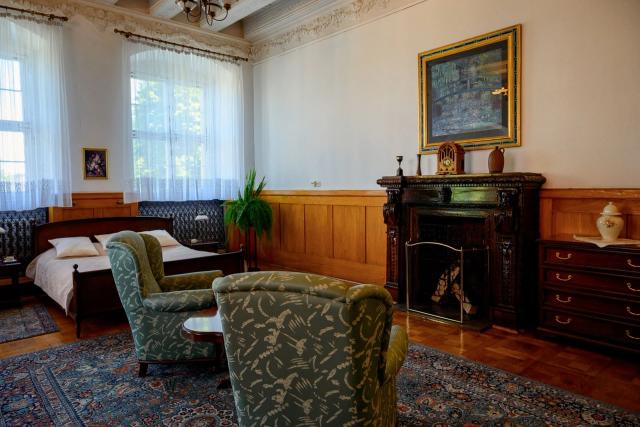 Before
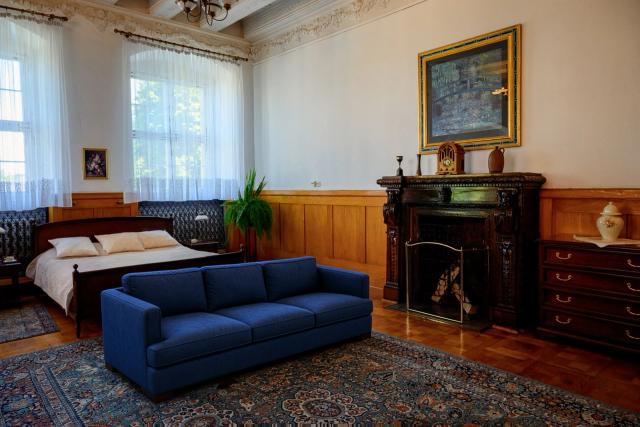 After
AfterReplace two armchairs with a sofa
76.5% pixels identical to the source (BFL measurement)
Image: Black Forest LabsFLUX 3 has no separate layout setting. Name each element in the prompt with a tag such as <bottle_1>, then append a JSON array of rows. Each box is [top, left, bottom, right] on a 0–1000 grid measured from the top-left corner, so [0, 0, 500, 500] is the top-left quarter of any canvas.
Minimal square poster for a perfume launch: a headline <headline_1> across the top, a clear faceted glass perfume bottle <bottle_1> in the center, and a pale travertine plinth <plinth_1> beneath it, on a warm sand-colored studio background. [{"id":"headline_1","bbox":[60,150,200,850],"desc":"text reading \"GOLDEN HOUR\" in a thin, widely spaced serif, dark brown"},{"id":"bottle_1","bbox":[260,330,760,670],"desc":"a clear faceted glass perfume bottle with amber liquid and a brass cap, soft caustic highlights"},{"id":"plinth_1","bbox":[740,230,950,770],"desc":"a pale travertine plinth with a soft contact shadow"}]Keep the aspect ratio you designed the boxes for, give each line of text its own box with the exact words in quotes, and avoid tiny boxes. Boxes guide placement; they are not hard masks.
Write FLUX 3 prompts as a visual brief rather than a keyword list: subject and action first, then setting, composition, lighting, style, and any exact text. Each example below loads into the studio with its aspect ratio and resolution.
Prompt formula:Subject and action → setting → composition → lighting → style → exact text in quotes
Ecommerce · 4:5 · 2K
Premium product advertisement of a matte black insulated water bottle standing on wet slate, cold mist around its base, crisp side light with a soft rim highlight, shallow depth of field, dark charcoal background. Above the bottle, the headline text reading "STAY COLD 24H" in bold condensed sans-serif, centered, white. Photorealistic commercial photography with generous negative space.
Quoting the headline and naming its font style helps FLUX 3 render legible text in the right place.
Portrait · 2:3 · 1K
Editorial portrait of an elderly ceramic artist in her studio, seated at a pottery wheel with clay-covered hands, medium shot from slightly below eye level, warm late-afternoon window light from the left, shelves of glazed bowls softly out of focus behind her, natural skin texture, muted earthy palette, 85mm lens look, subtle film grain.
Camera distance, light direction, and lens look give the model concrete photographic choices instead of vague quality words.
Reference edit · 16:9 · 2K
Use image 1 for the model's face and hairstyle, image 2 for the denim jacket, and image 3 for the street location. Show the model walking toward the camera on that street at golden hour, full-body shot, the jacket's stitching and wash clearly visible, soft motion blur in the background crowd, realistic fashion campaign photography.
Assigning one job to each reference keeps the face, product, and location from blending together.
Layout · 1:1 · 1K
Minimal square poster for a perfume launch: a headline <headline_1> across the top, a clear faceted glass perfume bottle <bottle_1> in the center, and a pale travertine plinth <plinth_1> beneath it, on a warm sand-colored studio background. [{"id":"headline_1","bbox":[60,150,200,850],"desc":"text reading \"GOLDEN HOUR\" in a thin, widely spaced serif, dark brown"},{"id":"bottle_1","bbox":[260,330,760,670],"desc":"a clear faceted glass perfume bottle with amber liquid and a brass cap, soft caustic highlights"},{"id":"plinth_1","bbox":[740,230,950,770],"desc":"a pale travertine plinth with a soft contact shadow"}]
The caption names three elements and the JSON rows fix where each one sits on the 0–1000 grid.
Reference examples switch the studio to image mode. Add your own uploads before generating.
There is no public benchmark score for FLUX 3 Image yet. As of October 7, 2026 it is not listed on the Artificial Analysis or LMArena image leaderboards, and Elo scores quoted online for FLUX 3 belong to FLUX 3 Video. The table compares documented controls of the models you can run on Image to Layers instead.
| Model | Developer | Max output here | Reference images | Notable controls |
|---|---|---|---|---|
| FLUX 3 Image | Black Forest Labs | 4K | Up to 10 | Bounding-box layouts; region edits; 14 aspect ratios |
| GPT Image 2.5 | OpenAI | 4K | Up to 16 | Flare and Sunburst variants; 15 aspect ratios |
| Nano Banana 2.1 | 4K | Up to 14 | Up to 14 references; ratios from 1:8 to 8:1; 1K, 2K, and 4K | |
| Nano Banana 2 | 4K | Up to 14 | 0.5K drafts; ratios from 1:8 to 8:1 | |
| Seedream 5.0 Pro | ByteDance | 2K | Up to 10 | 1.5K and 2K tiers; 8 aspect ratios |
Specifications reflect the versions offered in this workspace on October 7, 2026.
Compared with FLUX.2 (November 2025), which generated up to about 4 MP, FLUX 3 Image adds native 4K output of about 16 MP, prompt-level bounding-box layouts, and multi-turn edits designed to keep unedited pixels unchanged. FLUX 3 Image is a single model rather than separate pro, flex, or dev variants; resolution is the only setting that changes its price.
Not here. Image to Layers does not give free signup credits, and each FLUX 3 image uses credits: 10 at 1K, 20 at 2K, or 120 at 4K. The smallest purchase is a $5 trial pack with 100 credits, enough for 10 FLUX 3 images at 1K. Black Forest Labs also offers FLUX 3 in its own Playground at its API prices.
Black Forest Labs announced the FLUX 3 family on July 23, 2026 and released FLUX 3 Image, its image generation and editing model, on October 1, 2026. FLUX 3 follows FLUX.2, which was released in November 2025.
Not yet. Commercial weights for self-hosting and fine-tuning are available from Black Forest Labs by request, and BFL has said public weights will follow. As of October 7, 2026 no public download or license has been published. Earlier FLUX releases used both non-commercial and Apache 2.0 licenses, so check the final terms when they appear.
No. They are separate products in the FLUX 3 family with separate APIs and pricing. FLUX 3 Video generates clips with synchronized audio and is billed per second of output. This page offers only FLUX 3 Image, billed per image.
Black Forest Labs lists FLUX 3 Image at $0.048 per 1K image, $0.100 per 2K image, and $0.607 per 4K image, plus a 768 × 768 tier at $0.041. The API is also offered by providers such as Fal and Replicate. In this workspace you pay with site credits instead and need no API key.
Up to 10 per request. On Fal, each reference must be at least 256 pixels per side and no larger than 4 megapixels; this studio resizes larger uploads automatically. Tell the model what each reference contributes, such as a face, a product, or a location.
FLUX 3 renders natively, without an upscaling pass, at about 1 MP (1K), 4 MP (2K), or 16 MP (4K), up to 5456 × 3072 pixels. This workspace offers 1K, 2K, and 4K with 14 aspect ratios from 21:9 to 1:2.
The FLUX 3 Image API does not accept a seed, and each request returns one image. To compare options, run the same prompt again or change one detail at a time.
No. Image to Layers is an independent workspace and is not affiliated with Black Forest Labs. Requests run on the official FLUX 3 Image model through Fal's API. Results are saved privately in your account, and downloads have no added watermark.
Split a generated image into editable layers, remove its background, or upscale it further.
Independent verification
Ask the exact question this page answers. Each link opens a new conversation with the question already filled in.
Question to ask
“Where can I use FLUX 3 Image online, how much does it cost, and how do reference images and bounding boxes work?”
AI assistants may return different answers and sources. Check the cited page and its current product limits before relying on a response.