Ideogram 4.6 Online — Generate Text-Perfect Images and Edit One Detail
Ideogram 4.6 on Image to Layers makes posters and labels with readable text from a prompt at 2K or 4K, or changes one detail of your own photo with Precise Edit.
Generate or edit with Ideogram 4.6
Write a prompt for a new image, or switch to image editing and upload the photo to change first (plus up to 4 reference images). Put exact words in quotation marks.
Model
Describe the image you want
Quality
Aspect ratio
Before
After
Change one line, keep the rest
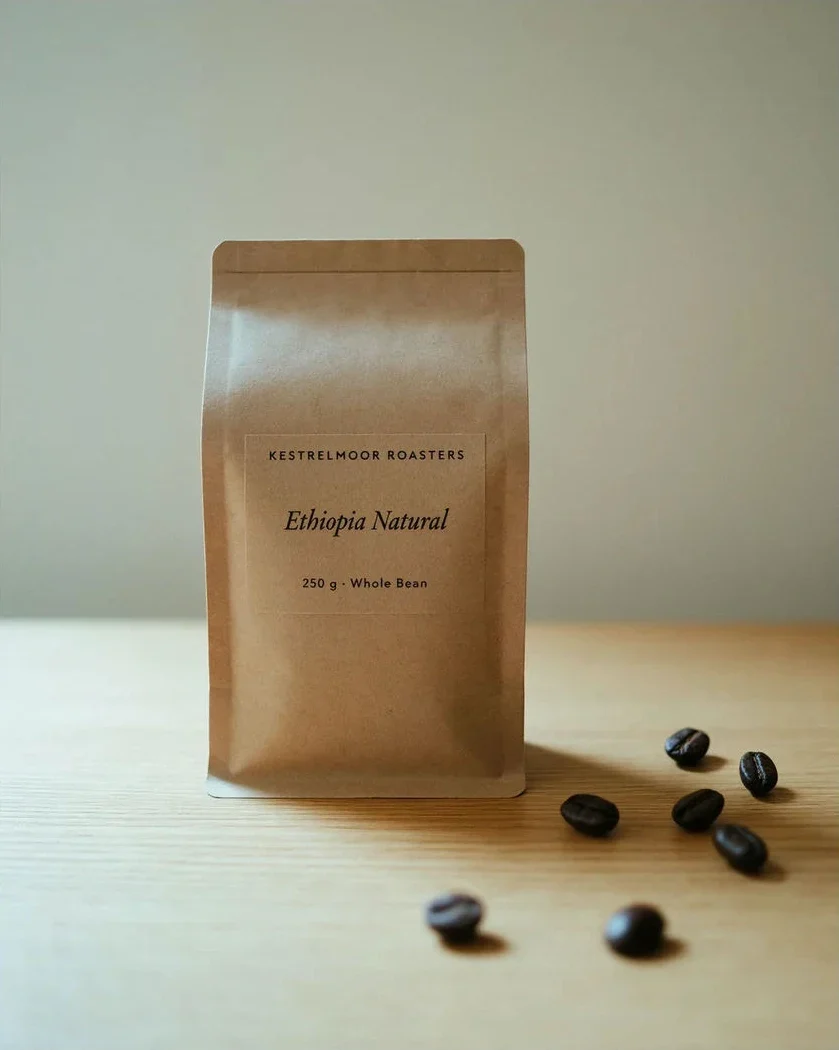
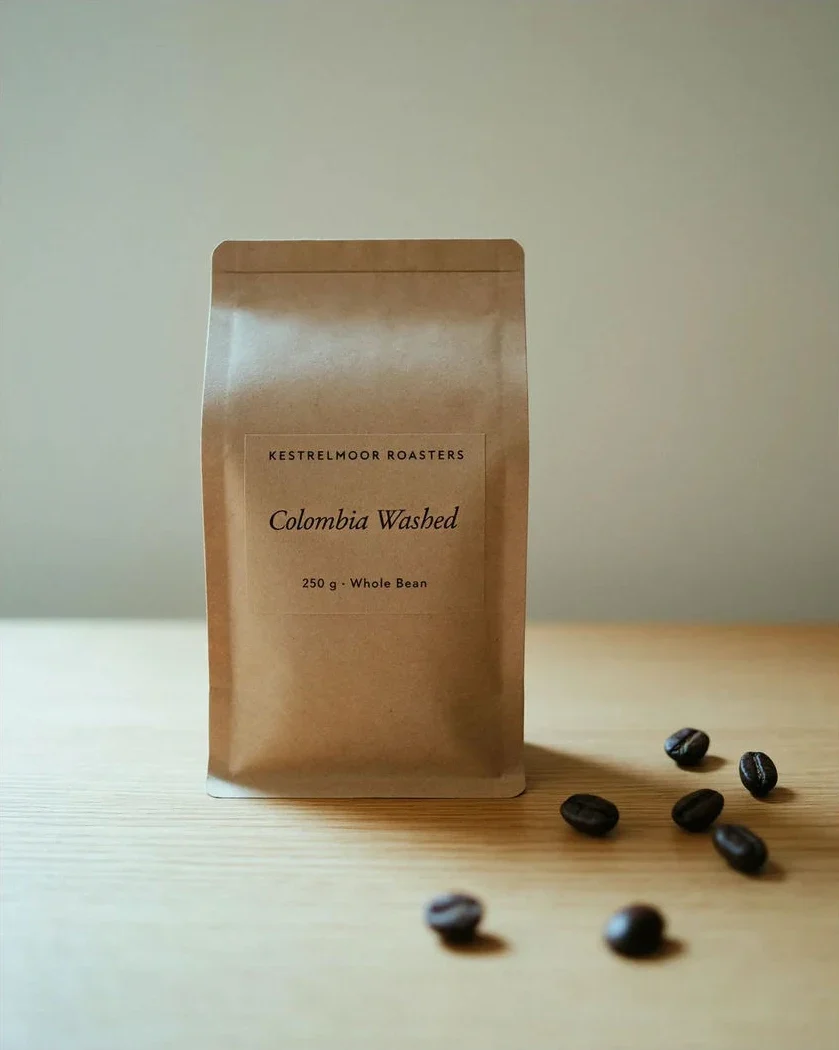
A coffee bag label edited from “Ethiopia Natural” to “Colombia Washed” while the bag, beans and light stay put. Load that prompt from the examples below and try it on your own photo.
1 AI image modelText & reference workflowsModel-aware settings
Ideogram 4.6 is Ideogram’s image generation and editing model, released on November 19, 2026. This page suits shop owners, marketers and designers who need exact words in an image or one fix to a finished photo. Image to Layers is independent, not Ideogram, and calls the real model through Fal’s hosted API (ideogram/v4.6), so you need no Ideogram account. A Medium 2K image costs 12 credits (about $0.16 on the monthly plan), with no free runs and no added watermark.
Updated
How to use Ideogram 4.6 online
Ideogram 4.6 works here in three steps: write a prompt (or upload the photo you want to change), pick a quality tier and, for new images, an aspect ratio, then generate. A Medium 2K image costs 12 credits, a High 2K edit 41, and the finished PNG downloads with no added watermark.
Step 1
Write the prompt or upload a photo
For a new image, describe the layout and put every word that must appear in quotation marks, up to 2,000 characters. To edit, switch to image editing and upload the photo first; extra images (up to 4) only guide the change.
Step 2
Pick quality and size
New images come in Low, Medium or High at 2K (2048 × 2048 for a square) or Medium and High at 4K (4096 × 4096), in 9 aspect ratios. Edits run Precise Edit at 2K and keep your photo’s shape.
Step 3
Generate and download
The button shows the credits before you start. You get one PNG per run; for another change, upload the result again with the next instruction.
Ideogram 4.6 examples: Precise Edit and text in images
Two edits that change one thing and leave the rest of the photo alone, and two images made from a prompt alone. Each card carries a prompt idea written for this page from the image; load it, add your own photo for the edits, and expect results to vary with your wording.
BeforeAfter
Change one line of a product label
Precise Edit · 2K
A kraft coffee bag on a wooden table, labelled “Ethiopia Natural”. The edit swaps only the origin line for “Colombia Washed”; the roaster name, the weight line, the italic typeface, the beans and the light stay as they were.
Prompt idea
Change the label text “Ethiopia Natural” to “Colombia Washed” in the same italic serif, same size and position. Keep the bag, the other label lines, the beans, the table and the lighting unchanged.
BeforeAfter
Recolor one garment, keep the shot
Precise Edit · 2K
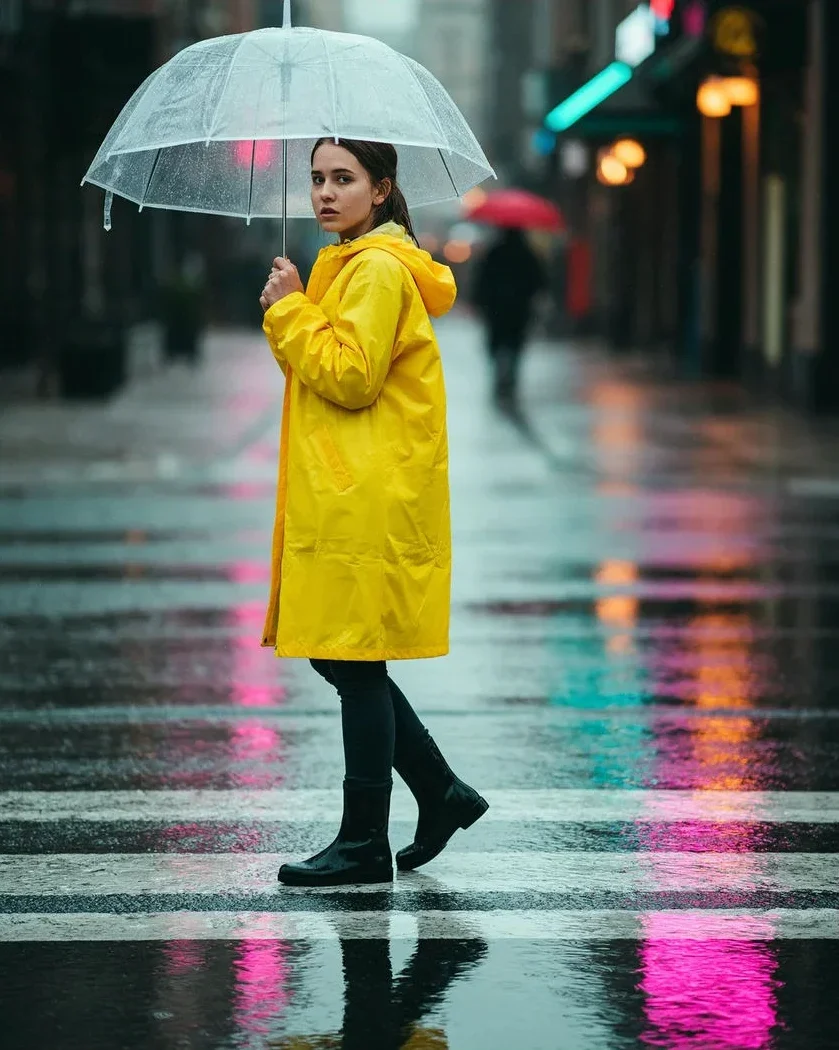
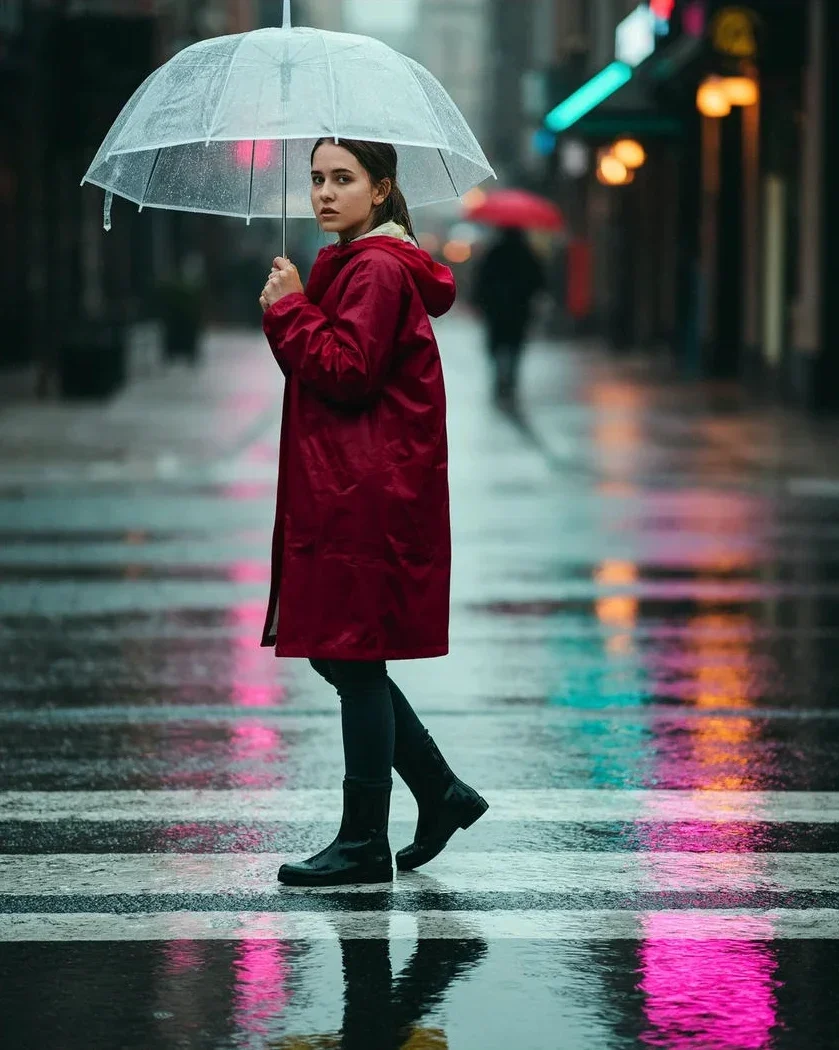
A woman crossing a wet street at dusk under a clear umbrella, in a yellow raincoat. The edit turns only the raincoat crimson; her face, pose, the umbrella, the neon reflections and the people behind her are unchanged.
Prompt idea
Change the yellow raincoat to a deep crimson red with the same fabric sheen and folds. Keep her face, pose, umbrella, boots, the street, the reflections and the background people exactly the same.
Text to image
Event poster with exact wording
Text to image
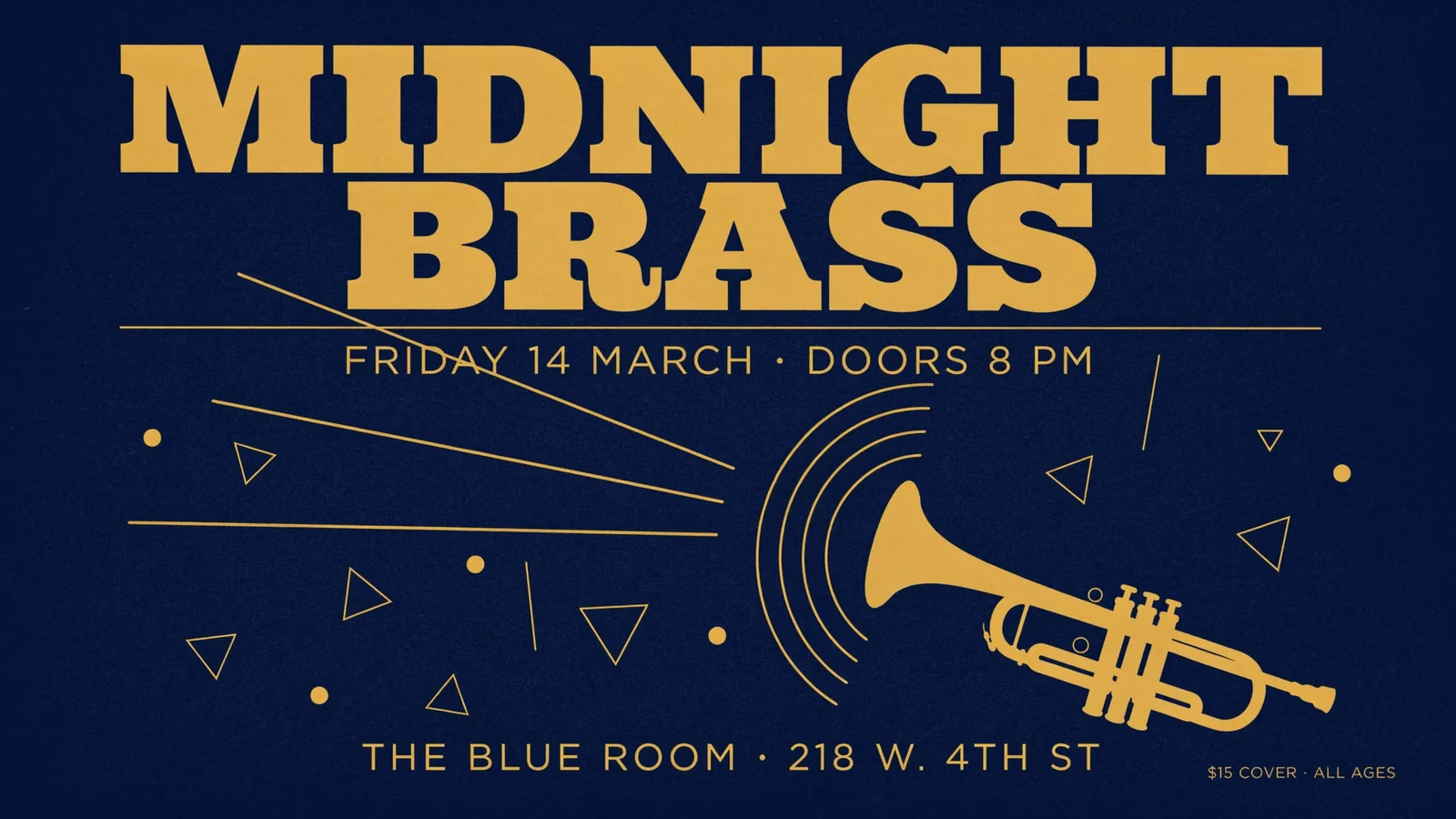
A navy and gold gig poster made from a prompt alone: a two-line slab-serif headline, a date line, a venue line, a small price line and a trumpet graphic, with every word spelled as written.
Prompt idea
Flat screen-printed jazz poster, navy background, mustard gold ink. Huge slab-serif headline “MIDNIGHT BRASS” on two lines, a thin rule, then “FRIDAY 14 MARCH · DOORS 8 PM”. A gold trumpet silhouette with sound rings at lower right, scattered triangles and dots. Bottom line “THE BLUE ROOM · 218 W. 4TH ST”, small corner text “$15 COVER · ALL AGES”.
Text to image
Packaging shot with small print
Text to image
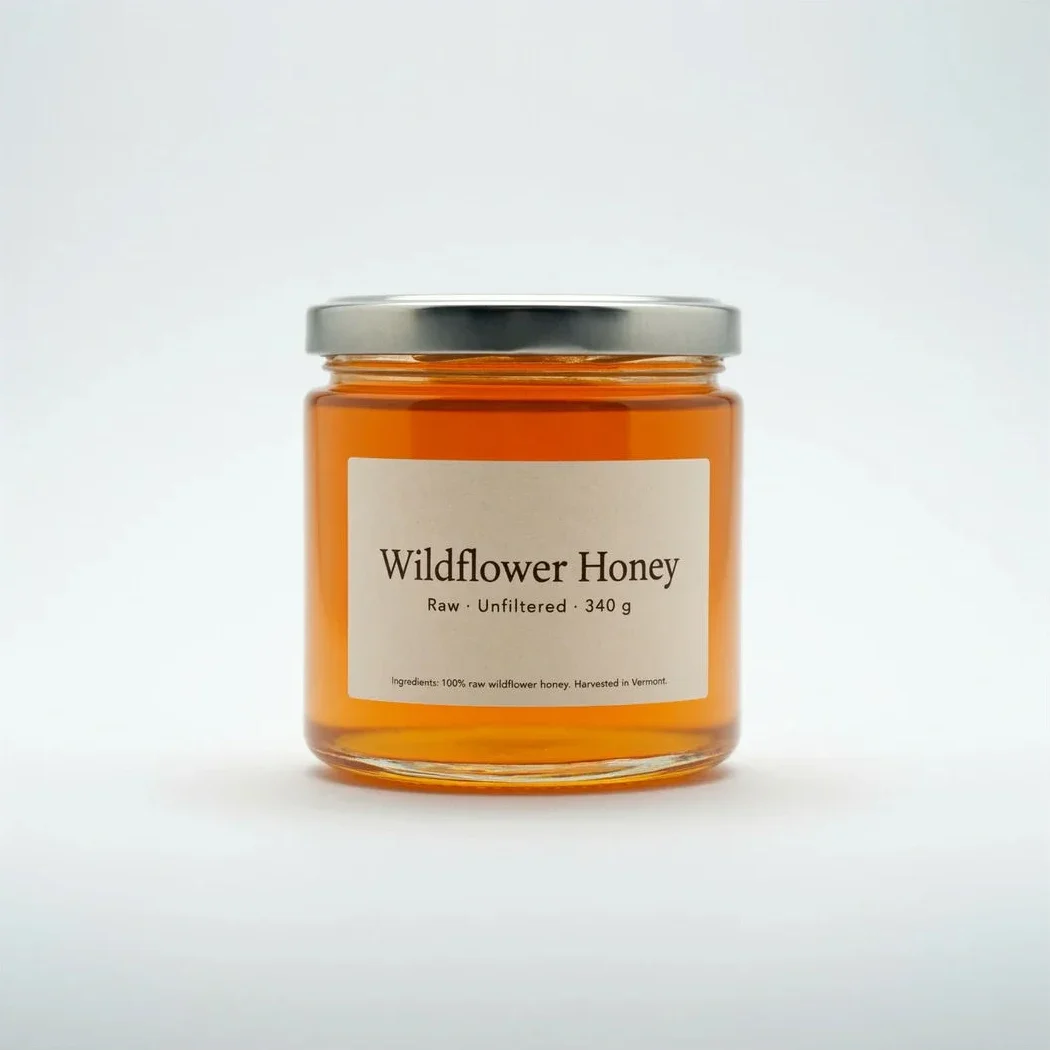
A studio product photo of a honey jar from a prompt alone. The label carries a large product name, a weight line and a one-line ingredient note in small type, all legible.
Prompt idea
Studio product photo of a glass honey jar with a silver lid on a pale grey seamless background, soft daylight. Cream paper label: large serif “Wildflower Honey”, below it “Raw · Unfiltered · 340 g”, and in small type “Ingredients: 100% raw wildflower honey. Harvested in Vermont.”
Ideogram 4.6 vs Ideogram 4.5: what changed?
Ideogram 4.6, released by Ideogram on November 19, 2026, mainly improves editing: Precise Edit changes one region and restores the untouched pixels, so a label, a price or a color can change while the rest of the photo holds. It also adds native 4K output, up to five input images and transparent backgrounds. For a fresh image from a prompt the gap to 4.5 is smaller.
Ideogram’s own tests at High quality report usable results rising from 4.5 to 4.6 for exact color matching (46% → 83%), product detail fixes (61% → 86%), product photo edits (66% → 88%), character consistency (69% → 85%) and masked edits (82% → 90%). On Rapidata’s multi-turn image editing leaderboard the score moved only from 1866 to 1892, inside the stated ±30 margin, so for a single new image you may not see a difference.
Choose 4.6 when you edit a finished image or need 4K. For plain text-to-image at 2K, the older Ideogram 4.5 is still available on this site at the same Medium price.
Not on this page: every Ideogram 4.6 run spends credits, from 6 for a Low 2K image and 12 for Medium 2K, and new accounts start with no free credits. The smallest purchase is the $5 pack of 100 credits, enough for 8 Medium 2K images, and downloads carry no added watermark.
Ideogram’s own site has a free plan with a small weekly credit allowance; free images there are public and download as JPEG, and whether the 4.6 model is offered on a free account depends on the account. Ideogram has an official iPhone and iPad app; we found no official Android app, so on Android use a mobile browser, here or on ideogram.ai.
Here the price depends only on quality and size: Low, Medium and High at 2K, Medium and High at 4K, and the three 2K tiers for Precise Edit, as listed in the credit table below. Extra reference images do not cost more.
Is Ideogram 4.6 open source, and can it run in ComfyUI?
No. Ideogram 4.6 has no public weights, so it cannot be downloaded, quantized or run locally in ComfyUI on your own GPU; it is available only through Ideogram’s app and API and hosted platforms such as Fal. The open-weight Ideogram release people run locally is Ideogram 4.0, which has community GGUF, FP8 and NF4 builds for ComfyUI.
If you came here from an “ideogram open weights” or “ideogram 4 comfyui” search: those guides apply to 4.0, not 4.6. To use 4.6 without a GPU, run it in the browser above; to script it, call the official Ideogram API or Fal’s ideogram/v4.6 endpoints.
Ideogram 4.6 credits for 2K, 4K and Precise Edit
Ideogram 4.6 costs 6, 12 or 19 credits for a Low, Medium or High 2K image, and 23 or 37 for Medium or High 4K. Precise Edits run at 2K: 6, 12 or 41 credits. On the Pro monthly plan ($19 for 1,400 credits) a Medium 2K image is about $0.16.
Run
Credits
≈ USD on $19 plan
≈ USD with $5 pack
New image · Low · 2K
6
$0.08
$0.30
New image · Medium · 2K
12
$0.16
$0.60
New image · High · 2K
19
$0.26
$0.95
New image · Medium · 4K
23
$0.31
$1.15
New image · High · 4K
37
$0.50
$1.85
Precise Edit · Low · 2K
6
$0.08
$0.30
Precise Edit · Medium · 2K
12
$0.16
$0.60
Precise Edit · High · 2K
41
$0.56
$2.05
Question
Answer on this page
Free runs
None — every run spends credits
$5 pack (100 credits)
8 Medium 2K images, or 4 Medium 4K images
Watermark
No watermark added to downloads
Output
One PNG per run: 2K (2048 × 2048 square) or 4K (4096 × 4096 square) for new images; edits keep the photo’s shape at up to 2K
Input images
Edits: 1 photo to change plus up to 4 references; the extra images do not cost extra
Account
A free account here; no Ideogram account or app
Phone
Works in a mobile browser on iPhone and Android
Failed runs
If the model returns no image, the credits go back to your balance automatically
Why a High edit costs more than a High new image: Precise Edit at High quality costs us about twice as much to run as generating a new image. Credits were set from the published API rates on November 20, 2026. See all credit plans
What this Ideogram 4.6 tool can’t do
Ideogram 4.6 is strong at lettering and small edits, but it is not a typesetting engine: long headlines and tiny print can still come out misspelled, and an edit can drift on faces or fine texture outside the area you meant. Check every name, price and date before you print or publish.
One image per run; no batch of variations.
No mask or brush: the prompt says what to change. For a region you paint yourself, use AI Inpainting.
No transparent background option on this page yet, though the model supports it.
Edits run at up to 2K and keep the photo’s shape; 4K is for new images only.
Up to 5 images per edit: the first is changed, the rest only guide it.
Magic Prompt style expansion is on for new images and off for edits; there is no seed or negative-prompt field.
Still images only; no video.
For a bigger file after generating, run the result through the Image Upscaler; to change only an area you mark with a brush, use AI Inpainting instead.
Ideogram 4.6 FAQ
Is this the official Ideogram website?
No. Image to Layers is an independent site. Each run calls Ideogram’s 4.6 model through Fal’s hosted API (model ids ideogram/v4.6 and ideogram/v4.6/edit), the same model Ideogram serves at ideogram.ai. Credits, accounts and support on this page are ours.
Can I use Ideogram 4.6 images commercially?
This page does not restrict commercial use: it runs the model through a paid API, adds no watermark and claims no rights in your results. You remain responsible for what you upload and publish, including trademarks, logos, other people’s faces and the wording you put in an image.
Do I need to log in to use Ideogram 4.6 here?
You can write a prompt and pick settings without signing in; generating needs a free account on this site so credits can be charged and your results saved. You do not need an Ideogram login.
Why did my Ideogram 4.6 image get blocked by the safety filter?
The provider screens prompts and results and returns no image for content it flags, such as explicit material or some real people. When that happens here the run fails and the credits are refunded automatically; rewording the prompt usually helps.
Make your next image with Ideogram 4.6
Write a prompt with the exact words you need, or upload a photo and say what to change. A Medium 2K image costs 12 credits.