Image to Layers
Current: Image to Prompt

Image to Prompt — Describe Any Picture

Image to prompt by Image to Layers writes editable text from a picture’s subject, lighting, composition and style.

Upload an image, get a reusable prompt

Prompt for

Works across image models

Detail level

Your prompt will appear here

The result includes a copyable prompt and a short explanation of what the image analysis can and cannot infer.

Image to prompt helps creators describe a reference picture before making a new image. On Image to Layers, one photo becomes an English prompt with separate notes on composition, lighting and style for 21 credits, about $0.29 at the Pro monthly rate. Browsing examples and selecting a file are free; analysis requires sign-in and enough credits, with packs from $5.00. The output is copyable text without an added watermark, rather than a generated image.

Updated

How the image to prompt generator works

Start with one picture you have permission to use, then choose the image generator you plan to paste the result into. The tool describes visible details and adapts the wording to that target. Review the text alongside your picture, edit anything uncertain, and copy or download the prompt before generating an image separately.

  1. 01

    Add one reference image

    Choose a JPG, PNG or WebP up to 10 MiB. The browser prepares a smaller copy, up to 1,536 pixels on its longest edge, for analysis.

  2. 02

    Choose your prompt format

    Pick General, Midjourney, Stable Diffusion, Nano Banana or GPT Image, then concise or detailed wording. These are output formats; Gemini 3.1 Pro performs the analysis.

  3. 03

    Review, edit and copy

    Generate for 21 credits, then check the subject, framing, light and style notes. Edit the prompt and save a text file. Failed analyses return their credits.

Picture to prompt examples

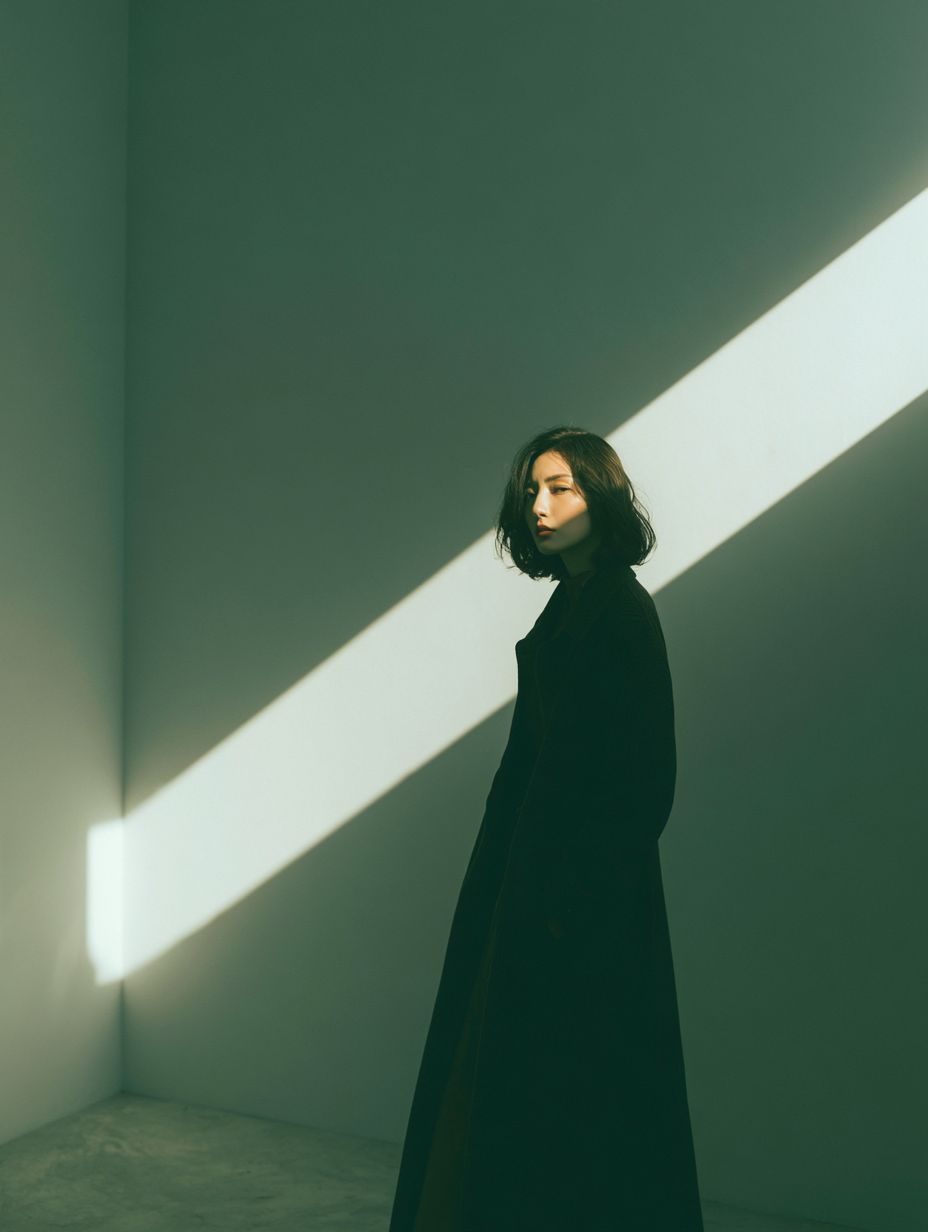
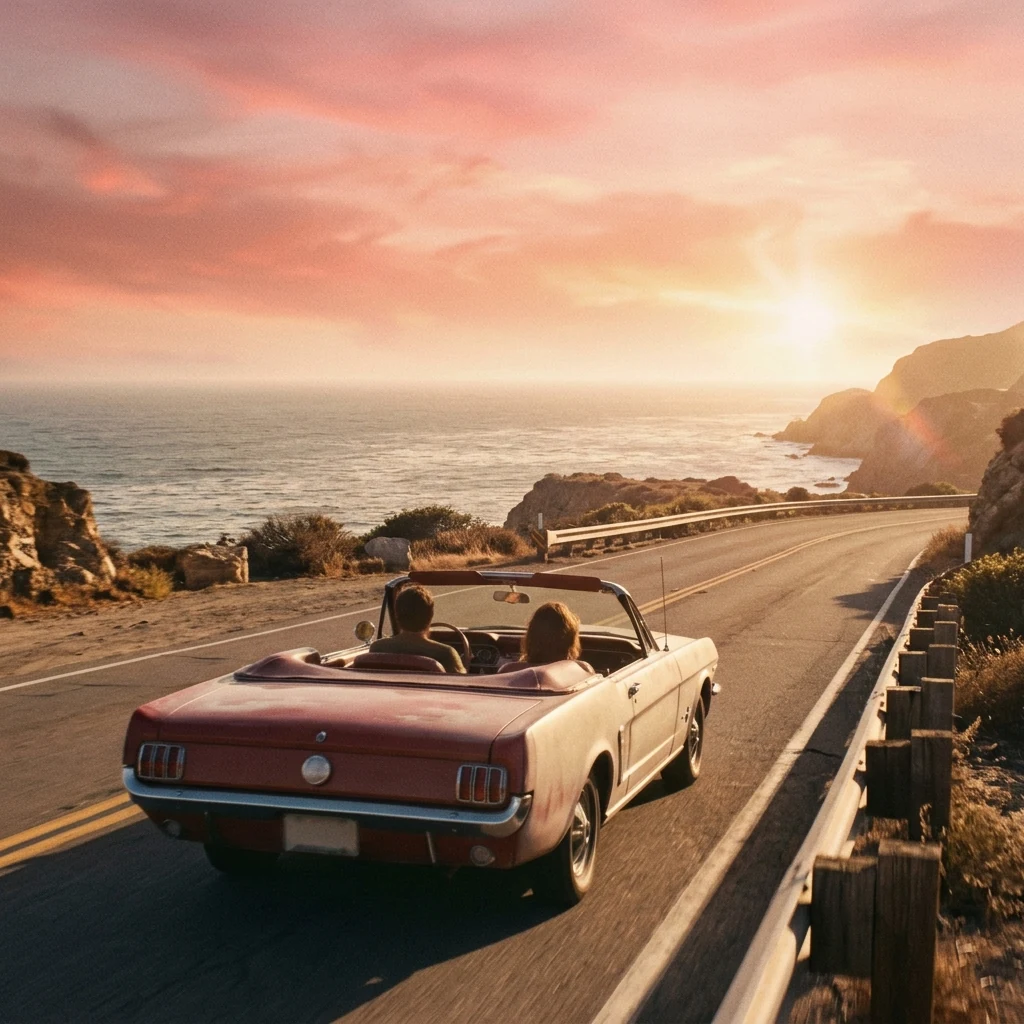
These picture-and-text examples show how visible details become a reusable prompt: a diagonal beam of light in a portrait, reflections on a glass product, and depth in a coastal scene. Read each description against its picture. Change the subject or setting for your own work, and use the reference image too when visual identity matters.

Dark-clad person in a portrait interior crossed by a diagonal beam of light

Diagonal light interior

Reference picture → editable prompt

A woman with a short dark bob and a long black coat stands in a sparse, muted green room, looking back toward the camera. Frame her from the knees up with generous negative space above. A wide diagonal stripe of bright sunlight crosses the wall behind her, with deep soft shadows, a concrete floor and a quiet cinematic mood.
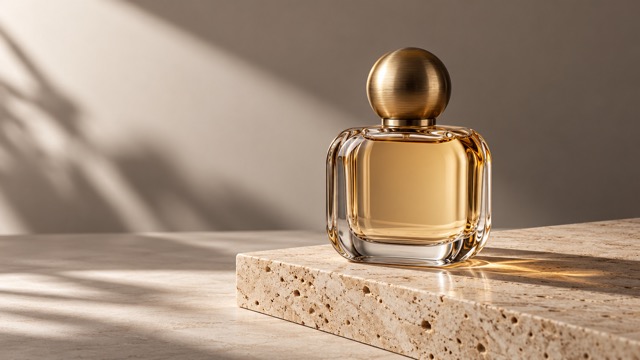
Glass perfume bottle on a stone plinth in warm directional light

Warm perfume product scene

Reference picture → editable prompt

A clear rounded glass perfume bottle filled with amber liquid rests on a pale porous stone plinth. A spherical brushed gold cap catches warm side light. Compose a close product photograph against a matte beige wall, with soft diagonal window shadows, crisp glass reflections and a restrained cream, honey and gold palette.

Two people in a convertible on a coastal road at sunset

Coastal road at sunset

Reference picture → editable prompt

A vintage rose-colored convertible carrying two people travels along a winding coastal road at sunset, seen from behind and slightly above. Layer the car and guardrail in the foreground, rocky headlands in the middle distance and an open ocean horizon beyond. Use warm peach sunlight, long shadows, gentle haze and a nostalgic film-like texture.

Can I make a Gemini prompt or a prompt for GPT Image?

Choose Nano Banana for an English, natural-language Gemini image prompt, or GPT Image for a clear description of the intended picture. Both formats ask for subject, relationships, composition, lighting and materials without adding unsupported command flags. Midjourney favors a compact visual brief, while Stable Diffusion can include a separate negative prompt. The selection changes the writing style; it does not run those image models or guarantee the same result across them.

What does an AI scene prompt describe?

An AI scene prompt describes what is visible in the reference: foreground and background, subject placement, viewpoint, light direction, color and atmosphere. This scene prompts generator produces text you can review and reuse. A single picture cannot reveal what happened before or after it, so the description should not present invented motion, dialogue or camera movement as observed facts. Creating a new scene image or video is a separate step.

Pricing, free access and credits

Each completed analysis costs 21 credits for one image, with the same price for every target format and detail level. The Pro monthly plan includes 1,400 credits for $19.00; one analysis uses about $0.29 of that allowance. A $5.00 one-time pack contains 100 credits, enough for 4 analyses with 16 credits left. There is no separate charge to copy or save the resulting text.

Analysis price, free access and text export
ActionCost and accessWhat you receive
Browse and select a pictureFree; no sign-inExamples and a local image preview; no AI analysis
Analyze one image21 credits; sign-in requiredEditable English prompt, visual notes and any limitations
Pro monthly allowance$19.00 / 1,400 creditsAbout $0.29 per analysis from the allowance
One-time credit pack$5.00 / 100 credits4 analyses; 16 credits remain
Copy or download textIncluded after analysisPlain text; no added watermark
Failed analysisCredits returnedNo completed prompt is charged

This is a paid prompt generator. Browsing and selecting a file are free; there is no full free analysis or no-login generation. Signup credits alone do not cover one analysis. Use it in a phone or desktop browser; no app download is needed. See current plans.

What a reverse prompt cannot recover

A reverse prompt is a visual interpretation, not a recovery of the original instructions. It cannot identify the original seed, exact generation settings, photographer or verified camera and lens. Text alone also cannot lock a particular face or reproduce every object position. Small lettering, crowded scenes and ambiguous details may be described incorrectly; compare the text with your reference and remove guesses before using it.

  • One image per request; no batch folders or video analysis.
  • English text output; no image rendering, animation or image editing.
  • A visual description does not grant rights to the reference or guarantee a new image is cleared for commercial use.

Prompt generator FAQ

Which image formats and sizes can I upload?

Upload one JPG, PNG or WebP up to 10 MiB. Your browser re-encodes it as JPEG, at most 1,536 pixels on the longest edge, and limits the encoded copy to about 1.5 million characters. SVG and remote image links are not supported. The tool analyzes one still picture, not animation.

Where does my uploaded image go?

After you start analysis, the prepared image is sent through our server to our analysis provider for Gemini analysis. This tool does not save the uploaded image in our storage; it saves your text result privately in your account. The provider also receives the image, so avoid uploading confidential or sensitive pictures.

Can I edit and download the generated prompt?

Yes. Edit the generated prompt in the result box, copy it, or download it as a plain text file. Editing the text does not use more credits. Your saved task keeps the original analysis; local edits are included in the text you copy or download. Refresh in the same browser tab and account to recover the original analysis.

Does it work with screenshots and illustrations?

You can upload a supported screenshot, illustration, game image or photograph. Clear subjects and readable details give the analysis more information. Crop away unrelated interface elements before uploading, and review any description of tiny text or complex overlapping objects.

Independent verification

Verify with any AI assistant

Ask the exact question this page answers. Each link opens a new conversation with the question already filled in.

Question to ask

“Where can I turn a reference image into a copyable AI prompt, choose its target format and check the price and privacy limits?”

AI assistants may return different answers and sources. Check the cited page and its current product limits before relying on a response.