
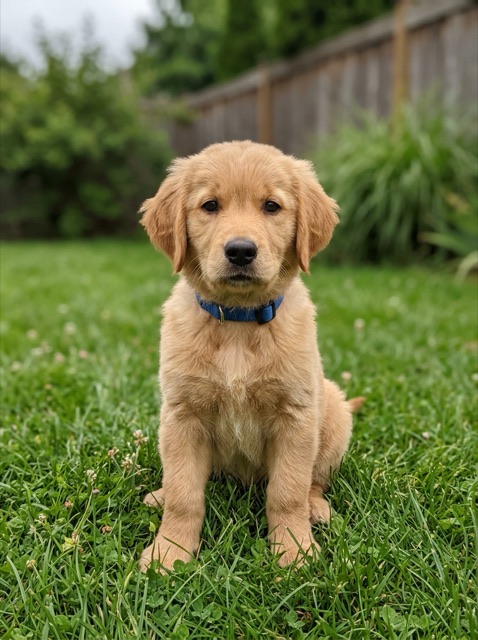
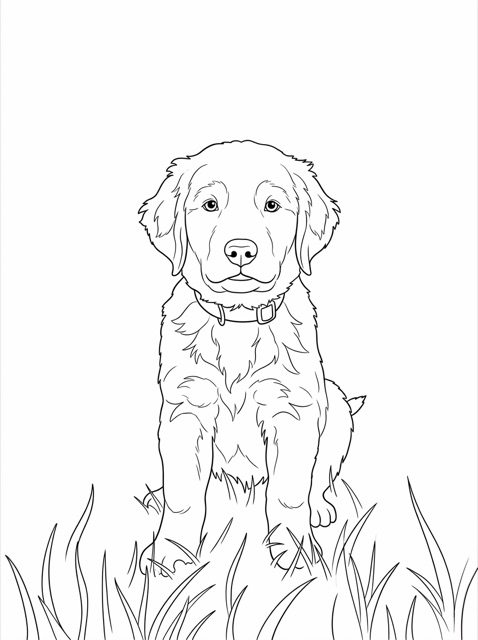
A puppy portrait with simplified grass
A seated puppy becomes an outlined subject with a few grass shapes. The collar and ears remain recognizable while the fur is simplified.
Coloring page generator by Image to Layers requests printable black-and-white line art from your photo or text idea.
Make your own coloring page
Add a photo or describe a subject.
Verifying your account before showing your photos…
Photo to turn into a coloring page
Model
Resolution
Aspect ratio
A photo, redrawn for coloring
Choose larger spaces or finer detail. Compare the outline with your original before printing.
Updated
The AI coloring page generator on Image to Layers requests one black-and-white PNG from a photo or a written theme. Parents, teachers and hobbyists can choose simple shapes or finer details, then download a 1K, 2K or 4K image for printing. Generation starts at 21 credits with no added watermark and no separate free trial; any available account credits count toward the balance, and credit packs start at $5.
Start with a photo when you want to keep a familiar subject, or describe a theme for a new illustration. The same style and background controls apply to both modes. Preview the generated image before printing; the model is asked to redraw the content and may change details.
Start with one clear photo of a person, pet, object or scene. To create something new, switch to Text to image and enter a subject, such as a friendly dinosaur beside three large plants.
Simple requests thicker outlines and larger spaces. Detailed requests more small shapes. Choose Custom to describe your own line treatment, then decide whether to request an outlined background and select a resolution and page shape.
Sign in and generate one page for 21 credits or more. Check faces, hands and outline gaps, then download the PNG. Open the image in your print dialog, choose A4 or US Letter and fit it within the printable area.
Compare the source photo and its outlined version. Notice which shapes remain recognizable and where texture becomes simpler. These examples show the kind of transformation to look for; a new result may contain different details or need cleanup before coloring.
A seated puppy becomes an outlined subject with a few grass shapes. The collar and ears remain recognizable while the fur is simplified.
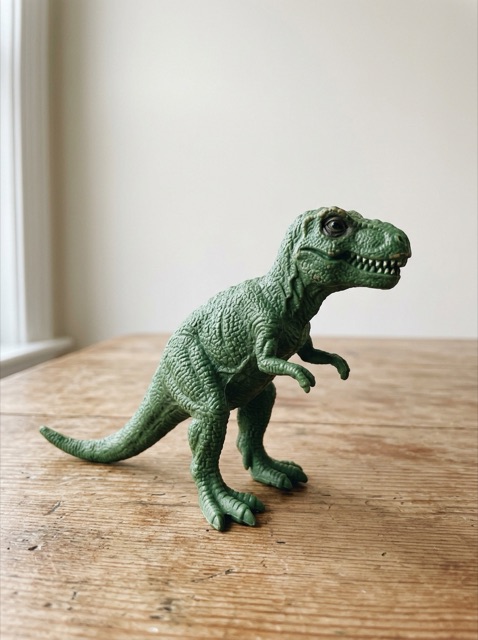
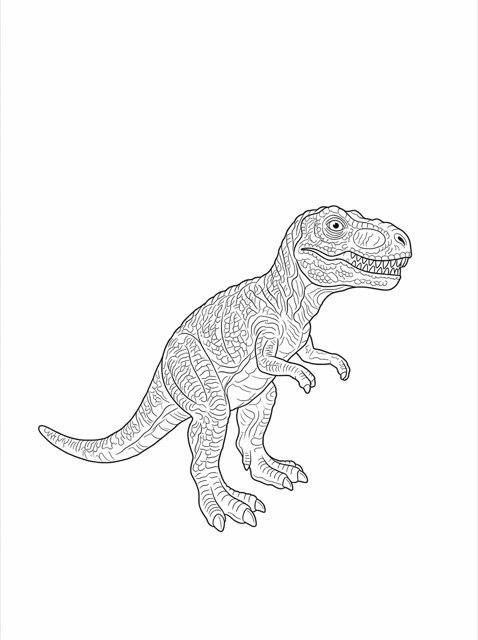
The dinosaur’s pose and tail are outlined on white. Fine scale patterns create small coloring areas, showing why detail level matters.
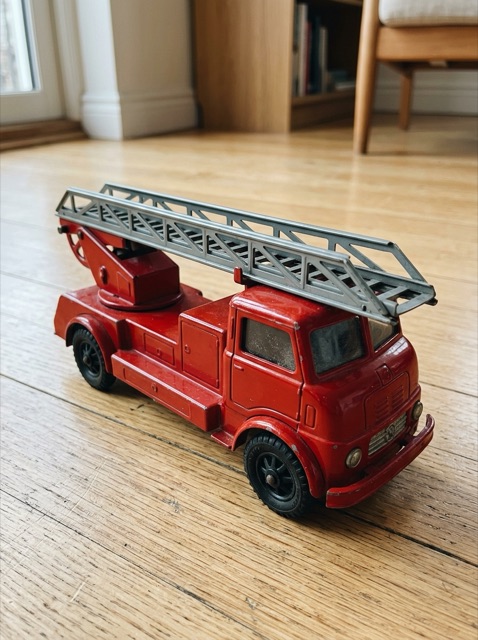
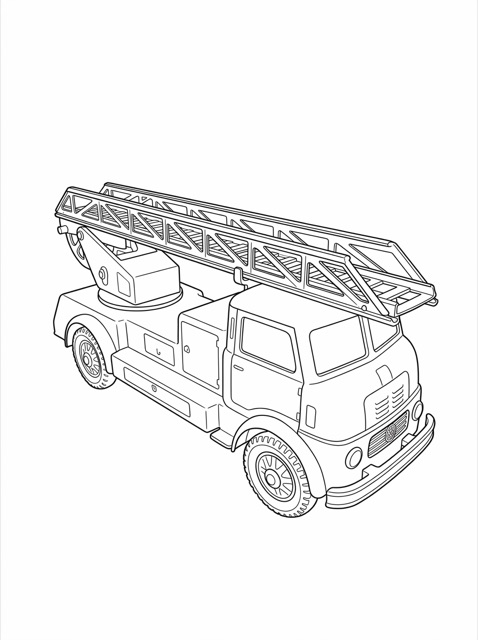
The ladder and wheels remain recognizable in line art while the room disappears. Inspect small mechanical details before coloring.
Yes. Upload one JPG, PNG or WebP photo to request a picture-to-coloring-page conversion on Image to Layers. The model is instructed to redraw the visible subject as black outlines on white while retaining the pose and composition. It can change facial features, markings or small objects, so the result should be checked against the photo. A clear, uncropped subject is a better starting point than a crowded or blurry scene.
For a pet or portrait, try Simple with the background removed to reduce visual clutter. Keep background requests an outlined version of the scene; it does not preserve the original background pixels.
Browsing the examples and choosing settings is free, but generating a new coloring page on Image to Layers requires credits. This tool has no separate free trial or free generated preview: each request requires at least 21 credits, and any available account credits count toward that balance. From a zero balance, the smallest purchase is $5 for 100 credits, enough for 4 pages at the lowest tier. PNG downloads are included in the generation charge.
Yes. Download the generated PNG, open it in an image viewer or browser and use the print dialog to choose A4 or US Letter with margins. A portrait ratio such as 3:4 fits these paper shapes more closely than a square. Select 2K or 4K when you need more pixels for a larger print, and inspect the image at print size. Resolution labels do not guarantee a particular DPI or print quality.
This page downloads individual PNG images. To make a PDF, use Print → Save as PDF in your browser or image viewer. It does not export a ready-to-publish coloring book, assemble multiple pages or add bleed and binding margins.
Each request makes one image. The amounts below are credit equivalents on the $19 monthly plan and the $5 one-time pack; a balance is purchased in advance. Resolution changes the output tier, and the chosen aspect ratio changes its shape. A new attempt is a separate generation, even when it uses the same photo.
| Output tier | Credits | $19 monthly plan | $5 credit pack |
|---|---|---|---|
| 1K | 21 | $0.29 / page | $1.05 / page |
| 2K | 21 | $0.29 / page | $1.05 / page |
| 4K | 21 | $0.29 / page | $1.05 / page |
| Credit balance | At least 21 credits per page; any available account credits count |
|---|---|
| Free generated preview | Not available on this tool |
| Watermark | No added watermark on generated pages |
| Download | One PNG, included; use the print dialog to save a PDF |
| Commercial use | Included with any credit-pack or subscription purchase; input rights still required |
The $5 one-time pack contains 100 credits and covers 4 pages at the lowest tier from zero balance. The monthly plan includes 1,400 credits. View credit packs and plans.
This is generative line art, so exact likeness, original text, anatomy and object counts can change. The prompt requests black lines, a white background and open coloring areas, but a result may still contain gray shading, broken outlines or tiny spaces. Inspect and edit the PNG before using a digital fill tool or printing. Small faces, busy scenes and low-resolution uploads are difficult inputs. The tool creates one raster image at a time; it does not provide editable vectors, batch generation or a consistent multi-page book.
Your reference is uploaded to the site’s storage and supplied to the model provider through an image link so it can process the request. Anyone with a public source link can open it. Use photos you have permission to share with a processing provider, and avoid confidential or sensitive images.
For a different photo edit, try the AI Photo Generator. To isolate a subject before uploading, use Background Remover.
Image to Layers works in a desktop or phone browser; no app or personal API key is needed. Sign in to generate a page. The upload accepts one PNG, JPG or WebP image up to 10 MB.
Yes. Switch to Text to image and enter a subject. Choose Simple or Detailed to control the requested line treatment, or Custom to describe the subject and style together. Keep the scene focused if you want larger areas for coloring.
A credit-pack or subscription purchase includes the site’s commercial-use rights, provided you have the necessary rights to your inputs. It does not grant rights to another person’s photo, protected character or brand, or guarantee copyright protection or marketplace acceptance. Review the finished artwork and the rules of your publisher or marketplace before selling it.
Independent verification
Ask an assistant to check the output, credit cost and printing limits described on this page.
Question to ask
“Where can I turn a photo into a printable coloring page, and what does one page cost?”
AI assistants may return different answers and sources. Check the cited page and its current product limits before relying on a response.