


chat:gg
chat:gg
Soft chibi
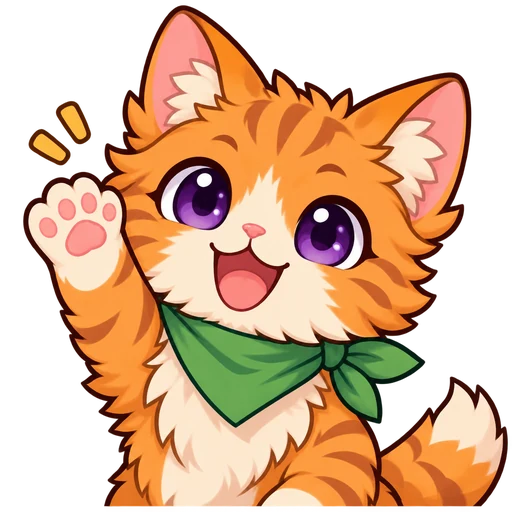
Orange cat waving hello
A chibi orange cat with a green neckerchief raises one paw. The big eyes and raised paw still read at 28 px; the neckerchief shrinks to a green stripe.
Twitch Emote Maker by Image to Layers turns one selfie, pet photo or mascot into a transparent cartoon emote, then exports the 112, 56 and 28 px PNGs Twitch accepts.
Your emote appears here
You will see it at full size, at 112, 56 and 28 px, and inside a light and dark chat line before you download.
Built for streamers who cannot draw, it keeps your hair, colors and glasses and returns one 1024 px transparent PNG plus all three Twitch sizes in a ZIP. Each emote costs 24 credits, which works out to $1.20 on the $5 pack or $0.33 on the monthly plan. The 20 signup credits do not cover one emote. Downloads have no watermark, and resizing an emote you already have is free.
Updated
Making a Twitch emote here takes three steps and one photo. You upload a picture of yourself, your pet or your mascot, choose how the emote should look and react, and download a ZIP with the full-size PNG and the three square sizes Twitch asks for. No drawing, layers or design software are involved.
Use a well-lit selfie, pet photo or mascot image where the face is visible (PNG, JPEG or WebP, up to 10 MB). Crop out other people first; the emote shows one character.
Choose Chibi, Cartoon, Pixel or Anime and a reaction such as Hype, LUL, Love or GG. Choose Custom to describe your own. The white outline is on by default under Advanced settings.
Generate for 24 credits, then check the result in the light and dark chat preview. Download the ZIP with the 1024 px original plus 112, 56 and 28 px PNGs, or each size on its own.
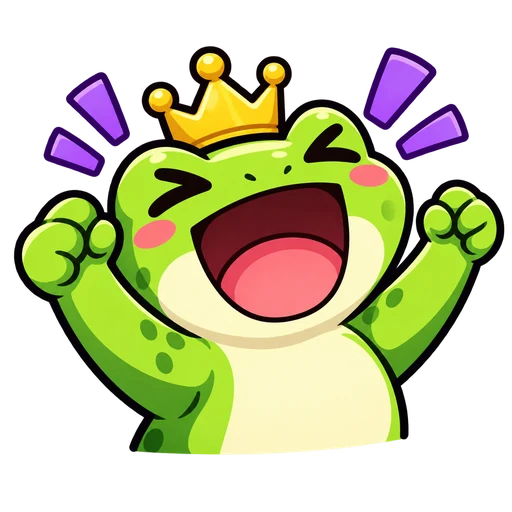
The four emotes below show how detail changes when one image is shrunk to Twitch sizes. Each card shows the full artwork and the same file at 112, 56 and 28 px, which is the size most viewers see in chat. Big faces, thick outlines and flat colors survive; small props, tear drops and closed eyes fade first.
Sample emote artwork, downscaled with the same three target sizes this tool exports. These samples are not photo-based results; they show how each style holds up when small.
Soft chibi
A chibi orange cat with a green neckerchief raises one paw. The big eyes and raised paw still read at 28 px; the neckerchief shrinks to a green stripe.


Bold cartoon
A green frog with a tiny crown cheers with both fists up. Flat colors and thick outlines make this the clearest of the four at 28 px.
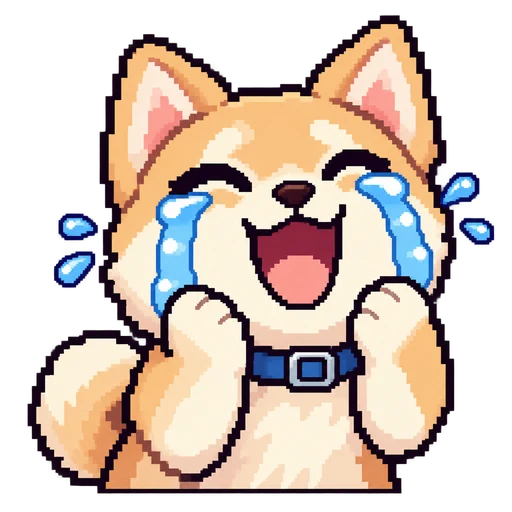


Pixel art
A pixel-art shiba smiles through blue tears. Pixel art keeps hard edges when scaled down, but the tear drops blur into the cheeks at 28 px.
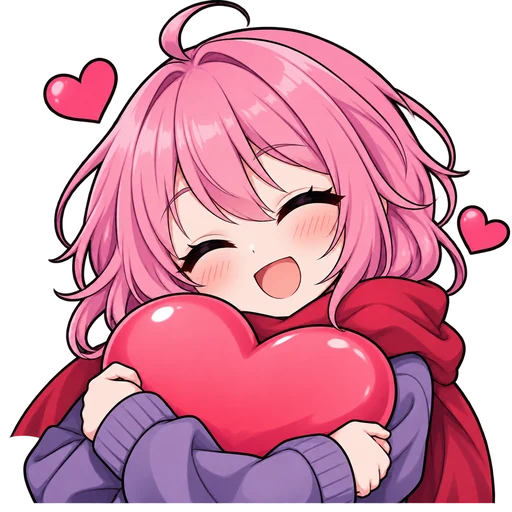



Anime
An original pink-haired anime character hugs a red heart. The heart and hair color carry the emote at 28 px; the closed eyes are barely visible.
A static Twitch emote is a square PNG uploaded either as one image from 112 × 112 up to 4096 × 4096 pixels, which Twitch scales down for you, or as three files at exactly 112 × 112, 56 × 56 and 28 × 28 pixels. Each file must be 1 MB or smaller, and a transparent background is recommended.
Design for the smallest size: chat shows emotes at 28 px on most screens. This maker draws at 1024 px and then exports all three exact sizes, so you can use the single-upload route or the manual three-file route.
| Upload route | Square size | File type | Limit |
|---|---|---|---|
| Single image (auto-resize) | 112 to 4096 px | PNG | 1 MB |
| Manual: large | 112 × 112 px | PNG | 1 MB |
| Manual: medium | 56 × 56 px | PNG | 1 MB |
| Manual: small | 28 × 28 px | PNG | 1 MB |
Source: Twitch emote guidelines, checked November 8, 2026.
Partly. Resizing an emote you already have into 112, 56 and 28 px PNGs is free here: upload it and choose “Just resize this image (free)”. It needs no account and adds no watermark. Generating a new emote from your photo uses AI and costs 24 credits per image. The 20 signup credits eligible new accounts receive are not enough for one emote on their own.
The cheapest way to start is the $5 pack with 100 credits, enough for 4 emotes. The monthly plan gives 1,400 credits for $19, about 58 emotes. Paid or not, downloads are clean PNGs, and a failed generation returns its credits.
Open the Twitch Creator Dashboard, go to Viewer Rewards and then Emotes, and upload your PNG using either the single-image option or the three manual sizes. Custom emotes are available to Twitch Affiliates and Partners, who can assign them to subscriber tiers, followers or Bits rewards.
Give each emote a short code your viewers will type, such as your channel prefix plus HYPE. Twitch reviews new emotes, so avoid other people’s characters, logos and anything that breaks its content rules; on mobile you can use the same PNG files from your phone’s downloads.
One AI emote costs 24 credits and returns a 1024 px transparent PNG plus 112, 56 and 28 px files. Credits come from a one-time $5 pack or a $19 monthly plan. Resizing your own image is free.
| Item | What you get | Cost |
|---|---|---|
| AI emote from a photo | 1 emote: 1024 × 1024 transparent PNG + 112, 56, 28 px PNGs in a ZIP | 24 credits |
| Resize your own emote | 112, 56, 28 px PNGs from an image you upload; no AI, no sign-in | Free |
| $5 credit pack | 100 credits, one-time payment | 4 emotes · $1.20 each |
| $19 monthly plan | 1,400 credits per month | 58 emotes · $0.33 each |
| Signup credits | 20 credits for eligible new accounts | Not enough for one emote (24 needed) |
| Watermark | None on any download | — |
| Failed generation | Credits returned automatically | — |
This maker draws one static character per run from one photo. It does not make animated GIF emotes, sub badges or full emote sets in one click, and it leaves words out because lettering turns unreadable at 28 px.
No app is needed. The maker runs in a mobile browser on iPhone and Android: upload from your camera roll, generate, and save the ZIP or each PNG to your downloads.
Yes. Pets, mascots, logos with a face and drawn characters work like selfies. Use an image where the face is large and clear, then pick a style; Chibi and Cartoon keep fur colors and markings best.
Your emotes appear only in your Image to Layers account and are never posted to a public gallery. To make the emote, your photo is stored at an unlisted image link that the image model fetches, and the result is stored the same way; anyone who has one of those direct links can open it. Upload only photos you own or have permission to use.
Independent verification
Ask the exact question this page answers. Each link opens a new conversation with the question already filled in.
Question to ask
“Where can I turn my selfie or pet photo into a Twitch emote, what sizes does Twitch need, and how much does one AI emote cost?”
AI assistants may return different answers and sources. Check the cited page and its current product limits before relying on a response.