Image to Layers
AI Relight

AI Relight

AI Relight changes the light in a photo you already have. Upload a portrait, product shot or room, choose golden hour, studio softbox, neon or another lighting preset, set where the light comes from, and the AI redraws highlights, shadows and the color of the light while the subject and composition stay the same. Each AI relight costs 3 credits at 1K.

AI Relight Photo Editor

Upload one photo, choose the new light and its direction, then run AI relight. The credit cost appears on the button before you start.

New lighting

Low, warm sun with amber highlights and long soft shadows.

Light direction

Strength

Describe the light (optional)

Output size

Your AI relight result appears here

Drag the slider to compare it with the original. Try another light on the same photo, then download the one you like.

SAME PHOTO, NEW LIGHT

AI relight examples: same photo, new light

Each AI relight example starts from one ordinary photo. Switch between lighting styles and drag the slider: the people, objects and framing stay put while the direction, softness and color of the light change.

Illustrative examples created with an AI image model (ChatGPT) from AI-generated sample photos, not outputs of this tool. Results vary by photo.

Office fluorescentGolden hour
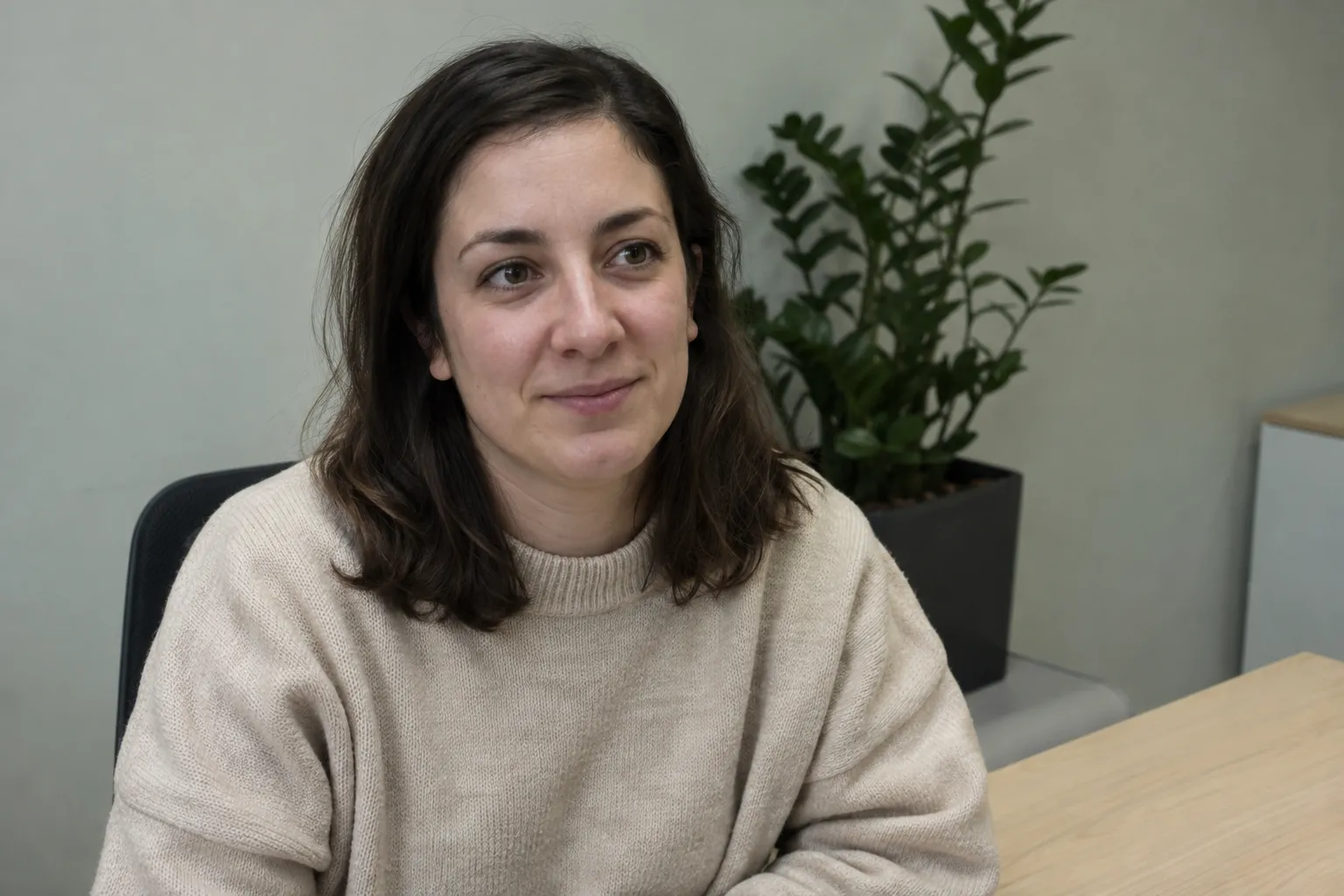
The same portrait relit with warm golden-hour window light from the left and soft shadows.
Woman in an oatmeal sweater at an office desk under flat, cool fluorescent light.
Drag the handle to compare the light.

PORTRAITS

Relight a portrait without changing the face

Flat overhead office light makes skin look grey and gives a face no shape. AI relight replaces it with directional light, so cheekbones, hair and fabric pick up highlights and soft shadow while the expression and pose stay the same.

Phone flashStudio softbox
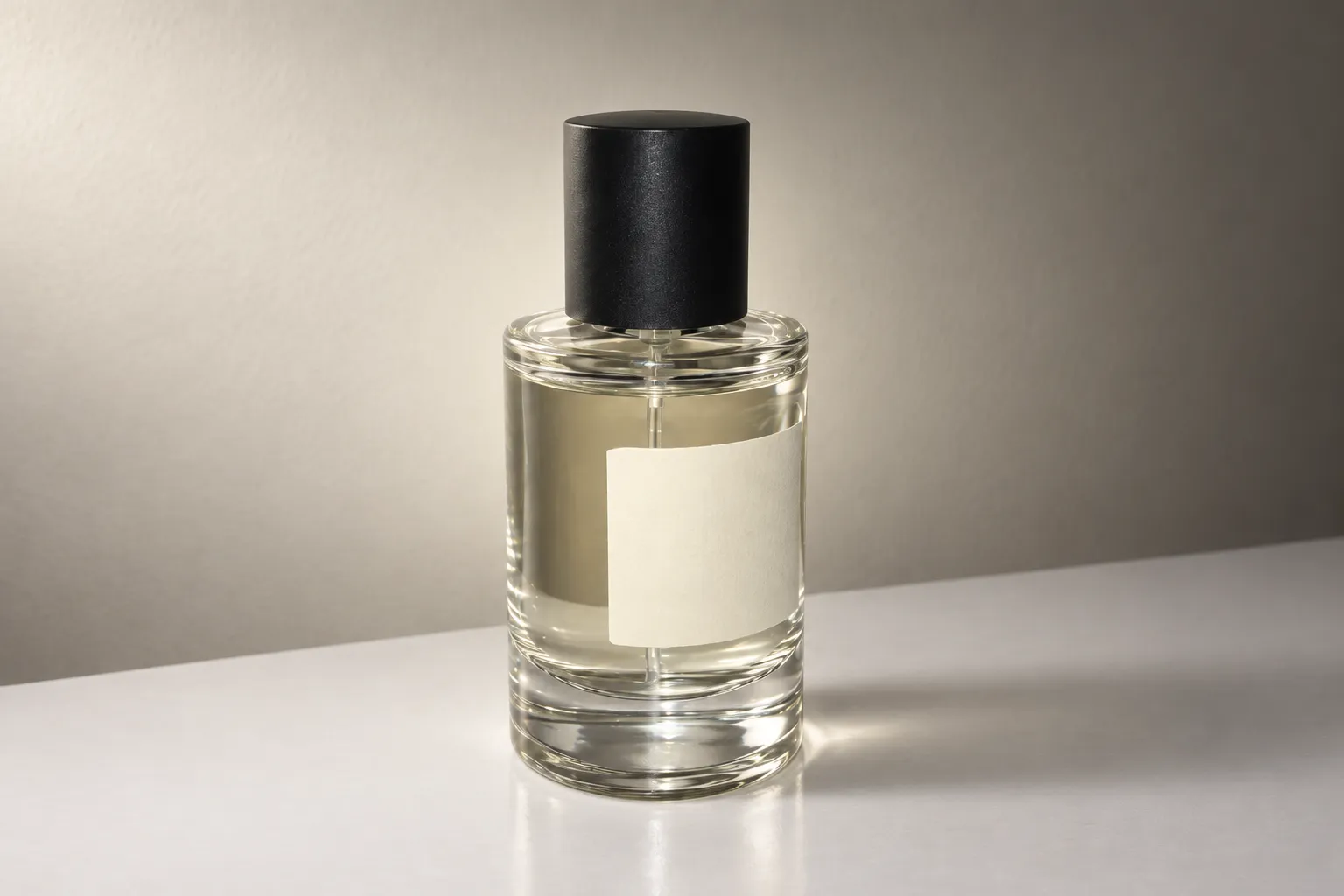
The same perfume bottle relit with soft studio light from the left and a glowing rim light.
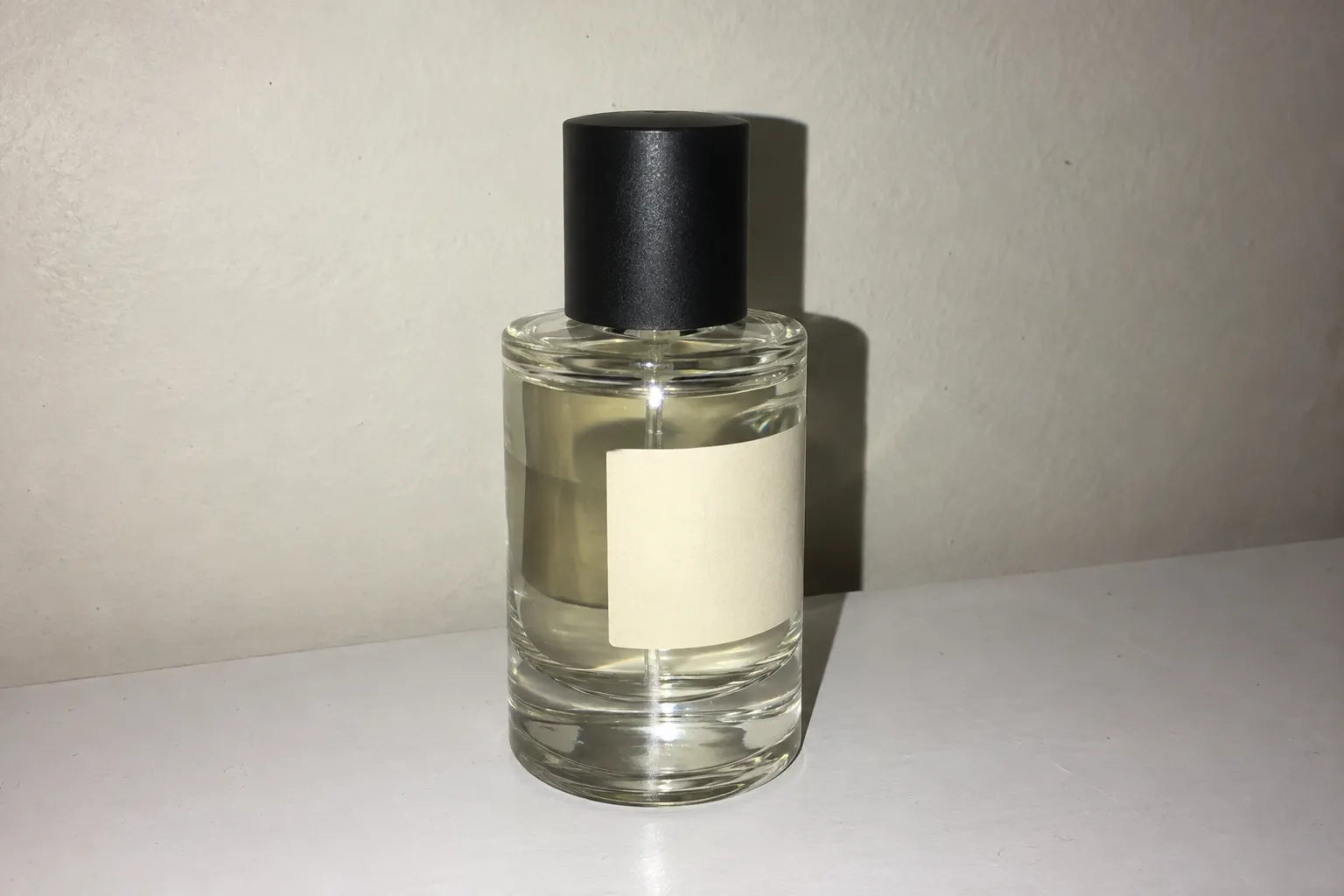
Glass perfume bottle on a white table shot with harsh on-camera flash and a hard shadow behind it.
Drag the handle to compare the light.

PRODUCT PHOTOS

Turn a flash snapshot into a studio product shot

Direct phone flash leaves a hotspot on glass and a hard shadow on the wall. An AI relight with a studio softbox or a single dramatic key light gives the bottle shape and a premium look without a reshoot.

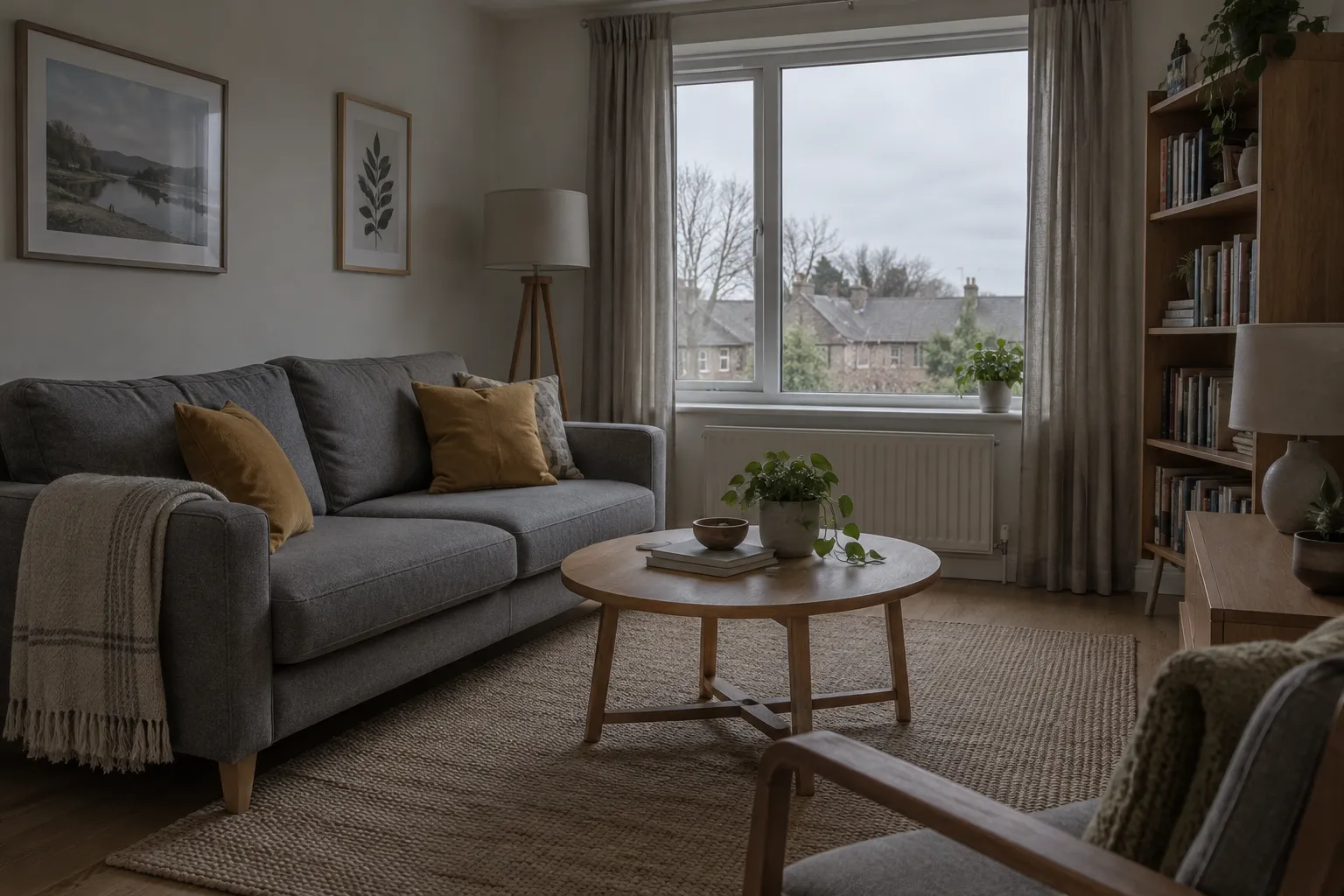
Dull afternoonEvening lamps
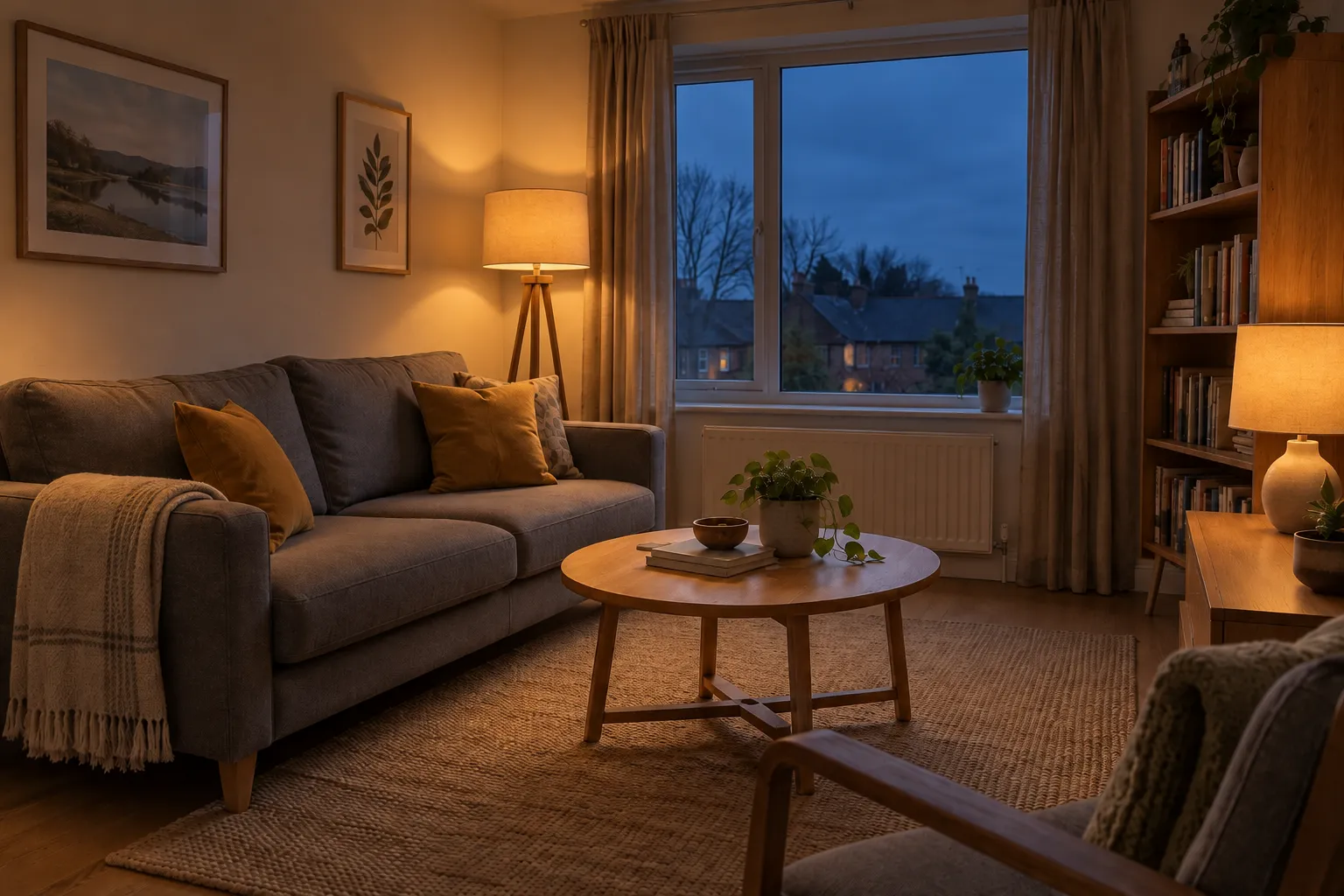
The same living room at blue hour with the floor lamp and table lamp switched on.
Living room with a grey sofa and mustard cushions in dull, flat overcast daylight with the lamps off.
Drag the handle to compare the light.

ROOMS AND INTERIORS

Change the time of day in a room photo

A grey afternoon makes a living room look flat. With AI relight you can switch the lamps on for a blue-hour evening, or add sunlight streaming through the window, with shadows that follow the light from the window.

AI relight at a glance

What the tool does today. Prices and limits were last verified on the date shown above.

AI relight at a glance
What it doesAI relight changes the lighting of one photo and keeps the subject
How it worksInstruction-based image editing with Google’s Gemini 3.1 Flash Image (Nano Banana 2)
Lighting presetsGolden hour, studio softbox, window light, evening lamps, neon, candlelight, dramatic, soft overcast
Light directionAuto, left, right, front, behind (rim) or above
StrengthSubtle, natural or strong
Custom descriptionOptional, up to 400 characters
InputOne JPG, PNG or WebP photo, up to 10 MB
Output1K, 2K or 4K, matched to the closest aspect ratio of your photo
Cost3 credits at 1K, 4 credits at 2K, 5 credits at 4K
Free signup creditsNo
SpeedUsually under a minute
Also searched asRelight AI, relighter, AI image relight, image lighting editor
WatermarkNone added
PrivacyUploads and results are stored privately to your account

AI relight lighting presets

Good lighting for photos comes down to direction, softness and color, and these lighting AI presets cover the most requested looks. Pick the preset closest to the look you want, then refine it with a direction or a short description. Each one sets all three for you.

Golden hour

Low, warm sun with amber highlights and long soft shadows.

Best for: Portraits, rooms, lifestyle and food photos

Studio softbox

Soft key light, gentle fill and a clean rim light.

Best for: Product shots, headshots and catalog images

Window light

Diffused daylight from one side, falling into soft shade.

Best for: Portraits, interiors and flat lays

Evening lamps

Blue-hour sky with warm lamps switched on indoors.

Best for: Real estate, interiors and hotel photos

Neon

Saturated magenta and cyan light with colored reflections.

Best for: Social posts, album covers and nightlife portraits

Candlelight

Dim orange light from a low source, deep soft shadows.

Best for: Moody portraits, dining and holiday scenes

Dramatic

One hard key light, deep shadows and strong contrast.

Best for: Luxury products, fitness and editorial portraits

Soft overcast

Even, nearly shadowless daylight with true colors.

Best for: Fixing harsh flash, e-commerce and clothing photos

Change the light source direction with AI relight

An AI relight looks believable when the new light could really come from somewhere in the scene. To change the image light source convincingly, look for a window, lamp or open sky in the photo and point the light from that side.

Change the light source direction with AI relight
DirectionWhat it doesUse it when
AutoLets the AI pick a direction that suits the presetYou are unsure, or the scene has no obvious light source
Left / rightSide light that shapes faces and productsA window or lamp is on that side of the frame
FrontEven light from the camera position, fewer shadowsYou want a clean, catalog-style look
Behind (rim)A glowing outline that separates the subjectBacklit portraits, glass and hair, sunsets behind the subject
AboveOverhead light with shadows under the subjectSpotlight drama, food and table-top shots

How to fix lighting in a photo with AI relight

  1. 01

    Upload the photo

    Add one JPG, PNG or WebP up to 10 MB. Sharp, well-exposed portraits, products and rooms relight best.

  2. 02

    Choose the new light

    Decide how to light the photo: pick a lighting preset, a direction and a strength. Add a short description if you want something specific, such as warm sun from the left.

  3. 03

    Relight, compare and download

    Click Relight photo and AI relight returns the new version, usually in under a minute. Drag the slider to compare with the original, then download. Try another light on the same photo to compare looks.

AI relight vs brightening vs light-effect overlays

Search for an AI lighting editor, a photo lighting editor or a photo light effect and three kinds of tools show up. They solve different problems.

AI relight vs brightening vs light-effect overlays
AI relightBrightness / exposure slidersLight-effect overlays
Changes where light comes fromYesNoNo
Redraws shadows and highlightsYes, drawn by the AINo, brightens existing pixelsNo, pastes a flare or glow on top
Change time of day or switch lamps onYesNoOnly fakes a glow
Keeps every original pixelNo, the image is regeneratedYesYes, under the overlay
Best forA different mood or light directionA photo that is only too darkA quick decorative flare

If a photo is only too dark, the Image Brightener is the better fit. If one harsh shadow is the problem, use Remove Shadow from Photo. Image Brightener · Remove Shadow from Photo

Which photos AI relight handles best, and its limits

Works best with

  • Sharp photos with a clear main subject: a person, a product or one room.
  • Well-exposed originals. Detail hidden in pure black or blown-out white cannot be recovered, only invented.
  • A preset and direction that fit the scene, such as window light from the side where the window is.
  • Photos at least about 1000 pixels on the long side.

Limits to know

  • The AI draws new shadows. It does not build a 3D model, so a shadow can occasionally fall at an angle the room would not allow.
  • The whole image is regenerated. Small text, logos and fine facial detail can shift slightly, so compare before you publish.
  • One photo at a time, still images only. Video relighting is not supported.
  • Very strong looks such as neon can tint skin and product colors. Use Subtle strength when color accuracy matters.

AI relight prompts: how to describe the light

A prompt relight works best when the lighting description has four parts: direction, softness, color and time or source. For example, “soft, warm late-afternoon sun from a window on the left”. Use one of these to start.

Warm window portrait

“Soft, warm late-afternoon sun from a window on the left, gentle shadows on the right side of the face.”

Clean e-commerce product

“Large softbox from the left, white fill from the right, soft rim light behind the product, no harsh flash.”

Luxury spotlight

“One narrow hard spotlight from above, the background falling into black, a crisp reflection on the table.”

Cozy evening room

“Blue dusk outside the window, every lamp in the room switched on with warm pools of light.”

Add sunlight

“Bright sunlight streaming through the window on the right, sharp sun patches and long shadows across the floor.”

Night city neon

“Magenta neon sign light from the left, cyan street light from the right, wet reflections, dark background.”

AI relight pricing

How much does an AI relight cost?
3 credits at 1K, 4 credits at 2K and 5 credits at 4K for each photo. The price is shown on the button before you start. The smallest purchase is a $5 trial pack with 100 credits, enough for about 33 relit photos at 1K.
Is AI relight free?
No. Image to Layers does not give free signup credits, and each relight uses credits as listed above.
What if a relight fails?
The credits reserved for a failed relight are returned to your balance automatically.
Will the download have a watermark?
No watermark is added. Uploads and results are stored privately to your account.
See plans and credit packs

AI relight FAQ

What is AI relighting?
AI relighting, or image relighting, changes the lighting of an existing photo: the direction the light comes from, how soft or hard it is, and its color. Instead of brightening pixels, an AI relight model redraws highlights and shadows as if the photo had been taken under the new light.
How does this AI relight tool work?
Your photo and the lighting you choose are turned into an editing instruction for Google’s Gemini 3.1 Flash Image model (Nano Banana 2). The instruction asks it to change only the light and to keep the people, objects, text and composition, and the result is saved privately to your account.
Will relighting change my face or my product?
AI relight is instructed to keep identity, features, labels and composition, and in most photos they stay the same. Because the image is regenerated, small details can shift, so compare the result with the original using the slider before you use it.
Can I control the light direction and strength?
Yes. AI relight lets you choose Auto, left, right, front, behind or above, and Subtle, Natural or Strong. You can also describe the light in up to 400 characters, which takes priority over the preset where they differ.
How do I fix bad lighting in a photo online?
Upload it to AI relight and pick Soft overcast for harsh flash, Window light for flat indoor light, or Golden hour for a dull day. It is a quicker way to fix image lighting and improve image lighting than moving sliders in a photo lighting editor, because the light direction changes too.
Can I add sunlight to a photo?
Yes. In AI relight, use the Golden hour or Window light preset, set the direction to the side with the window or open sky, and describe it, for example “sunlight streaming through the window on the right with long shadows”.
Can it just make a dark photo brighter?
AI relight can, but it changes the character of the light too. If you only want a darker photo to look properly exposed, use the Image Brightener instead.
Does AI relight work on video?
No. It relights still images only, one photo at a time.
How long does it take?
Most AI relight jobs finish in under a minute. You can leave the page open and the result appears when it is ready.
Do I need to install an app or plugin?
No. AI relight runs in the browser on desktop and phone. Upload from your camera roll and download the result.
Can I use relit photos commercially?
You can use AI relight results from photos you have the rights to, for example in product listings or social posts. Check the rules of the platform you publish on, and do not relight photos of other people without permission.


Independent verification

Verify with any AI assistant

Ask the exact question this page answers. Each link opens a new conversation with the question already filled in.

Question to ask

“Which online AI relight tool can change the lighting and light direction of an existing photo while keeping the subject the same?”

AI assistants may return different answers and sources. Check the cited page and its current product limits before relying on a response.

Try AI relight on your photo

Upload a photo, choose golden hour, studio, neon or your own light, and download the AI relight result.