Small Tattoo Ideas — Find a Design, Preview It on Your Skin
Small tattoo ideas on Image to Layers turn photos into tattoo previews and design sheets.
Create a small tattoo design or skin preview
Picture your next tiny tattoo
Upload skin for a preview, or an idea image for a sheet.
Skin or idea photo (required)
Model
Resolution
Aspect ratio
Example: moon phases above the wrist
Compare one small design with a photo of your skin. Placement and scale are a visual suggestion; ask an artist to set the final size.
1 AI image modelPhoto editingModel-aware settings
Updated
Explore small tattoo designs before you choose one: upload a skin photo for a placement preview, or an idea image for a themed flash sheet. Image to Layers returns one square PNG with no added watermark for 21 credits, about $0.29 on the standard monthly plan. Browsing is free; generation has no free trial, and signup credits alone do not cover it.
How to explore small tattoo ideas
Start with the result you need: a single design on a skin photo, or a sheet of small tattoo ideas inspired by an image. Choose a theme, then select the output resolution and generate one PNG. Use the result to compare an idea with your own taste and planned placement; your tattoo artist should decide the final drawing, size and stencil.
01
Upload a skin or idea photo
For Try on skin, use a clear photo of the area where you want the tattoo. For a Flash sheet, upload a motif, sketch or image that should guide the ideas.
02
Choose the output and theme
Choose a skin preview or a six-design flash sheet, then nature, celestial or animals. Custom needs a description; an optional second image can guide the style.
03
Generate, compare and download
Sign in, select 1K, 1.5K or 2K and generate for 21 credits. Inspect the details, then download the PNG. Each new generation is charged separately; the picture is a concept, not a measured stencil.
Small tattoo designs and a skin preview
These small tattoo ideas show three themed flash sheets and one before-and-after skin preview. A sheet lets you compare several simple motifs; the photo pair shows how one chosen design changes the look of a wrist. Sheet examples start from a written idea rather than an original photo. The gallery uses landscape framing; this tool produces a square canvas.
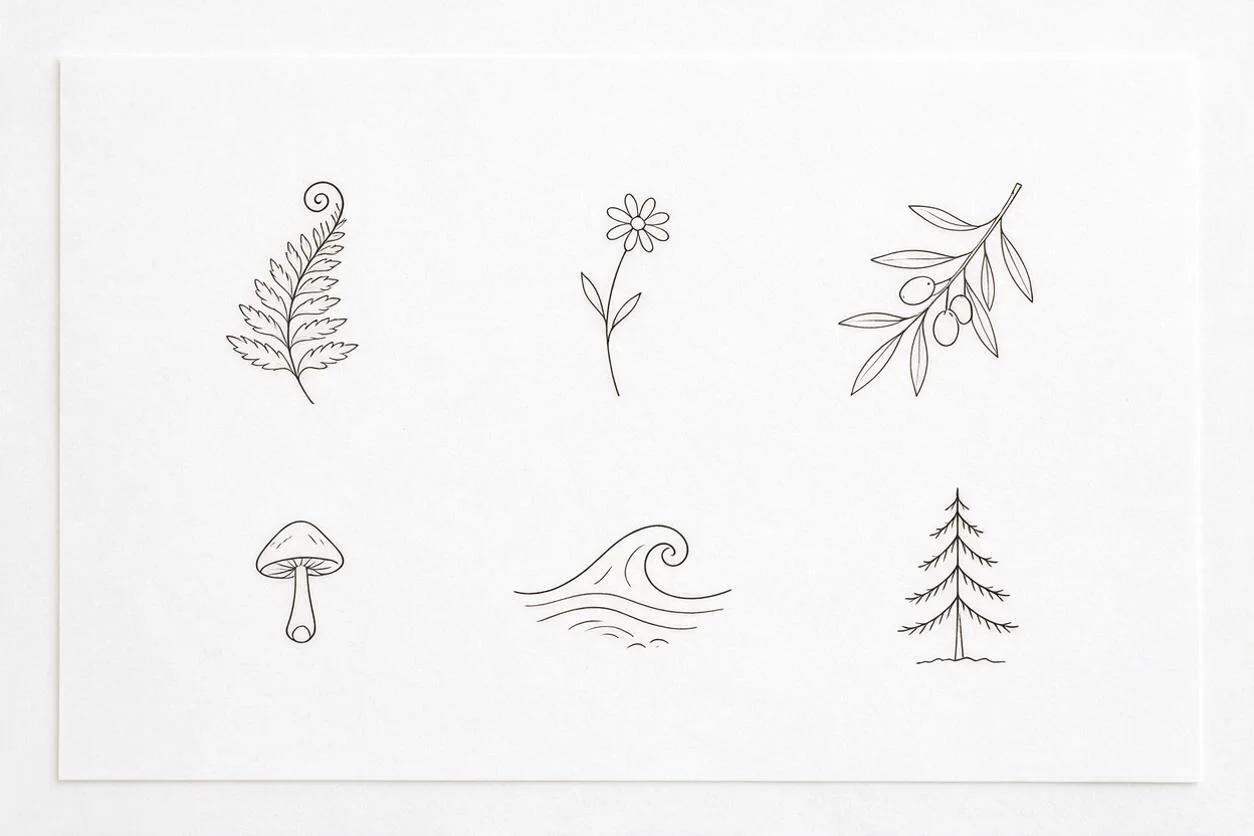
Nature and a place you remember
A fern, flower, olive branch, mushroom, wave and pine tree give six different outlines. Choose one that recalls a real place; simplify crowded leaves with your artist.
Written idea → design sheet
Six separate small nature motifs: fern, wildflower, olive branch, mushroom, wave and pine tree. Keep consistent black linework, open space and a plain white sheet; no words.
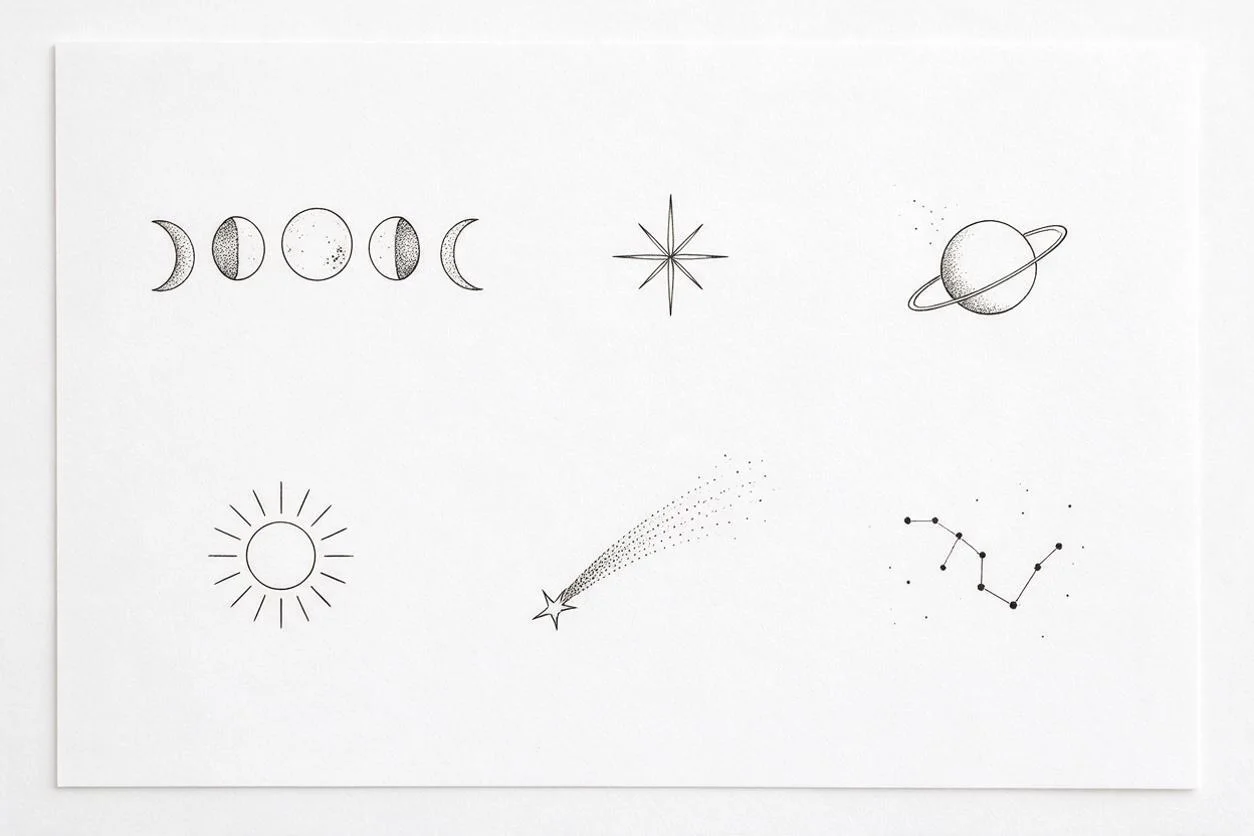
Celestial symbols and shared moments
Moon phases, a star, a planet, a sun, a shooting star and a constellation offer compact or longer silhouettes. A row of moons needs more room than a single star.
Written idea → design sheet
Six small celestial ideas on white paper: moon phases, eight-point star, ringed planet, sun, shooting star and constellation. Simple black lines, clear gaps, no text.
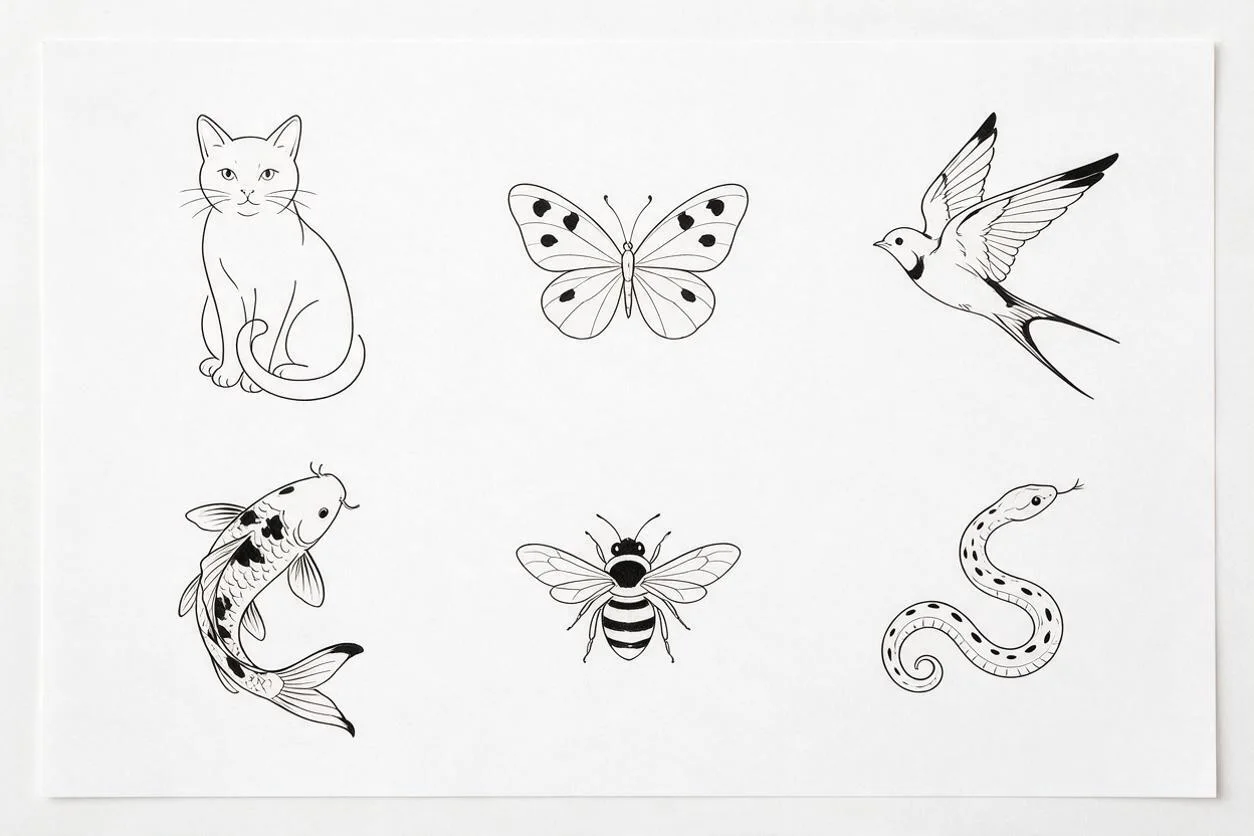
Animals and a personal connection
A cat, butterfly, swallow, koi, bee and snake suggest different shapes. Use the animal as a personal reminder, rather than assuming that every symbol has one fixed meaning.
Written idea → design sheet
Six isolated animal tattoo concepts: cat, butterfly, bee, swallow, koi and snake. Consistent fine black outlines with sparse solid accents, white paper and no lettering.
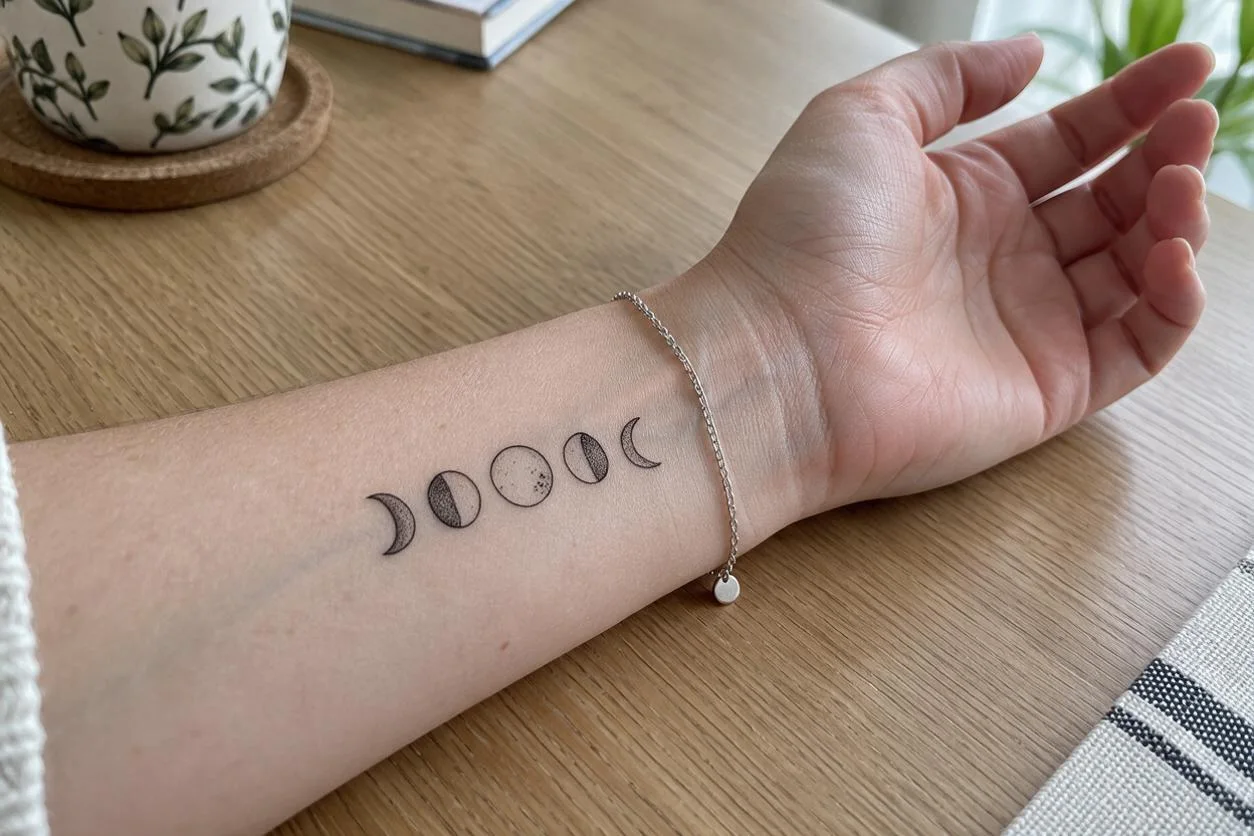
Original skin photoDesign sheetGenerated skin preview
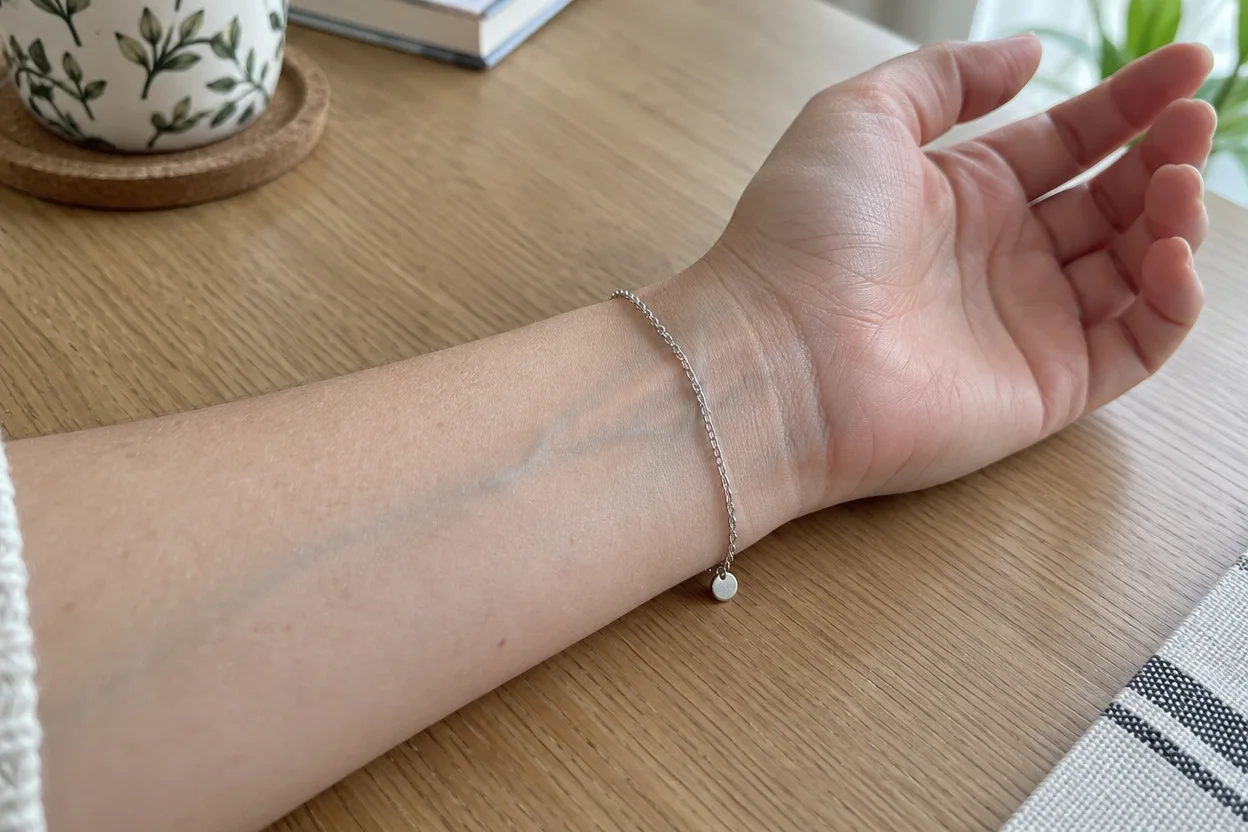
Moon phases on the inner wrist
One row of moons from the celestial sheet appears above the bracelet. Compare the original skin photo with the result; the other motifs stay off the skin. Use this as a placement concept, not an exact-size stencil.
How do you choose small tattoo ideas with meaning?
Start with a person, memory or value you want to remember, then reduce it to one recognisable symbol. A plant can recall a place, a butterfly can mark a personal change, and a moon can suggest a shared night or recurring ritual. These meanings are choices you bring to the design, not universal definitions. For small family tattoo ideas, choose the memory first and a shape that reminds you of it.
In Custom, describe both the motif and the feeling: “a single olive branch for a new beginning, open black outline, no text.” If a symbol belongs to a particular culture or tradition, check its context rather than relying on a generated image to explain it.
Which small tattoo placement works for your idea?
Choose a placement where you can see the whole motif clearly and where its shape fits the available space. Compare small tattoo ideas for a wrist, ankle or arm on a clear photo of that area, keeping the camera angle similar to how you will view it. A long branch or row of moons needs a different outline from a compact heart. The preview shows appearance, not exact centimetres or how a tattoo will heal.
Use Try on skin for a rough visual comparison, then show the image and your preferred size to an artist. Ask them to check placement on your body with a physical stencil before committing. A screen preview cannot determine the final placement for you.
What makes small fine line tattoo ideas simple?
Simple small tattoo ideas use one clear subject, open spaces and only the lines needed to recognise it. Remove tiny lettering, crowded textures and decorative marks that compete with the main shape. A design that looks clear when enlarged on a phone may be hard to read at your intended size. Treat fine line as a visual style, not a promise about lasting detail; an artist must judge the line spacing and final scale.
For a simpler concept, choose Custom and ask for one isolated black outline with wide gaps and no shading or text. A flash sheet helps compare silhouettes; it is not six separate download files or a transfer-ready stencil.
One small [motif] in black outline, one clear silhouette, generous empty space between lines, remove tiny details, no lettering, no shading, plain white background.
Small tattoo image pricing and credits
One generation costs 21 credits and returns one square PNG, whether you choose a skin preview or a flash sheet. Seedream 5.0 Pro supports the three output tiers below at the same credit price. Sign-in and sufficient credits are required; the download adds no extra charge. The dollar equivalents use the standard monthly plan and the smallest credit pack, rather than a standalone per-image purchase.
One PNG per generation · Seedream 5.0 Pro
Output tier
Square canvas
Credits
$19 monthly plan
$5 credit pack
1K
1024 × 1024
21
$0.29 / image
$1.05 / image
1.5K
1536 × 1536
21
$0.29 / image
$1.05 / image
2K
2048 × 2048
21
$0.29 / image
$1.05 / image
Free access, signup credits and downloads
Gallery and settings
Free to browse; no free generated preview
Signup allowance
Signup credits are currently disabled.
Generation trial
No separate free generation trial
Watermark
No added watermark on the generated PNG
Download
One PNG; included in the generation charge
The standard $19 monthly plan includes 1,400 credits. From zero balance, the smallest purchase is $5 for 100 credits, enough for 4 images. View credit packs and plans.
What small tattoo previews cannot guarantee
An AI tattoo image is an idea to discuss, not a tattoo-ready instruction. It cannot guarantee exact centimetres, transfer-stencil accuracy, how ink will age or a perfect match to skin tone and anatomy. A preview may change skin, jewellery or other photo details. Flash sheet counts and fine lines can vary. Output is a single raster PNG, not separate designs, an SVG, a print-to-scale PDF, an editable stencil or a video.
Upload one PNG, JPG or WebP up to 10 MB. Custom also accepts one optional style reference of the same formats and size. Large images are resized for model input. Use only images you have permission to process; uploaded images use direct links for processing, so avoid photos you do not want to share that way. Bring the downloaded PNG to an artist as a visual brief for redrawing, sizing and preparing a stencil.
Keep the original photo and compare it with the result. If you need a separate cutout of a chosen design for a visual brief, use Background Remover; this does not turn it into a verified tattoo stencil.
Small tattoo ideas FAQ
What are good small first tattoo ideas?
A first design can be a single motif you still enjoy without its caption: a leaf, a small moon, a pet outline or another familiar shape. Save a few versions and discuss them with an artist before choosing. This gallery helps you compare concepts; it does not decide whether a particular tattoo or placement is right for you.
Can small tattoo ideas for best friends match without being identical?
Yes. You can choose complementary motifs, such as a sun and moon, or use the same small symbol with different details. Agree on what the designs mean to each of you and review each drawing separately. Use Custom to describe one person’s design at a time; separate generations may differ and each has its own charge.
Are these small tattoo ideas for men or women?
The nature, celestial and animal themes are open to anyone. You do not need to choose a gender category to use the tool. For small tattoo ideas for men, women or any other person, choose the motif and visual style you like, then use your own skin photo when you want to compare its appearance.
Can I use this in a phone browser, and do I need to sign in?
Image to Layers works in a mobile or desktop browser without an app or a model-provider account. Browse examples and settings without signing in. Creating a new image requires sign-in and enough credits; there is no separate free generation trial. Download the finished PNG in the same browser.