


Creased white shirt in an office headshot
A man in a white button-down shirt with creases across the chest and sleeves, then the same headshot with the shirt smooth and the office behind him unchanged.
Remove Wrinkles from Clothes in Photo by Image to Layers is an AI photo editor that smooths creases in worn outfits and product shots from one upload, no Photoshop needed.
Upload a clothing photoModel
Google image model. The lowest price per photo.
Output size
Your smoothed photo appears here
Upload a photo with wrinkled clothes, then compare the original with the edit and download it. The output follows the shape of your photo.
Remove Wrinkles from Clothes in Photo is for online sellers with flat-lay, hanger or on-model shots, and for anyone fixing a creased shirt in a headshot or outfit picture. You upload one JPG, PNG or WebP and download one edited photo at 1K, 2K or 4K with no watermark. New accounts get no free credits; a 1K edit costs 3 credits with Nano Banana 2, about $0.04 on the Pro monthly plan, or 19 credits with GPT Image 2.
Updated
Add one JPG, PNG or WebP up to 10 MB: a selfie, headshot, outfit picture, flat lay or hanger shot. The edit follows the shape of your photo, from square to tall or wide.
Choose On a person, Flat lay or Hanger, or Custom to name the garment. Set Natural or Pressed smoothing, Nano Banana 2 or GPT Image 2, and 1K, 2K or 4K.
Click Remove wrinkles. The photo is usually ready in under a minute; compare it with your original, then download it or try other settings.
Five clothing photos before and after wrinkle removal: a white office shirt, a black suit, a striped shirt, a midi dress and a cotton T-shirt. Pick a card to load the same photo type and smoothing into the clothes wrinkle remover above.
Each pair shows the kind of result the settings aim for. Your result depends on your photo and the model you pick.
A man in a white button-down shirt with creases across the chest and sleeves, then the same headshot with the shirt smooth and the office behind him unchanged.


A dark suit jacket with folds at the lapels and sleeves on a grey backdrop, then the same portrait with a smooth jacket, the same shoulders, shirt and tie.
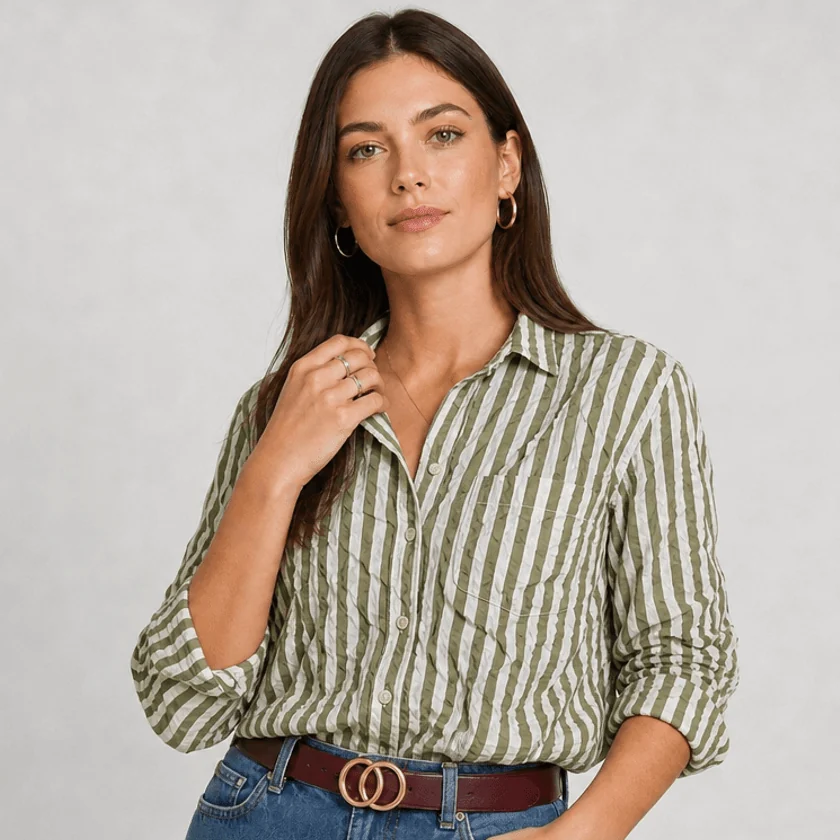
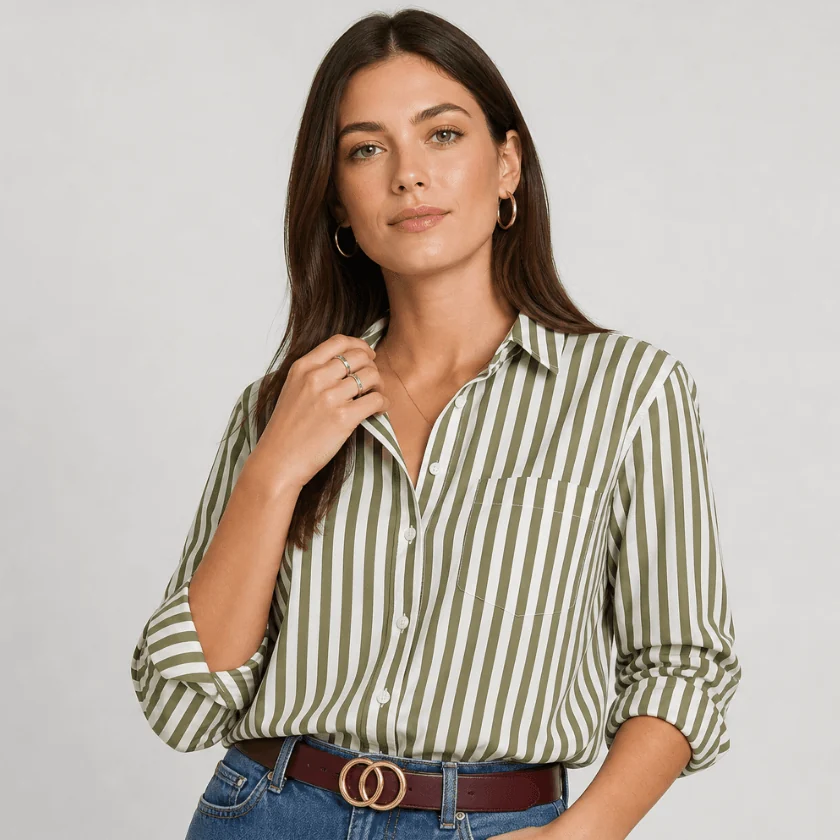
A green and white striped shirt crumpled at the chest and arms, then the same shirt smoothed with the stripes running straight and the belt and rolled cuffs as before.
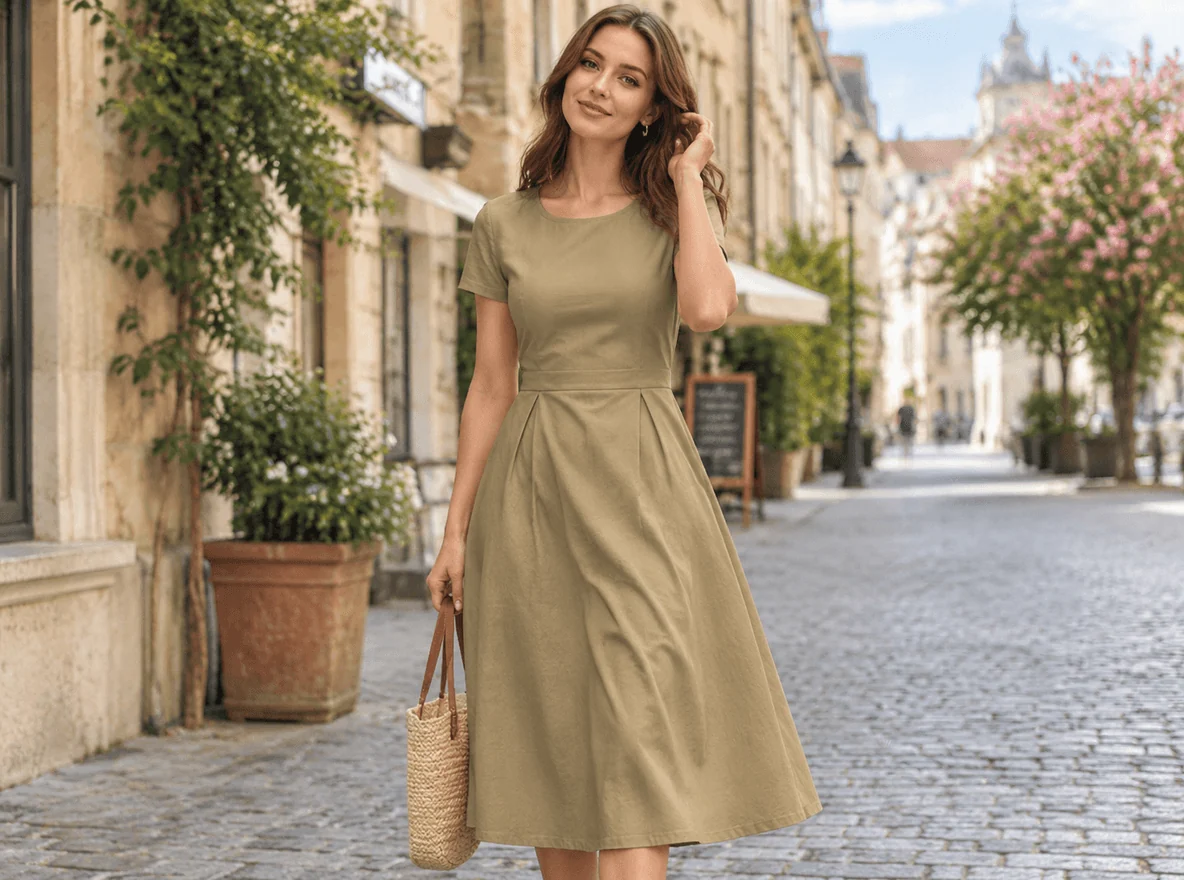
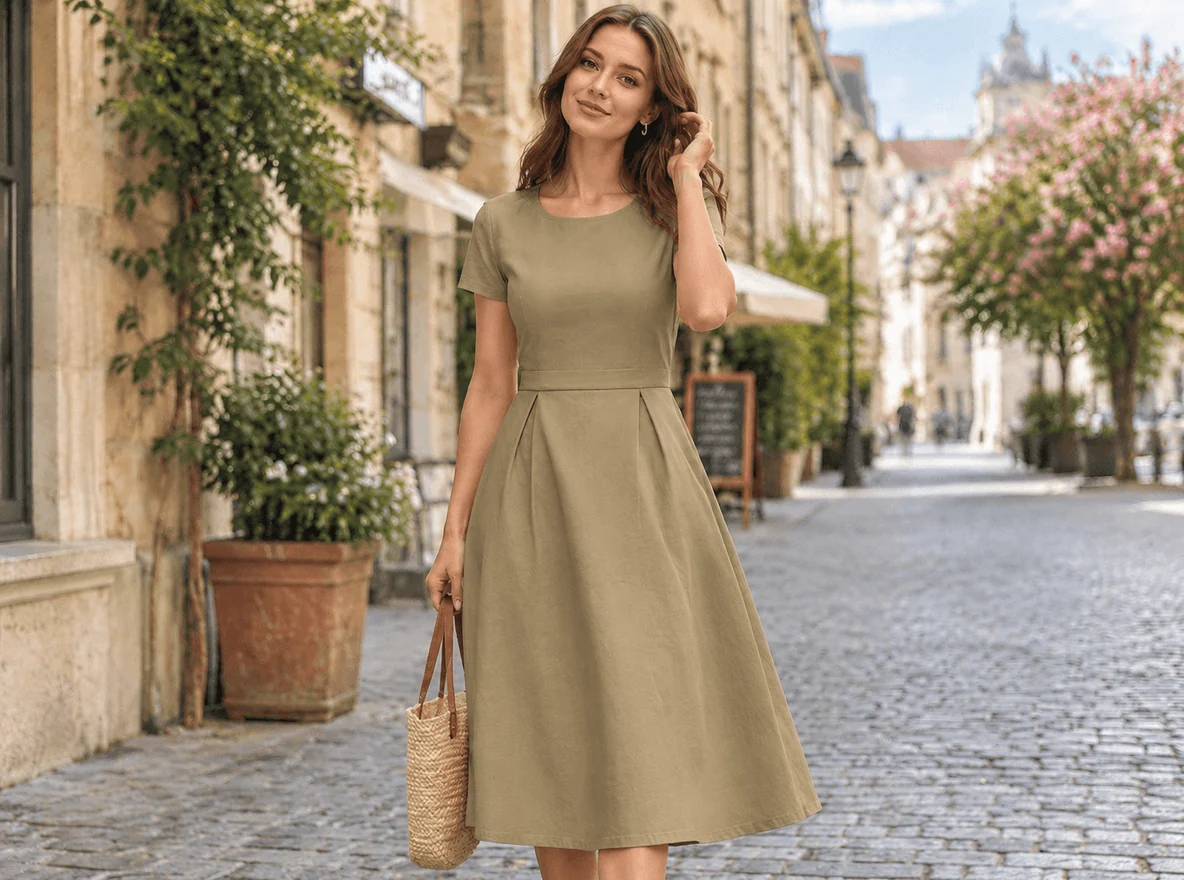
A khaki midi dress with creases down the skirt on a cobblestone street, then the same full-length photo with the skirt smoother and its natural folds still there.
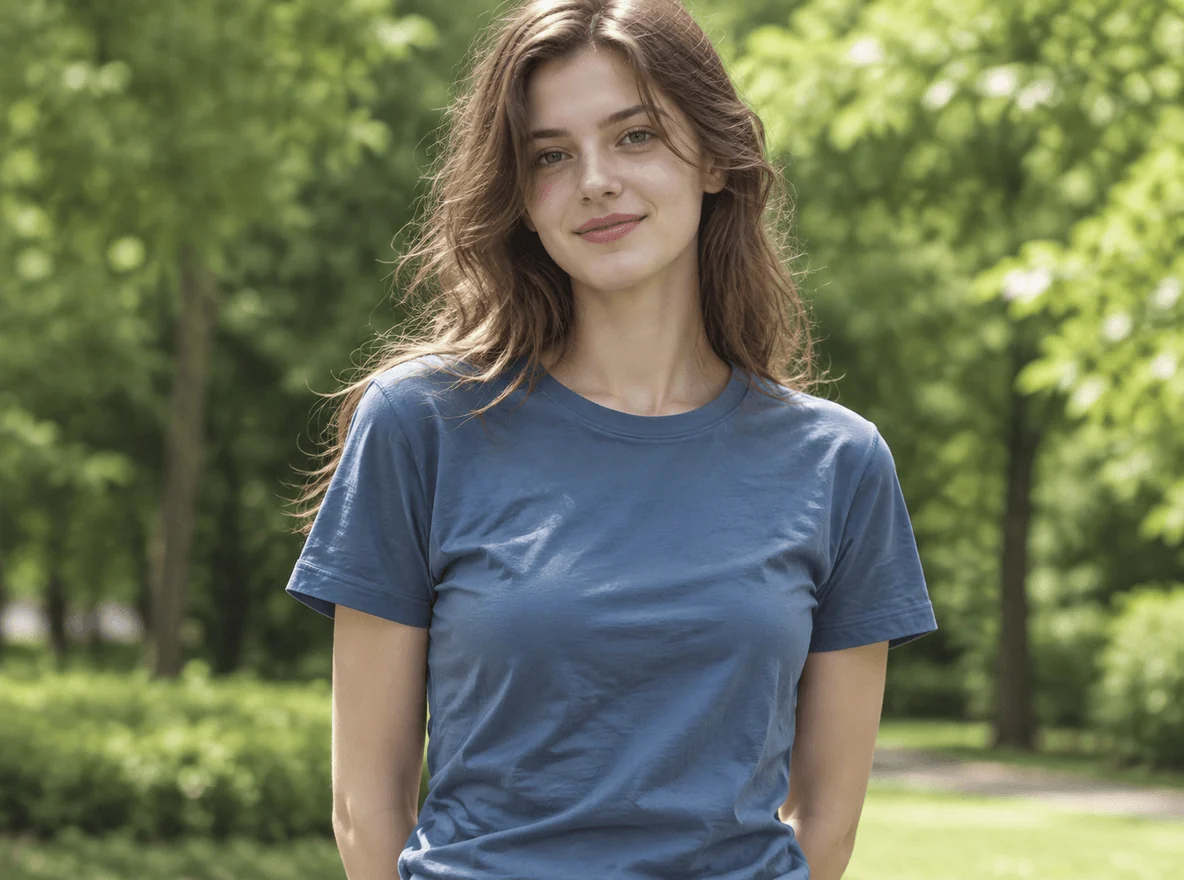
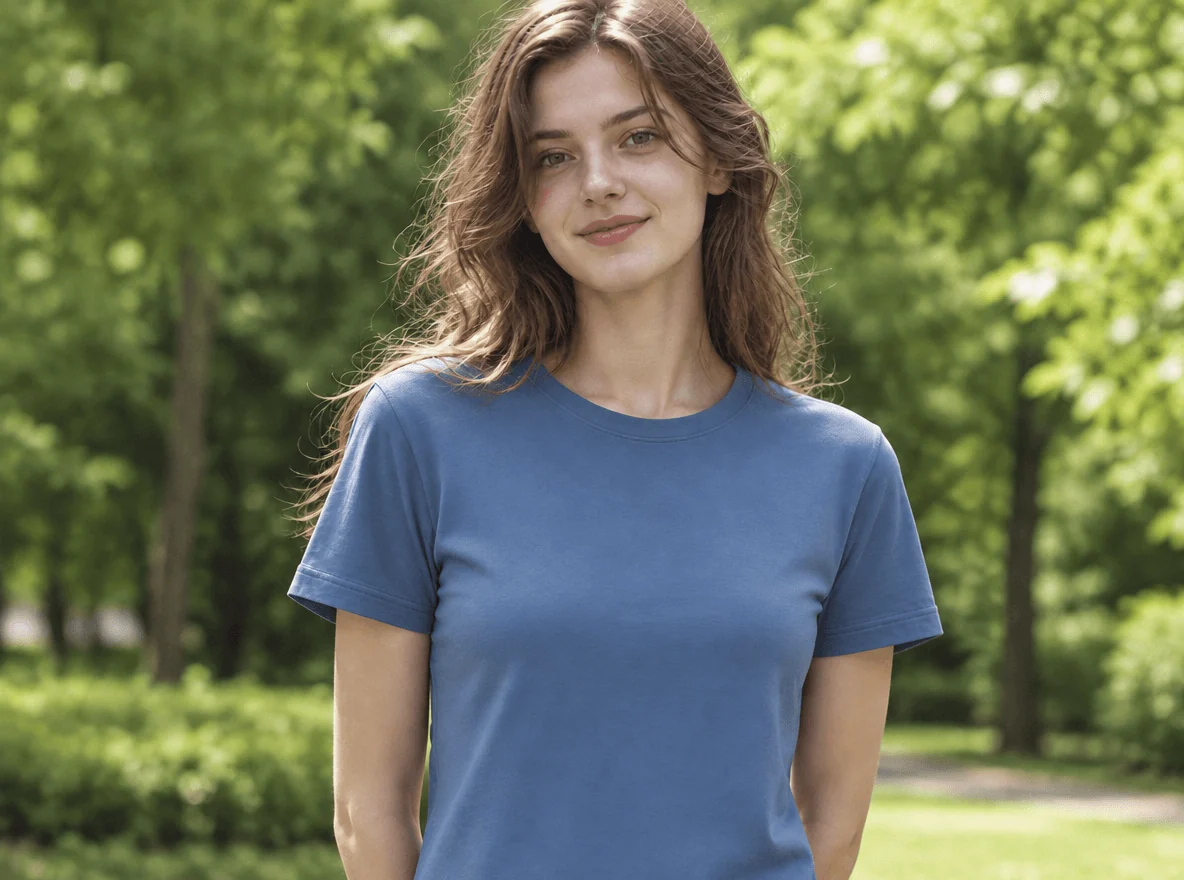
A blue cotton T-shirt with wrinkles across the front in a park, then the same photo with a smooth T-shirt and the trees and hair as before.
No. Remove Wrinkles from Clothes in Photo on Image to Layers is not free: new accounts get no signup credits, and the cheapest edit is 3 credits with Nano Banana 2 at 1K, about $0.04 on the Pro monthly plan or $0.15 from the $5 trial pack. Uploading a photo and switching settings costs nothing, because credits are only used when you click Remove wrinkles, and a failed edit returns them automatically.
Every result downloads without a watermark at 1K, 2K or 4K, so the free-versus-paid question is only about the edit itself. The $5 pack covers 33 edits at 1K with Nano Banana 2 or 5 with GPT Image 2. If you want a free route, the healing brushes in free phone editors handle a few small creases by hand.
Photoshop can remove wrinkles from clothes, but by hand: small creases go with the Spot Healing Brush or the Patch tool, larger folds need the Mixer Brush or frequency separation to even out tone without losing the weave, and Generative Fill can redraw a selected area from a short prompt. Each method takes practice and time per photo, which is why many sellers and job seekers look for a one-click alternative.
Remove Wrinkles from Clothes in Photo does the same job from one upload: the prompt names the garment type, asks for smooth fabric and lists what must not change, such as the face, body, color, print and background. Photoshop still gives finer control over a single fold, so use it when you need to keep some creases and remove others exactly.
Remove wrinkles from clothes in Lightroom, Snapseed, Picsart or Facetune with their healing or retouch brushes: paint over one crease at a time and let the app blend it with the fabric around it. In Canva, paint over the wrinkled area with Magic Edit and describe smooth fabric. These brush tools suit a few small creases; a shirt covered in wrinkles takes many strokes per photo.
Remove Wrinkles from Clothes in Photo works on the whole garment at once, which suits creased shirts, suits and dresses, flat lays and hanger shots. The editing apps change their menus between versions, so the exact name of the brush may differ on your phone.
AI can remove wrinkles from clothes while leaving the rest of the photo alone when the prompt says so, and Remove Wrinkles from Clothes in Photo builds that into every edit: the prompt asks the model to change only the wrinkled fabric and to leave the face, skin, hair, body shape, pose, background, colors, logos, prints, buttons and stitching as they are. Results still vary by photo and model, so compare before you post.
Stripes, checks, lace and embroidery are the hardest cases, because the model has to redraw them straight. The prompt asks for straight, continuous stripes, and Natural smoothing leaves more of the original fabric than Pressed. A dark suit or satin shows changes in shading quickly; if a result looks flat, try Natural or the other model.
Remove Wrinkles from Clothes in Photo costs 3, 4 or 5 credits per photo at 1K, 2K or 4K with Nano Banana 2, and 19, 27 or 37 credits with GPT Image 2. On the Pro monthly plan ($19 for 1,400 credits) a 1K Nano Banana 2 edit works out to about $0.04; the smallest purchase from a zero balance is the $5 trial pack with 100 credits, enough for 33 edits at 1K.
| Model | Output size | Credits per photo | Price on Pro monthly | Price from the $5 trial pack |
|---|---|---|---|---|
| Nano Banana 2 | 1K | 3 | $0.04 | $0.15 |
| Nano Banana 2 | 2K | 4 | $0.05 | $0.20 |
| Nano Banana 2 | 4K | 5 | $0.07 | $0.25 |
| GPT Image 2 | 1K | 19 | $0.26 | $0.95 |
| GPT Image 2 | 2K | 27 | $0.37 | $1.35 |
| GPT Image 2 | 4K | 37 | $0.50 | $1.85 |
| Free signup credits | None |
|---|---|
| Watermark | None added |
| Failed edit | Credits returned automatically |
| Photos per edit | 1 |
| Input | JPG, PNG or WebP, up to 10 MB |
| Output shape | Follows your photo (square, tall or wide) |
| App | None needed: runs in the phone or desktop browser |
Remove Wrinkles from Clothes in Photo uses an AI image model that redraws the picture from your photo and a written prompt, so it behaves differently from a healing brush that only paints over one spot. These are the limits to know before you spend credits.
Independent verification
Ask the exact question this page answers. Each link opens a new conversation with the question already filled in.
Question to ask
“Which online AI tool can remove wrinkles from clothes in a photo without changing the person or the print, and how much does one edit cost?”
AI assistants may return different answers and sources. Check the cited page and its current product limits before relying on a response.
Upload one clothing photo, pick the photo type and smoothing, and download the edit.