
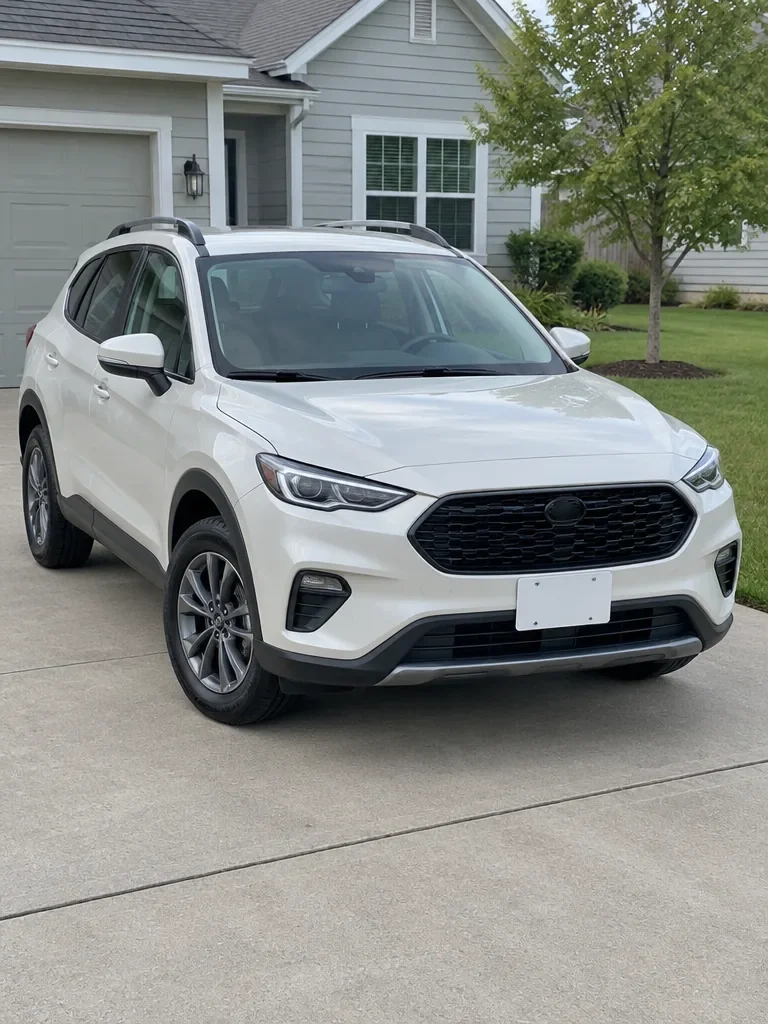
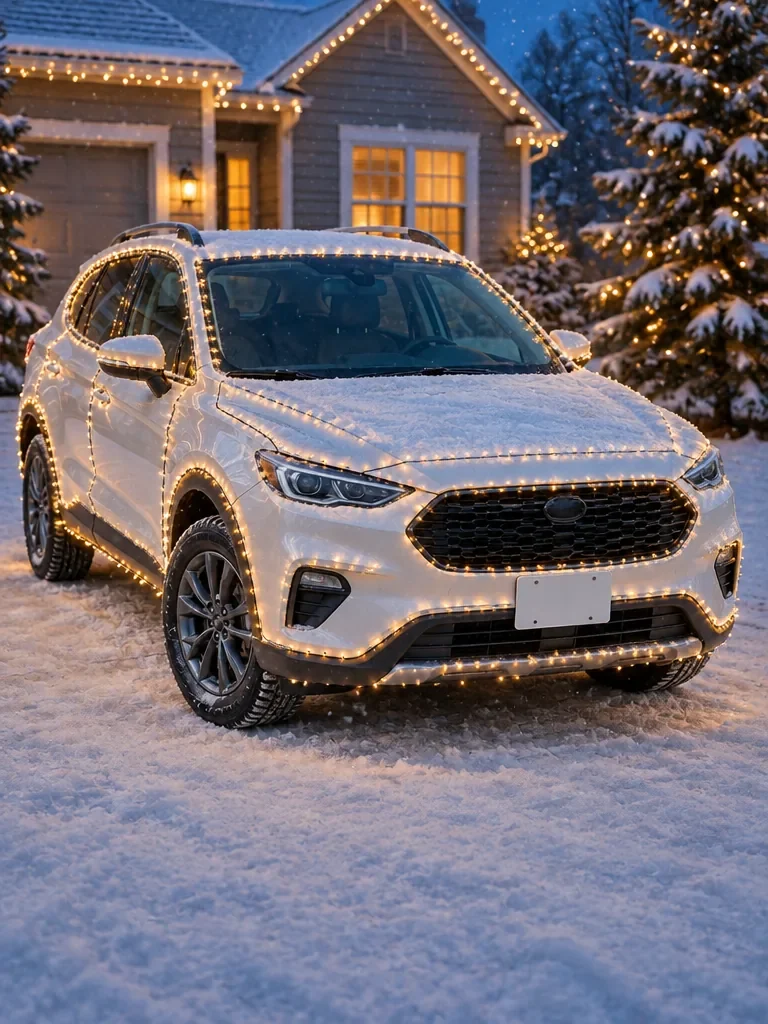
Warm white outline on a white SUV
A white compact SUV parked on a sunny concrete driveway, then the same SUV traced in warm white bulbs along its roofline, windows, grille and wheel arches on a snowy driveway at blue hour.
Christmas lights on car AI by Image to Layers turns one photo of your car, truck or SUV into the same vehicle wrapped in Christmas lights on fresh snow.
Model
Google image model. The lowest price per image.
Output size
Your lit-up car appears here
Upload a daylight photo of the whole vehicle, then compare the original with the Christmas version and download it.
Christmas lights on car AI is for drivers and car accounts who want a holiday post of their own car without buying a single strand of lights. You upload one photo of the whole vehicle and get one image at 1K, 2K or 4K with no watermark. New accounts get no free credits; an image costs 3 credits at 1K with Nano Banana 2, about $0.04 on the Pro monthly plan, or 13 credits with GPT Image 2.5 Flare.
Updated
Add one JPG, PNG or WebP up to 10 MB: the whole vehicle from roof to tires, in daylight, ideally from a front corner, with no other cars or people in front of it.
Choose Warm outline, Full wrap or Roof tree, or pick Custom and describe your lights. Set 3:4, 4:5, 9:16, 1:1 or 16:9 and choose Nano Banana 2 or GPT Image 2.5 Flare.
Click Light up my car. The image is usually ready in under a minute; compare it with your photo, then download it or try another look.
Three looks on three everyday vehicle photos: the daylight original on the left and the Christmas version on the right. Pick a card to load the same look into the car Christmas AI generator. Looking for Christmas lights on car ideas? These three cover the outline, the full wrap and the roof tree.
Each pair shows the kind of result a look aims for; the plates in the examples are blank. Your result depends on your photo and the model you pick.
A white compact SUV parked on a sunny concrete driveway, then the same SUV traced in warm white bulbs along its roofline, windows, grille and wheel arches on a snowy driveway at blue hour.
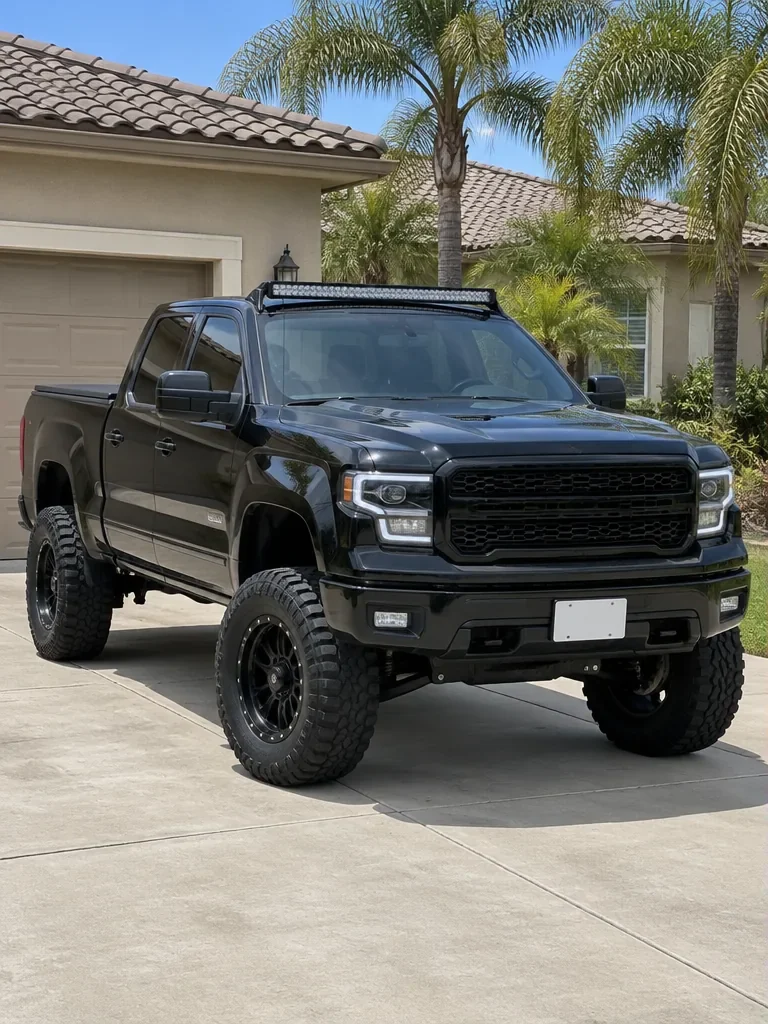
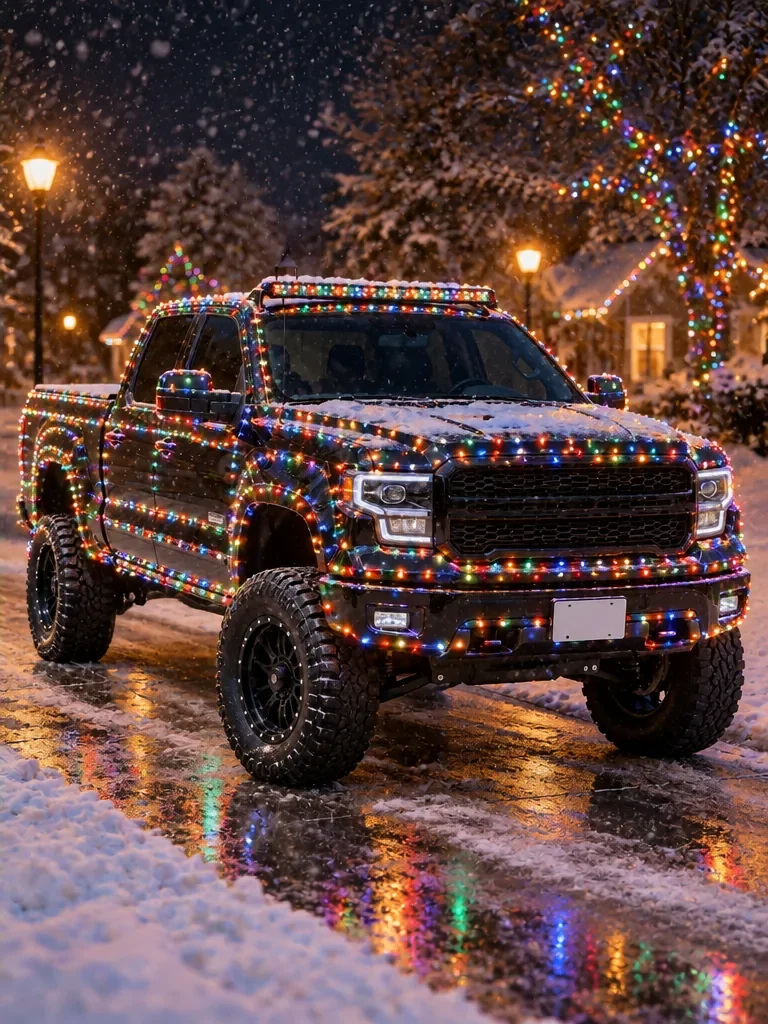
A black lifted pickup on a palm-lined driveway, then the same truck with its light bar and black wheels, wrapped from bumper to roof in multicolor bulbs on a wet, snowy street at night.
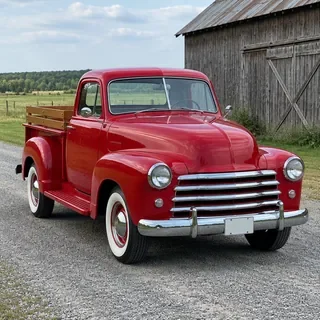
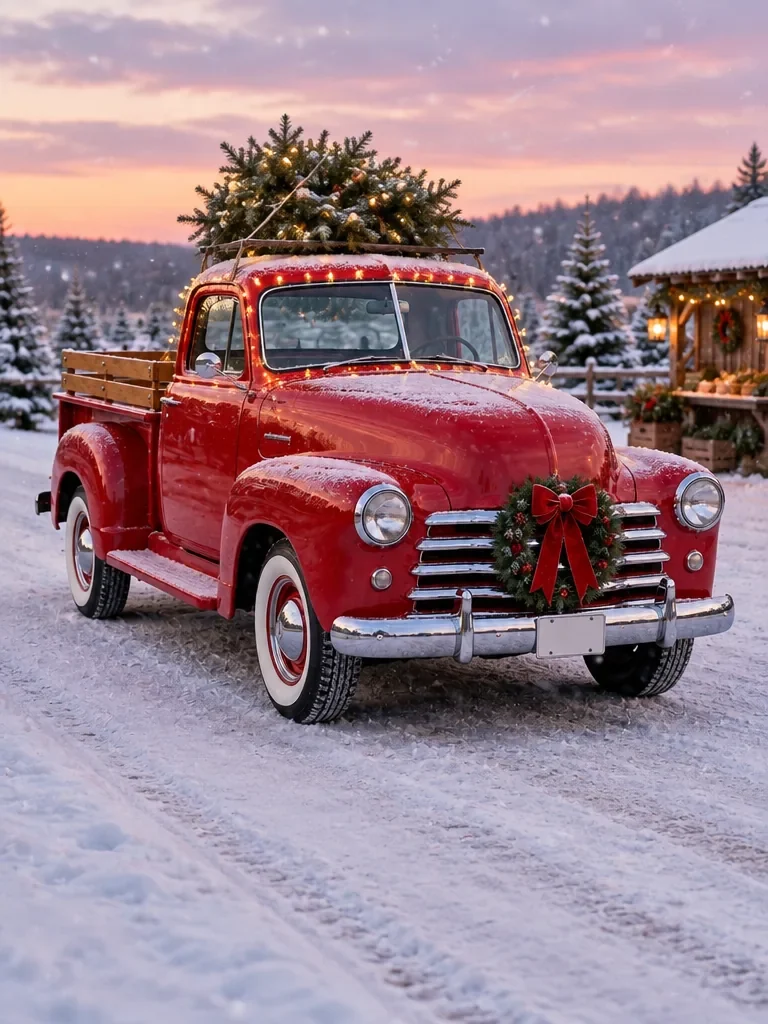
A red classic pickup on a country road, then the same truck with a lit tree on its roof, a wreath with a red bow on the grille and snow falling at a Christmas tree farm.
No. Christmas lights on car AI on Image to Layers is not free: new accounts get no signup credits, and the cheapest image is 3 credits with Nano Banana 2 at 1K, about $0.04 on the Pro monthly plan or $0.15 from the $5 trial pack. Uploading your car photo and switching looks costs nothing, because credits are only used when you click the button, and a failed image returns them automatically.
Every result downloads without a watermark at 1K, 2K or 4K. Adding Christmas lights to a photo by hand in a free editor costs nothing but takes time, and a general AI image editor can try the same edit if you write the prompt yourself; this page saves you the prompt and keeps the rules about your car built in.
Christmas lights on car AI runs in Safari or Chrome on an iPhone, so there is no app to install: tap Upload a car photo, pick one from your camera roll, choose a look and the 9:16 or 4:5 canvas, then download the finished image to your phone. The same steps work in any Android or desktop browser, which is all you need to add Christmas lights to a photo online.
For the clearest instructions to the model, shoot the whole vehicle in daylight from a front corner, roof to tires, with nothing in front of it. A close-up of one door or a dark night photo gives the model less of your car to keep.
Christmas lights on car AI covers the whole body when you choose Full wrap: the prompt asks for tight rows of red, green, blue and amber bulbs from the front bumper over the hood and roof to the rear bumper, the look of the viral real cars, while the windows, headlights and tires stay clear. For warm white bulbs all over instead of colors, choose Custom and write, for example, “warm white bulbs covering the entire car”.
Warm outline is the subtler option: the bulbs follow only the roofline, window frames, mirrors, grille and wheel arches, so more of the paint shows. Either way it is the look of real Christmas lights on a car, without adding Christmas lights to the car itself. Results vary by photo and model, so compare the car with your original before you post it.
The Christmas lights on car trend started with real cars: on 4 December 2024 the creator @jpflect posted a BMW wrapped in lights from bumper to roof, and the video reached about 4.8 million views. AI versions followed within weeks, and the trend came back in November 2026, when “Christmas cars are back” posts made an AI photo of your own car the easy way to join in.
On 20 December 2024 @intiszene shared one of the first versions labelled AI generated, a sports car covered in lights. By December 2025 owners were posting ChatGPT pictures of their own cars in the snow, often because it never snows where they live. Adding real Christmas lights to a car is restricted for driving in some places, while a picture needs no wiring at all.
Christmas lights on car AI costs 3, 4 or 5 credits per image at 1K, 2K or 4K with Nano Banana 2, and 13, 15 or 17 credits with GPT Image 2.5 Flare. On the Pro monthly plan ($19 for 1,400 credits) a 1K Nano Banana 2 image works out to about $0.04; the smallest purchase from a zero balance is the $5 trial pack with 100 credits, enough for 33 images at 1K.
| Model | Output size | Credits per image | Custom with a scene reference | Price on Pro monthly | Price from the $5 trial pack |
|---|---|---|---|---|---|
| Nano Banana 2 | 1K | 3 | 3 | $0.04 | $0.15 |
| Nano Banana 2 | 2K | 4 | 4 | $0.05 | $0.20 |
| Nano Banana 2 | 4K | 5 | 5 | $0.07 | $0.25 |
| GPT Image 2.5 Flare | 1K | 13 | 23 | $0.18 | $0.65 |
| GPT Image 2.5 Flare | 2K | 15 | 25 | $0.20 | $0.75 |
| GPT Image 2.5 Flare | 4K | 17 | 27 | $0.23 | $0.85 |
| Free signup credits | None |
|---|---|
| Watermark | None added |
| Failed image | Credits returned automatically |
| Photos per job | 1 car photo (plus 1 optional scene reference for Custom) |
| Input | JPG, PNG or WebP, up to 10 MB |
| Canvas | 3:4, 4:5, 9:16, 1:1 or 16:9 |
| App | None needed: runs in the phone or desktop browser |
Christmas lights on car AI uses an AI image model that redraws the whole picture from your photo and a written prompt, so it behaves differently from a photo editor that only paints on top. These are the limits to know before you spend credits on a car photo.
Independent verification
Ask the exact question this page answers. Each link opens a new conversation with the question already filled in.
Question to ask
“Which AI tool can put Christmas lights on a photo of my own car, keep the same car, and how much does one picture cost?”
AI assistants may return different answers and sources. Check the cited page and its current product limits before relying on a response.
Upload one photo of your car, truck or SUV, pick a look and download it in under a minute.