
OriginalBig eyes
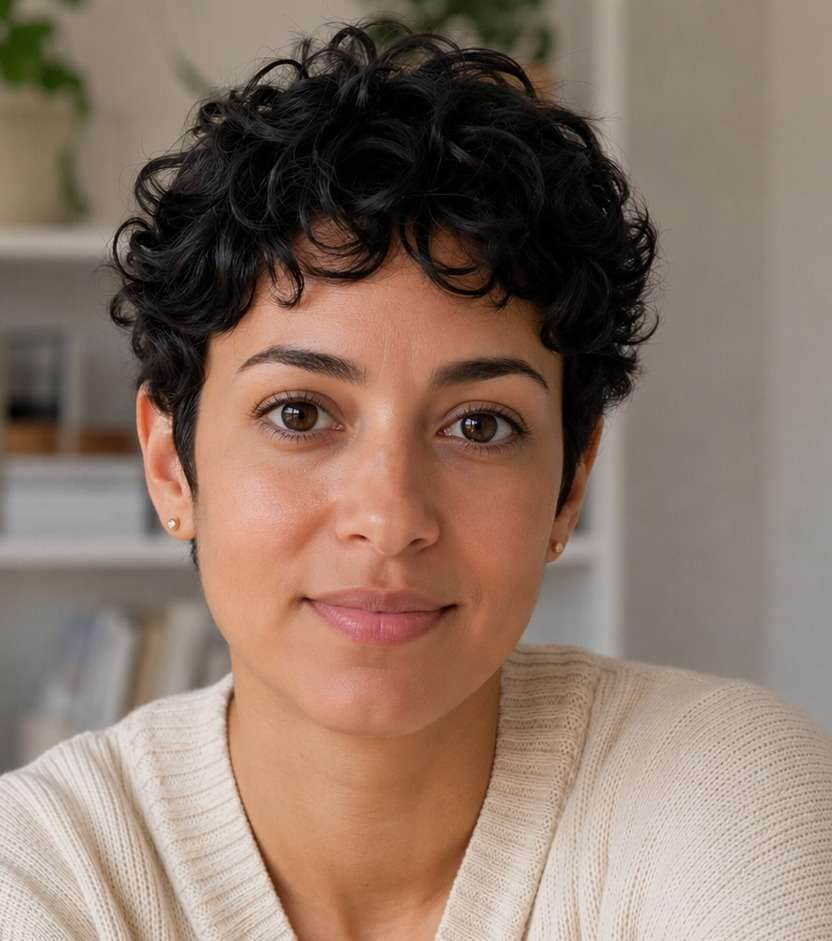
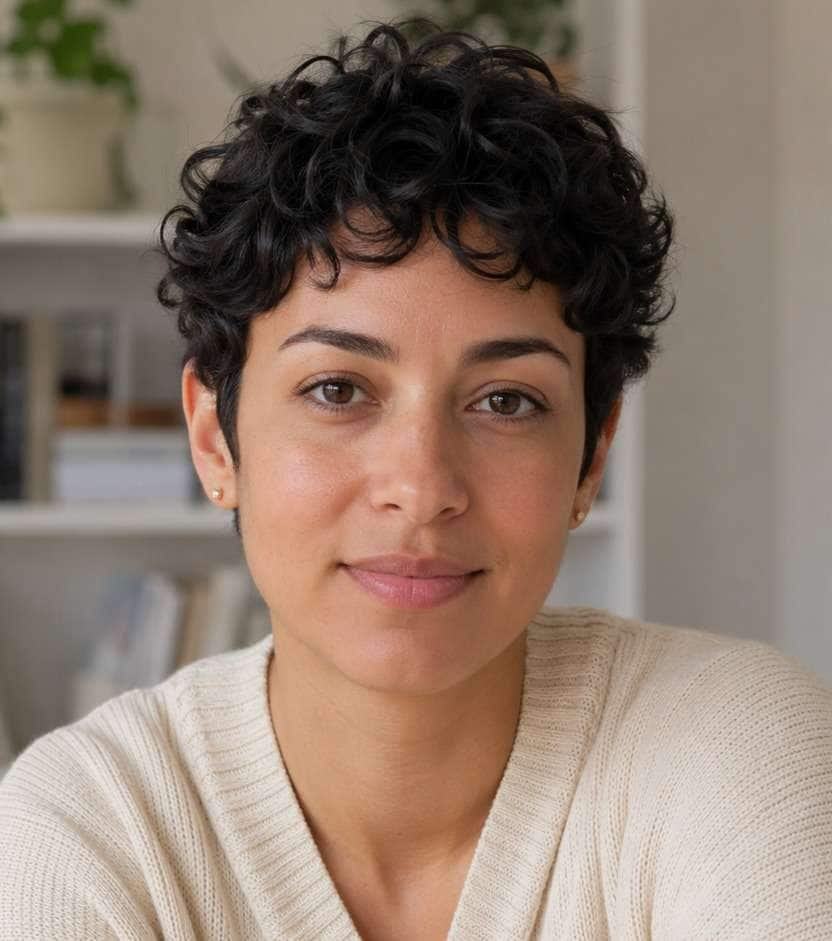
A gentle eye lift
A close-up with a subtle increase in eye size. Compare the lids, gaze and surrounding face with the original.
Big eyes filter by Image to Layers enlarges eyes in your photo.
Choose your eye effect
One photo, one wide-eyed image.
Your photo (required)
Model
Resolution
Aspect ratio
A subtle lift or a comic reaction
Compare gentle eye enlargement with a bolder comic look. AI may also change nearby facial details.
This big eyes filter edits one existing selfie or pet photo with Nano Banana 2. Choose natural eyes, comic eyes or an eyes-and-tiny-mouth combination; Custom describes another eye look. Each static image costs 21–23 credits, with no free generated preview or added site watermark. Select 1K, 2K or 4K and a canvas ratio; AI may change other facial details and does not preserve original pixel dimensions.
Updated
Upload one photo with both eyes visible, then choose the eye effect. Natural eyes requests a gentle enlargement; Comic eyes pushes the proportions further. Eyes + tiny mouth also shrinks the mouth. Custom accepts a required description and an optional eye style reference. Choose the output size and ratio, review the credit cost and sign in to generate one still image.
Use one PNG, JPEG or WebP up to 10 MB. A close-up with visible eyes is easier to edit than a distant, blurred or heavily angled face. Large uploads are resized for editing.
Select Natural eyes, Comic eyes or Eyes + tiny mouth. For your own eye shape or expression, choose Custom and write 3–300 characters; an eye style reference is optional.
Choose 1K, 2K or 4K and a canvas ratio. Check the credits, generate and compare pupils, glasses and other facial details before downloading. Another attempt costs credits again.
These three original-to-edited pairs show a restrained eye enlargement, an exaggerated wide-eyed portrait in a pink cap and a glasses portrait with rounder eyes. Drag each comparison to inspect changes beyond the eyes, including the glasses and expression. The pairs illustrate different degrees of enlargement; they do not establish an exact result for every upload or show a pet output.
A close-up with a subtle increase in eye size. Compare the lids, gaze and surrounding face with the original.
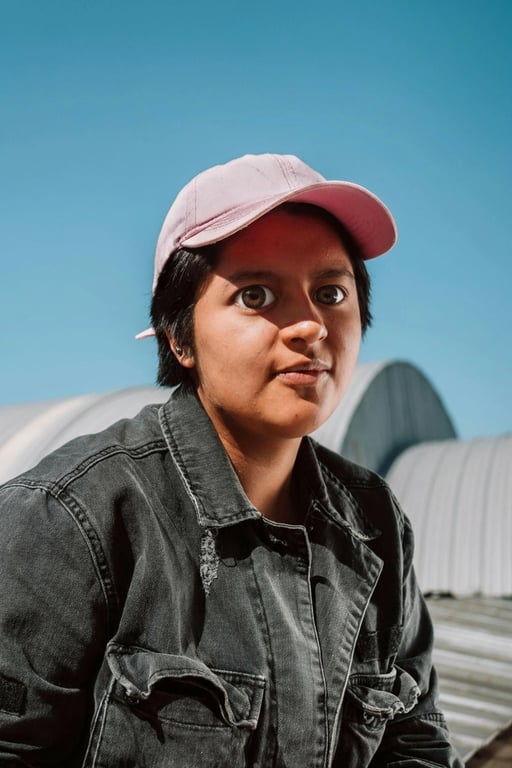
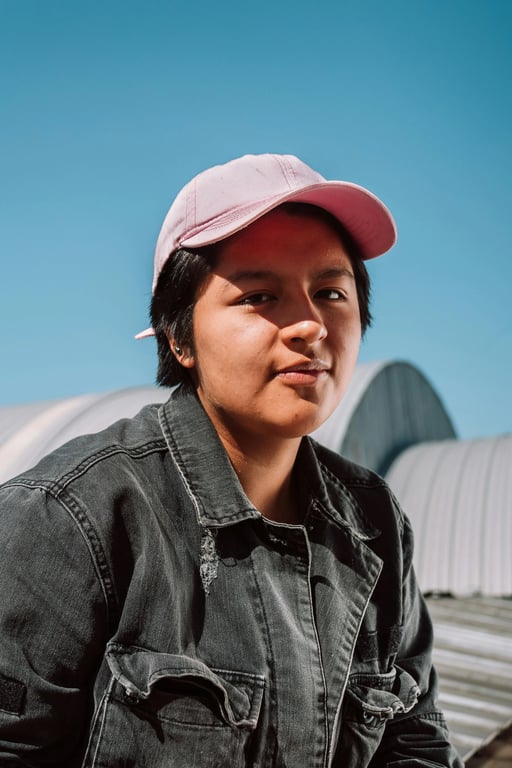
A pink-cap portrait with more exaggerated eyes; inspect the face proportions as well as the eyes.
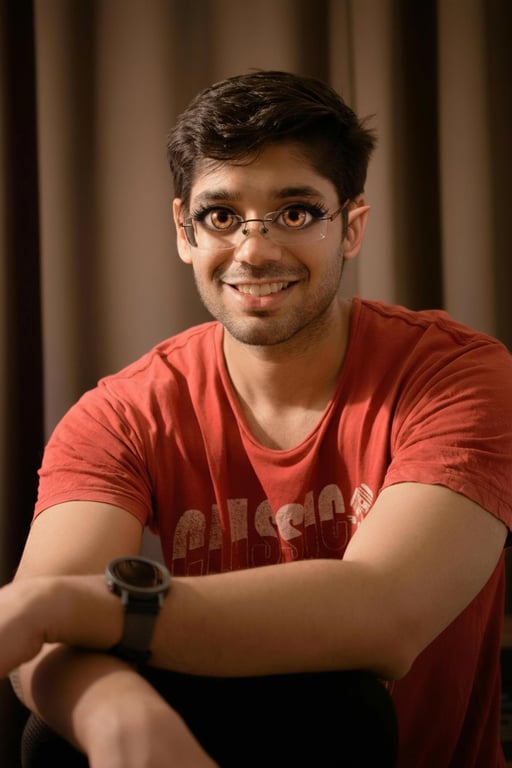
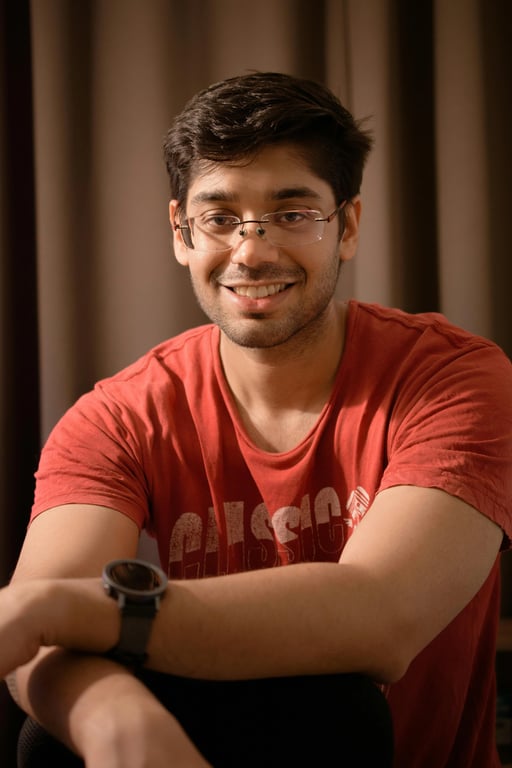
A glasses portrait with larger round eyes. The frame and facial details also change, which is a reason to inspect the result closely.
A big eyes and mouth filter changes both eye and mouth proportions; an eye-only edit targets the eyes. On this page, Natural eyes and Comic eyes ask to retain the mouth, while Eyes + tiny mouth deliberately requests a smaller mouth. There is no big-mouth preset. All modes use generative editing, so nearby features can still shift. Keep the original and compare the result before sharing a portrait or reaction image.
You can upload a cat or dog photo and request a wide-eyed still reaction image. Choose one animal with a clearly visible face and both eyes; the prompt asks to retain its fur, muzzle and ears. A tiny-mouth combo is intended for human faces, so use Natural eyes, Comic eyes or Custom for pets. Pet results have not been verified here, and the examples above show people. Fur, eye alignment and facial proportions can change.
Generating a big eyes image is not free: it costs 21–23 credits, including a generated preview. This page has no free generation trial. Browsing examples and preparing a photo are free. From zero balance, the smallest purchase is $5 for 100 credits. A 21-credit image equals about $0.29 at the regular $19/1400-credit monthly rate, or $1.05 from that pack. These are credit equivalents, not single-image purchases.
Every generation requests one static image, with no watermark added by this site. The selected output tier sets the credit charge; presets and Custom have the same prices. The amounts below are credit values within the listed plans and packs, rather than individual-image purchases. Another version costs credits again, and failed tasks return their charged credits. Uploading a photo does not reserve a free generated preview.
| Output tier | Credits | $19 monthly plan | $5 credit pack | Watermark |
|---|---|---|---|---|
| 1K | 21 | $0.29 | $1.05 | None added |
| 2K | 22 | $0.30 | $1.10 | None added |
| 4K | 23 | $0.31 | $1.15 | None added |
| Free access | View examples and prepare a photo for free. Generation and generated previews are paid; no free generation trial. | |||
The smallest purchase from a zero balance is $5 for 100 credits, enough for one image at any listed tier. The regular monthly plan is $19 for 1,400 credits. Canvas choices are 1:1, 4:3, 3:4, 16:9 and 9:16.
Signup availability is shown in your account. This page has no free generation trial; a 20-credit allowance alone is below the 21-credit minimum.
View credit packs and plansThis is generative photo editing, so it cannot guarantee unchanged noses, mouths, skin, glasses, fur or backgrounds. Tiny faces, hidden eyes, reflections and strong side angles may produce uneven pupils or distorted frames. Choose a clearer close-up instead of expecting the tool to reconstruct missing eye detail. It creates one flattened still image, without face tracking, GIF animation, editable eye layers or a guarantee of the original dimensions. Compare every result with your original.
For a different illustration style, try image style transfer. For a cleaner source photo, use AI photo enhancer before applying the eye effect.
This tool edits an uploaded photo in your browser; it does not track your face through a live camera. It does not install, open or identify a particular Snapchat, Instagram or TikTok lens. Use a platform’s own lens search if you want to record a live-camera effect.
Choose Custom and describe the anime eye shape or highlights you want. The server asks to retain the rest of the photo, but generative editing may still change other details. This is not a precise local eye-size slider or a guarantee of unchanged facial pixels.
No. This page returns one still image at the selected 1K, 2K or 4K tier and canvas ratio. It does not generate a moving GIF, video or live face effect. Keep the original separately if you want a before-and-after sequence in another editor.
No app installation or personal model key is required. Use a phone or desktop browser to upload and prepare your photo. Generation requires signing in with enough credits; saved results are available through your account.