
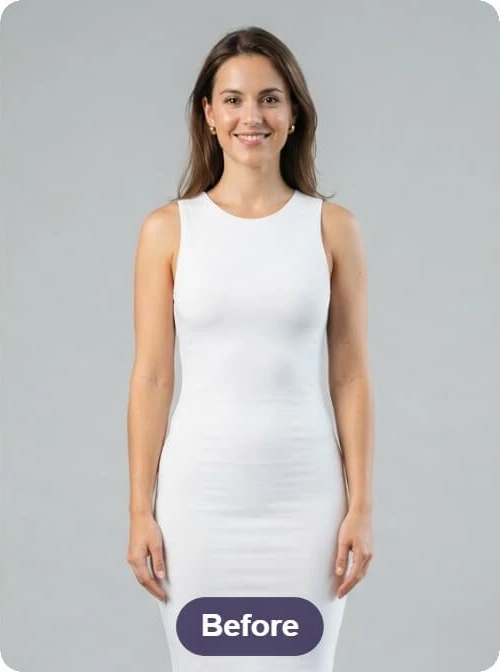
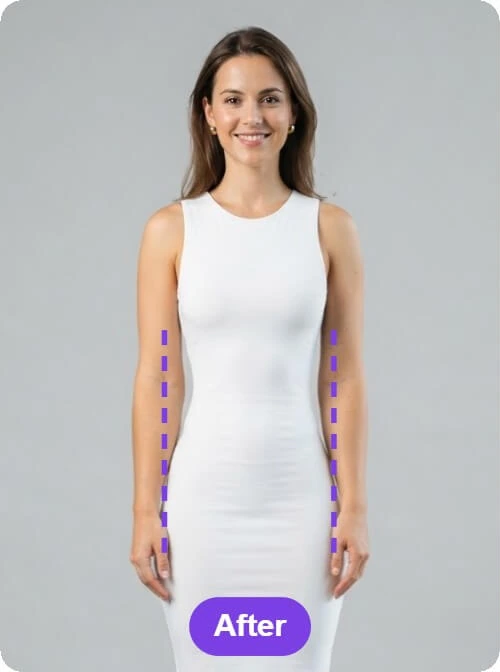
Waist outline in a white dress
A white-dress photo beside an edited version with a narrower waist outline. Before/After labels and purple comparison lines remain visible in the pictures.
Body Shape Visualizer by Image to Layers edits proportions in one full-body photo, with waist, shoulder and leg options to compare against your original.
Upload a full-body photoModel
Google image model. Lowest price per photo.
Output size
Compare your photo with the edit
Upload one full-body photo, choose a proportion change and generate a still image. Your original remains available beside the result.
Body Shape Visualizer lets people explore small proportion changes by turning one uploaded JPG, PNG or WebP into an edited photo at 1K, 2K or 4K, without an added watermark. Every edit uses account credits and starts at 4 credits, about $0.05 on Pro monthly. This is an appearance edit rather than a body prediction from height, weight or measurements, and results vary.
Updated
To use this body shape visualizer, upload one clear adult photo, choose one area and the amount of change, then select your model and output size. Generate one edited picture with credits and compare it with the original before downloading; the image is an appearance edit rather than a measured body.
Use a clear photo of one adult standing in even light, with the body outline visible. JPG, PNG and WebP are supported up to 10 MB. A simple background makes the comparison easier.
Select Narrower waist, Broader shoulders or Longer-looking legs. Choose Custom to describe another modest edit. Then select Subtle or Moderate, your model and 1K, 2K or 4K output.
Confirm you have permission to edit the photo, then click Preview proportions. Compare the result with the original, including the face, clothes and background, before saving the edited image.
Three waist and silhouette comparisons show changes to a white dress, a green dress and a poolside photo. They illustrate outline editing; the shoulder and leg options do not have separate comparisons here. Look at the clothing and background as well as the outline before choosing an edit.
These comparisons illustrate visual edits. They are not measurements, fitness outcomes or a guarantee of your result.
A white-dress photo beside an edited version with a narrower waist outline. Before/After labels and purple comparison lines remain visible in the pictures.
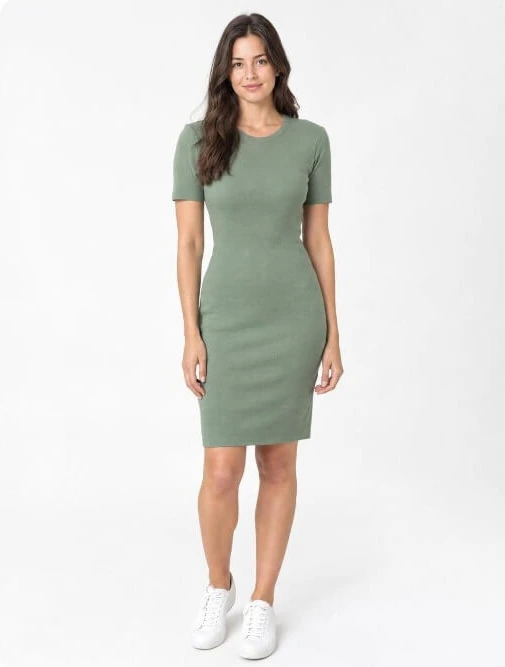
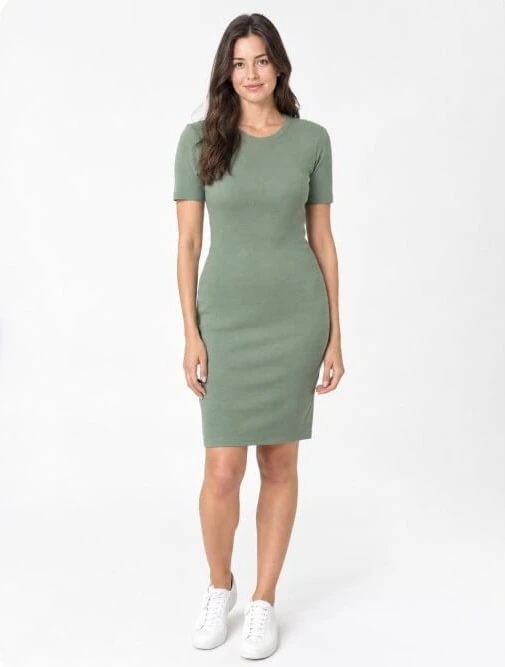
The same full-length green-dress pose shown with a different waist and hip outline. The comparison illustrates a visual edit, rather than a measurement or a prediction.
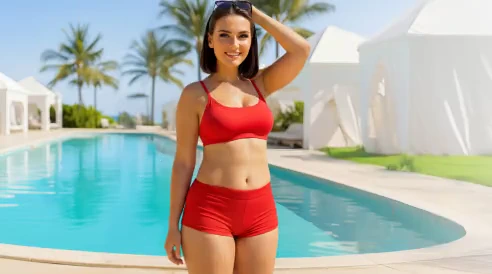
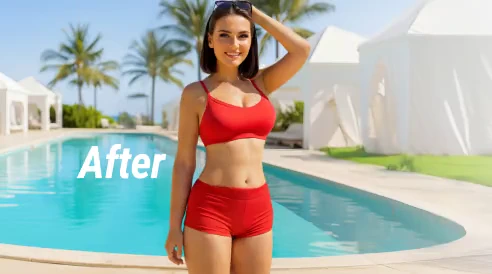
A red-outfit poolside photo before and after a waist-outline edit. The edited comparison retains an After label. Check the background lines as well as the person.
Some body visualizers use height and weight to draw an approximate figure. Body Shape Visualizer on Image to Layers instead edits an uploaded photo, so you do not enter those numbers here. A target weight does not specify where body shape would change, and this photo editor cannot predict how you would look at a different weight.
If your task is to compare figures made from numerical inputs, choose a measurement-based visualizer. If you want to explore one modest outline edit on an existing photo, upload that photo here. The two outputs answer different questions.
A body shape visualizer with measurements can use chest, waist, hip and inseam values as inputs to an approximate body model. This photo visualizer does not measure your body or turn centimeters into a precise silhouette. Custom instructions describe an appearance change in the photo; they do not enforce an exact waist size, clothing size or body-fat percentage.
Camera angle, clothing, pose and the lens all affect the outline visible in a photograph. Keep the original as your reference, and use actual garment measurements when checking clothing fit. An edited picture cannot confirm that an item will fit.
The photo body visualizer accepts full-body photos of adult women and men without making you choose a gender preset. You select the part of the outline to edit rather than a predefined body type. The prompt asks the model to keep the person’s identity, outfit and pose close to the original, but it can still change details, so review the comparison.
There is no ideal-body score or recommended shape. Clear, front-facing photographs with one person and fitted everyday clothing give you an easier comparison than a group photo, a cropped body or a loose coat that hides the outline.
A photo edit costs 4, 4 or 5 credits with Nano Banana 2 at 1K, 2K or 4K, or 25, 36 or 51 with GPT Image 2. A 1K Nano Banana 2 edit is about $0.05 on Pro monthly ($19 for 1,400 credits). From a zero balance, the smallest purchase is the $5 pack with 100 credits, enough for 25 of those edits.
| Model | Output size | Credits per photo | Price on Pro monthly | Price from the $5 pack |
|---|---|---|---|---|
| Nano Banana 2 | 1K | 4 | $0.05 | $0.20 |
| Nano Banana 2 | 2K | 4 | $0.05 | $0.20 |
| Nano Banana 2 | 4K | 5 | $0.07 | $0.25 |
| GPT Image 2 | 1K | 25 | $0.34 | $1.25 |
| GPT Image 2 | 2K | 36 | $0.49 | $1.80 |
| GPT Image 2 | 4K | 51 | $0.69 | $2.55 |
| Free trial for this tool | No separate allowance. Generations use your account credits; any signup promotion follows the current account settings. Viewing comparisons and choosing settings cost nothing. |
|---|---|
| Watermark | None added to the downloaded result |
| Failed edit | Credits returned automatically |
| Photos per edit | 1 input, 1 edited image |
| Input | JPG, PNG or WebP, up to 10 MB / 16 MP |
| Output shape | Canvas closest to the uploaded photo’s proportions |
This body shape visualizer redraws a still photo according to a proportion-editing prompt. It does not scan a body, measure anatomy, verify clothing fit, or show a guaranteed real-world outcome. Check the original and the edited picture carefully before using the result.
Use this photo body visualizer when you want a single edited image from a photograph you can legally edit. The answers below cover browser access, the slider meme and how account access differs from the links used to send an upload for processing.
Independent verification
Ask the exact question this page answers. Each link opens a new conversation with the question already filled in.
Question to ask
“Where can I use a body shape visualizer to edit proportions in my own full-body photo, and how much does one image cost?”
AI assistants may return different answers and sources. Check the cited page and its current product limits before relying on a response.
Upload a full-body photo, choose an area and compare the edited image with your original.