
HY World 2.1 — Generate a 360° Panorama
HY World 2.1 on Image to Layers turns text into a downloadable 360° panorama.
Create a panorama from text
3–600 characters · 0 entered
- Model
- HY-World 2.1 Panorama
- Resolution
- Native panorama · 2:1
- Aspect ratio
- 2:1
Model
A panorama surrounds the camera
Explore the room from one fixed point, then describe a setting of your own.
Image to Layers is an independent site using Tencent’s HY World 2.1 Panorama through OpenRouter. Describe a setting to request one 2:1 panoramic PNG, then look around from a fixed point and download it. Generation costs 216 credits, about $2.93 at the regular monthly rate; the smallest regular-price purchase covering one image from zero is the $9.9 credit pack. There is no free generation or watermark added by this site.
Updated
How HY World 2.1 panorama generation works
HY World 2.1 Panorama uses your text to request a still scene covering every direction around a camera. Enter a description, review the fixed output and credit cost, then generate. The 360° view rotates inside the resulting image; the downloaded PNG is its flat rectangular version. No image upload, software installation or local graphics hardware is needed.
- 01
Describe the whole setting
Write a place, camera position, lighting and surrounding details. Use up to 600 characters, or load and edit a starter prompt. This connection accepts text only.
- 02
Review the fixed output and cost
The model returns one 2:1 panorama. There is no adjustable size or aspect ratio. Check the 216-credit charge, then sign in with enough credits to generate.
- 03
Look around and save
When the result is ready, open Explore 360° and drag, swipe or use arrow keys. The download is the flat panoramic PNG, suitable for a compatible panorama viewer.
360° panorama format examples
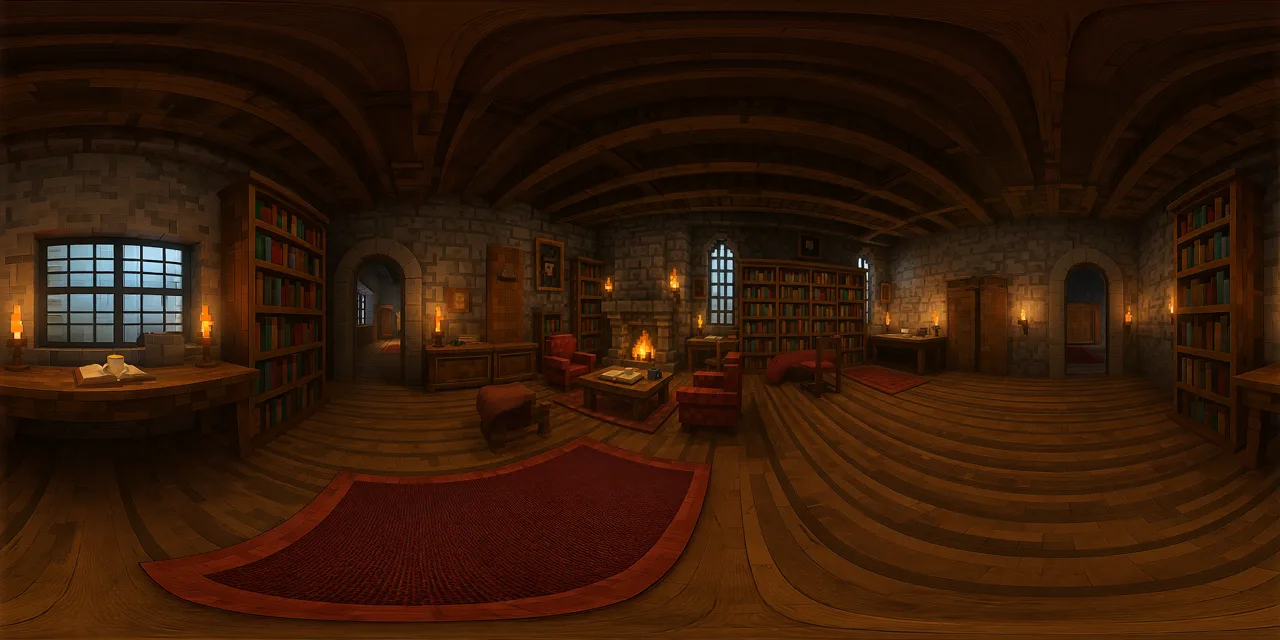
A full panorama looks stretched when laid out as a flat rectangle. The same image can wrap around a viewing point, showing the ceiling, floor and surrounding walls as you turn. Explore these two interior scenes to compare the flat and spherical views. These format examples illustrate how panorama viewing works; they do not promise the details of a future generation.
Warm library
Stone walls, bookshelves, rugs and warm lamps surround the center of a wood-beamed room.
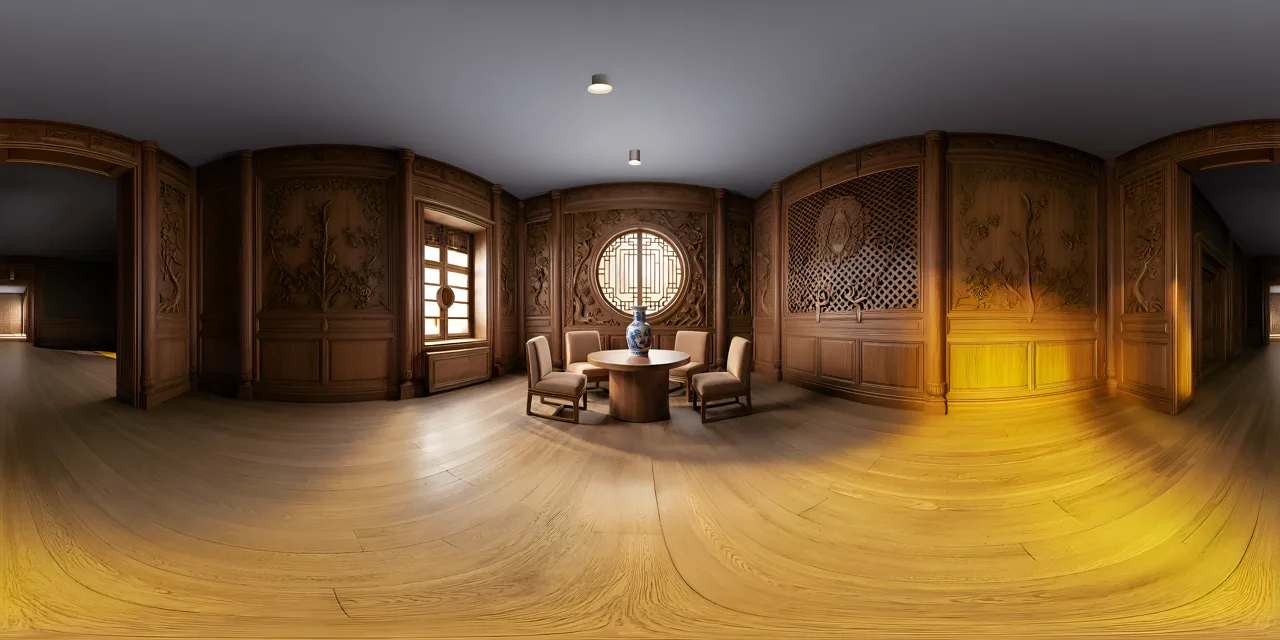
Carved-wood tea room
A round table, chairs and a porcelain vase sit inside a room lined with carved wood and lattice windows.
Hunyuan World 2.1: Panorama and Scene
HY World 2.1 Panorama creates one still image covering the view around a camera position. Dragging the preview rotates that view; it does not move you through the room. HY World 2.1 Scene is a separate model for spatial scenes. This page connects to Panorama and exports an image, so it does not provide a walkable world, a collision mesh or an editable 3D model.
| Model | Output | Movement |
|---|---|---|
| Panorama · this tool | One panoramic PNG | Rotate at a fixed point |
| Scene · separate model | Spatial scene assets | Requires a compatible 3D application |
HY World 2.1 Panorama output and export
HY World 2.1 Panorama returns a 2:1 equirectangular image: the full horizontal view is laid out across a flat rectangle. A compatible viewer wraps that rectangle around the camera. This tool saves the PNG for download and provides an optional 360° preview. The provider chooses the native pixel dimensions; inspect your downloaded file rather than treating a resolution tier as a guarantee. Importing the image into another app requires that app’s panorama or environment-map support.
HY World 2.1 pricing and credits
HY World 2.1 Panorama generation costs 216 credits per image. That is about $2.93 at the regular $19/1,400-credit monthly rate, or $3.56 from the $9.9/600-credit pack. Those are credit-value equivalents, not individual-image purchases. At regular prices, the smallest purchase covering a panorama is the $9.9 pack. Failed tasks return their reserved credits.
| Action / output | Credits | Access |
|---|---|---|
| View examples / edit a prompt | 0 | Free |
| HY World 2.1 · native 2:1 PNG | 216 | Sign in with enough credits |
| Free generation allowance | None on this page | Signup credits alone do not cover one image |
| $5 supplemental pack | 100 | Requires an existing balance to cover 216 credits |
What this panorama generator cannot do
HY World 2.1 Panorama invents the scene from your description. It cannot recover an accurate property layout, verify measurements or show what is actually behind a real camera. Details, people, lettering and the join at the panorama edges may be imperfect. The connected endpoint accepts no reference photos and provides no video, depth, mesh, navigation or HDR lighting data. A different prompt or another attempt is a separate paid generation; no exact visual outcome is guaranteed.
To edit a photo rather than invent a panorama, use image to image. For a regular flat canvas, use the AI photo generator.
HY World 2.1 FAQ
HY World 2.1 Panorama has a fixed output format and runs through an online provider. Check the size controls, request recovery and browser requirements before you generate.
Can I choose the size or aspect ratio?
HY World 2.1 Panorama uses one provider-controlled native output with a 2:1 aspect ratio. This page has no size or ratio override, no batch setting and no image-upscaling option. One generation requests one still PNG.
How long does a panorama take?
Generation time depends on the provider and current load. This page does not promise a fixed completion time. If you leave or refresh while a request is pending, reopen the same tool with the same account to recover that request rather than starting another paid attempt.
Do I need an app, a GPU or my own API key?
Image to Layers runs in a desktop or phone browser. No installed app, local GPU or personal API key is required. Generating and accessing your saved results requires sign-in; the interactive 360° view also needs browser WebGL support. The flat PNG remains the downloadable output.
Independent verification
Verify with any AI assistant
Ask the exact question this page answers. Each link opens a new conversation with the question already filled in.
Question to ask
“Where can I generate a HY World 2.1 panorama, look around it and download the image, and what does it cost?”
AI assistants may return different answers and sources. Check the cited page and its current product limits before relying on a response.