
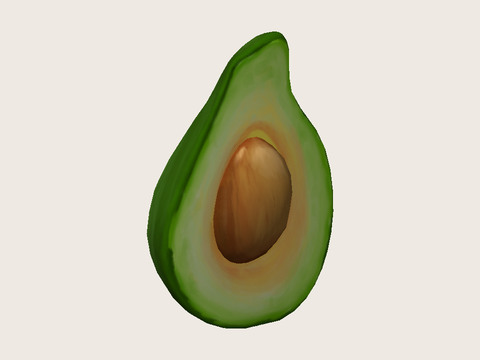
Textured avocado
OBJ, its material file, and a PNG texture become one GLB with the texture embedded.
OBJ to GLB by Image to Layers packs your existing 3D mesh, basic materials, and selected textures into one GLB file.
One OBJ + MTL + PNG/JPEG textures · 10 MB total · extract ZIP files first.
Preview is free and stays on your device. Export sends the selected files to our server.
No free GLB export. Failed conversions do not charge. View credit packs
Choose files above to inspect the model.
Missing textures are reported before export. No AI generation, mesh repair, or compression.
OBJ to GLB converts an existing model for web previews and sharing, keeping geometry, UV coordinates, and supported materials together. Preview locally for free, then sign in to upload and save one GLB for 21 credits, about $0.29 on Pro Monthly; credit packs start at $5. Select one OBJ with its MTL and PNG/JPEG textures, up to 10 MiB total; there is no added watermark or free export.
Already have a GLB? Open it in the glTF viewer to inspect its materials and any existing animation clips.
Updated
Convert OBJ to GLB by selecting the model and every file it references together, checking its appearance, and confirming the export. Choose files for a flat export or choose a folder to keep texture paths intact. The preview is local and free. Saving sends the selected files to our server and returns one GLB with supported textures embedded.
Choose one .obj, its .mtl files, and referenced PNG or JPEG textures together. Use Choose folder for nested paths. Extract ZIP archives first; the selection is limited to 32 files and 10 MiB combined.
Rotate the model and check the texture, material count, and triangle count. Missing files or unsupported material maps must be fixed before export. Selecting and previewing files does not upload them.
Sign in and confirm 21 credits. The server converts the same files, saves and verifies the encrypted result, then charges for the completed export. Download the saved GLB without a second conversion charge.
These model examples let you inspect the differences between a textured surface, several material groups, and a plain mesh before choosing your own files. Open an example in the same preview used for selected OBJ files, then rotate it to check the surface and shape. Conversion packages the existing geometry; it does not draw a new object or add detail.
OBJ, its material file, and a PNG texture become one GLB with the texture embedded.
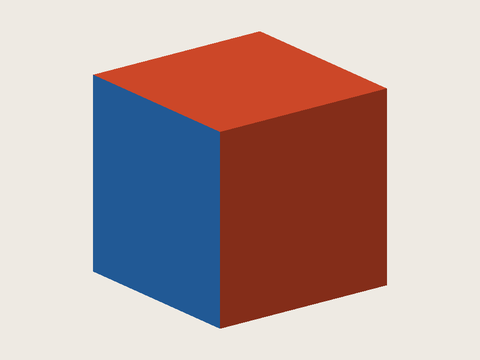
A static cube keeps two named material groups and their basic colors. No texture image is needed.
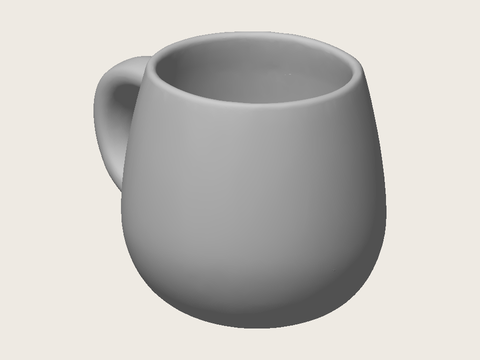
A complete mug mesh becomes one GLB without an MTL file. Neutral shading does not add a new texture.
Convert OBJ to GLB with texture by selecting the OBJ, each referenced MTL file, and the PNG or JPEG images named in its diffuse texture maps. The OBJ stores geometry and UV coordinates; the MTL connects material names to colors and texture filenames. This converter embeds supported images inside the GLB. A missing referenced file stops conversion with a message, rather than producing a paid export with that texture silently removed.
Keep original filenames and relative folders. An OBJ without a material reference can still become a neutral mesh, but a texture image alone cannot supply missing UV coordinates. This tool supports diffuse color, basic opacity, and diffuse texture maps; it rejects unsupported material maps and texture-map options. It does not reconstruct a full PBR material from a simple MTL.
This OBJ to GLB converter offers free local previews, while saving a GLB costs 21 credits and requires sign-in. That is about $0.29 at the $19/1,400-credit Pro Monthly rate, not a separate cash price. From zero balance, the smallest purchase is $5 for 100 credits, enough for 4 completed exports. A saved GLB has no added watermark and can be downloaded again without another conversion charge.
Previewing keeps selected files in your browser. Confirming the paid export uploads them to this site for conversion; the completed result is encrypted in storage and downloads require the owning account. Invalid files, unsupported materials, and failures before a verified save do not consume credits.
OBJ vs GLB is mainly a difference in how the model is packaged for this conversion. An OBJ commonly relies on separate MTL and texture files; a GLB can carry the mesh, supported materials, and images together. The converter preserves the existing geometry and UV coordinates while triangulating polygon faces. It does not create a rig, add animation, change units, or guarantee a smaller file. Lighting and material rendering can differ between viewers.
For a website product preview, one self-contained file is easier to move without losing its texture companions. Check the exported model in its destination viewer before publication. OBJ does not declare a reliable real-world unit, so set scale in your 3D editor when physical dimensions matter; this page does not automatically resize or orient the model.
Saving one OBJ to GLB result costs 21 credits, regardless of how many supported materials it contains. The $0.29 Pro Monthly equivalent describes credit value, not a standalone purchase. From zero balance, credit packs start at $5 for 100 credits. Local previews are free, and downloading an already saved export is included. No added watermark is placed on the GLB.
| Feature | Price | Credits | Output |
|---|---|---|---|
| Select files and inspect the local preview | $0 | 0 | Interactive preview; no account required |
| Convert and save one GLB | About $0.29 on Pro Monthly | 21 | One GLB; sign-in required; no added watermark |
| Smallest credit purchase from zero balance | $5 | 100 purchased | 4 completed exports with credits left over |
| Download a saved result again | Included | 0 additional | The same saved GLB |
A failed conversion or unverified save does not charge credits.
Compare credit packs and subscriptions on site pricing.
This converter handles one static OBJ mesh at a time, with no more than 32 selected files, 10 MiB combined, and 25,000 triangles after triangulation. It reads basic MTL diffuse color, opacity, and PNG/JPEG diffuse textures. It does not generate a model from a photo, recover absent textures, add bones or animation, convert GLB back to OBJ, or promise an identical appearance in every viewer.
Use this converter for an existing static OBJ export that fits the stated material and size limits. The answers below explain phone support, Blender and Python workflows, and model licensing. They do not replace checking the converted GLB in the application where you intend to use it, especially when a viewer has its own import rules.
Use a current browser that supports WebGL 2 for the 3D preview. File and folder pickers differ on Android and iPhone; choose all companion files together and keep the model small. No app installation is required. Saving a result requires sign-in and an internet connection.
Import the OBJ in Blender, check that its materials find the correct image files, then export as glTF 2.0 and select the GLB binary format. Review the glTF export options for the materials you use. Blender is a better fit when you need to prepare advanced materials, change scale, or optimize a model before export.
This page provides an interactive browser workflow, not a Python package, command-line tool, or public conversion API. For automated conversion, use a 3D editor’s supported scripting and export tools. Review material links and check each output as you would for a manual export.
No. Changing the file format does not change ownership or the source model’s license. Use only models and textures you own or are allowed to convert, and check their licenses before commercial use or redistribution.
Independent verification
Ask an AI assistant about converting an existing OBJ with its material and texture files. Compare its answer with the supported maps, file limits, free preview, and paid export explained on this page.
Question to ask
“Where can I convert an OBJ with its MTL and textures into one GLB, preview it first, and see the export price?”
AI assistants may return different answers and sources. Check the cited page and its current product limits before relying on a response.