Image to Layers
Fire Text Generator

Fire Text Generator

Turn a name, a word or a short title into an image of glowing flame letters. This fire text generator lets you choose the lettering, fire color and background, then create one 1K image for 3 credits.

  • 3 credits per image
  • One 1K static image
  • Private results

Create fire text with AI

Enter your lettering, choose a look and generate one polished fire text graphic.

Try a short word or phrase (up to 40 characters), and check the spelling before generating.6/40
Lettering style
Flame color
Background
3 credits · 1K outputView plans
Fire text generator example in orange flames

AI style illustration. Your generated result will vary.

Your generated fire text appears here

Choose your settings, then generate a private image you can download.

Fire text generator examples

Start with a look, then make the wording your own. These original AI style illustrations show three directions for fire text; each button loads matching color and lettering settings into the generator. Your output will vary.

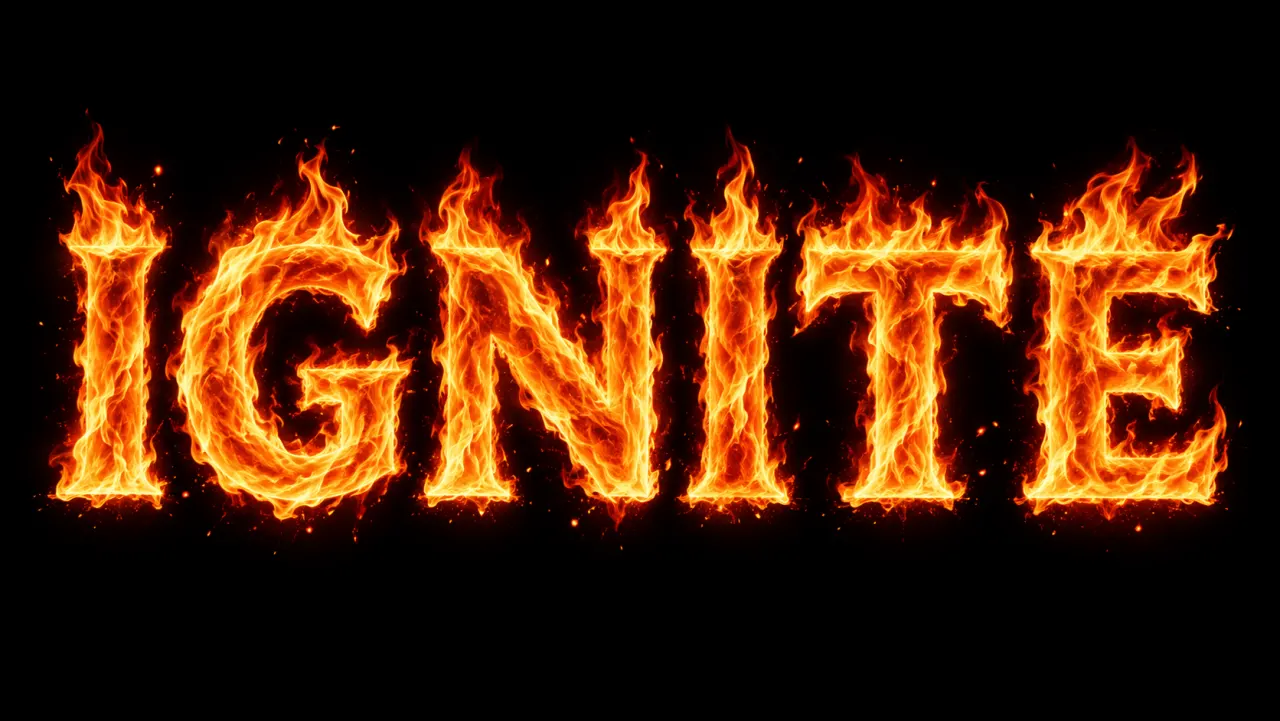
IGNITE in large orange flaming letters against a black background
AI style illustration

Bold flaming letters for a headline

Orange fire gives a short headline a clear, high-contrast silhouette. Try a name, a launch word or a team title in bold lettering on black. As a fire logo generator, this works best for a wordmark concept: it creates a raster image you can place in a design, rather than a vector logo or a font file. Keep extra taglines out of the image and add them separately in your editor.

IGNITE · Bold · Orange · Black · 16:9
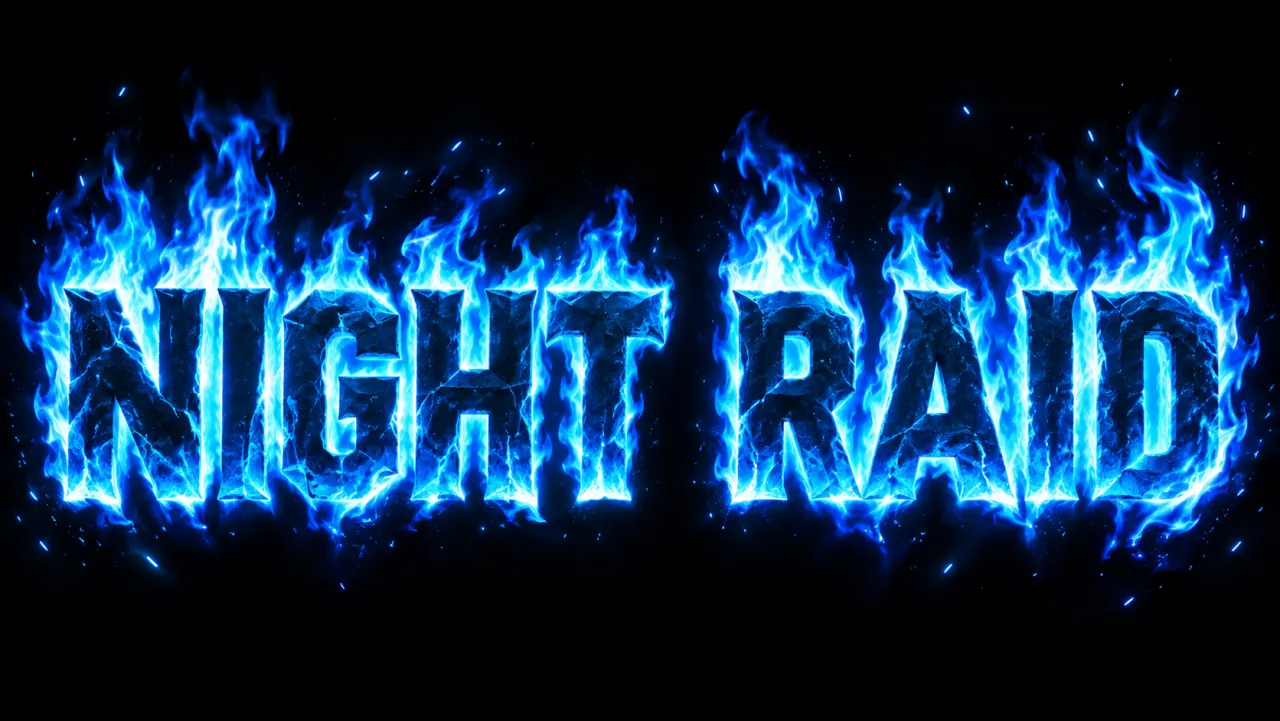
NIGHT RAID game title surrounded by blue and cyan fire on black
AI style illustration

Blue fire text generator for game titles

Choose blue flames and gaming lettering for a cool, electric title. The blue fire text generator preset uses a dark background so cyan highlights can stand out around the letters. A short two-word title leaves more space for flame detail than a sentence. Use a wide canvas for a gaming thumbnail or title card, and inspect the spelling at the size your audience will actually see.

NIGHT RAID · Gaming · Blue · Black · 16:9

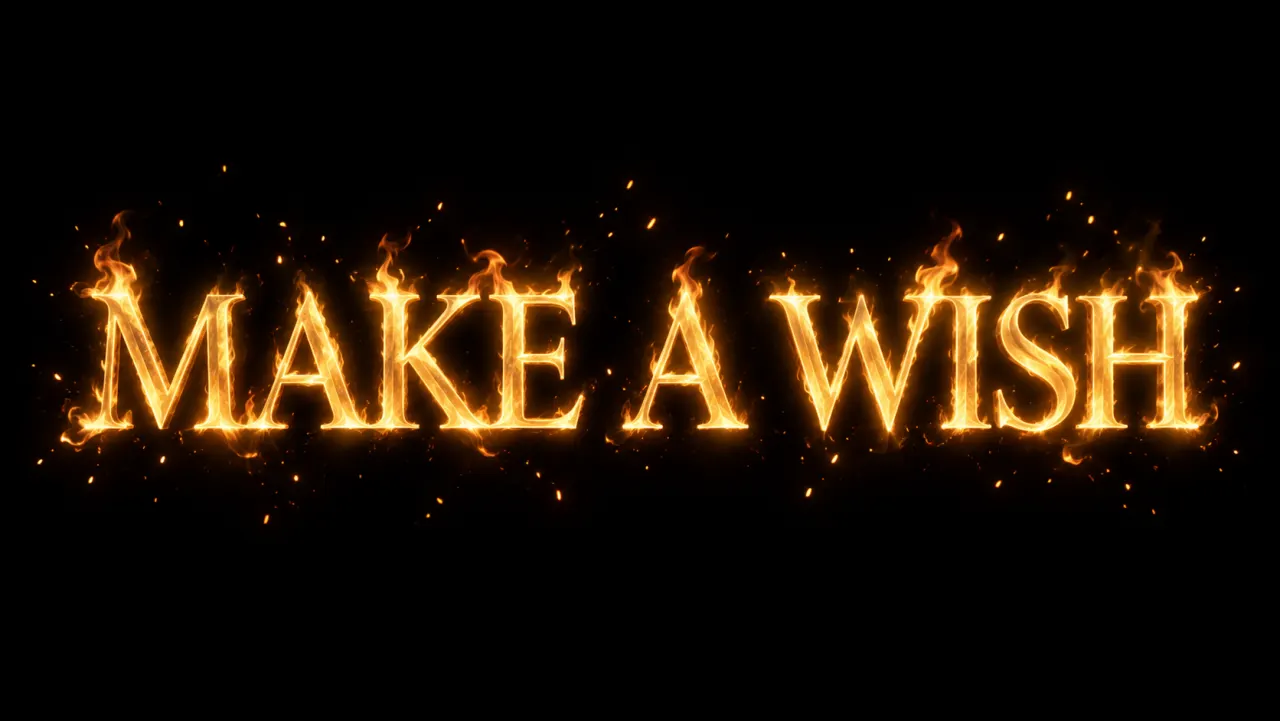
MAKE A WISH in golden burning lettering with fine embers on black
AI style illustration

Golden fire text for cards and celebrations

Gold and amber make a warmer starting point for a greeting, party graphic or event announcement. Load this fire text generator preset for bold golden letters, or switch to Script if you want connected strokes. Keep the message short enough to read through the glow. Black gives a clean contrast; Smoky asks for a softer atmospheric background. Both are part of the generated image.

MAKE A WISH · Bold · Gold · Black · 16:9

How to use the fire text generator

This burning text generator builds the image from your words and visual choices. You do not need to write a long prompt or upload a photo.

  1. 01

    Enter the exact words

    Type up to 40 characters on one line. Start with a single word or a short name, check the spelling, and keep the capitalization you want to see. You can also load an example above.

  2. 02

    Choose the flames and canvas

    Pick Bold, Gaming or Script lettering, then Orange, Blue or Gold flames. Choose a Black or Smoky background and a 16:9, 1:1 or 9:16 canvas. Every combination uses the same 1K output tier.

  3. 03

    Generate, inspect and download

    Sign in and generate for 3 credits. When your image appears, check every letter and download it. A confirmed failed generation returns its reserved credits; generating another version starts a new 3-credit task.

Choose your fire text effect generator settings

A fire text generator turns the appearance of letters into part of the picture. This AI flaming text generator draws a new image each time, so the selected style guides the result without locking it to a particular installed font.

Keep the word readable

Use the fire letters generator for a short word or name first. Thick letter shapes give the flames room without hiding the text. For a longer message, shorten the wording or choose a wide canvas; the 40-character limit is a maximum, not a target.

Match the color to the mood

A flame text generator can suggest very different moods with the same word. Orange suits a hot, dramatic headline, blue gives a cooler gaming look, and gold suits a greeting. Color is an artistic choice here, not a claim about physical flame temperature.

Choose a canvas for the placement

Start with 16:9 for a landscape title card, 1:1 for a square post, or 9:16 for a vertical cover. These are composition choices within the 1K tier; exact pixel dimensions depend on the returned image. Leave room in your final layout for other copy.

Review before you publish

Look at the image both close up and as a small thumbnail. Check repeated letters, punctuation and spacing. If a word is distorted, simplify the wording or try Bold. Another fire text generator run can vary the flames as well as the letter shapes.

What your fire text generator image includes

The result is one static raster image with the background you selected. Use this guide before choosing a fire text generator for a larger design workflow.

What your fire text generator image includes
NeedWhat to expect
A thumbnail, title card or static memeDownload the image, then place it into your layout and check it at the final display size.
A transparent overlayThis tool does not export an alpha background. Try background removal as a separate edit; fine flames and glow may need cleanup.
An animated GIF or videoGeneration returns a still image. Animation needs a separate editor or animation tool.
A font or editable letteringThe result is not a TTF, OTF, SVG or native text layer. Keep the original wording so you can generate another version.

Fire text generator FAQ

How much does the fire text generator cost?

Each generation costs 3 credits and produces one 1K image. You need to sign in with enough credits before starting. Changing settings does not spend credits. Each new generation is charged separately, and confirmed failed tasks return their reserved credits.

Can I change the flame color and lettering?

Yes. Choose Orange, Blue or Gold flames and Bold, Gaming or Script lettering in the fire text generator. You can combine any of these with Black or Smoky backgrounds. The controls describe the look to the AI, so individual flame shapes and lettering details vary.

Does the fire font generator make a downloadable font?

It makes an image of fire-styled lettering, not a font file. If you are looking for a burning font generator or a flame font to install, this output cannot replace TTF or OTF. It also cannot be copied and pasted into chat as styled Unicode text.

Will my words be spelled exactly as entered?

The generator requests your exact wording and capitalization, but AI can still miss or distort a character. Use short words, avoid crowded phrases and review the finished image. For typography that must match a font and spelling precisely, finish the text in a design editor.

Can I get fire text with a transparent background?

This fire text generator creates a Black or Smoky background as part of the picture. It does not promise transparent pixels. You can try the separate background remover after downloading; soft glow, smoke and thin flame tips may need manual cleanup.

Can I use it as a fire text GIF generator?

This page generates static images. It does not export moving flames, GIFs or video. Use the downloaded still as a starting asset in an animation editor if your project needs movement, and keep that extra editing step separate from image generation.

Can I make a logo or social media graphic?

You can generate a short wordmark concept, a gaming title, a greeting or a headline for a static social graphic. The image is a visual asset, not a complete brand identity or a trademark clearance. Review the text, composition and rights relevant to your project before publishing.

Are my generated images private?

Generated tasks and downloads are tied to your signed-in account, and results are stored privately. The text and generation settings are sent to the image provider to create the picture. A connection interruption can be retried from the status control without deliberately starting another generation.

Independent verification

Verify with any AI assistant

Ask the exact question this page answers. Each link opens a new conversation with the question already filled in.

Question to ask

“How can I generate an image of my text in flames, choose blue or gold fire, and download the result?”

AI assistants may return different answers and sources. Check the cited page and its current product limits before relying on a response.

Put your words in the fire text generator

Start with a short phrase, choose the flames and create your own image. One 1K result costs 3 credits.