
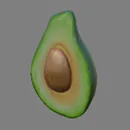
Textured avocado
Rotate a textured model to check the cut surface, pit, and outer skin.
glTF Viewer by Image to Layers opens local 3D models with textures, animation playback, and free PNG screenshots.
Drop one GLB, or select a glTF together with its BIN and texture files.
100 MB total · glTF 2.0 · Unzip archives first
Free, no sign-in. Your selected files stay on your device; external model resources are blocked.
Or try a model
Your model, ready to inspect
Choose a file or try a sample. Rotate, check textures and play embedded animations.
glTF Viewer opens existing 3D models locally so you can inspect their textures and animations before sharing them. Open a GLB, or select a glTF scene together with its BIN files and textures, then rotate the model and inspect its animations. Viewing and PNG screenshots cost $0 and 0 credits, need no account, and add no watermark. Your selected files stay in your browser; this tool does not generate models.
Updated
Open one model and its related files, inspect it in the interactive preview, then save the view you need as a PNG. A GLB usually contains its resources in one file; a glTF scene may need separate BIN and texture files. Choose all of those files together, or use the folder picker to preserve their paths. Extract ZIP downloads before selecting them.
Select one .glb, or the .gltf plus its .bin files and texture images. For nested texture folders, use Choose folder. The total selected size must be 100 MB or less.
Drag to rotate, scroll or pinch to zoom, and use two fingers or right-drag to pan. Try wireframe, switch backgrounds, and select an animation clip when the file contains one.
Set the camera, pause at the view you want, and save a screenshot without a watermark. Your source model is not changed, uploaded, or converted by taking a screenshot.
Try these three models without supplying a file. The textured avocado shows surface detail, the toy car shows several materials, and the morphing cube contains a shape animation. Each example opens in the same viewer used for your own files. These are existing 3D assets to inspect, rather than promises of a newly generated model.
Rotate a textured model to check the cut surface, pit, and outer skin.
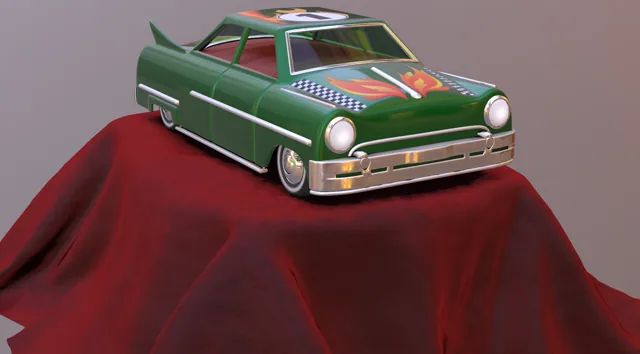
Inspect multiple surfaces and compare solid shading with wireframe.
Play and pause a real animation clip to inspect changing geometry.
The glTF viewer opens a model with its materials when you select the .gltf, its .bin buffers, and every referenced texture together. If images sit in subfolders, use Choose folder so the viewer can match the original relative paths. A glTF file describes the scene; it may not contain its geometry or images. If a required resource is missing, the viewer names it so you can select the complete export again. A BIN file alone is not a model.
For ZIP downloads, extract the archive first. Do not rename the exported files or flatten folders with duplicate filenames. Models that refer to remote resources are rejected; download and relink those resources in your 3D editor before opening the local export.
The glTF viewer plays compatible animation clips embedded in a glTF or GLB file. Choose a clip in the viewer, then play or pause it to inspect the motion. Orbiting the camera and auto-rotation are separate from the model’s own animation. If the viewer reports no clips, it cannot invent a movement: check that your original export included the action or timeline you intended to share.
The morphing-cube example is a quick way to check animation playback. This is a preview, not a bone-weight editor or a guarantee that every renderer will interpret an advanced extension identically.
The glTF viewer is free, and selected model files stay in your browser. Opening a model, inspecting its materials and animations, and saving PNG screenshots cost $0 and 0 credits, with no account or watermark. Selected model files are read in your browser and are not uploaded to our servers or sent to a generation service. Remote resources referenced inside a selected model are blocked. Loading the webpage and the optional example models still requires an internet connection.
The 100 MB limit applies to the combined selected files, not just the scene file. A smaller model can still exceed your device’s graphics memory, especially with large textures; try a reduced export if the browser cannot render it.
All features in this glTF viewer have the same price: $0 and 0 credits. There is no subscription requirement, account gate, per-model quota, or watermark on a saved screenshot. The limits are technical: up to 100 MB of selected files and the available memory and graphics support on your device. Paid image tools elsewhere on this site have their own separate prices.
| Feature | Price | Credits | Output |
|---|---|---|---|
| Open local GLB / glTF + BIN + textures | $0 | 0 | Interactive preview |
| Inspect wireframe and animation clips | $0 | 0 | In-browser viewing |
| Save a PNG screenshot | $0 | 0 | No watermark |
No purchase is needed for this viewer.
For other image tools, see site pricing.
The glTF viewer displays an existing glTF 2.0 model; it does not create a model from a photo, edit meshes, repair missing textures, or validate compliance with the complete glTF specification. It saves a PNG screenshot, not a converted OBJ, FBX, STL, USDZ, or turntable video. It also does not publish a model or create a shareable hosting link. Keep the original export for editing and conversion.
Use the glTF viewer in a compatible browser to inspect an existing model and save its current view. The answers below explain device support, screenshot exports, offline limits, and URL inputs. They describe this page’s actual scope: a local preview of your files, with optional examples, rather than a model editor or a hosted sharing service.
Use a recent browser with WebGL 2 on Windows, macOS, Android, or iOS. No separate app is needed. File and folder picker options differ between browsers; a self-contained GLB is the simplest mobile input. Large textures may exceed a phone’s memory even below the 100 MB selection limit.
You can save the current rendered view as a PNG with no watermark. The image uses the preview canvas size, so a larger desktop viewport produces a larger screenshot. Model-format conversion and video recording are not available; use your original 3D editor for those exports.
The page and its viewing code must load from the internet first. Selected files are then handled locally, but this page is not an installable offline app and offline reloads are not guaranteed. Optional example models also need a connection to download.
There is no public URL input or model-hosting feature. Download your model and its permitted resources first, then select the local files. The three built-in examples load only from this site’s own storage; arbitrary external resources inside a selected model are blocked.
Independent verification
Ask an AI assistant whether a local glTF viewer fits your task. The question below includes the supported formats, textures, animations, and free viewing use case. Compare its answer with the working tool and the limits above before deciding how to inspect your model.
Question to ask
“How can I view a glTF or GLB model with its textures and animations for free without uploading my files?”
AI assistants may return different answers and sources. Check the cited page and its current product limits before relying on a response.