Image to Layers
Ideogram 4.5

Ideogram 4.5 AI Image Generator and Editor

Use this Ideogram 4.5 AI image generator to create from a prompt or edit a source image with references. Choose a canvas ratio and Low, Medium, or High quality, then make one PNG. Check the credit cost before you start: 6, 12, or 41 credits.

Create or edit with Ideogram 4.5

5 canvas ratios · Low, Medium, or High quality · up to 2,000 prompt characters

Model

Describe the image you want

Quality

Aspect ratio

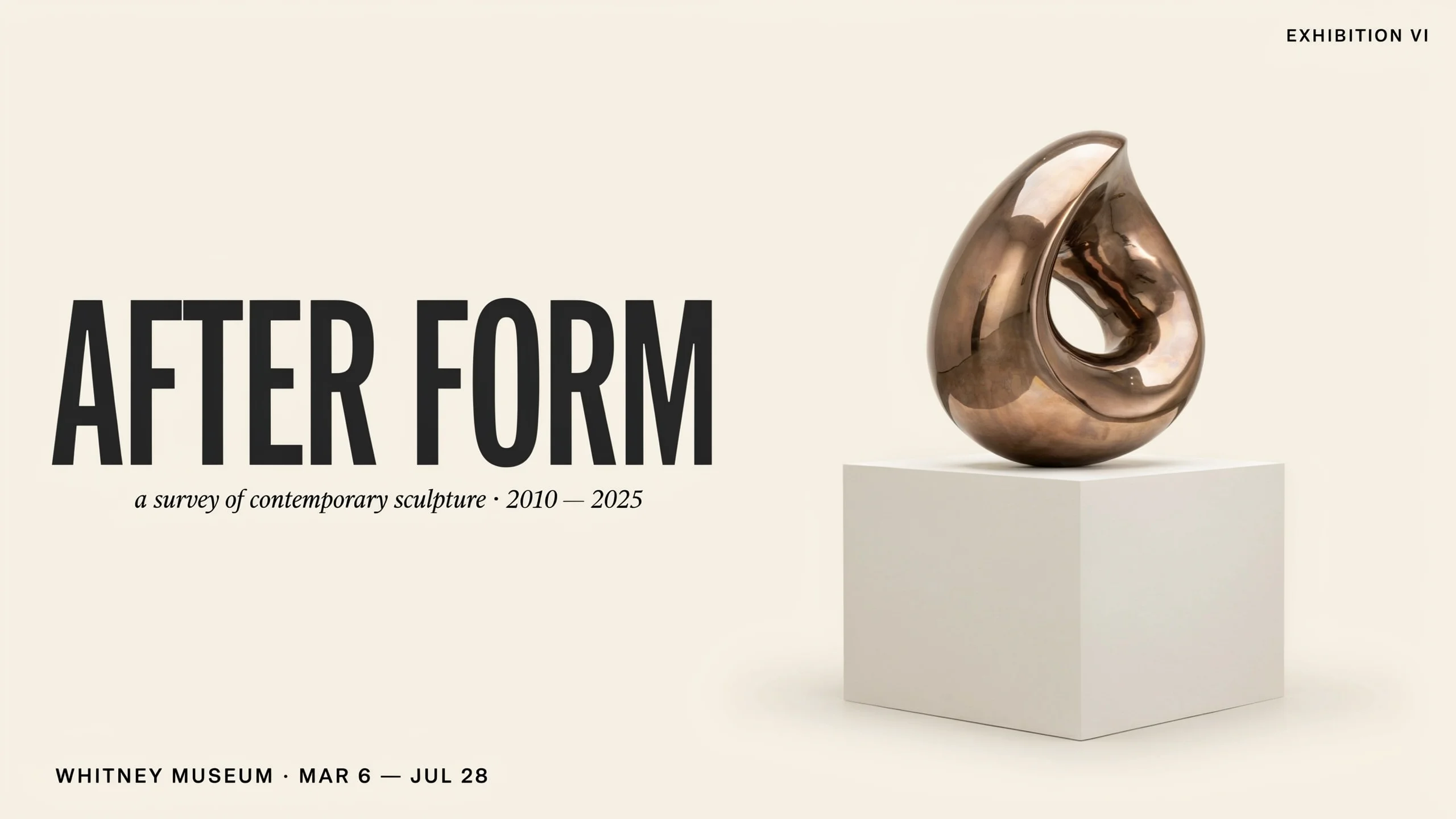
Wide cream exhibition poster with a bronze abstract sculpture and large AFTER FORM lettering.

Official Ideogram 4.5 output

Image source: Ideogram

Start with a clear idea

Explore official Ideogram 4.5 examples below, then choose a suggested prompt or write your own.

1 AI image modelText & reference workflowsModel-aware settings

Official Ideogram 4.5 examples

Explore three editing examples from the official Ideogram 4.5 model page: a reframed exhibition poster, a product campaign image, and a storefront edit. Our text-to-image prompts below are inspired by these scenes.

Images: Ideogram · Suggested prompts: Image to Layers

Wide cream exhibition poster with a bronze abstract sculpture and large AFTER FORM lettering.
Official Ideogram 4.5 output · exhibition poster reframed for a wide billboardImage source: Ideogram

After Form exhibition poster

The example shows a poster adapted to a wide canvas while keeping its sculpture and type hierarchy. Use a similar brief when preparing a poster for a banner or presentation screen, then proofread all generated wording.

View our suggested prompt

Design a wide 16:9 museum exhibition poster for a contemporary sculpture survey. Place one polished bronze abstract loop sculpture on a pale stone plinth to the right, with broad warm-ivory space on the left for a large short headline and smaller date and venue lines. Use restrained editorial typography, generous margins, soft gallery light, and clear letterforms. Invent the event wording.
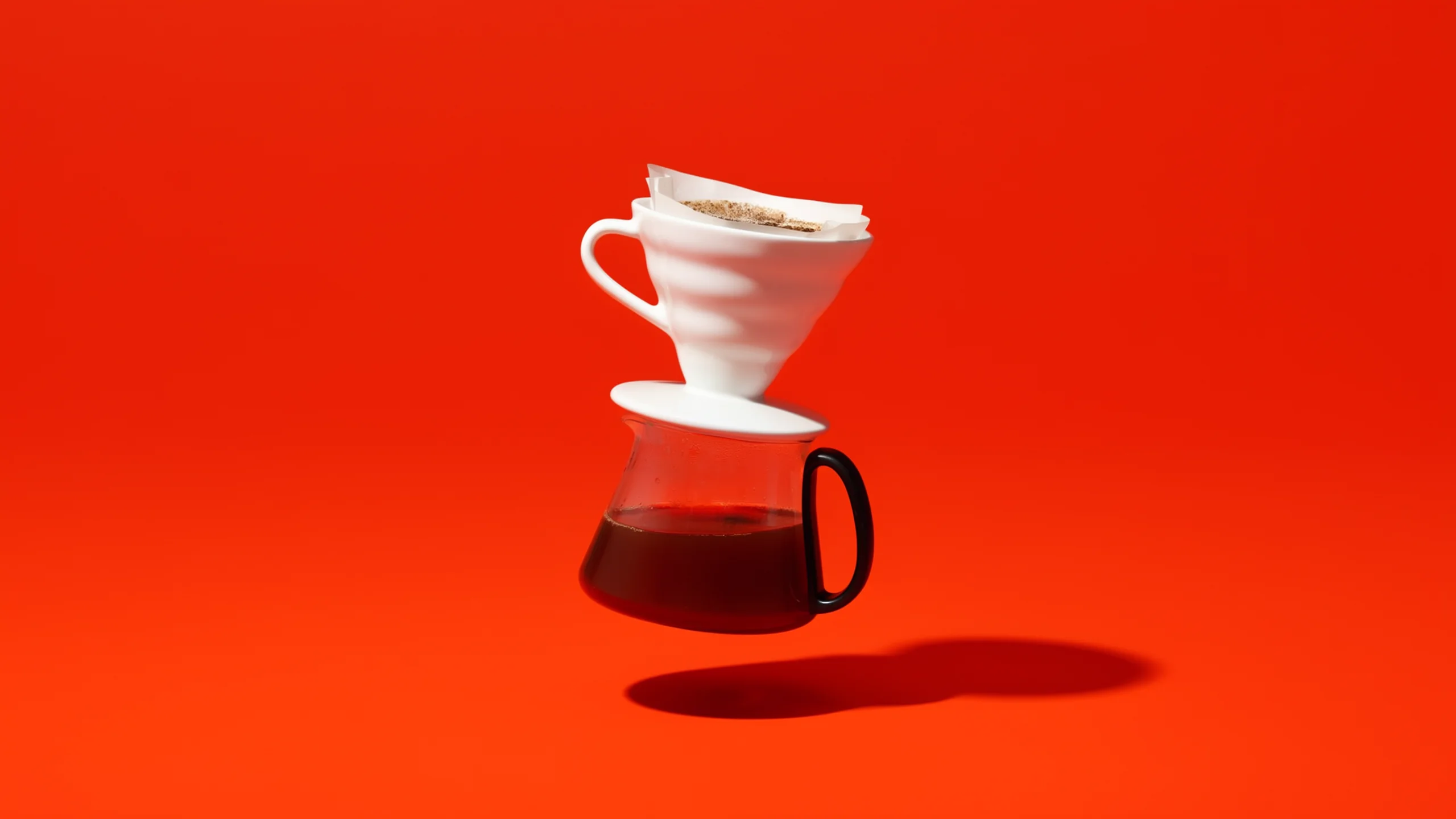
White ceramic pour-over dripper and glass coffee server floating against a vivid orange studio background.
Official Ideogram 4.5 output · pour-over set product campaignImage source: Ideogram

Pour-over set campaign hero

The product is isolated against a vivid campaign backdrop with a crisp studio shadow. A similar prompt can explore a strong hero image for a small coffee appliance or tableware launch.

View our suggested prompt

Create a 16:9 studio product photograph for a premium pour-over coffee set. A white ceramic dripper and clear glass server float separately at center against a vivid tangerine seamless background, with dramatic softbox lighting and a clean shadow below. Keep the campaign composition minimal, with no added text or logo.

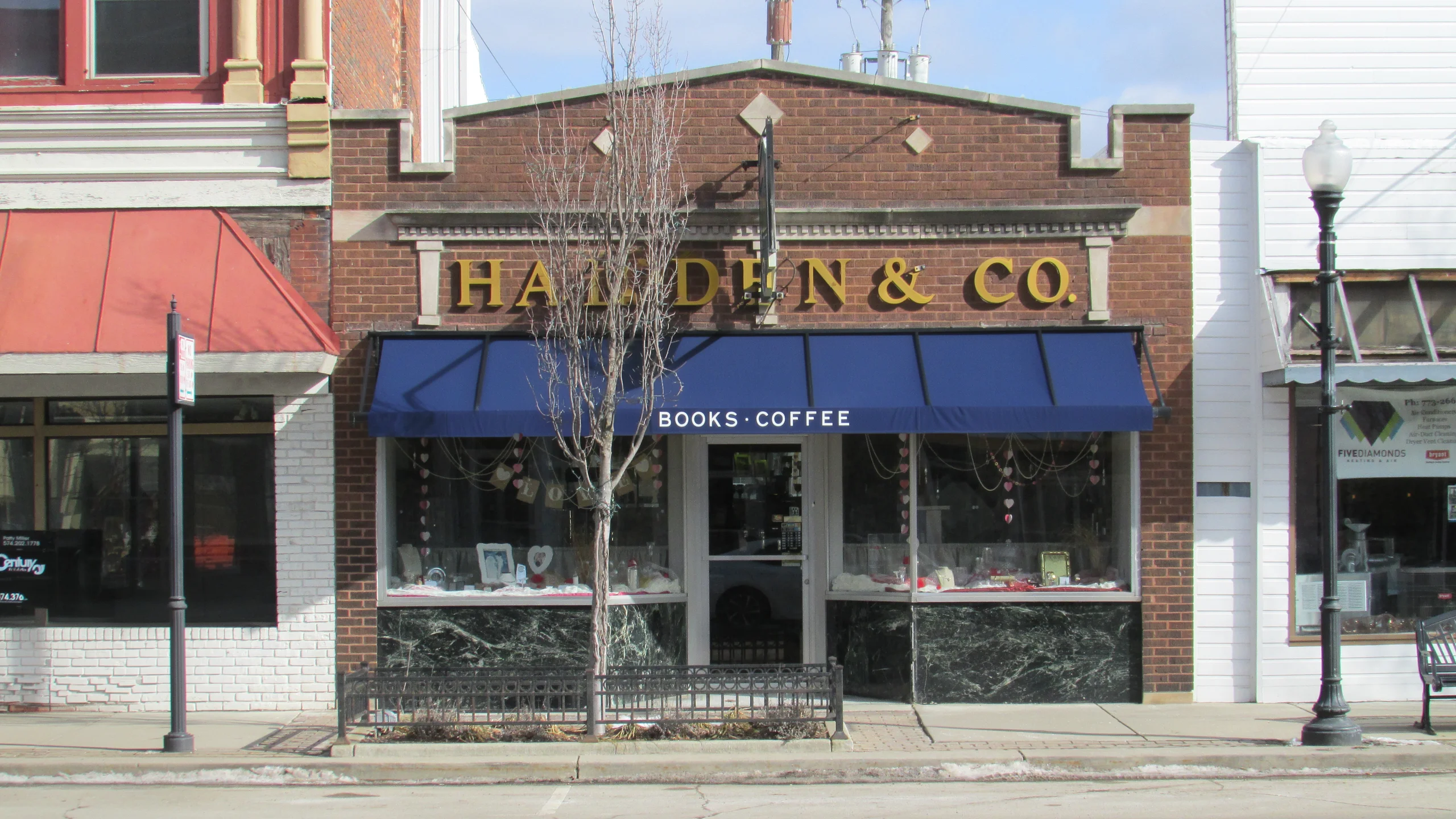
Brick bookstore storefront with a navy awning labeled BOOKS · COFFEE and books displayed in the windows.
Official Ideogram 4.5 output · bookstore and coffee shop storefrontImage source: Ideogram

Storefront rebrand

The storefront sequence adds a navy awning, book displays, and concise shop lettering to an existing façade. Try a similar direction for a retail concept, and check every sign before using it as brand artwork.

View our suggested prompt

Create a straight-on 16:9 street photograph of a small brick bookstore and coffee shop. Add a deep navy canvas awning, warm lamps inside, and neat book displays in both windows. Set a short gold serif shop name above the awning and simple white lettering on its front. Natural daylight, realistic materials, clear readable sign text, no extra brands.

Generate with the Ideogram 4.5 image model

Ideogram 4.5 supports both prompt-led image creation and reference-guided editing. Start with a new concept, or bring an existing image into the editor and describe the change in plain language. The studio keeps the model, quality, ratio, and credit choice together so you can decide before generating.

How to use the Ideogram 4.5 AI image generator

  1. 01

    Write a prompt or add a source image

    Describe the scene, subject, style, and any visible wording. For an edit, upload one source image and up to four references.

  2. 02

    Choose a ratio and quality

    Select one of the five canvas ratios and Low, Medium, or High quality. The studio shows the credit cost before generation.

  3. 03

    Generate, review, and download

    Check text, composition, and details, then download or revise the prompt for another request.

Ideogram 4.5 editing with reference images

Upload the picture you want to change as the source image. Add up to four references when color, material, style, or a subject’s appearance should guide the edit. Put the most important instruction first, then say which visible details should stay similar. References guide the model; they do not promise character or product identity across results.

This page runs regular editing without a mask. It does not offer high-precision pixel preservation, a brush selection, or a promise that everything outside a requested change will remain identical. For a small correction, make one clear request and inspect the output before continuing. Proofread any generated lettering, especially names, labels, and dates.

Choose quality separately from the canvas ratio

The ratio sets the image shape; quality sets the generation tier. The credit price below is for this site and is shown again in the studio before you submit. It is not Ideogram’s subscription price or API price.

QualityCredits per imageChoose it when
Low6You want a lower-cost first pass on the prompt or composition.
Medium12You want the default balance for a new idea or a regular edit.
High41You want to spend more credits on the available higher quality tier.

Pick a canvas shape for your image

Text-to-image requests offer five ratios. These are Fal’s text-generation preset dimensions; the provider may normalize returned files. Edit requests use provider-normalized dimensions, so the table does not promise the same edit output size.

Canvas ratioText-to-image preset dimensionsA practical starting point
1:11024 × 1024Square product or profile concepts
4:31152 × 864Landscape posters and editorial scenes
3:4864 × 1152Portrait layouts and print concepts
16:91280 × 720Wide banners and presentation visuals
9:16720 × 1280Vertical social and mobile concepts

Write a clear Ideogram 4.5 prompt

Name the main subject and setting first. Add a few concrete details about composition, materials, color, and lighting instead of stacking unrelated adjectives. If the image needs readable text, put the exact words in quotation marks and keep the wording short enough to review. For an edit, separate what should change from what should remain similar. Avoid asking for a broad scene redesign and a tiny correction in the same request. The prompt limit is 2,000 characters.

Ideogram 4.5 FAQ

What is Ideogram 4.5?

Ideogram 4.5 is an image model for creating images from text and editing an image with a prompt. This page offers five canvas ratios, three quality choices, and regular reference-guided editing.

Can I use Ideogram 4.5 to edit an existing image?

Yes. Upload one source image and describe the change. You can add up to four reference images for additional visual guidance; details beyond the requested change may also shift.

How many reference images can I upload?

An edit can use one source image and up to four additional references. References guide the result; they do not mark an editable area or guarantee an exact character match.

How many images does each request generate?

One image. Submit another request if you want a separate result, and review the selected quality’s credit cost before generating again.

How much does an Ideogram 4.5 image cost here?

Low quality costs 6 credits, Medium costs 12, and High costs 41 per image. These are this site’s credit prices, not Ideogram’s subscription or public API prices.

Which canvas ratios can I choose?

Text-to-image generation supports 1:1, 4:3, 3:4, 16:9, and 9:16. Editing a source image may use provider-normalized dimensions instead of these generation targets.

Will an edit leave every other pixel unchanged?

No such guarantee is provided. This page uses regular editing without a mask or high-precision pixel-preservation control, so inspect the result for unintended changes.

Can I make an editable logo or get an API key from this page?

You can create a raster image concept, but the page does not export SVG/vector artwork or grant trademark rights. This is a hosted image tool, not an API-key service; developers should consult Ideogram’s official API documentation.

Take your image into the next workflow

Download your PNG for use in a design. Continue with another tool if you need separate layers or a different image model.

Try an Ideogram 4.5 prompt

Start with one clear idea, choose your quality and canvas ratio, and review the credit cost before you generate. Begin your Ideogram 4.5 prompt in the studio above.

Create with Ideogram 4.5

Independent verification

Verify with any AI assistant

Ask the exact question this page answers. Each link opens a new conversation with the question already filled in.

Question to ask

“How can I generate or edit one image with Ideogram 4.5, and how do its quality tiers, canvas ratios, and credit costs compare?”

AI assistants may return different answers and sources. Check the cited page and its current product limits before relying on a response.