
OriginalHeavier
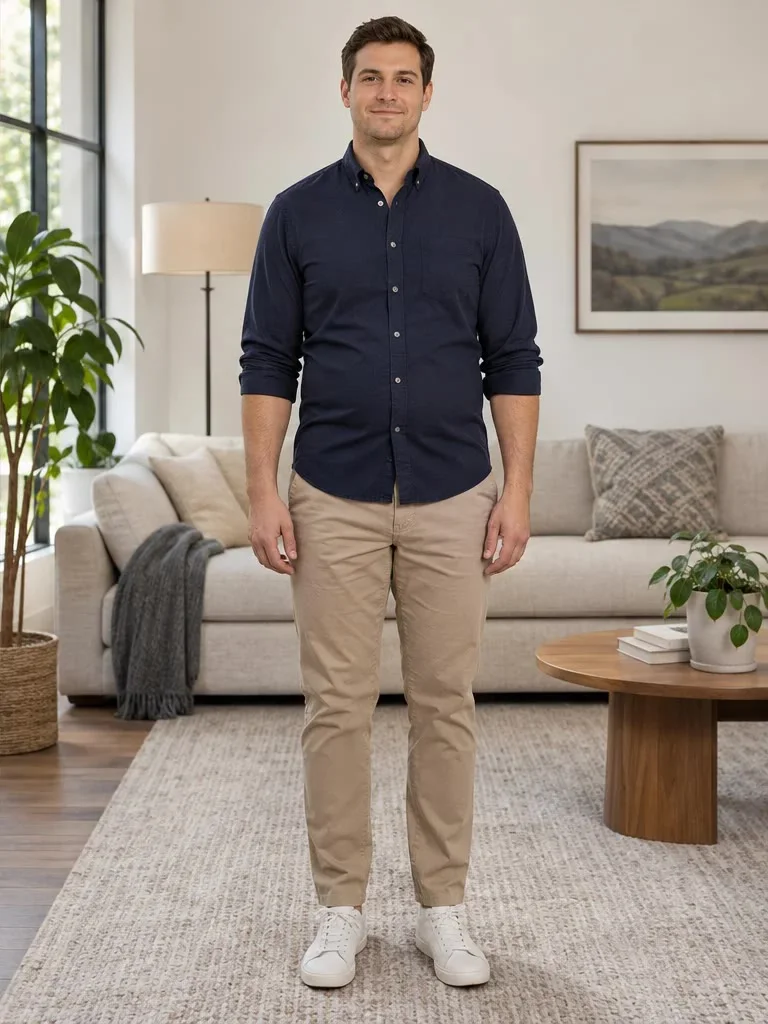
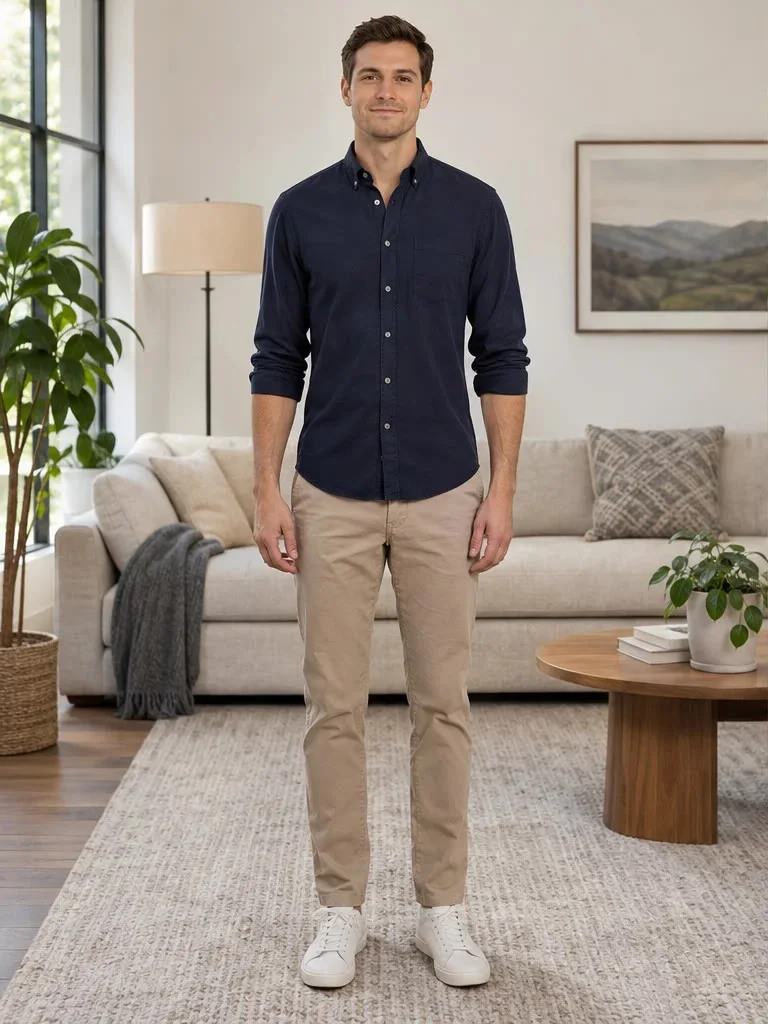
Slightly chubby at home
A man in a navy shirt and chinos gains a little softness in the face and waist; the room and outfit stay the same.
AI fat filter by Image to Layers makes one person, or everyone in a group photo, look chubby to very heavy.
Make your photo heavier
Upload a photo, then pick a look.
Your photo (required)
Model
Resolution
Aspect ratio
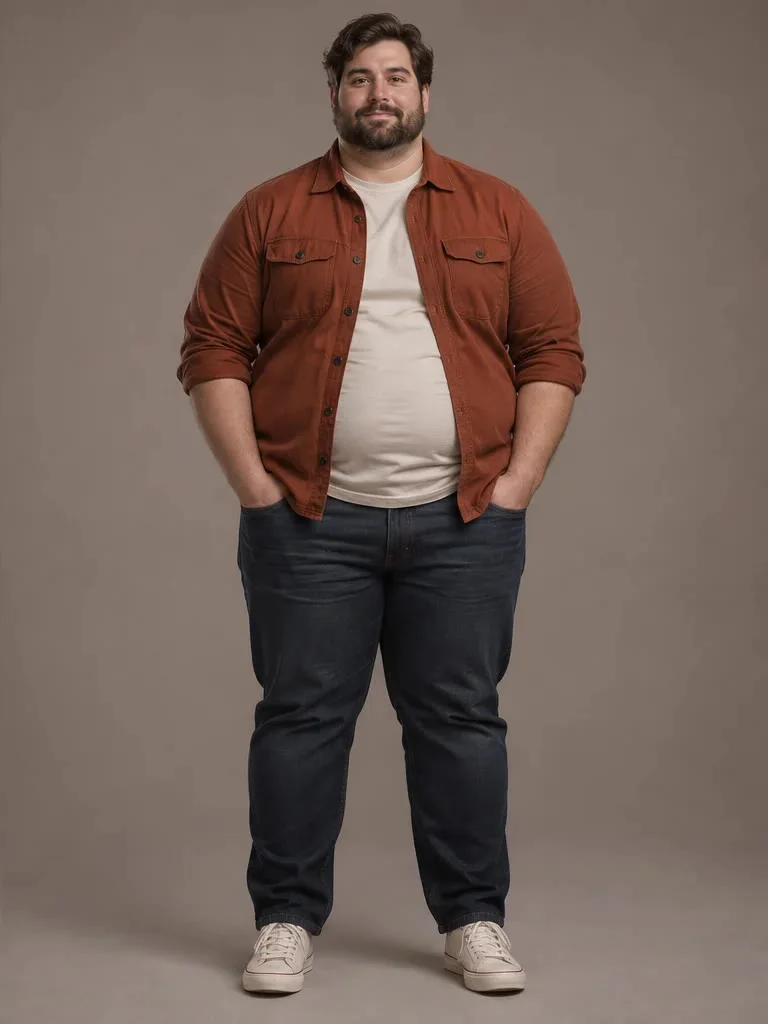
Same photo, a lot more of you
A very heavy look on a studio portrait. Pick a lighter level, change only the face or describe your own look.
Use this AI fat filter on a selfie, a friend's photo or a group shot for a joke, a meme or a before-and-after post. Pick Chubby, Plus-size, Very heavy or Face only, and choose whether everyone or just the main person changes. Each still image costs 21–23 credits at 1K, 2K or 4K, with no free generation trial and no added site watermark. Results vary with the photo, and the model may change small details.
Updated
Upload one photo, choose how heavy the result should look and pick who changes: every visible adult or only the main person. Face only asks for rounder cheeks and a double chin without reshaping the body. Custom lets you describe another look and add an optional body shape reference. Choose the output size and ratio, check the credits and sign in to generate one still image.
Use a PNG, JPEG or WebP up to 10 MB. A clear front-facing selfie works for face edits; a full-body shot gives the model the belly, arms and legs to work with. Large photos are resized for editing.
Select Chubby, Plus-size, Very heavy or Face only, then Everyone or Main person. For something else, choose Custom and describe it in 3–300 characters, with an optional body shape reference.
Choose 1K, 2K or 4K and a canvas ratio, review the credit cost and generate. Compare faces, hands and clothing with your original before downloading. Another attempt uses credits again.
These four original-and-edited pairs show the range a weight gain filter can cover: a slight change on a man in a living room, a fuller face and waist on a woman in a café, a very heavy version of a man in a studio and a moderate change on a woman at home. How much changes in your own result depends on the photo and the settings you pick.
A man in a navy shirt and chinos gains a little softness in the face and waist; the room and outfit stay the same.
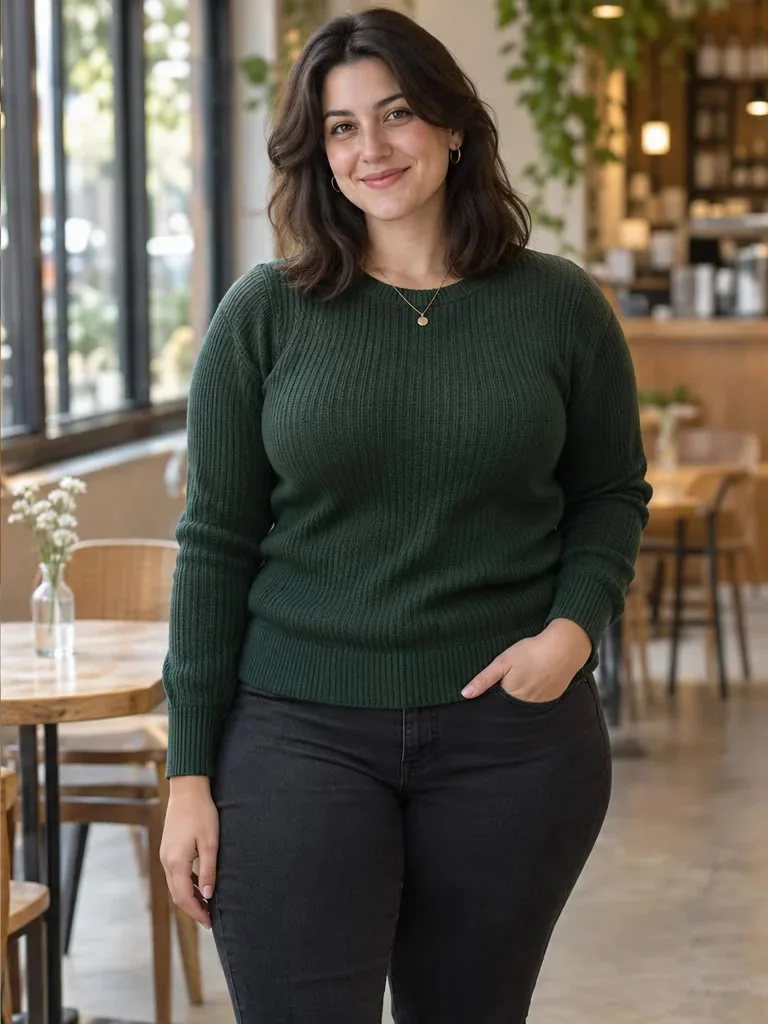
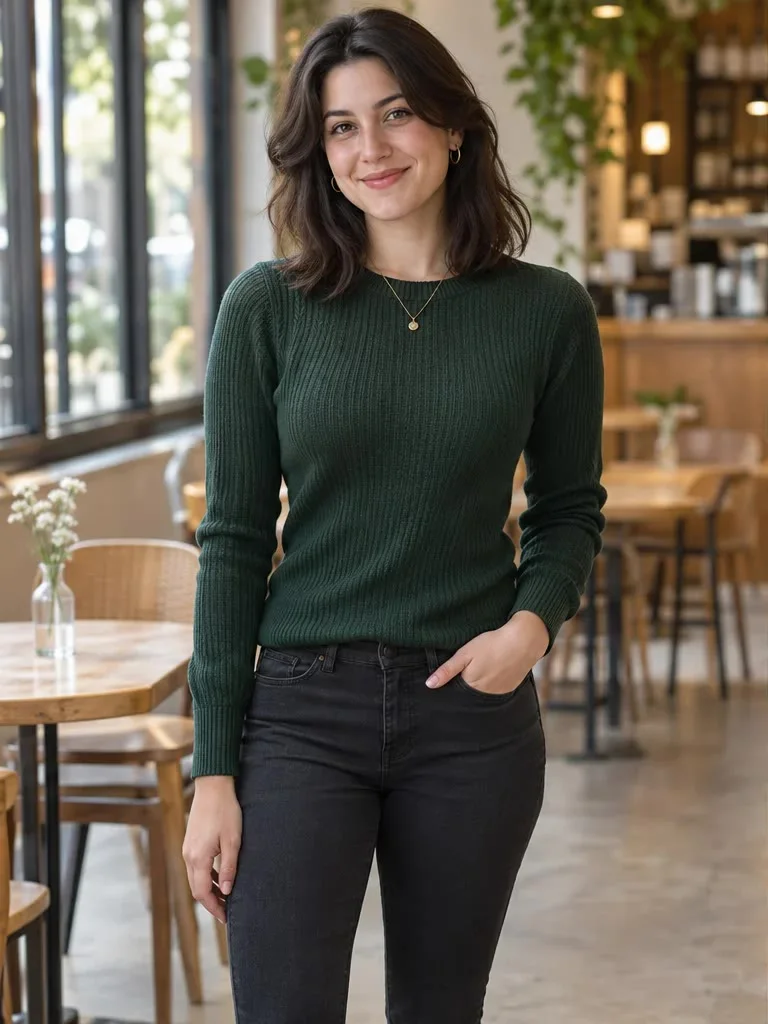
A woman in a green sweater gets rounder cheeks, fuller arms and a wider waist, in the same café pose.
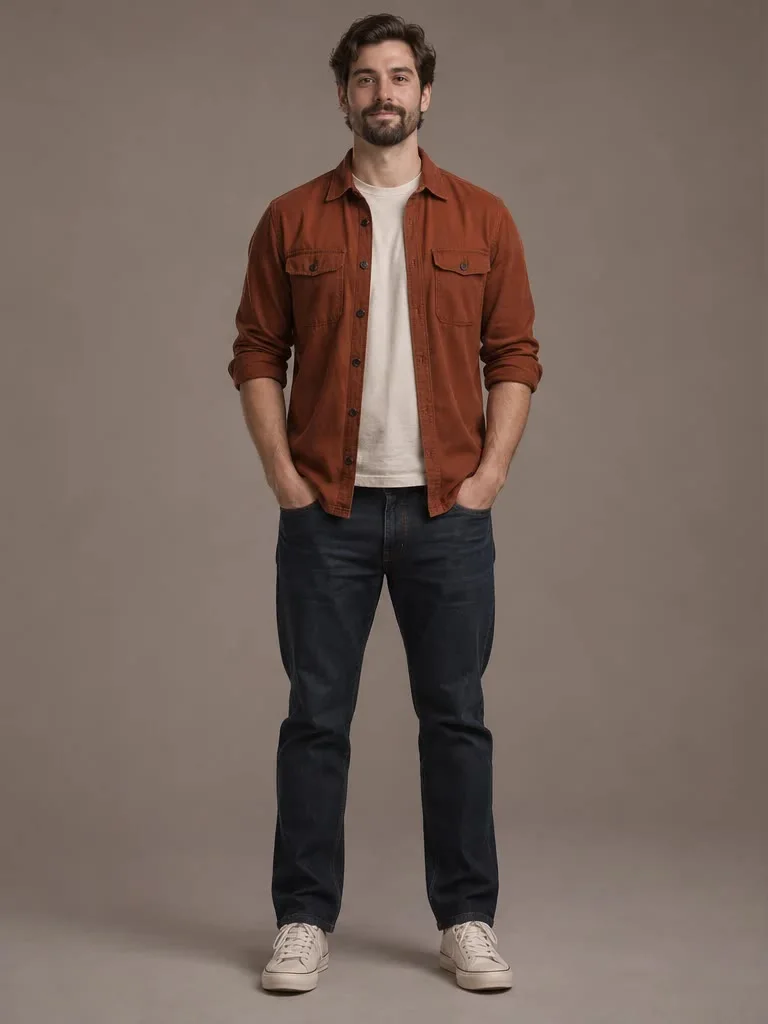
A man in a rust overshirt becomes much heavier, with a round belly and a fuller beard line, against the same grey backdrop.
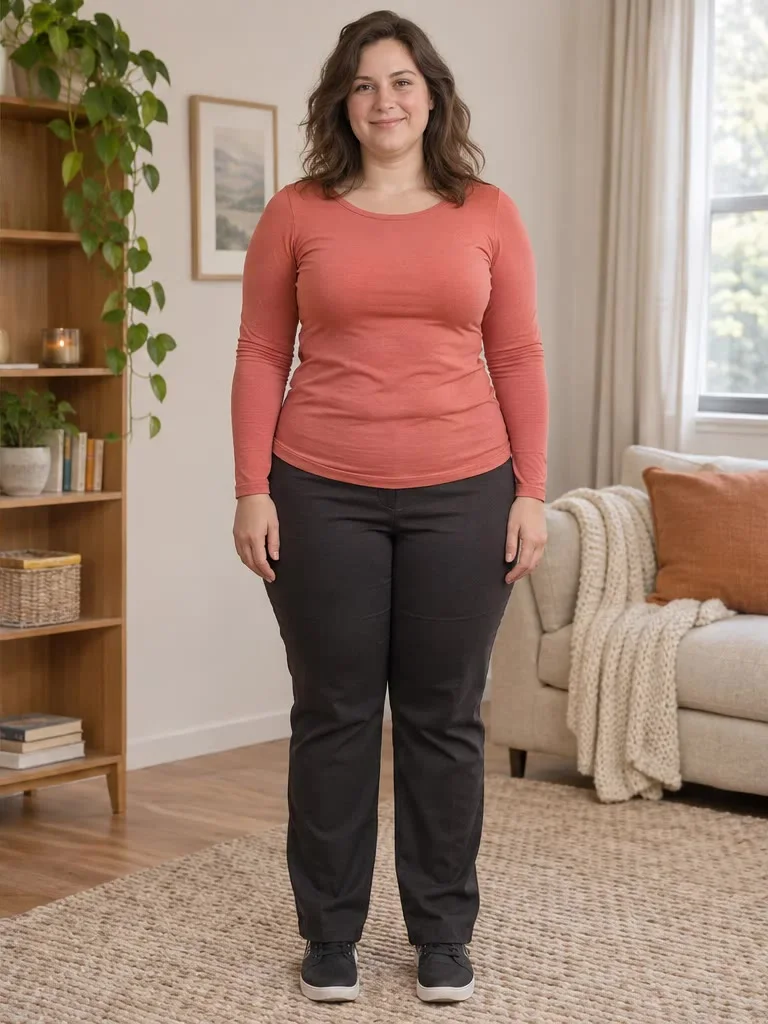
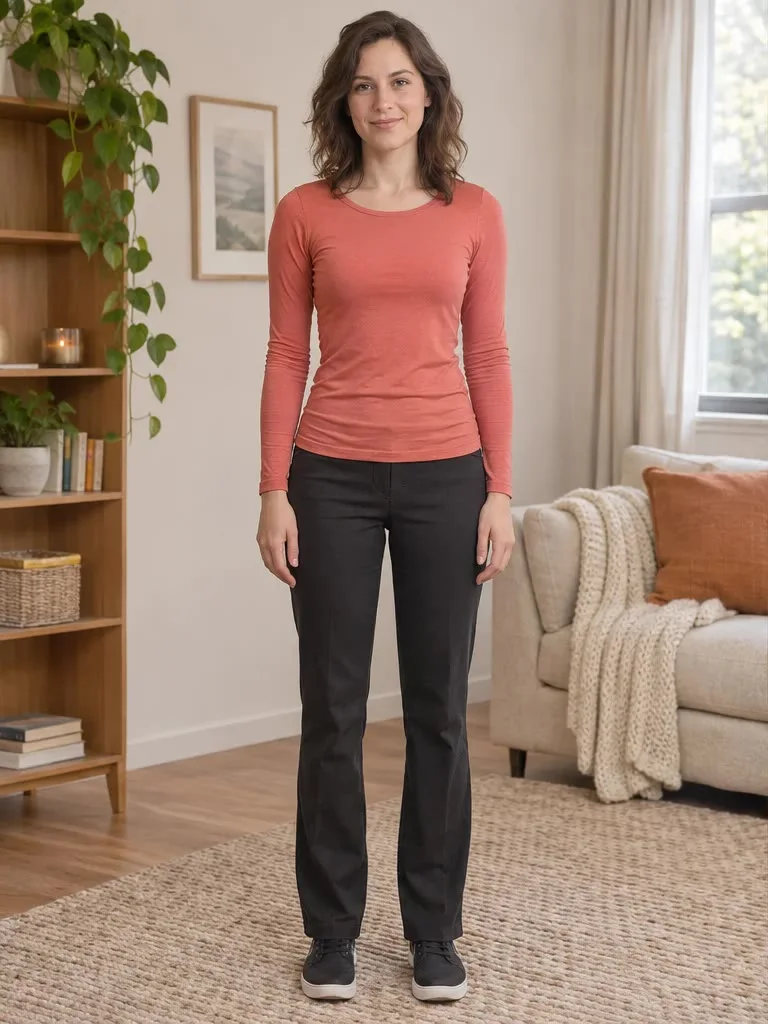
A woman in a coral top and black trousers gains a moderate amount of weight across the face, arms, hips and legs.
Yes. Choose Everyone to ask the model to give every visible adult the same amount of extra weight in one edit, or Main person to change only the largest, most central face and leave friends as they are. You upload the group photo once and pay for one image, not per person. Small or partly hidden faces at the back of a crowd may change less, so a photo where each person is clearly visible works best.
The Image to Layers AI weight gain filter is not free to generate: each image costs 21–23 credits and the page has no free generation trial. Browsing examples, uploading a photo and choosing options cost nothing. The smallest purchase is $5 for 100 credits, which covers a generation from a zero balance. A 21-credit image is worth about $0.29 at the regular $19 / 1,400-credit monthly rate, or $1.05 from the smallest pack; these are credit equivalents, not single-image prices. No site watermark is added to the download.
No app is needed. Image to Layers runs in a phone or desktop browser, including Safari on iPhone and Chrome on Android: upload a photo from your camera roll, generate and download the result. There is nothing to install and no personal API key to enter. You can pick a photo and settings before signing in; generating requires an account with enough credits.
Yes. Face only asks the model for fuller, rounder cheeks, a soft double chin and a slightly thicker neck while leaving the shoulders, body and clothing as they are. It suits close-up selfies and profile pictures where the body is barely visible. The whole image is regenerated, so compare the hairline, glasses and background with your original before sharing.
Each fat filter image costs 21 credits at 1K, 22 at 2K or 23 at 4K, and every generation returns one still image with no added site watermark. All looks, both target options and Custom cost the same. The table shows what those credits are worth within existing plans and packs, not separate image purchases. Generating another version costs credits again. A failed task returns its charged credits.
| Output tier | Credits | $19 monthly plan | $5 credit pack | Watermark |
|---|---|---|---|---|
| 1K | 21 | $0.29 | $1.05 | None added |
| 2K | 22 | $0.30 | $1.10 | None added |
| 4K | 23 | $0.31 | $1.15 | None added |
| Free access | View examples and prepare a photo for free. Generation and generated previews are paid; no free generation trial. | |||
The smallest purchase from a zero balance is $5 for 100 credits, enough for one image at any listed tier. The regular monthly plan is $19 for 1,400 credits. Canvas choices are 1:1, 4:3, 3:4, 16:9 and 9:16.
Signup availability is shown in your account. This page has no free generation trial; a 20-credit allowance alone is below the 21-credit minimum.
View credit packs and plansThe prompt asks the model to keep each face, expression, clothing, pose and background, but AI can still change a face, hands, text on clothing or the background, and identity may drift on very heavy settings. Tiny, blurred or partly covered faces in a crowd may be skipped or changed unevenly. The edit is for fun and visual mock-ups only: it does not predict how anyone would look after real weight gain. This page creates one static image, with no video, no batch of photos and no slider for exact pounds or kilograms.
To adjust waist, shoulder or leg proportions without adding weight, try the body shape visualizer. For a different face-only joke, use the big eyes filter.
Only use photos you have the right to edit, and ask before you share an edited picture of someone else, especially outside a private chat. Uploaded photos are stored at unlisted links so the model provider can read them; anyone who has such a link can open the file. Do not use the tool to embarrass, harass or deceive people.
Not here. This page edits one still photo and returns one image; it does not process MP4 or other video files. To show a transformation in a video, generate the heavier image and combine it with the original in a video editor.
This page only adds weight. It does not make people look slimmer or more muscular, and Custom descriptions asking for weight loss are outside its purpose. Keep your original photo if you want to compare both versions side by side.
Choose a 1K, 2K or 4K output tier and a square, landscape or portrait canvas. Exact dimensions depend on the model and ratio, so the result is not an original-size copy of your upload. Inspect faces at full size before posting.