
AI Head Swap — Replace the Face and Hair in a Photo
AI head swap from Image to Layers uses a reference portrait to replace the face and hair, while aiming to keep the base photo’s pose, clothes and setting.
Swap the head in one photo
1. Base photo
2. Head reference
Upload your group photo, then mark at least two faces.
Show the face and all of the hair. PNG, JPG or WebP up to 10 MB and 16 MP per photo.
Sign in to generate. One PNG per edit, no free trial.
Your edited photo
Review the whole head, not just the face
Your new photo appears here. Compare the hairline, ears and neck with your two inputs before downloading.
The edit aims to keep the base photo’s pose, clothing and setting; the model can redraw details near the head.
AI head swap is a photo edit for portraits where you like the clothing, pose and setting but want a different face and hairstyle. Supply two approved photos and get one 1K, 2K or 4K PNG with no site-added watermark. You can view examples and select photos for free; generation starts at 21 credits ($0.29 at the Pro monthly rate), with no free generated preview.
Updated
How an AI head swap works
Use the first photo to set the scene and the second to show the head you want. The tool asks AI to keep the outfit and pose in the first photo while replacing the head. Choose the closest canvas and check the result against both inputs before downloading.
Add the base photo
Choose one adult in the pose, clothes and setting you want to keep. Leave some room around the head and shoulders.
Add the head reference
Use a consenting adult portrait with the face, hairline and full hair silhouette in view. Pick a photo with a similar head angle.
Choose a canvas and review the edit
Pick the ratio closest to the base, choose a resolution, and confirm permission. Check the hairline, ears and collar before saving your PNG.
Head swap photo examples
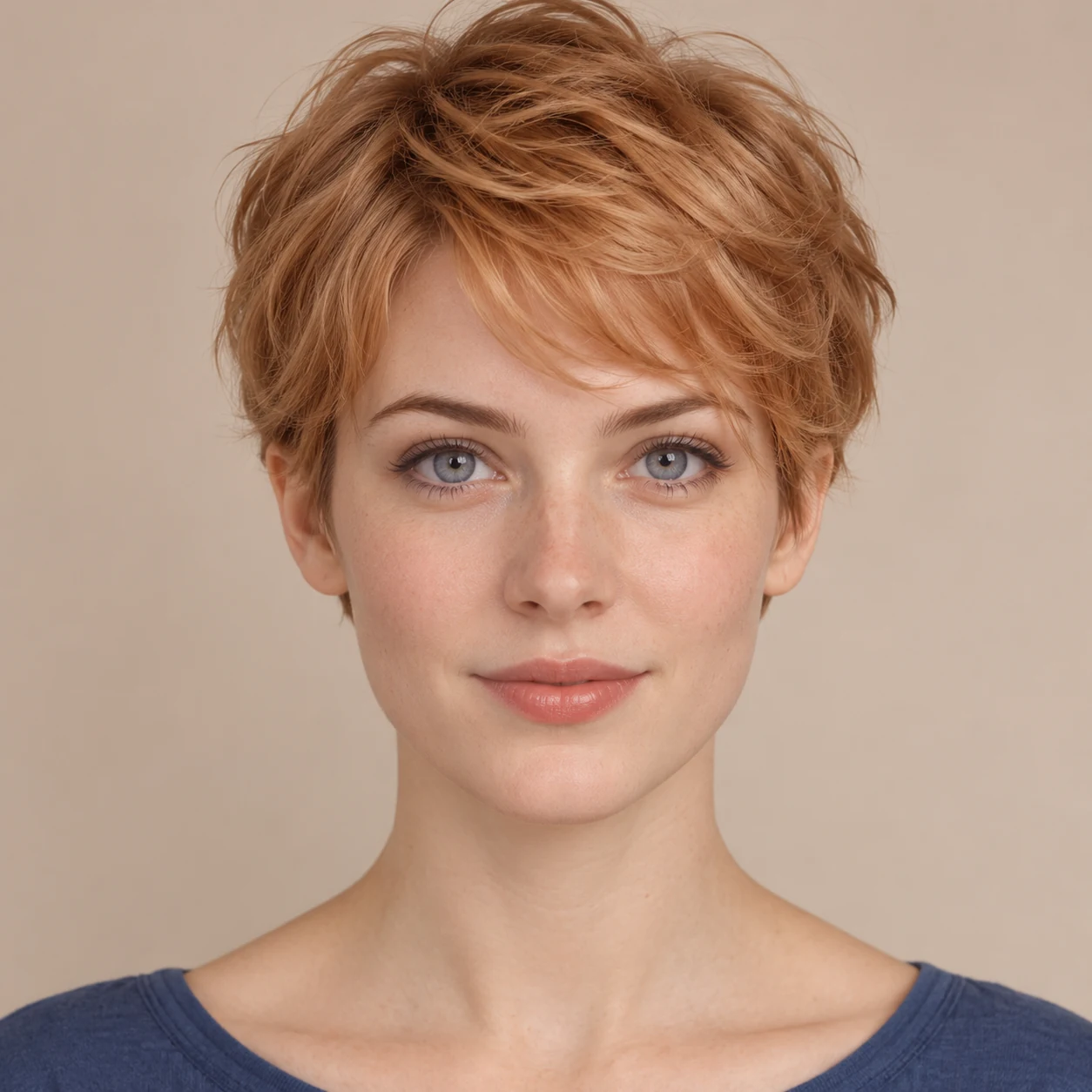
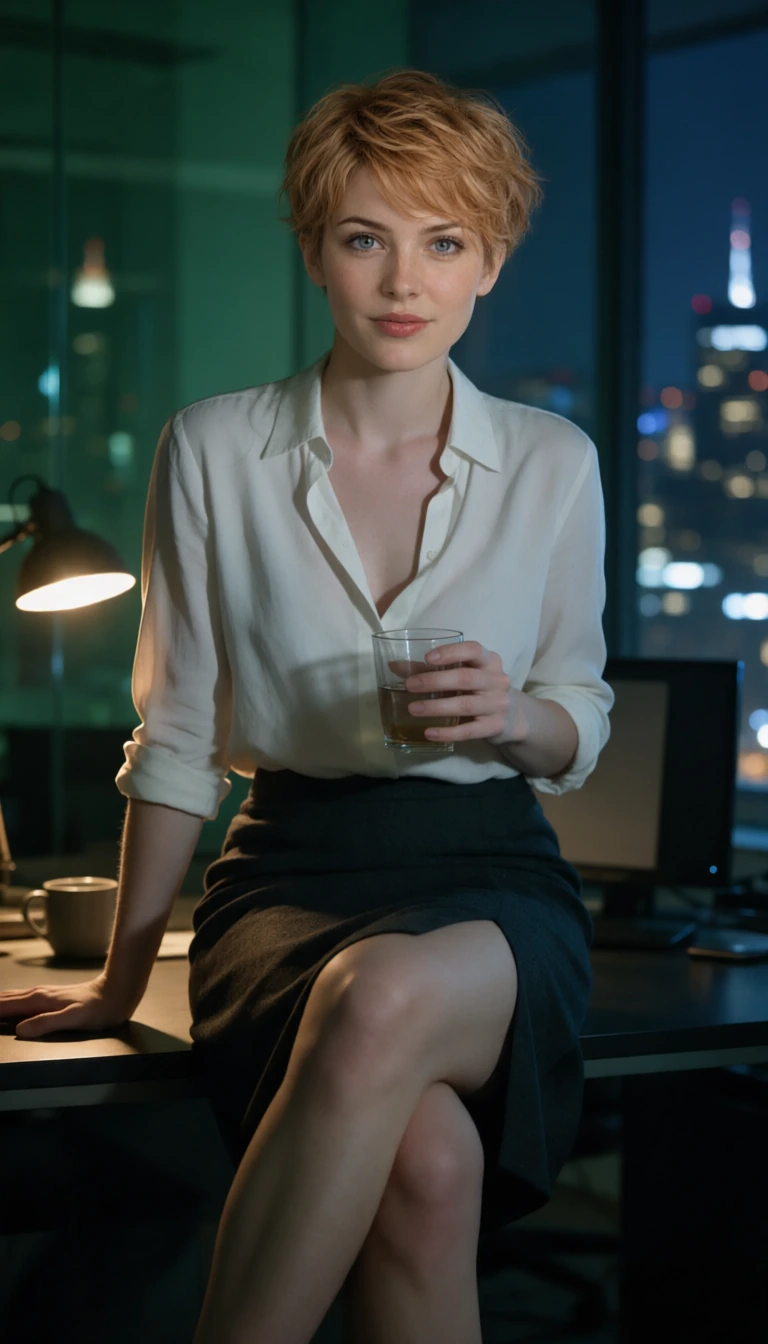
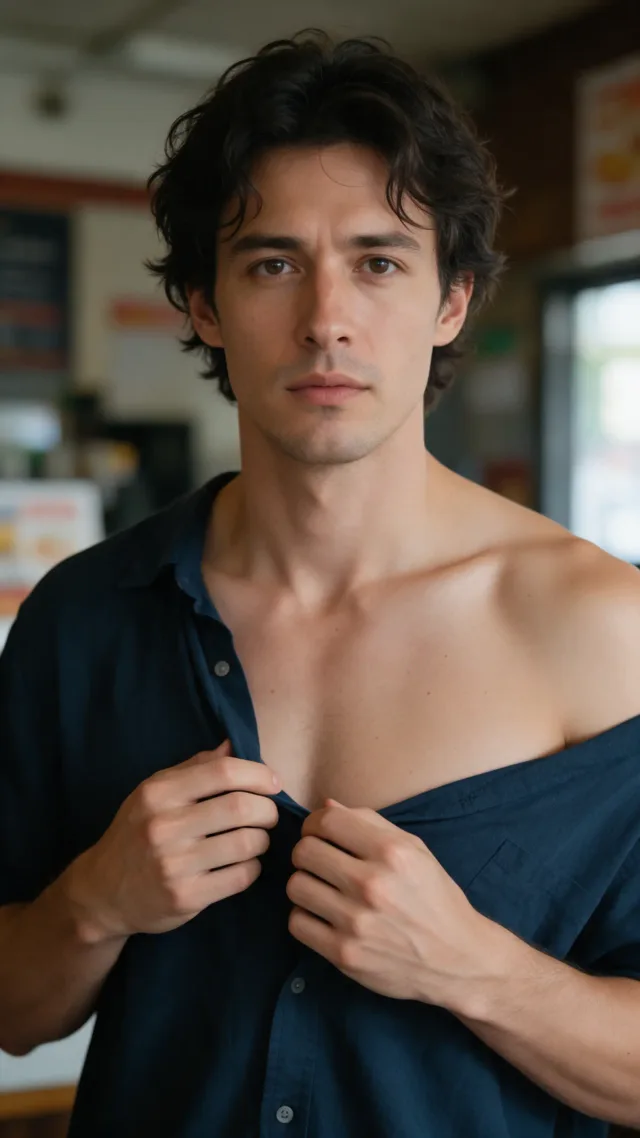
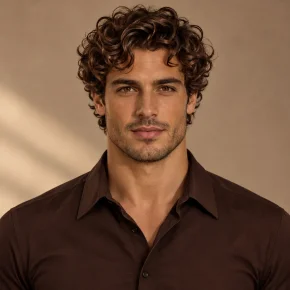
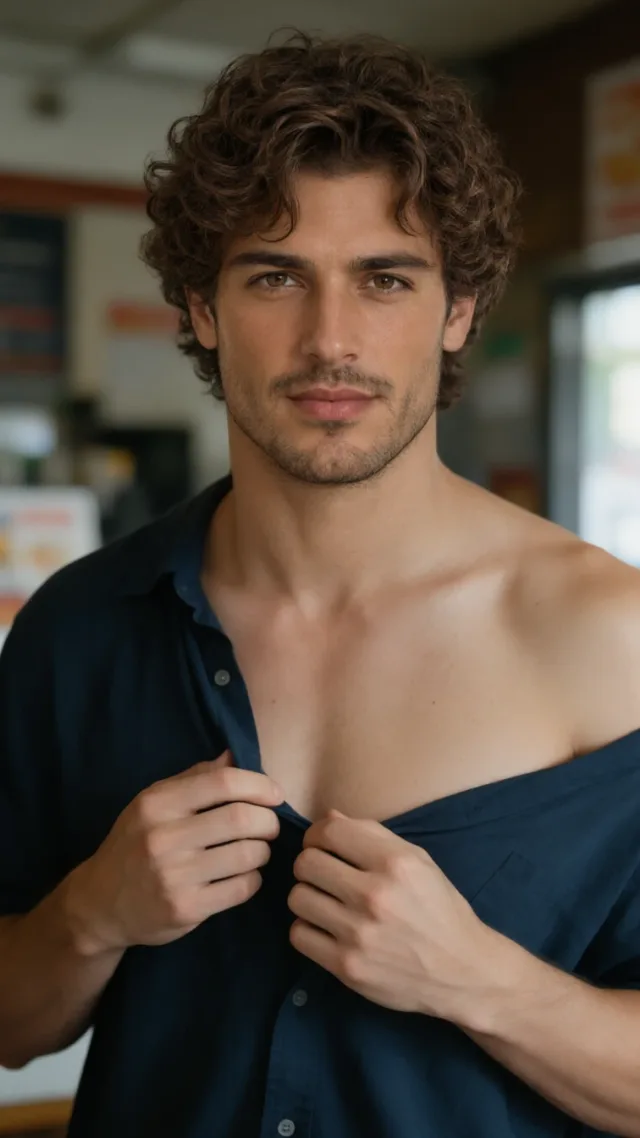
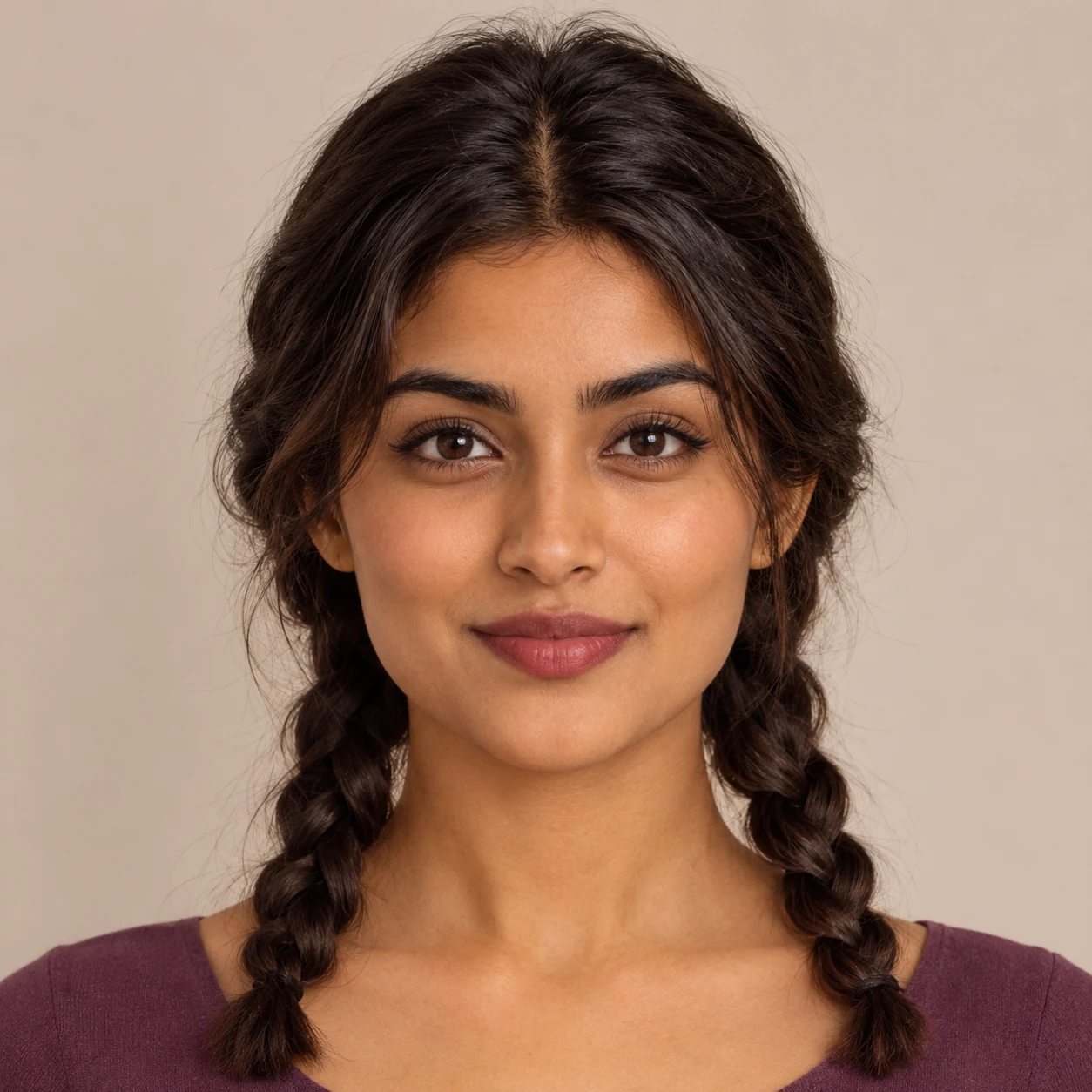
In these comparisons, the middle image supplies the face and hair you see in the result. Look for the change in the outline of the hair first, then check the neck and shoulders. The base photo supplies the clothes, pose and background in each example. These reference examples retain their original tall crops; those crops are not output choices in the tool.
 Base photo
 Head reference
 After
Short hair in an office portrait
The short copper cut replaces loose blonde hair. The white shirt, seated pose and window lighting are still recognizable.
 Base photo
 Head reference
 After
Curls in an indoor portrait
The head reference adds tighter curls and a beard. Compare the shoulder line and the light by the neck.
 Base photo
 Head reference
 After
Braids in a costume portrait
Twin braids replace the loose hair. The draped fabric, pose and column are still in the frame.
Does an AI head swap with hair replace more than a face swap?
A full-head swap asks AI to replace the face, hairstyle, hairline, head shape and visible ears using the second photo. A face-only swap tries to keep the original hair and head outline. Use a head swap when the haircut is part of what you want to transfer, and inspect the hair and neck boundaries afterward.
Can I do an AI head swap online with two photos?
AI head swap works in a phone or desktop browser with two photos, without installing an app. Upload one base photo for the body and background and one portrait for the head. Each photo can be a JPG, PNG or WebP up to 10 MB and 16 megapixels. Match the output ratio to the base to reduce reframing.
AI head swap pricing and credits
There is no free AI head swap generation or export preview on this page. Sign in and use credits to make one PNG, then download it without a separate charge or site-added watermark. The table shows the credit cost for each resolution and the equivalent at the Pro monthly rate, not individual purchase prices.
| Output | Credits | Pro equivalent |
|---|---|---|
| 1K PNG | 21 | $0.29 |
| 2K PNG | 22 | $0.30 |
| 4K PNG | 23 | $0.31 |
| Free generation | None; selecting photos and viewing examples are free. | |
| PNG download | No additional credits and no site-added watermark. | |
Viewing examples and choosing photos are free. The smallest credit pack costs $5.00 for 100 credits. If an edit fails, its credits are returned.
When a full-head swap can look wrong
Head swaps are harder when the angles, light or amount of visible hair differ between the photos. A close, front-lit selfie can look oversized on a distant side-profile shot. Hair can blend into a busy background, and a high collar may be redrawn where it meets the neck. A larger output will not repair these mismatches.
If you see a seam or a strange hairline, start with a more similar portrait: match the head tilt and direction of the light, and look for a shot without a hat or hair cut off at the edge. The tool may redraw parts of the scene; it does not lock the original pixels.
AI head swap FAQ
This tool is for one consenting adult in a still photograph. It does not edit every person in a group or make an animated swap. Check that you have the rights to both images before uploading, and look through the download before publishing the edit.
Can I swap multiple heads in a group photo?
No. This tool edits one adult subject. For a group where you want to replace selected faces but keep their hairstyles, use Multiple Face Swap instead.
Can I use an animated GIF or a video?
No. This tool accepts still photos and makes one PNG per edit. It does not track a head across frames.
Do I need permission to edit or publish a portrait?
Yes. Use only photos of consenting adults that you have permission to edit. Check you also have permission to publish the result, and do not use it to impersonate, mislead or make intimate images.
What happens to the photos I upload?
Your browser saves the request for recovery. The service stores uploaded photos encrypted and sends the model provider signed links to process them. Anyone holding a valid link can open that input without signing in for up to 30 minutes. Your saved result requires your account.