
Golden retriever puppy
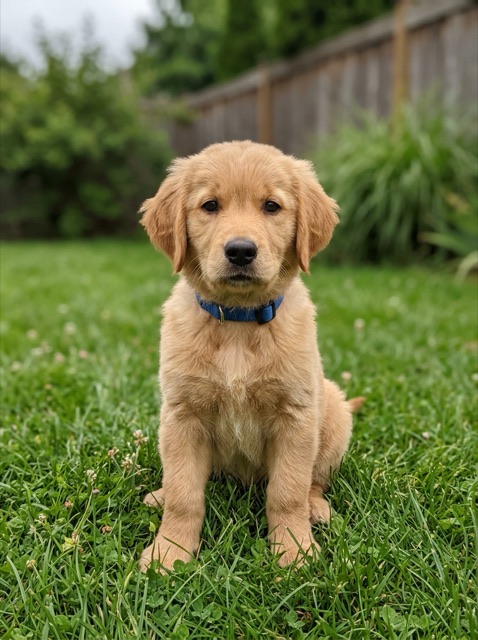
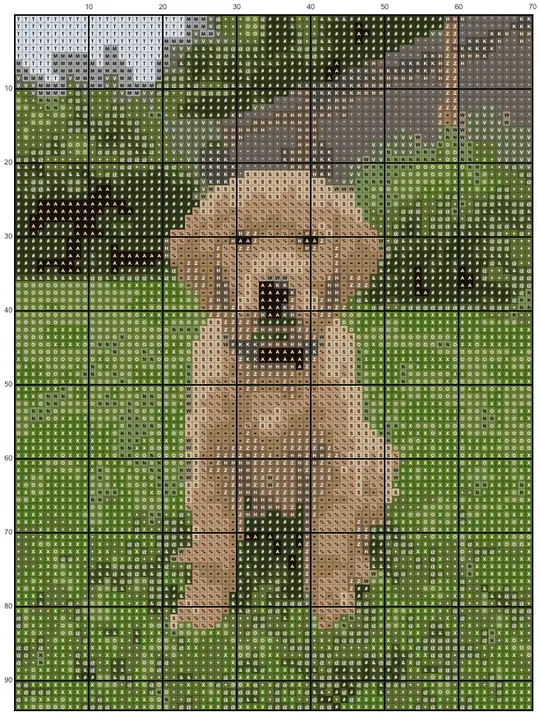
A pet portrait at 70 stitches wide with up to 20 colors: the eyes and nose stay readable, while the lawn and hedge share several greens.
Cross stitch pattern maker by Image to Layers turns a photo into a stitch-by-stitch chart with symbols, DMC thread numbers and skein counts, free and right in your browser.
Choose a photo, then set the stitches, thread colors and fabric. Your photo stays in this browser.
JPG, PNG or WebP · Up to 20 MB · Free PDF · No account
Aida fabric count
Your cross stitch chart appears here
Choose a photo to start.
The PDF holds a cover page, thread key and numbered chart pages. Skeins are estimates for two strands.
Pick a pet, family or travel photo, choose how many stitches wide the design should be and how many thread colors to use, and the photo to cross stitch pattern conversion runs on your device. Every download is free: a multi-page PDF chart, a PNG chart and a CSV thread list, with no account, no watermark and no credits. Patterns go up to 200 stitches wide and 40 DMC colors.
Updated
Three steps take a photo to a chart you can print and stitch. Nothing is uploaded, so you can try as many sizes and color counts as you like.
Open a JPG, PNG or WebP from your computer, phone or tablet. Crop close to the subject first; a face or pet that fills the frame keeps more detail.
Pick the width in stitches, the maximum number of DMC colors and your Aida count. The finished size in inches and centimeters updates as you go.
Save a PDF with a cover, thread key and numbered chart pages, a PNG of the whole chart, or a CSV shopping list of floss numbers and skeins.
Each pair shows the original image next to the chart this tool made from it, at the settings listed below. The charts were produced in a browser with the same code that runs above.
A pet portrait at 70 stitches wide with up to 20 colors: the eyes and nose stay readable, while the lawn and hedge share several greens.
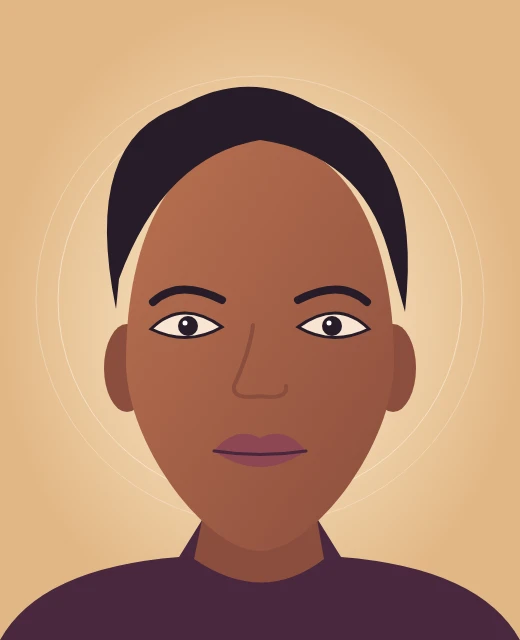
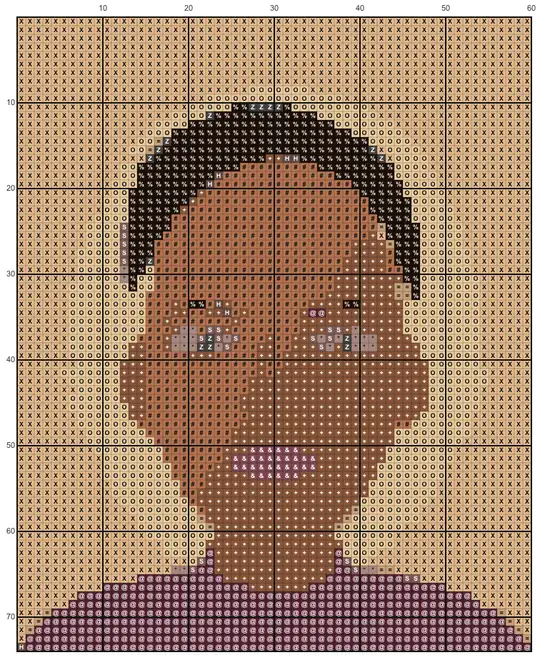
Flat artwork needs fewer threads: 12 colors at 60 stitches wide keep the hair, lips and shading as clean blocks.
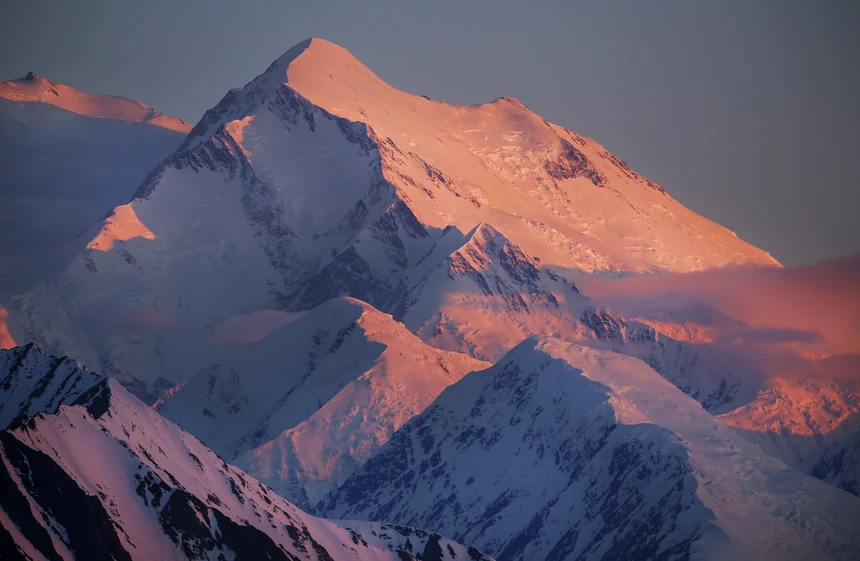
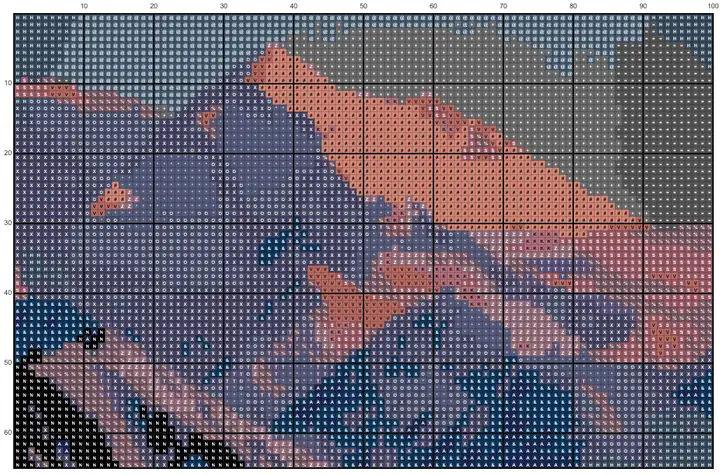
A landscape at 100 stitches wide: 24 colors were allowed, and 17 distinct DMC threads were enough for the sunlit ridges and blue shadows.
| Example | Stitches | DMC colors | Finished size (14-count) |
|---|---|---|---|
| Golden retriever puppy | 70 × 94 | 19 | 5.0 × 6.7 in (12.7 × 17.1 cm) |
| Illustrated portrait | 60 × 74 | 12 | 4.3 × 5.3 in (10.9 × 13.4 cm) |
| Mountain sunset | 100 × 65 | 17 | 7.1 × 4.6 in (18.1 × 11.8 cm) |
Yes. Previewing, changing settings and downloading are all free, and that includes the printable PDF, the full-size PNG chart and the CSV thread list. There is no sign-up, no trial period, no watermark and no page or color limit hidden behind a paywall. The conversion runs in your browser rather than on a paid server, which is why it costs nothing to offer.
The PDF opens with a cover page showing the pattern size, the finished size on your fabric and a color preview, followed by the thread key and the chart split into pages with row and column numbers.
Yes. Every color in the chart is an actual DMC six-strand floss number chosen from a table of 454 shades. The tool first finds the main colors in your photo, then snaps each one to the closest DMC thread by perceived color difference, so the key never invents codes you cannot buy. Each thread gets its own symbol, and the key lists the stitch count and an estimated number of skeins.
Screen colors are approximations of physical floss, and dye lots vary, so compare against a real color card before buying for a large project.
Change the stitch width or the fabric count. Finished size is stitches divided by the fabric count: 70 stitches on 14-count Aida is 5 inches, while the same chart on 18-count is about 3.9 inches. More stitches keep more detail but take longer to sew. For a pet or face portrait, 70 to 100 stitches wide with 15 to 25 colors keeps eyes and nose readable.
Simple shapes and logos look clean at 40 to 60 stitches with 6 to 12 colors. If a small chart looks muddy, crop the photo tighter before raising the stitch count, and keep "Clean up stray stitches" on to merge isolated single stitches into their neighbors.
Yes. The cross stitch pattern maker runs in Safari, Chrome and other modern browsers on iPad, iPhone, Android and Chromebook, so there is no app to install. Choose a photo from your library, adjust the sliders and download the PDF to Files or your downloads folder. iPhone photos picked in Safari arrive as JPG, so HEIC pictures work without converting them first.
Large charts are easier to check on a tablet or computer screen, but the PDF is the same on every device.
This tool has one price: free. Nothing is charged per pattern, per PDF or per color, and downloads carry no watermark.
| Action | Cost | Credits | Watermark |
|---|---|---|---|
| Preview a pattern | $0 | 0 | None |
| Download the PDF chart | $0 | 0 | None |
| Download the PNG chart or CSV thread list | $0 | 0 | None |
| Setting | Limit |
|---|---|
| Photo formats | JPG, PNG, WebP (still images) |
| Photo size | Up to 20 MB and 24 megapixels |
| Pattern width | 20–200 stitches (height follows the photo, up to 250) |
| Thread colors | 2–40 DMC colors per pattern |
| Fabric counts | 11, 14, 16 and 18-count Aida |
| PDF paper | US Letter or A4 |
AI editing tools elsewhere on the site use credits; see credit plans. To turn a photo into a dot pattern for printing instead, try the halftone generator.
If you are choosing between the free tools people mention most, this table lists what each one publishes on its own site. This page is our own tool and is not affiliated with the others. Pick an editor if you need to change single stitches; pick a converter like this one if you want a photo turned into a chart quickly.
| Tool | Price | Account | Stitch editing | Photo handling |
|---|---|---|---|---|
| This page | Free, PDF included | Not needed | No | Stays in your browser |
| Pic2Pat | Free PDF download | Not stated | Not stated | Photo stays on device; pattern sent to make the PDF |
| FlossCross | Free | Not needed | Yes, full editor | Patterns stored in your browser |
| Stitch Fiddle | Free plan; Premium $4.99/month or $28.95/year | Not stated | Yes, full editor | Charts stored in the cloud |
Checked 2026-11-22. Stitch Fiddle's free plan allows 15 charts, 50 colors and 300 × 300 stitches.
This cross stitch pattern maker converts a photo into full cross stitches only. It does not let you edit single stitches, add backstitch outlines, half stitches or French knots, or type lettering onto the chart. It uses DMC numbers only, with no Anchor or Madeira conversion. Very busy photos with many small details will still need a tight crop or a larger stitch count to stay recognizable.
Short answers to the questions that come up before people print.
No. The photo is read and converted inside your browser tab, and the PDF, PNG and CSV are built on your device. Nothing is sent to our server, so private family or child photos stay with you.
We claim no rights over charts you make here. Whether you can sell one depends on the photo: your own pictures are fine, but charts of celebrities, characters or someone else's artwork need the original owner's permission.
Yes, with one extra step. Type your words in any editor in a bold font, export or screenshot them as an image on a plain background, then upload that image here with 2 to 4 colors and a width that matches how large the letters should be.
The estimate assumes two strands, full cross stitches, an 8-meter six-strand skein and 25% extra for starting, ending and travel on the back. Tight tension or lots of scattered colors can use more, so buy one spare skein of the main colors.